
You can track and manage products inventory by enabling Track inventory function.
How to manage products inventory
-
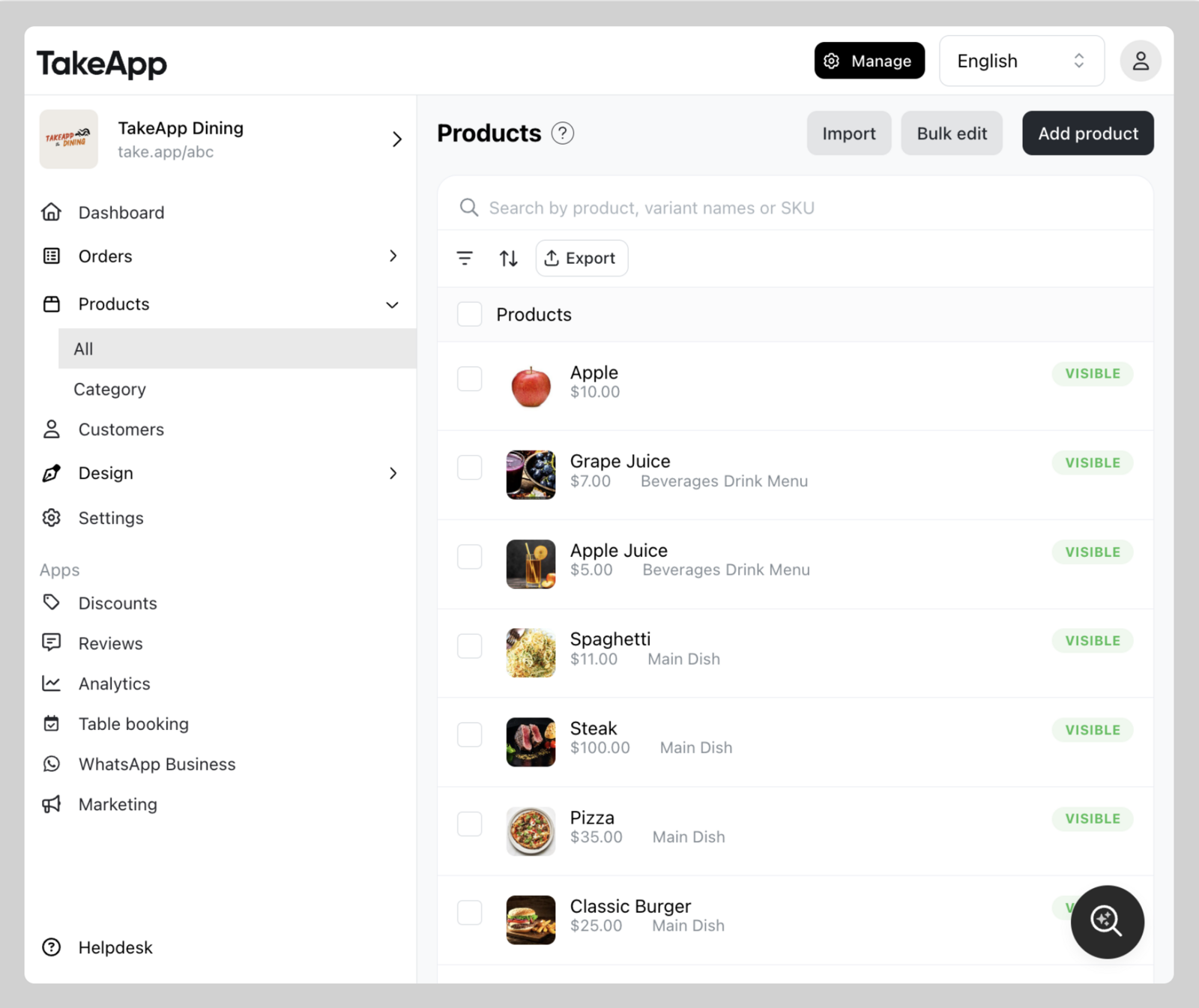
Find your product from Admin > Products and click on the specific product you wish to modify.
-
Navigate to the Inventory section and tick
Track Quantitycheckbox. Fill in the inventory amount. ClickSave.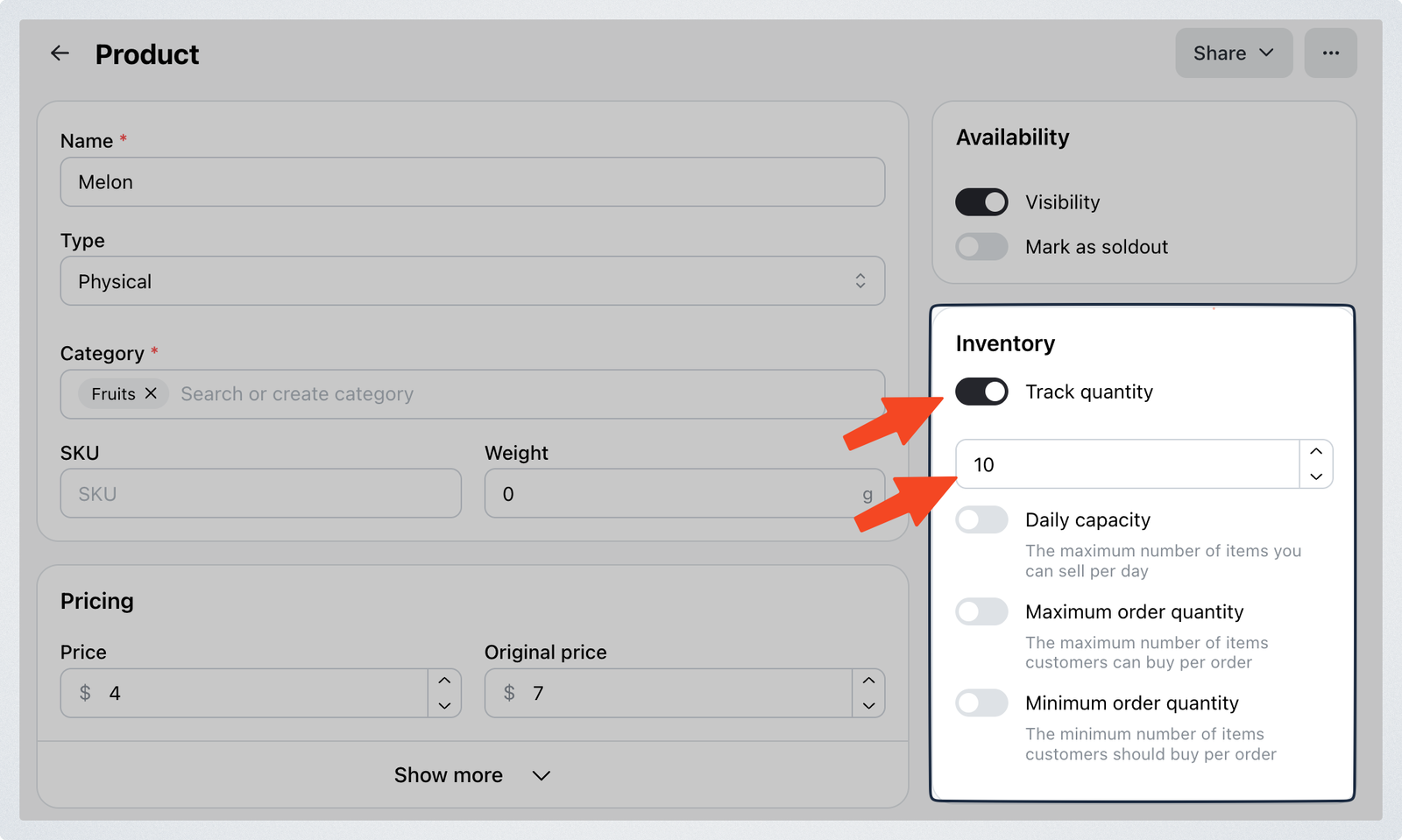
Set stock from the products list
Once a product tracks quantity, you can change its stock without opening it. In Admin > Products, click the number in the Inventory column, type the new quantity — one field per variant — and click Save.
This writes the same thing a save on the product page writes: the same inventory history, and the same low inventory alert. It also tells any customers waiting on a back in stock notification.
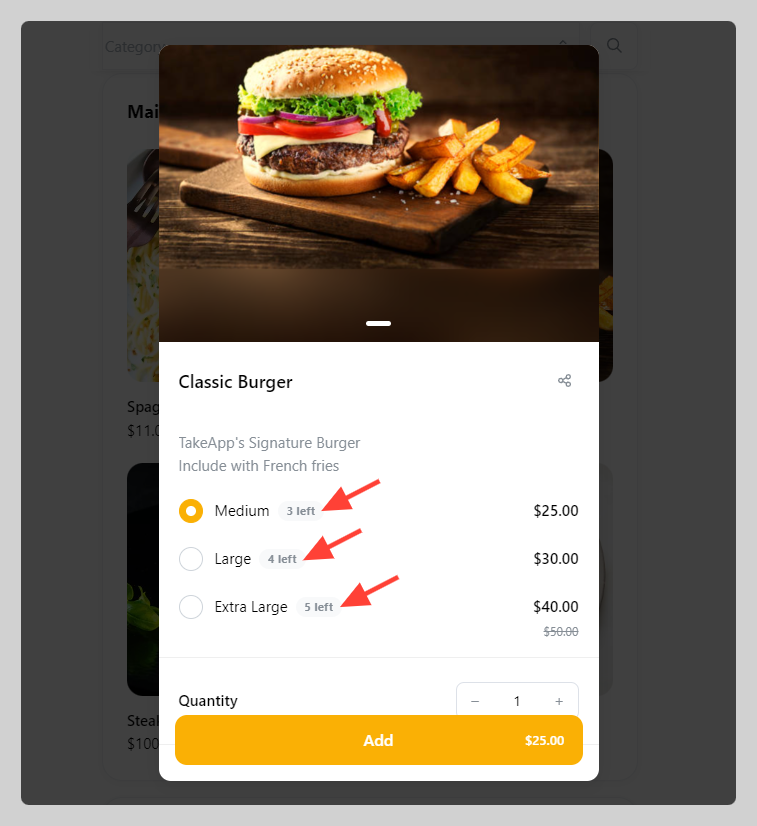
Products with 5 or fewer left in stock show their remaining count on the storefront, so customers can see the item is running low.
FAQ
Q: When does the product inventory update?
A: Inventory is updated immediately after an order is created.
Q: If I cancel an order, will the inventory restock?
A: When canceling an order, the inventory will be restocked automatically
Q: Inventory will deduct when order status changes?
A: Order status change (Draft/Cancel → Pending/Confirmed/Completed) will deduct inventory
Q: Can I still sell a sold-out or out-of-stock product?
A: Yes — when you create an order in Admin or POS. Customers on the storefront stay blocked.
In this section
Setting up product's daily capacity
Product's minimum and maximum quantity to checkout
Back in stock notifications
Take App can also warn you before you sell out: turn on the built-in low inventory workflow from Settings > Workflow to get an alert when stock runs low. It is enabled by default for new stores.