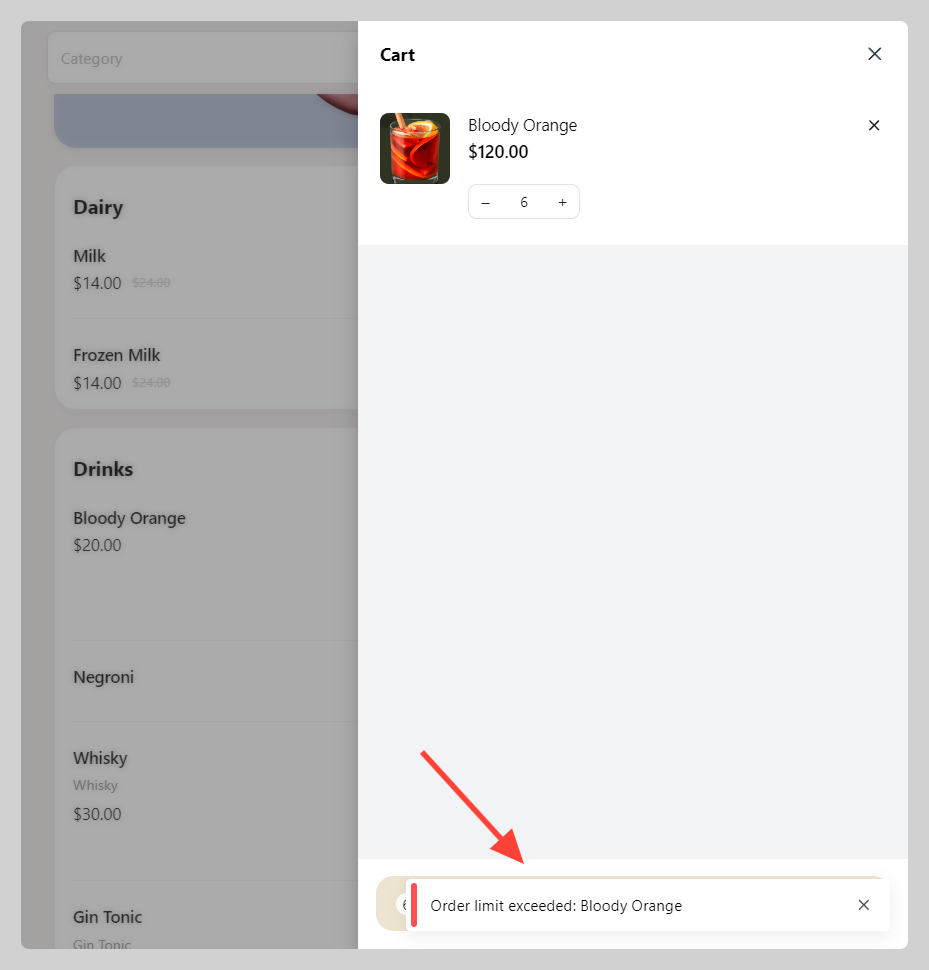
You can setup your minimum and maximum quantity of product that customer may get in a single checkout.
How to set up product's minimum and maximum QTY
-
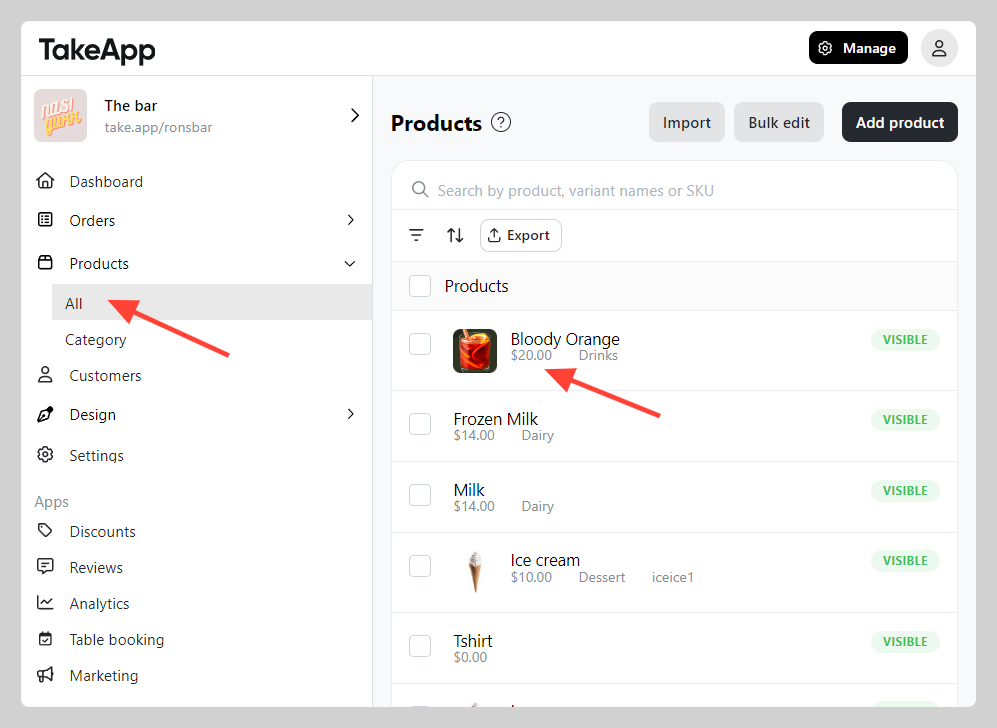
Go to Admin > Products > All and choose the product.
-
Scroll down to the "Inventory" section then setup your Minimum or Maximum quantity. Click
Save.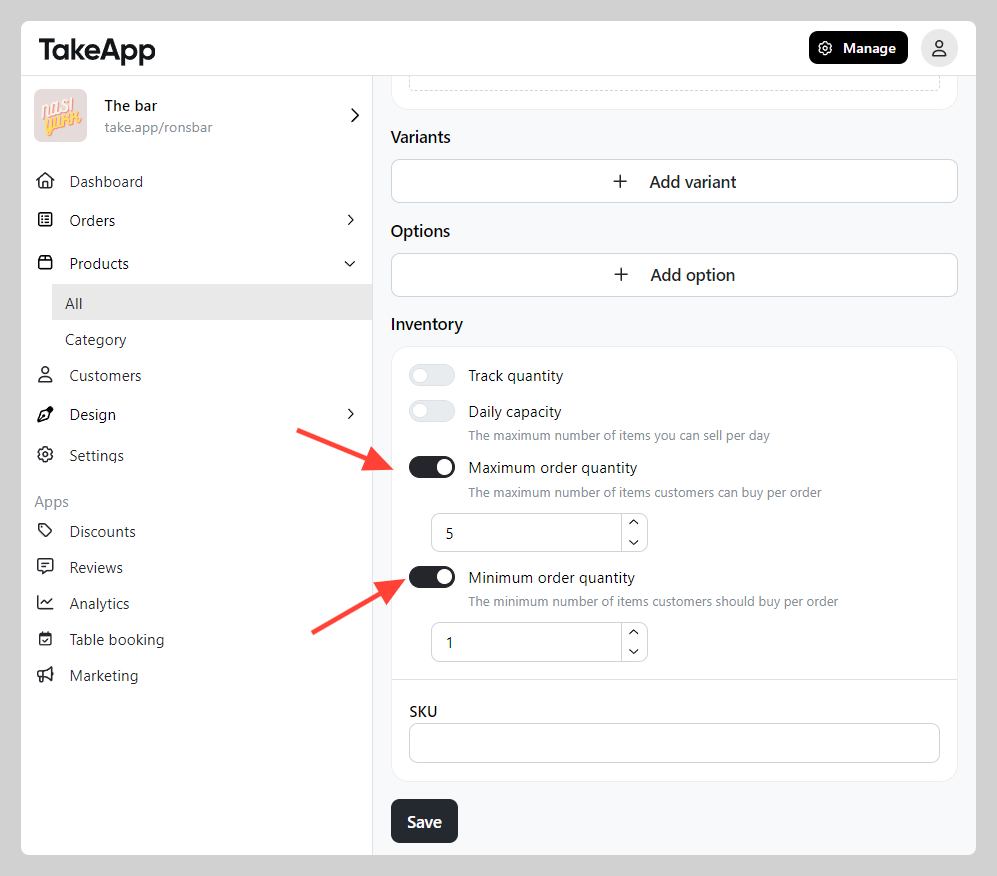
-
Check your storefront's cart to see if an alert is displayed when the allocated product quantity has not been met.