
Pre-order products allow you to sell items that will be delivered later within a specific delivery window (example: Receive Mar 10 – Mar 15). This helps customers clearly understand when they will receive the product, and prevents checkout issues caused by mismatched delivery schedules.
How to Enable Pre-order (Admin side)
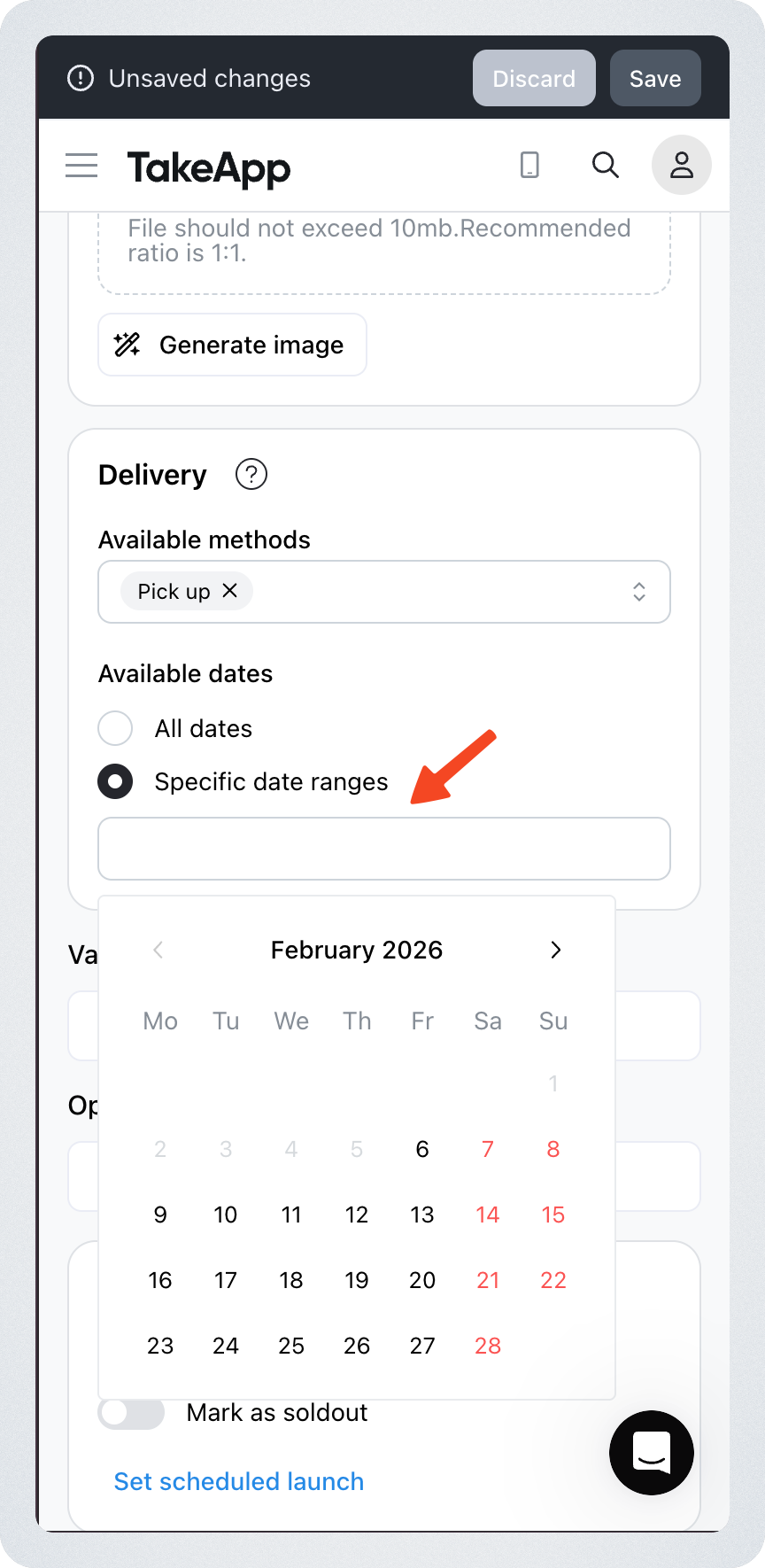
To enable Pre-order mode, you must set a Delivery Date Range for the product.
Steps
- Go to your Admin Dashboard
- Open Products
- Select the product you want to configure
- Click "Specific date ranges" under the Delivery section
- In the calendar, set:
- Delivery Start Date
- Delivery End Date
- Save
Once saved, the product is automatically treated as a Pre-order product.
What Customers Will See
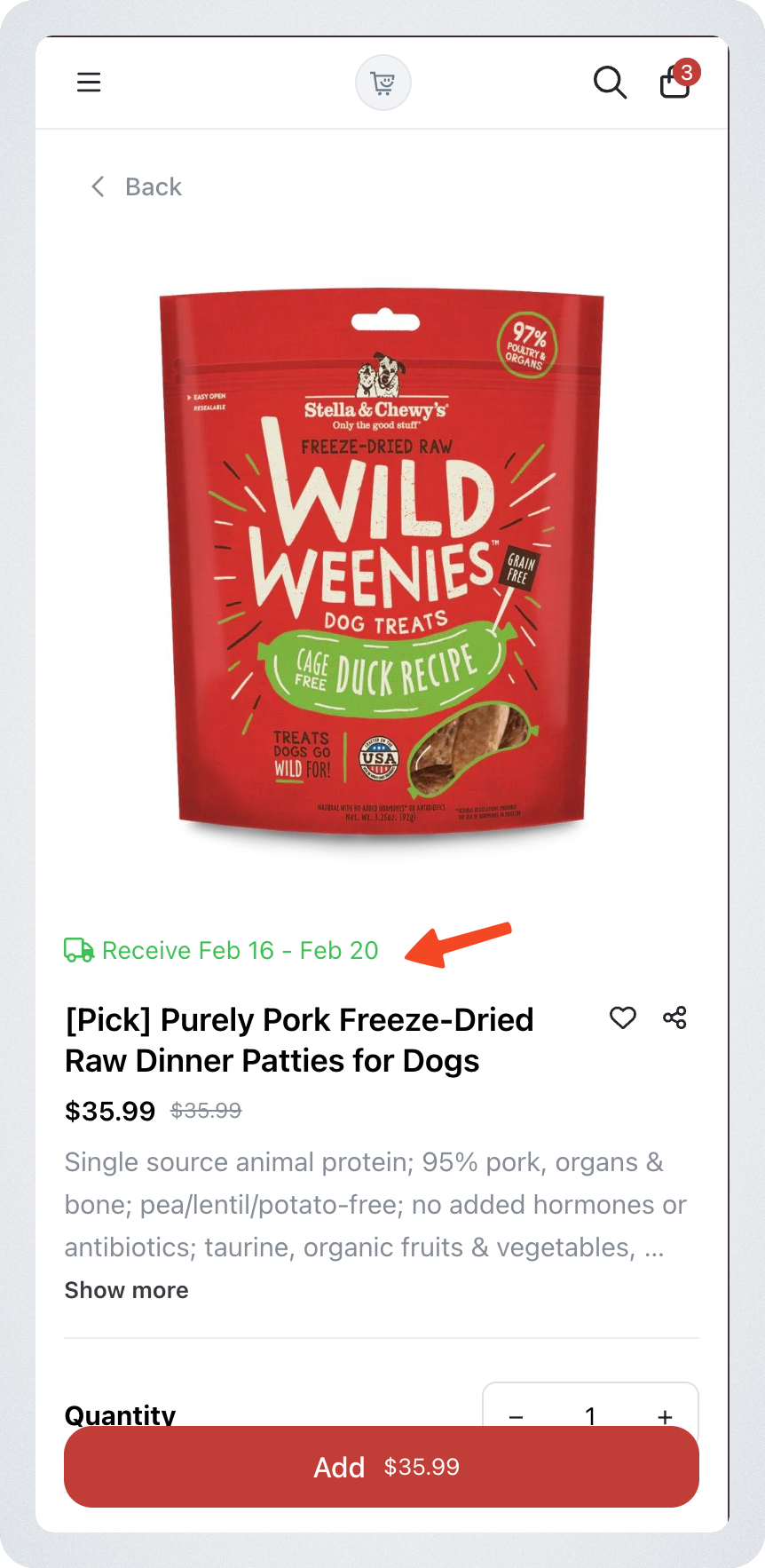
Delivery date range on the product page
Customers will see the delivery window directly on the product page, for example: Receive Mar 10 – Mar 15
This makes it clear that the product will not be delivered immediately.
How Customers Can Checkout
✅ Checkout allowed
Customers can checkout successfully when
- Pre-order product + regular product
When checking out a pre-order product together with a normal product, the delivery date can now be selected based on the override date.
- Multiple pre-order products share a common delivery date
If customers add multiple pre-order products, checkout is allowed only if their delivery date ranges overlap.
Example (allowed):
- Product A: Mar 10–20
- Product B: Mar 15–18
Common overlap exists → checkout is allowed.
❌ Checkout Blocked
Checkout will be disabled when:
Multiple pre-order products have no overlapping delivery range
If there is no shared delivery date between pre-order items, checkout is disabled.
Example (Blocked):
- Product A: Mar 10–12
- Product B: Mar 15–18
No overlap → checkout disabled.
One of the pre-order products must be removed before proceeding.
Important Notes & Best Practices
Pre-order delivery dates override store schedule
If a product has a delivery date range, customers will only see delivery dates within that range.
However, store-level delivery rules such as cutoff time and lead time are still applied to ensure accurate and realistic delivery dates.
Plan pre-order launches carefully
If you plan to sell multiple pre-order products in the same campaign, make sure their delivery date ranges overlap so customers can purchase them together.
Recommended use cases
Pre-orders work best for:
- seasonal products
- clearance
- limited drops
- restock campaigns
- made-to-order items
- supplier arrival products