
You can sell digital products by adding a downloadable link—perfect for things like ebooks, guides, online courses or other files.
How to add digital products
-
Go to Products > All and click
Add product -
In "Product type", select "Digital" and fill in the Download link with your digital product's link (e.g., Google Drive or Dropbox link)
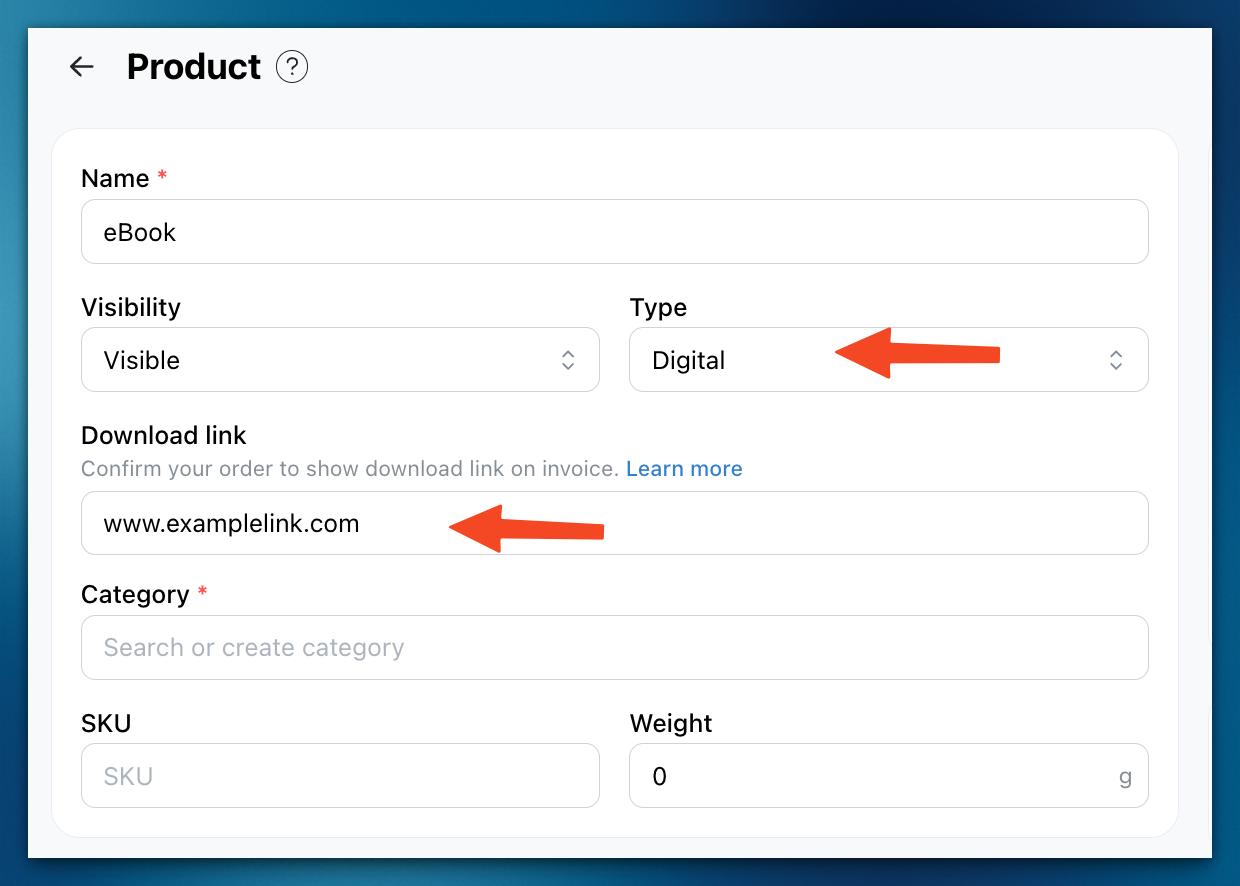
⚠️ Important: The download link will only appear on the customer’s invoice after the order status is set to Confirmed or Completed.
How customers receive their digital product
-
Once the order status is marked as
ConfirmedorCompleted, the download link will appear on the customer’s invoice.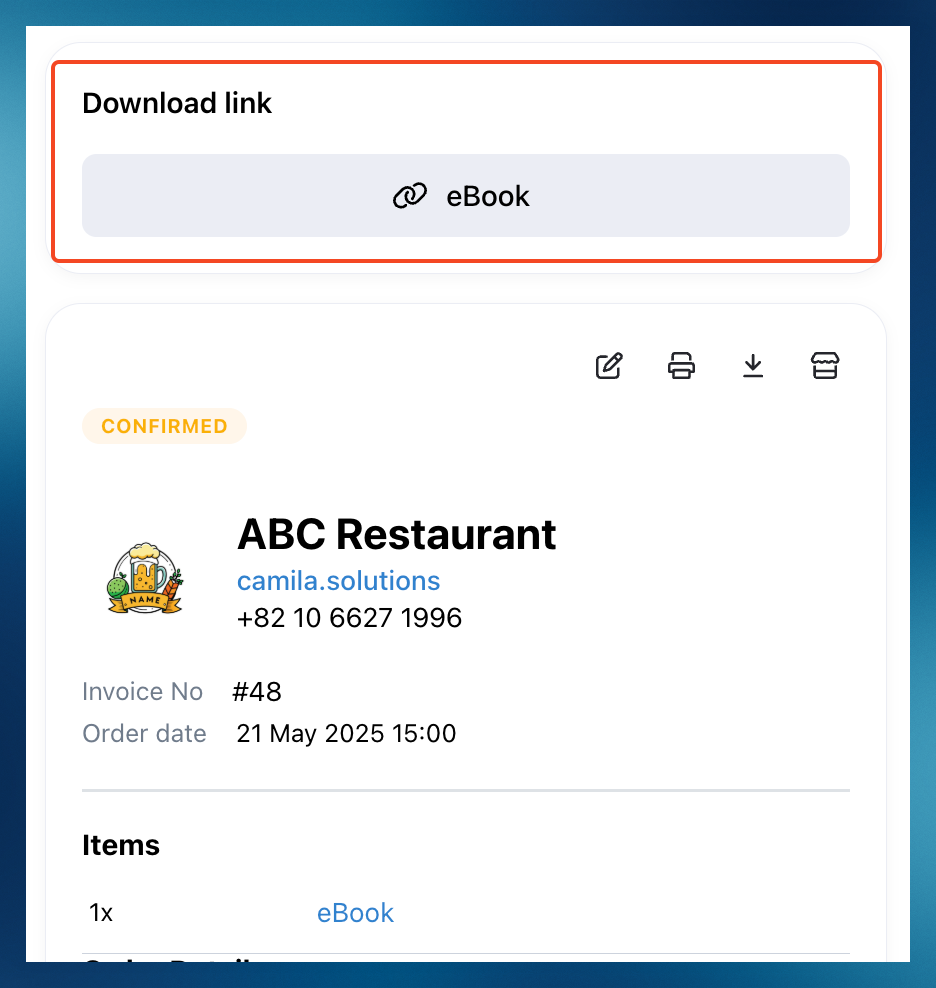
-
Customers will also receive an automatic WhatsApp notification (workflow) with the digital product link. Message is send when order status is changed to
ConfirmedorCompleted.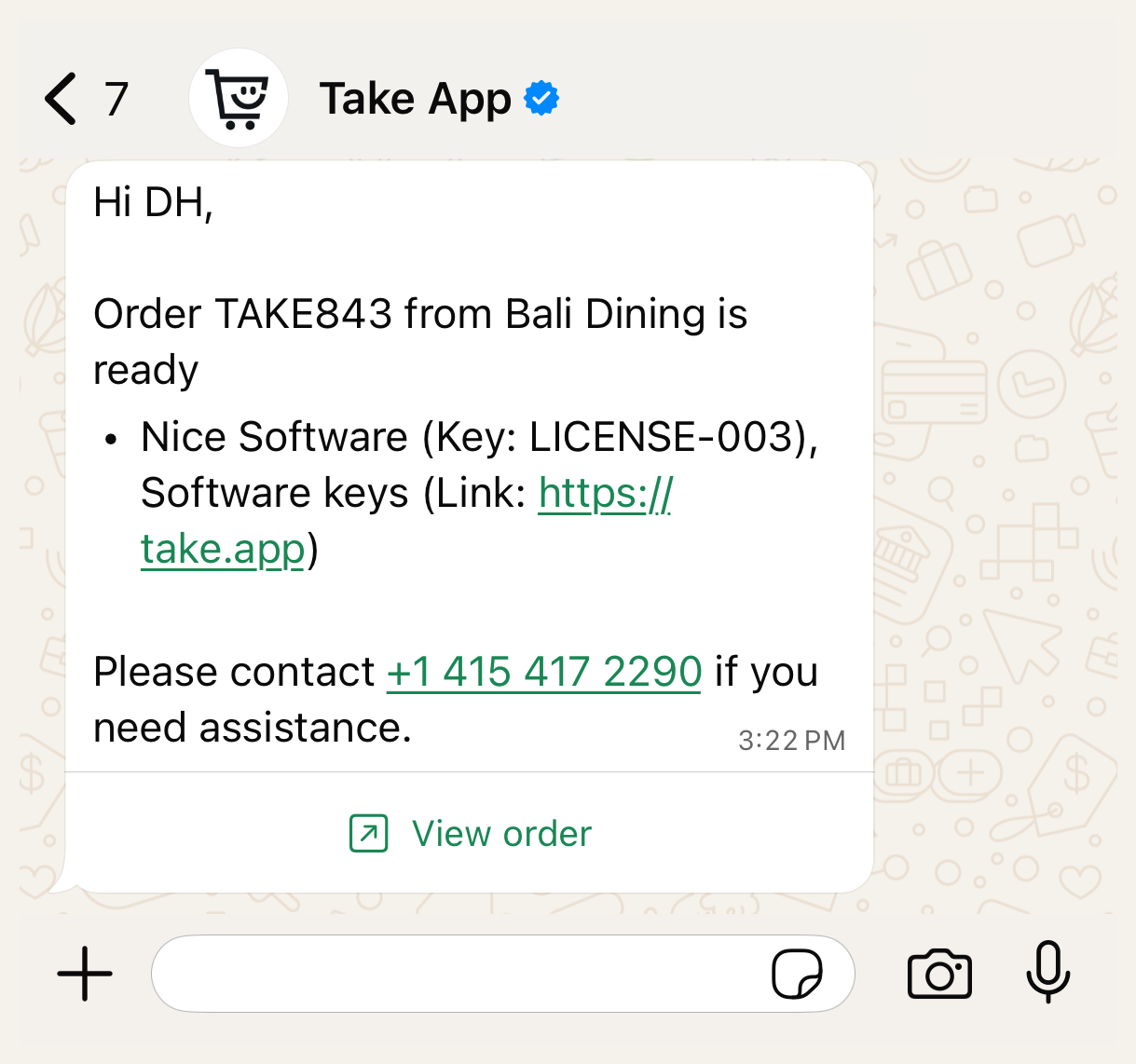
Check your workflow settings
To make sure the automatic WhatsApp message is sent:
- Go to Settings > Workflows.
- Confirm that the built-in workflow called "Digital product delivery is active.