
Use Payment recovery workflow to recover your payments or automatically cancel when payment is not received.
Built-in Payment Recovery (Abandoned Cart Reminder)
Take App now includes a built-in workflow called “Abandoned cart reminder.”
This workflow automatically sends a WhatsApp reminder when payment is pending for 20 minutes.
You can simply turn it on from Settings > Workflow > Built-in workflows, no setup required.
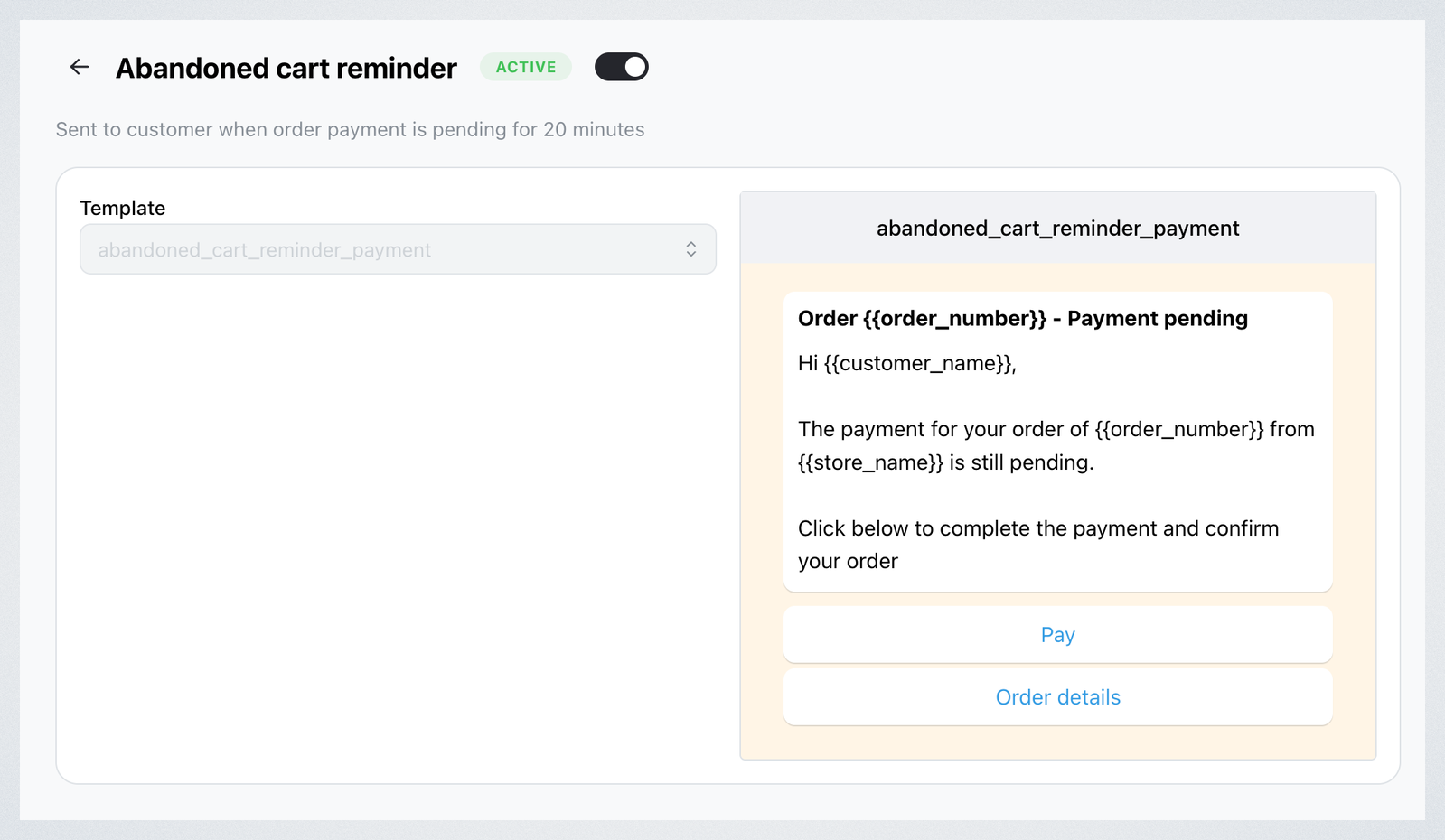
If you want to change the timing (for example, remind sooner or later than 20 minutes), you can still create your own Payment recovery workflow using the steps below.
Set up Payment recovery workflow
-
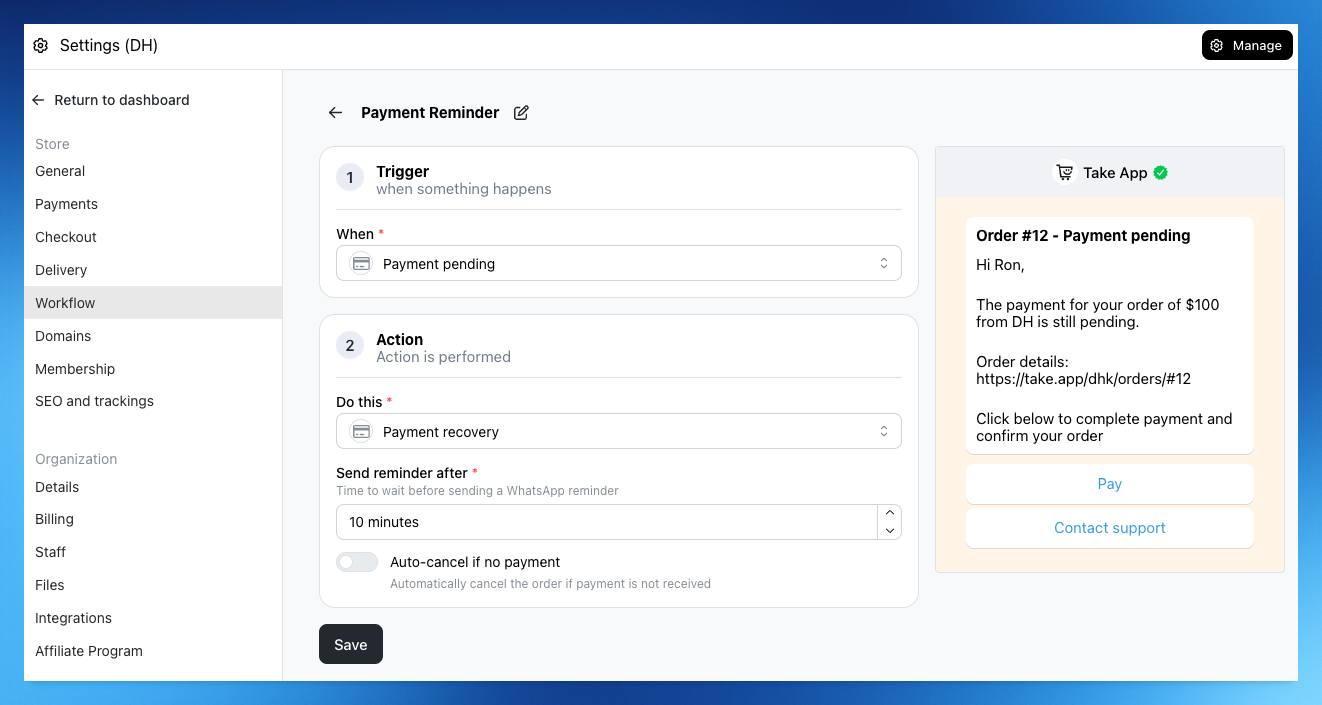
Go to Settings > Workflows and click on "Create workflow"
-
Choose "Payment pending" as the Trigger and choose "Payment recovery" as the Action
-
Set up when you wish to send the reminder to your customers for payment.
-
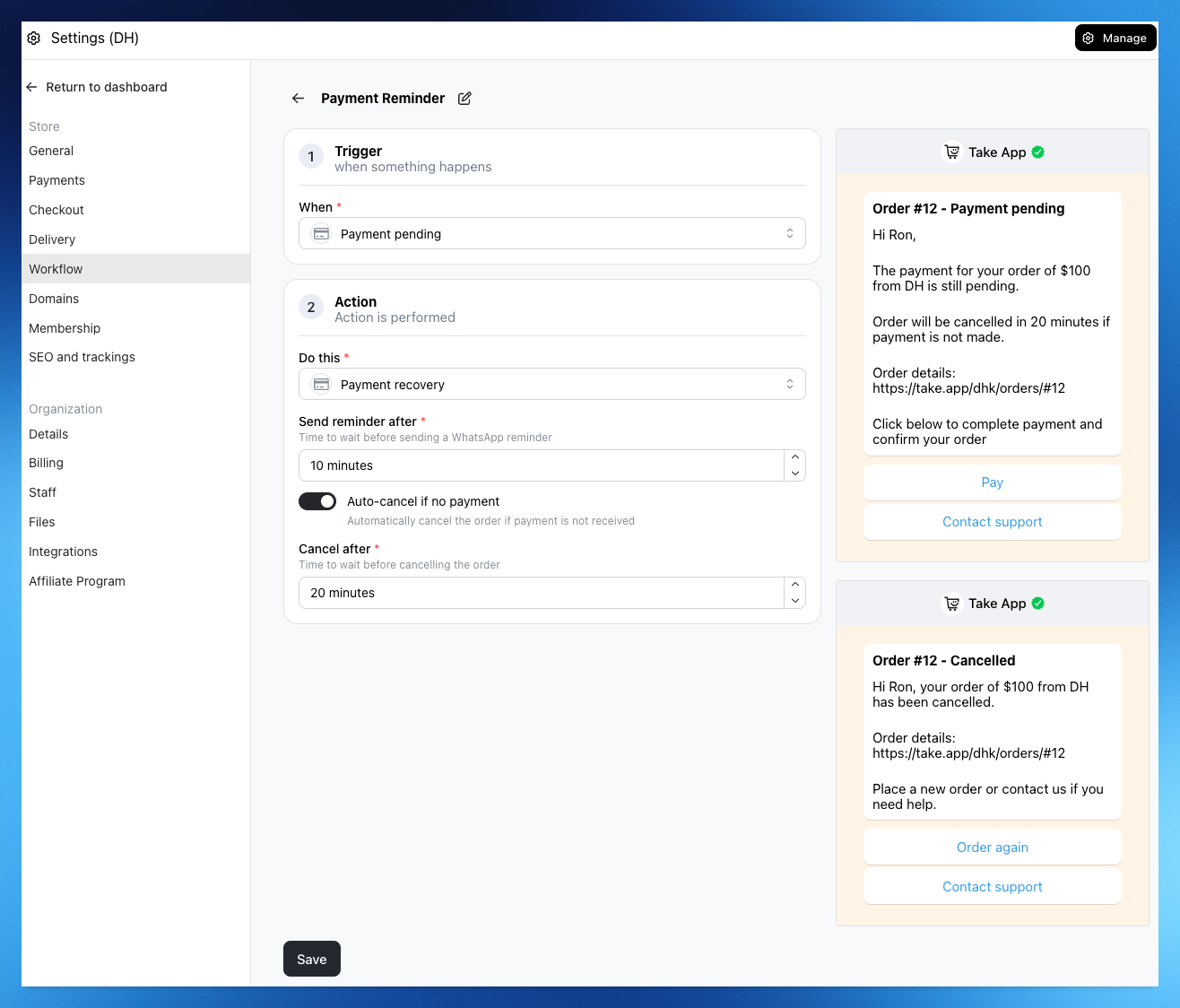
When payment is not received, you can auto-cancel the order and send WhatsApp to you customer to notify cancellation.
WhatsApp Messages
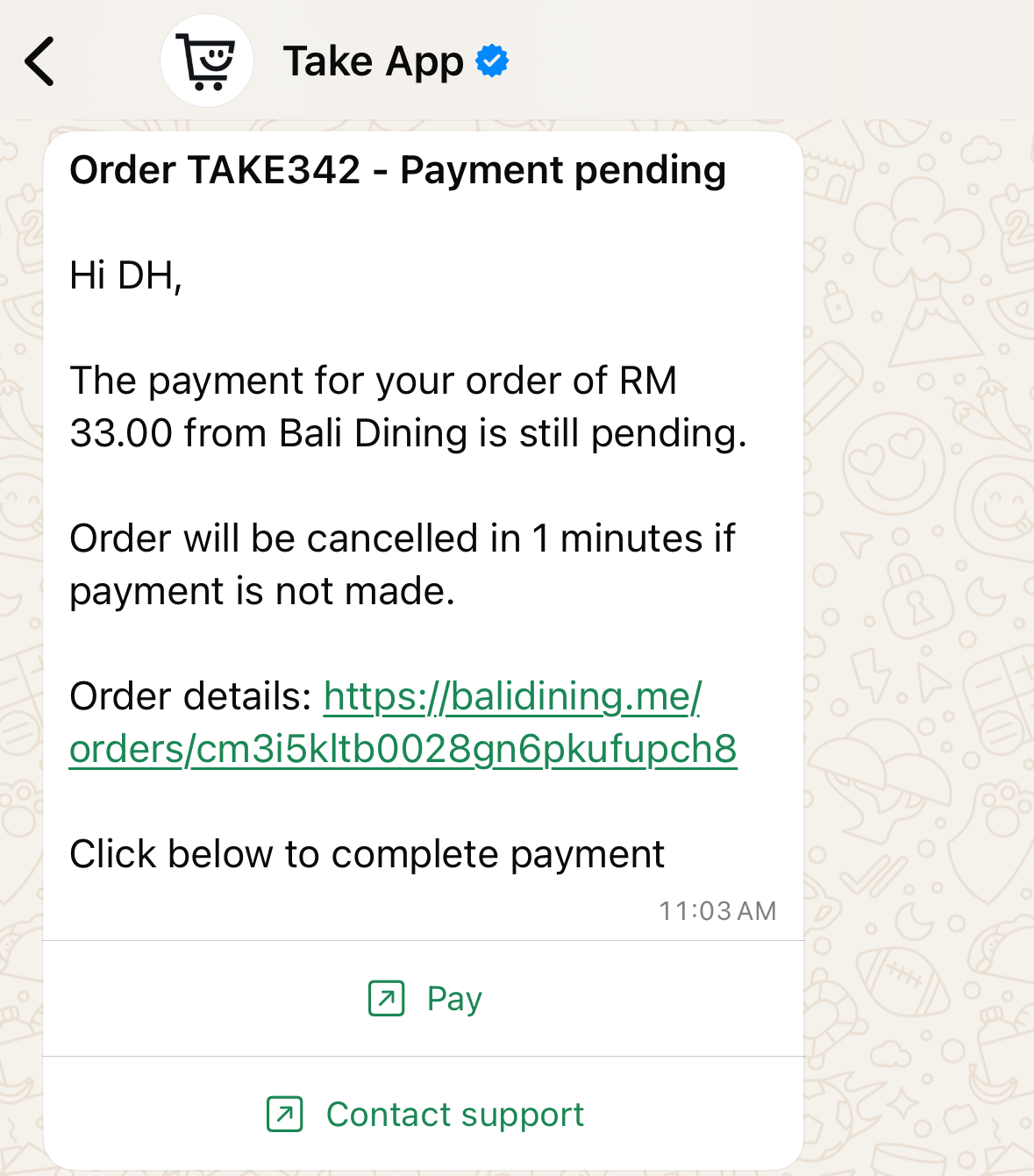
Reminder message after X minutes
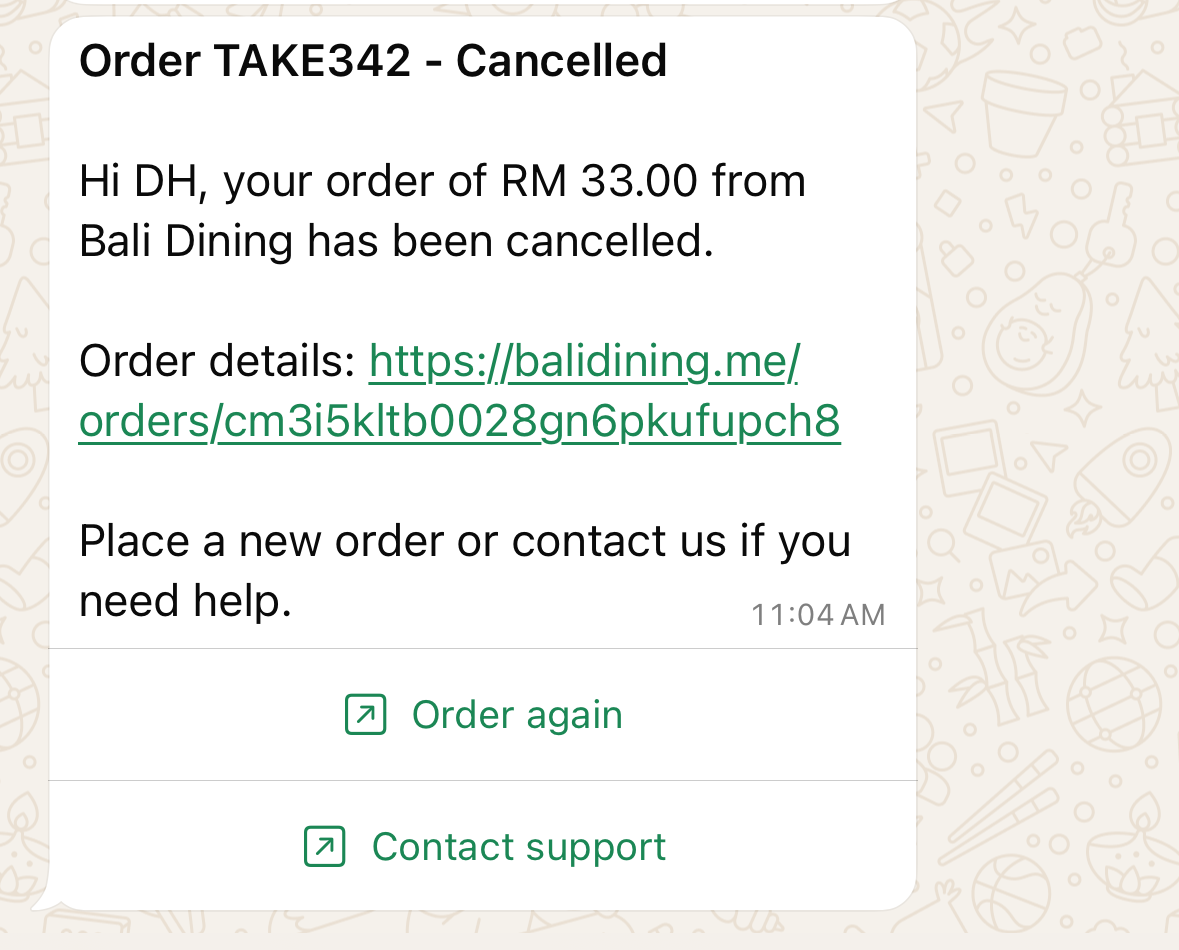
Cancellation message after Y minutes
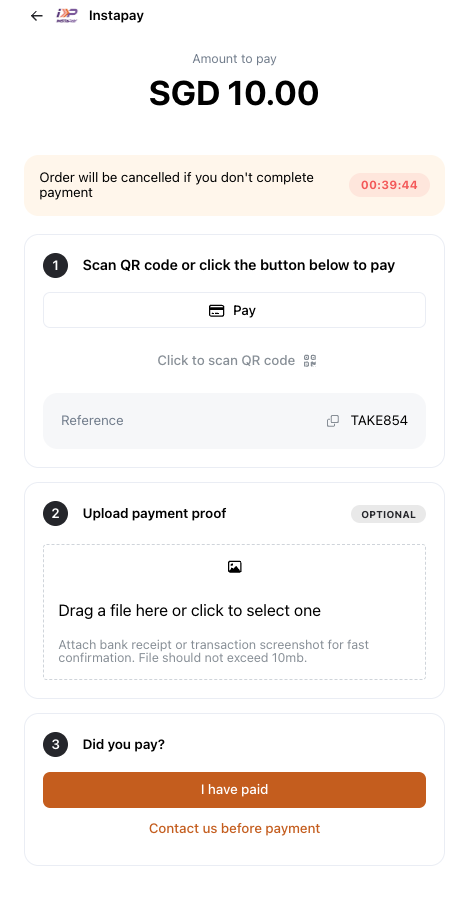
When Auto-cancel is enabled, customers will now see a countdown timer on the payment page to create urgency and improve conversions
Note:
- Need at least one payment method for this workflow to work.
- Inventory will be automatically restocked upon cancellation