
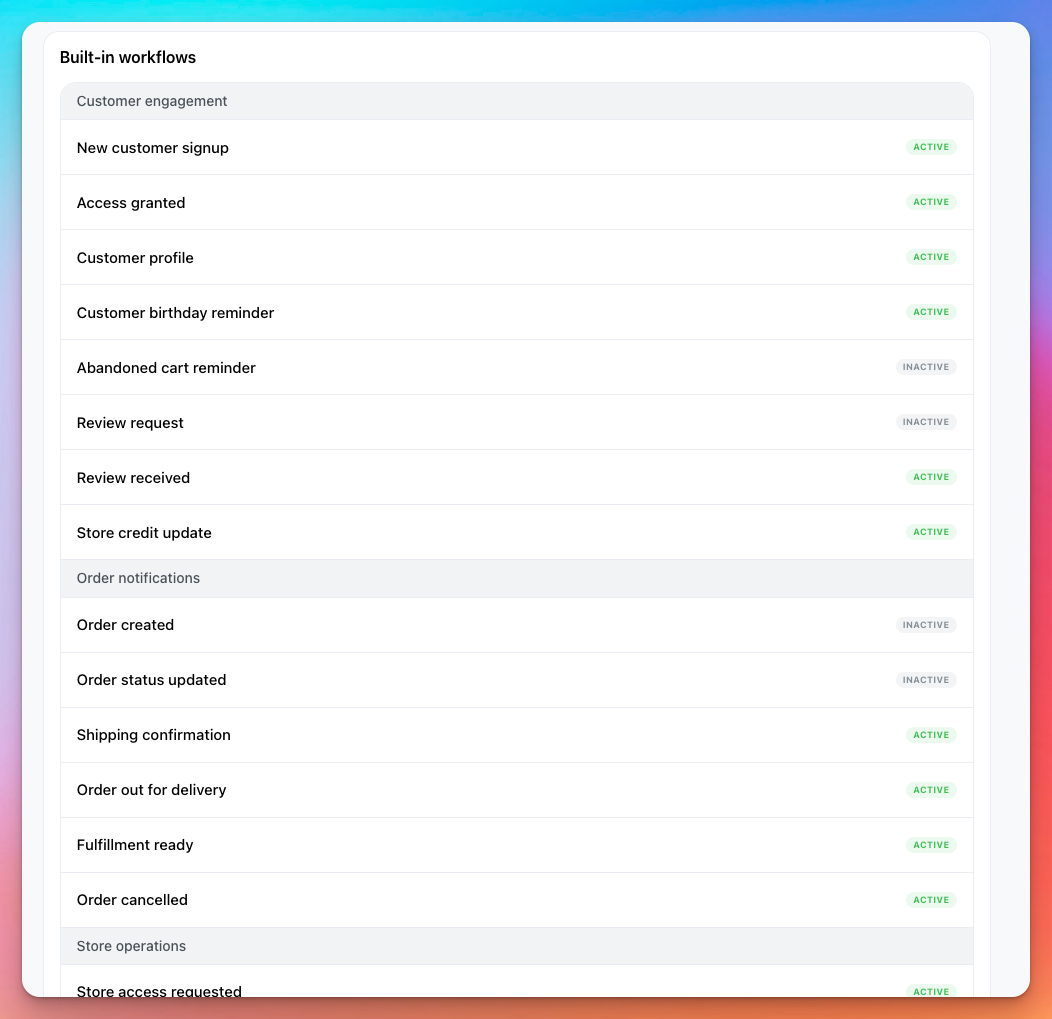
Take App offers built-in WhatsApp automation to keep your team and customers updated when specific order-related events happen. These workflows are pre-configured and automatically send WhatsApp messages to staff, customers, or drivers based on various triggers.
What Are Built-in Workflows?
Built-in workflows are ready-to-use automations that notify relevant parties via WhatsApp when important events occur in your store. These include scenarios such as:
- Order assigned to a staff member
- Store credit updated
- New customer signup
- Customer review received, etc.
Each workflow uses a predefined WhatsApp template message and is active by default for new stores.
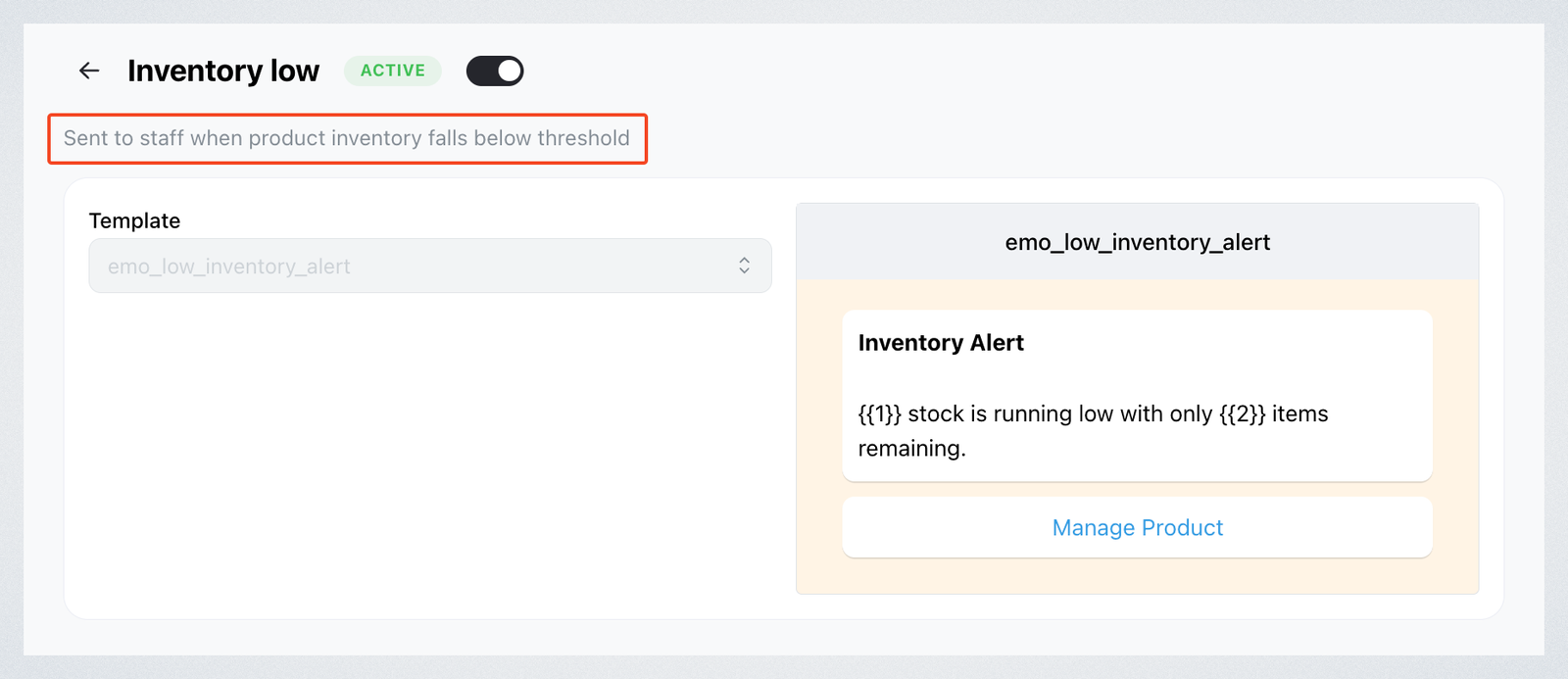
If you want to know what a workflow is about before making changes, click on it and you will see a short description under the title explaining its purpose.
How to Enable or Disable Workflows
You can now turn these workflows ON or OFF as needed.
- Go to Settings → Workflows
- Under Built-in workflows, click on any listed item (e.g., New customer signup)
- Use the toggle switch at the top right to enable or disable it.
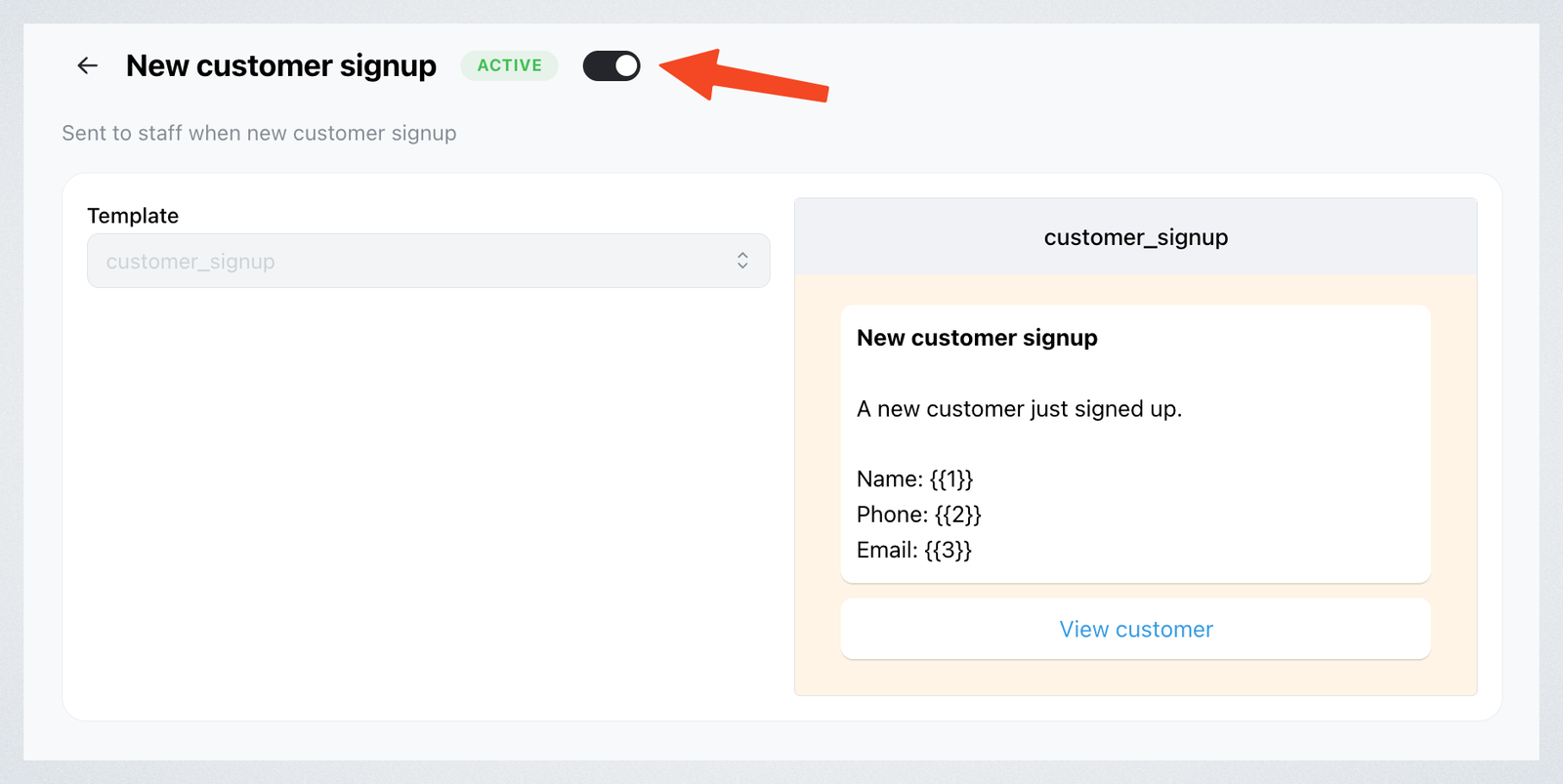
When a workflow is active, messages will be sent automatically upon the specified trigger. If it's off, no WhatsApp messages will be sent for that event.\
💡 Tip
If you have two workflows with the same trigger — one in Workflows and another in Built-in workflows — the message will be sent twice. Double-check your workflows to avoid duplicate notifications.