On the free Basic plan, you can upgrade to Essential for unlimited orders, your own domain and analytics, or to Business for card payments, WhatsApp automation and more stores and staff. Compare them on the pricing page.
How to upgrade your subscription
-
Go to Settings > Billing and click
Manage subscription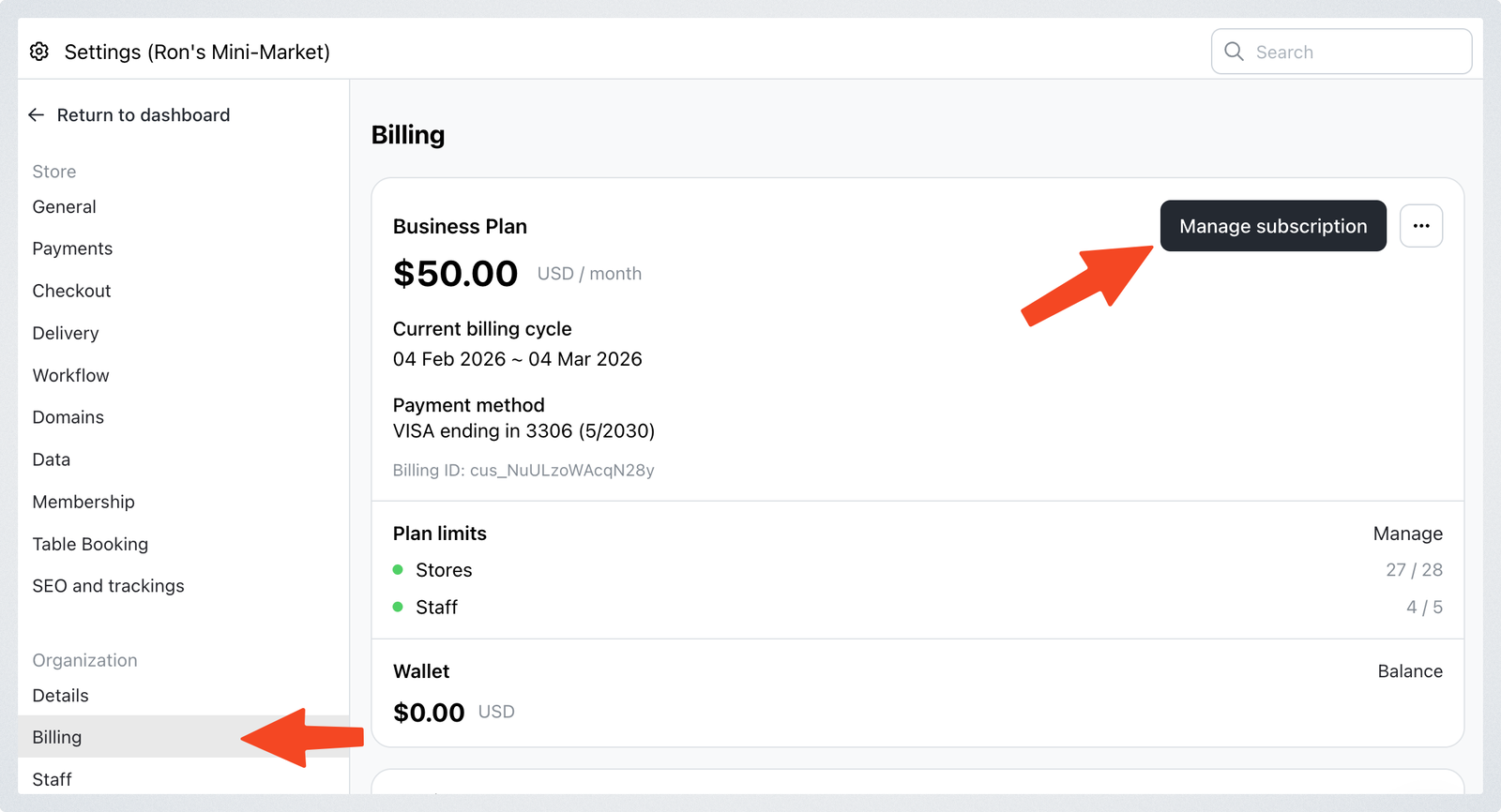
-
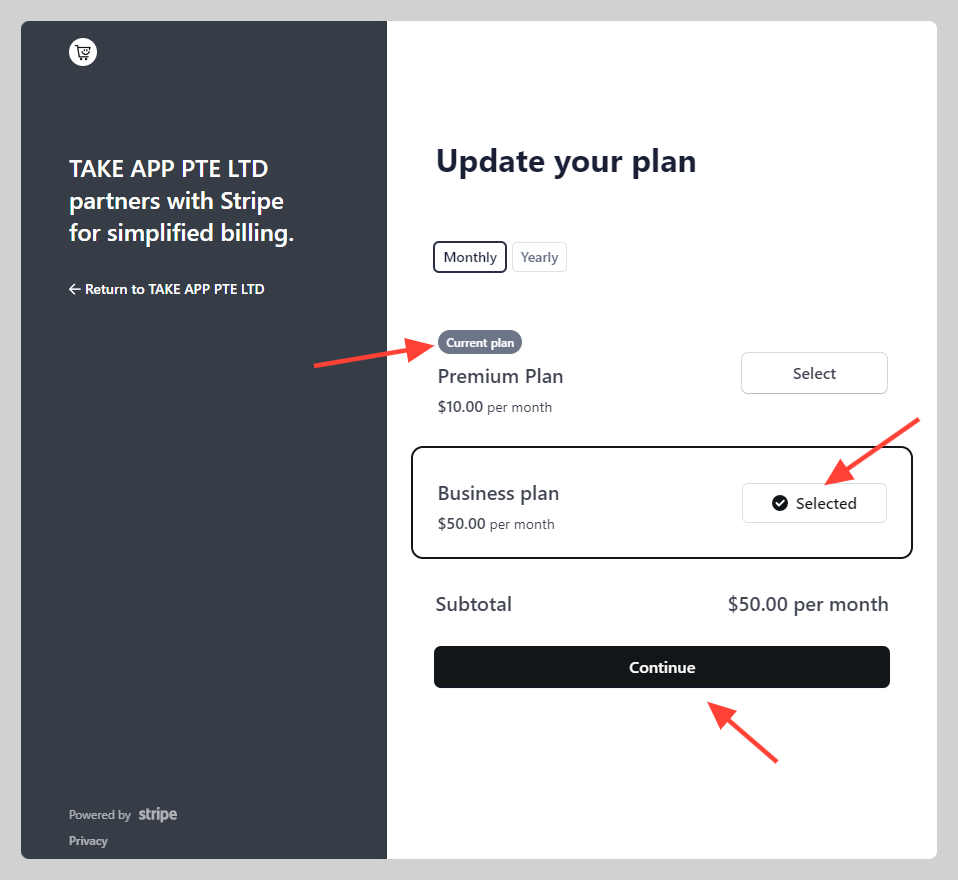
Change your current plan (e.g. Basic) to the new plan (e.g. Essential, or Business monthly) then click
Continue