
You can update the card used for your subscription anytime from your Billing settings.
-
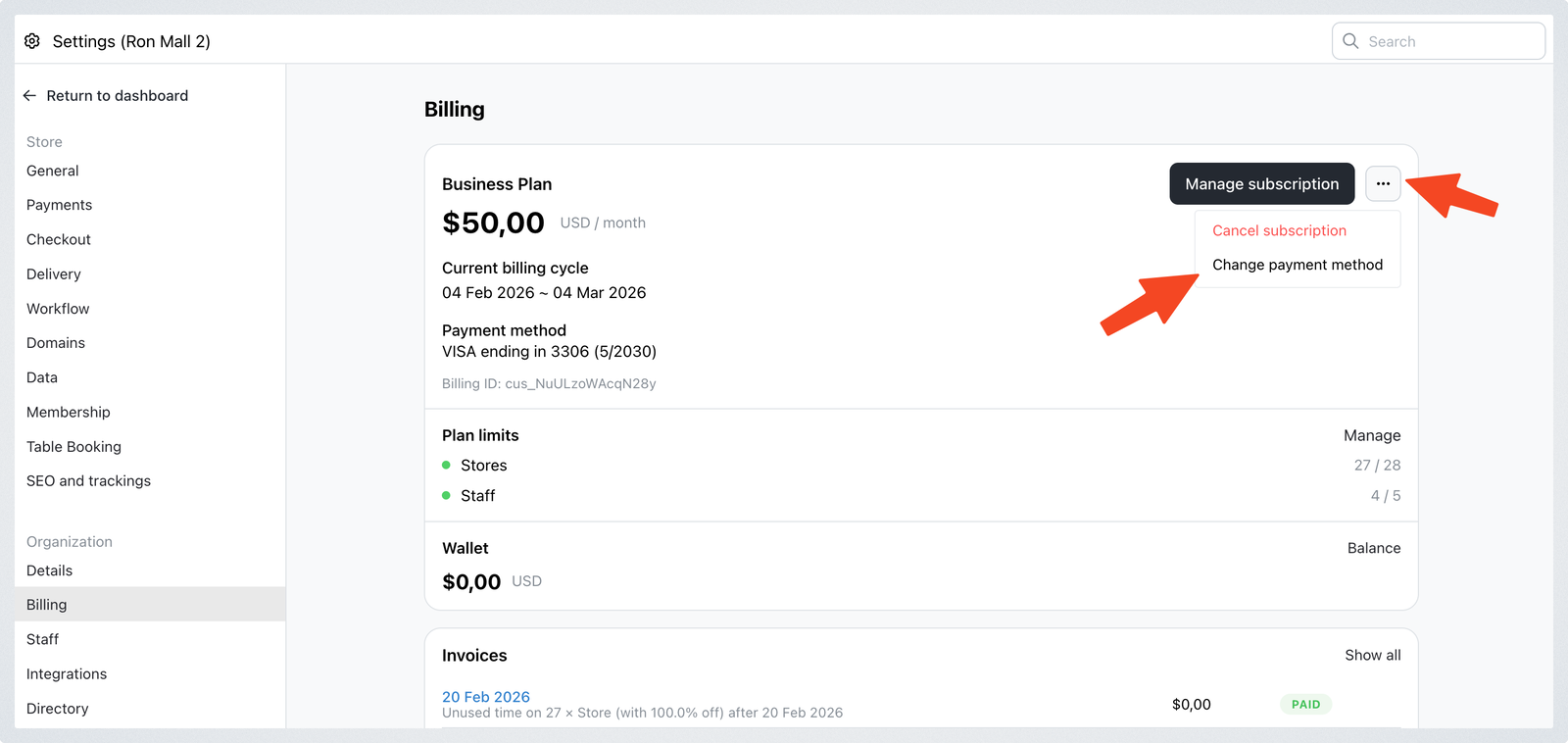
Go to Settings > Billing.
-
In the payment methods section, click the three-dot button next "Manage subscription button". Then, click Change payment method.
-
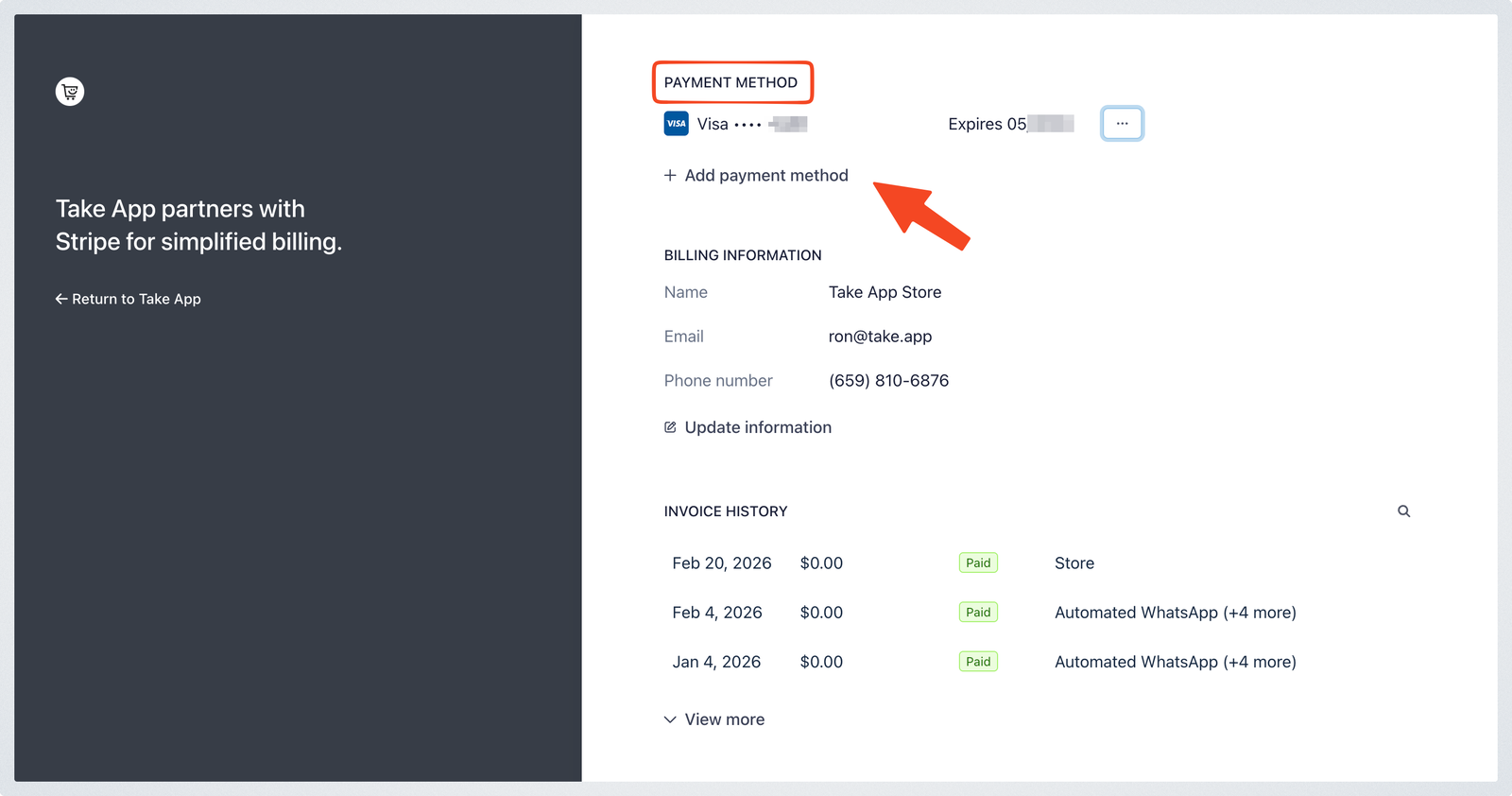
Scroll to the Payment method section and click Add payment method.
-
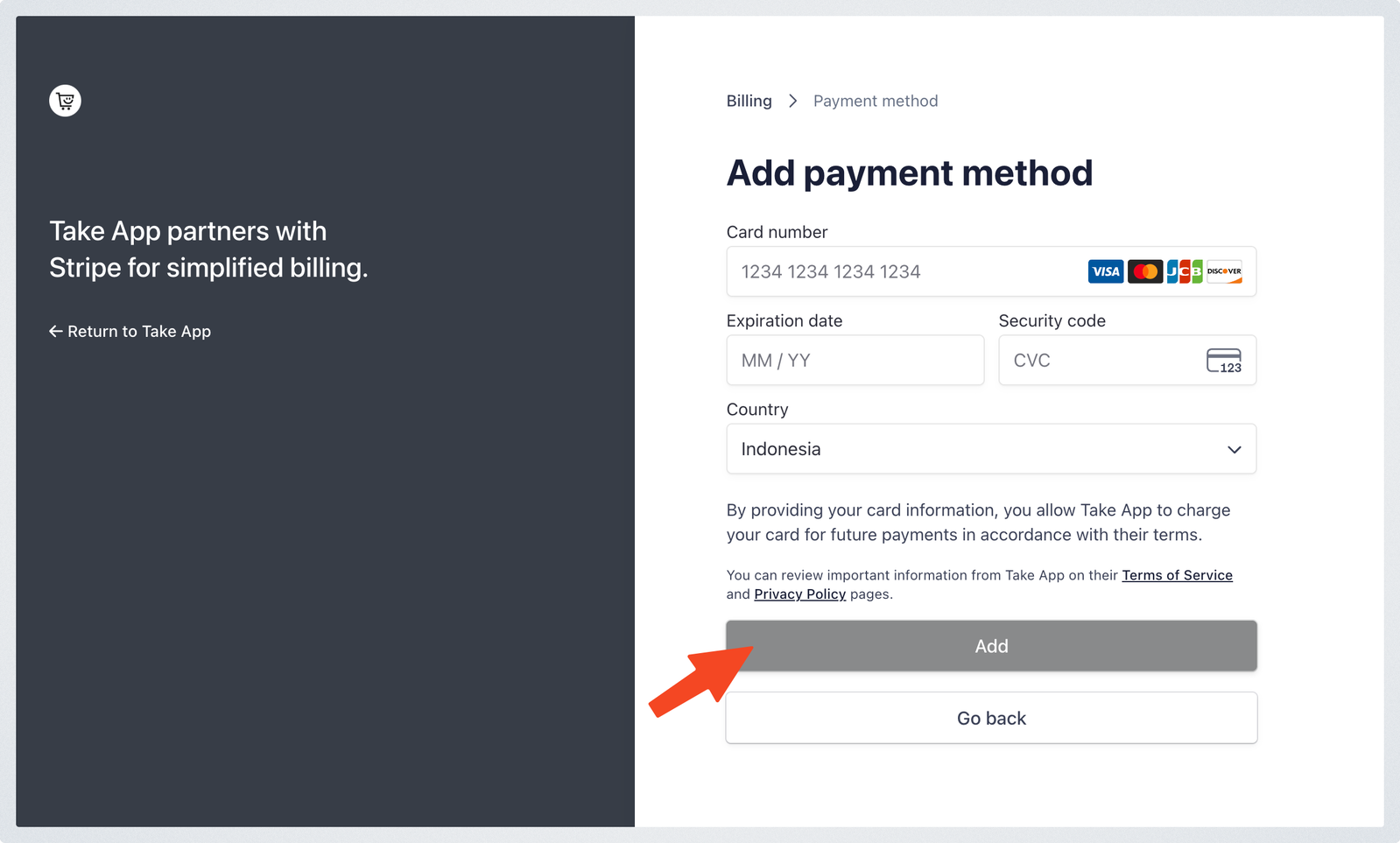
Fill in your card details, then click Add.
-
Once the new card is added, click the three-dot button next to the card. Select Make default to set it as the payment method for your subscription.
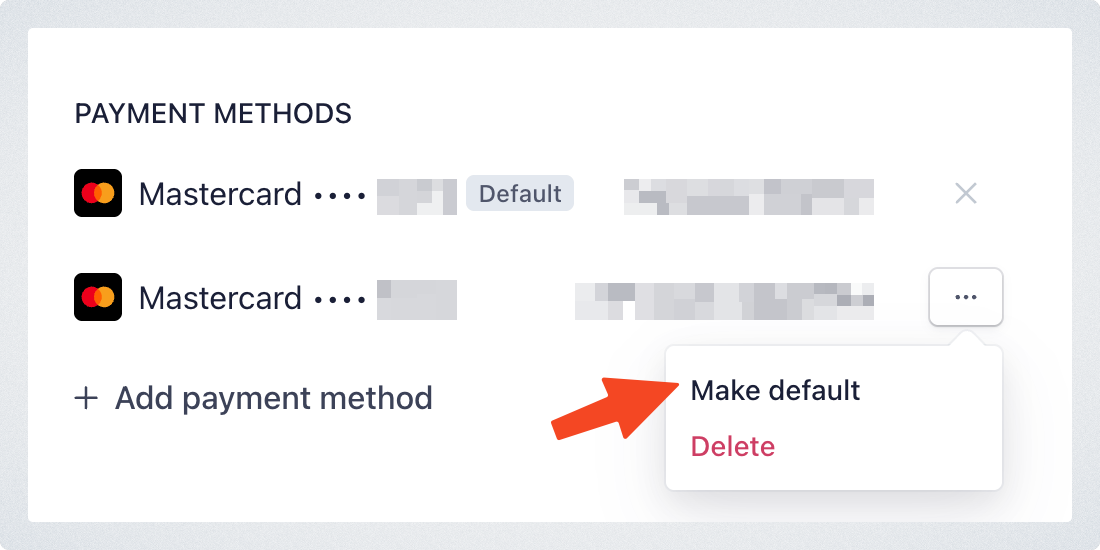
Your subscription will now be charged to the new default payment method. You can also delete your old payment method.