
You have the option to toggle product visibility, allowing you to choose between making them Visible or Hidden from the storefront.
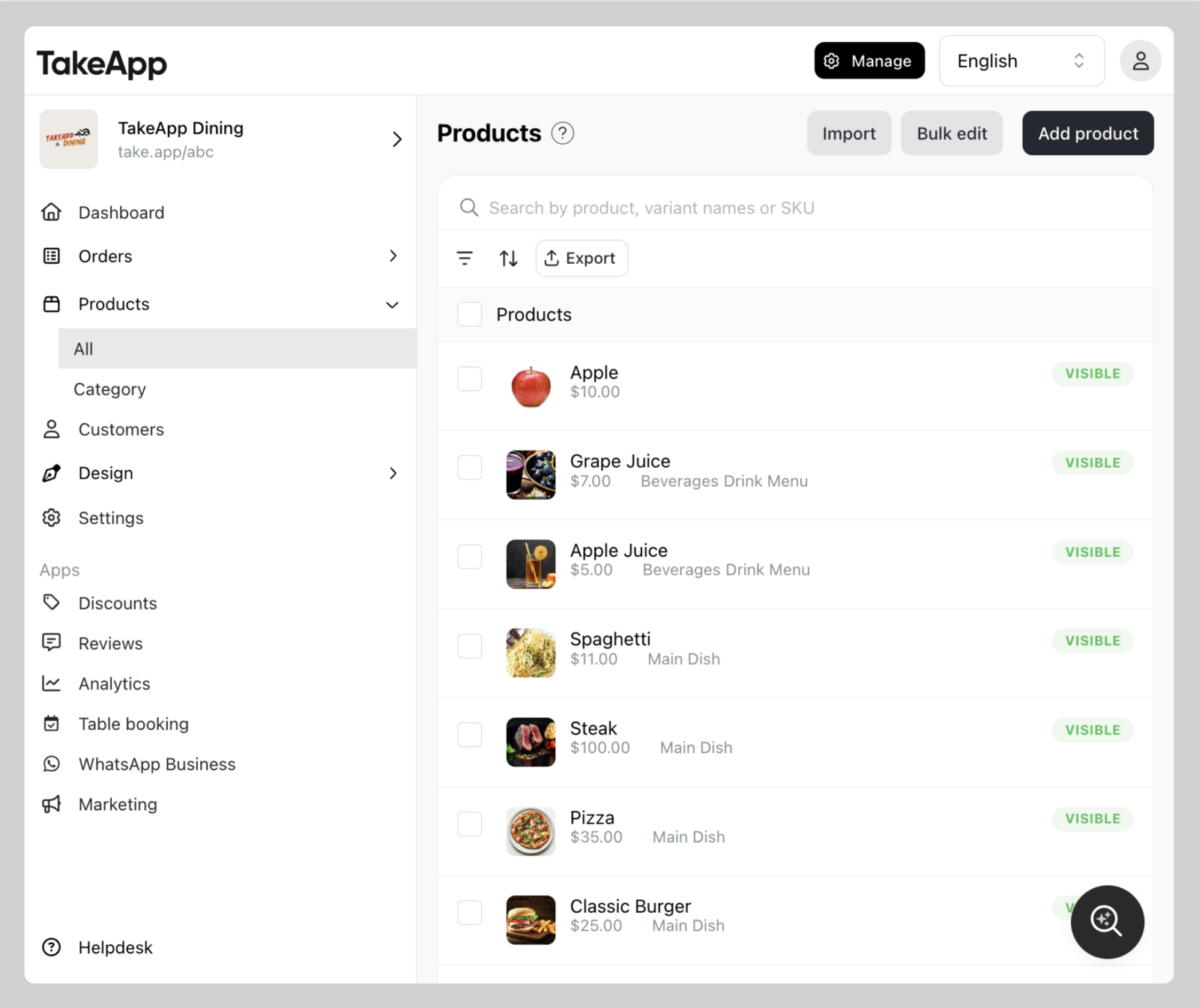
Modifying product visibility on product detail page
- Find your product from Admin > Products and click on the specific product you wish to modify.
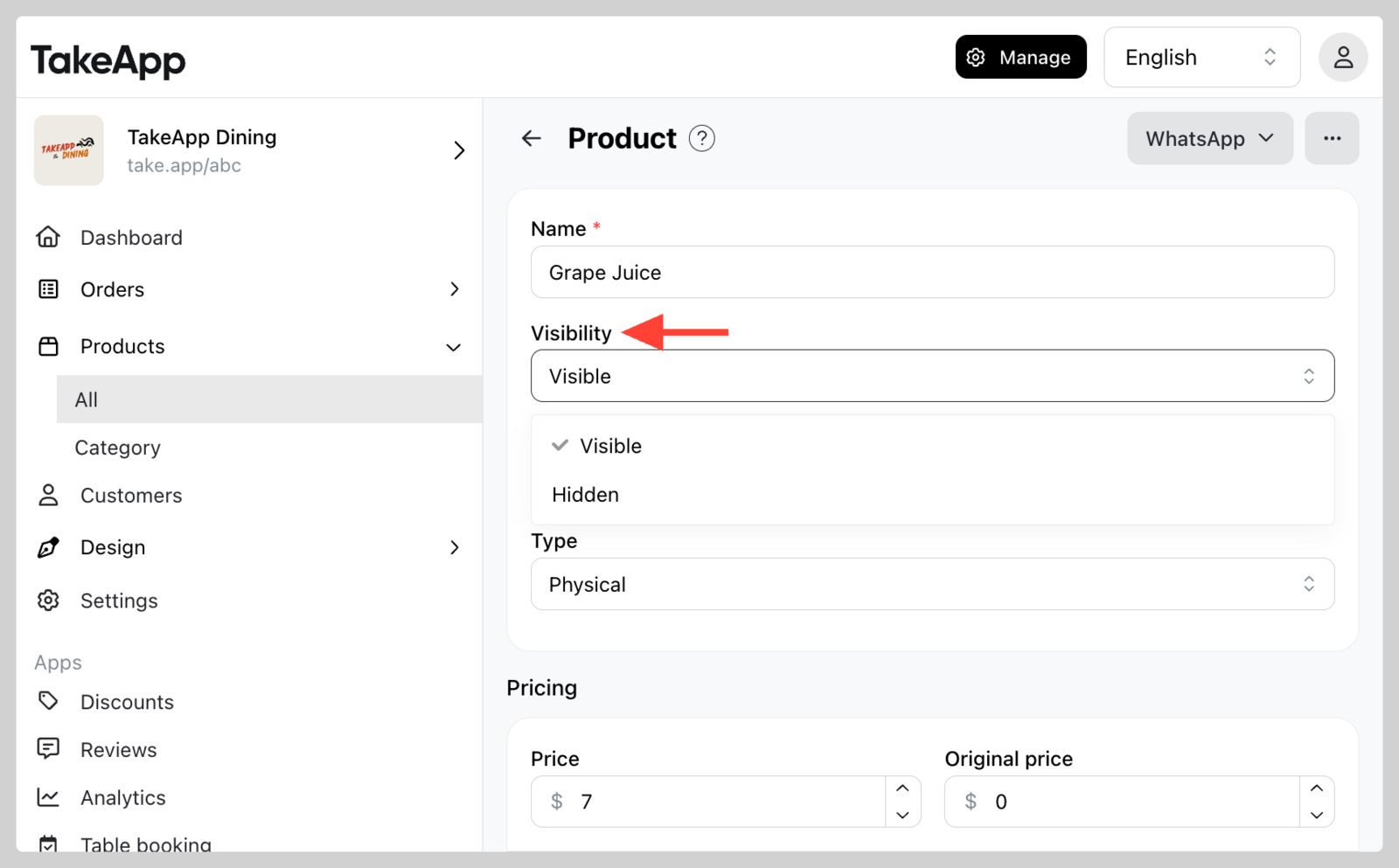
 2. Click on Visibility and change to `Visible` or `Hidden`. Click `Save`.
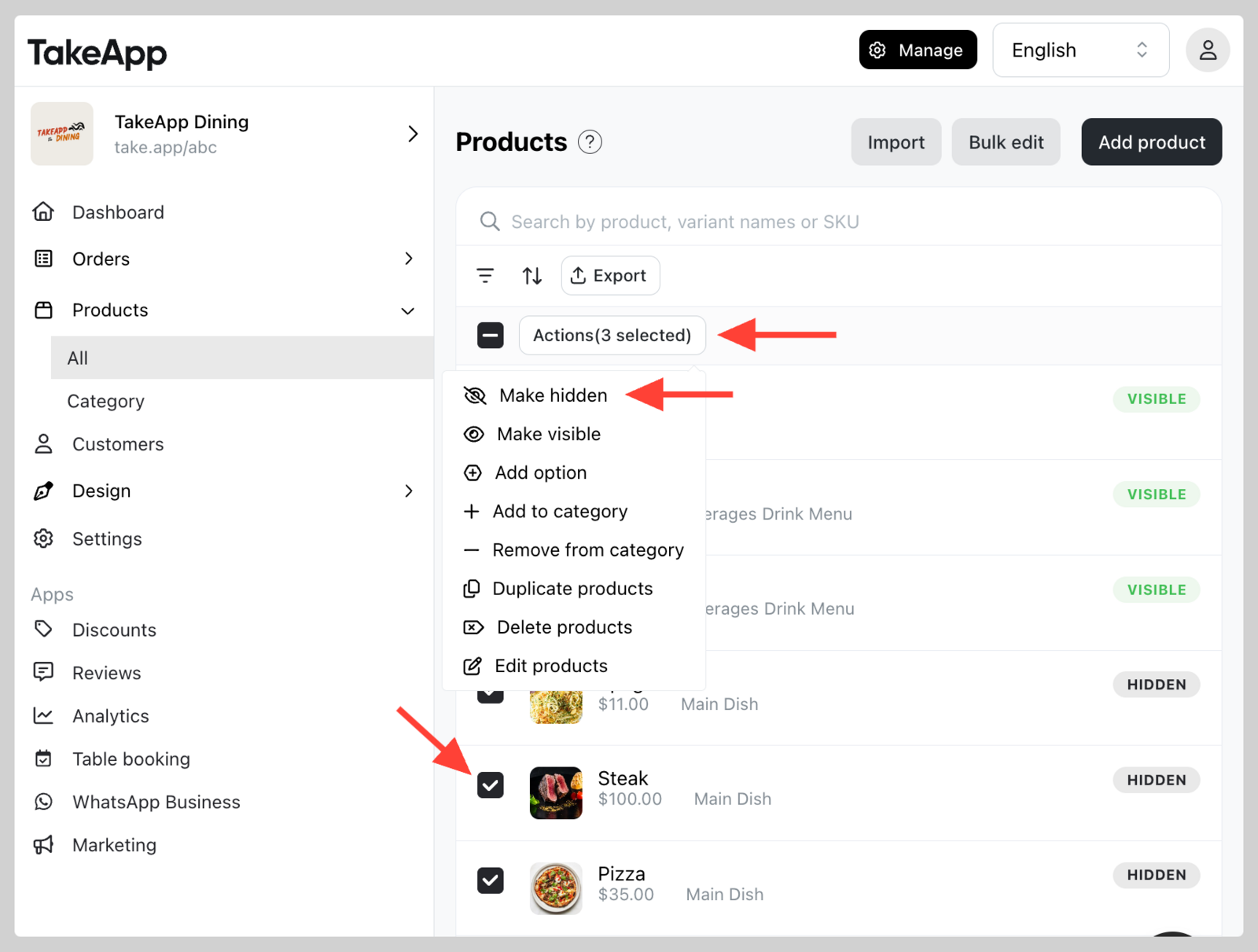
Bulk modification of product visibility
- Tick all the products that you wish to hide or display.
- Click
Actionsand chooseMake hiddenorMake visible.
Please be aware that merely removing a product from Product category will still allow customers to search the product via the storefront's search bar. To completely remove a product from the storefront, you should change its status to Hidden.