You have the option to either add a new category or manage existing categories to appropriately group your products.
How to add or modify product category
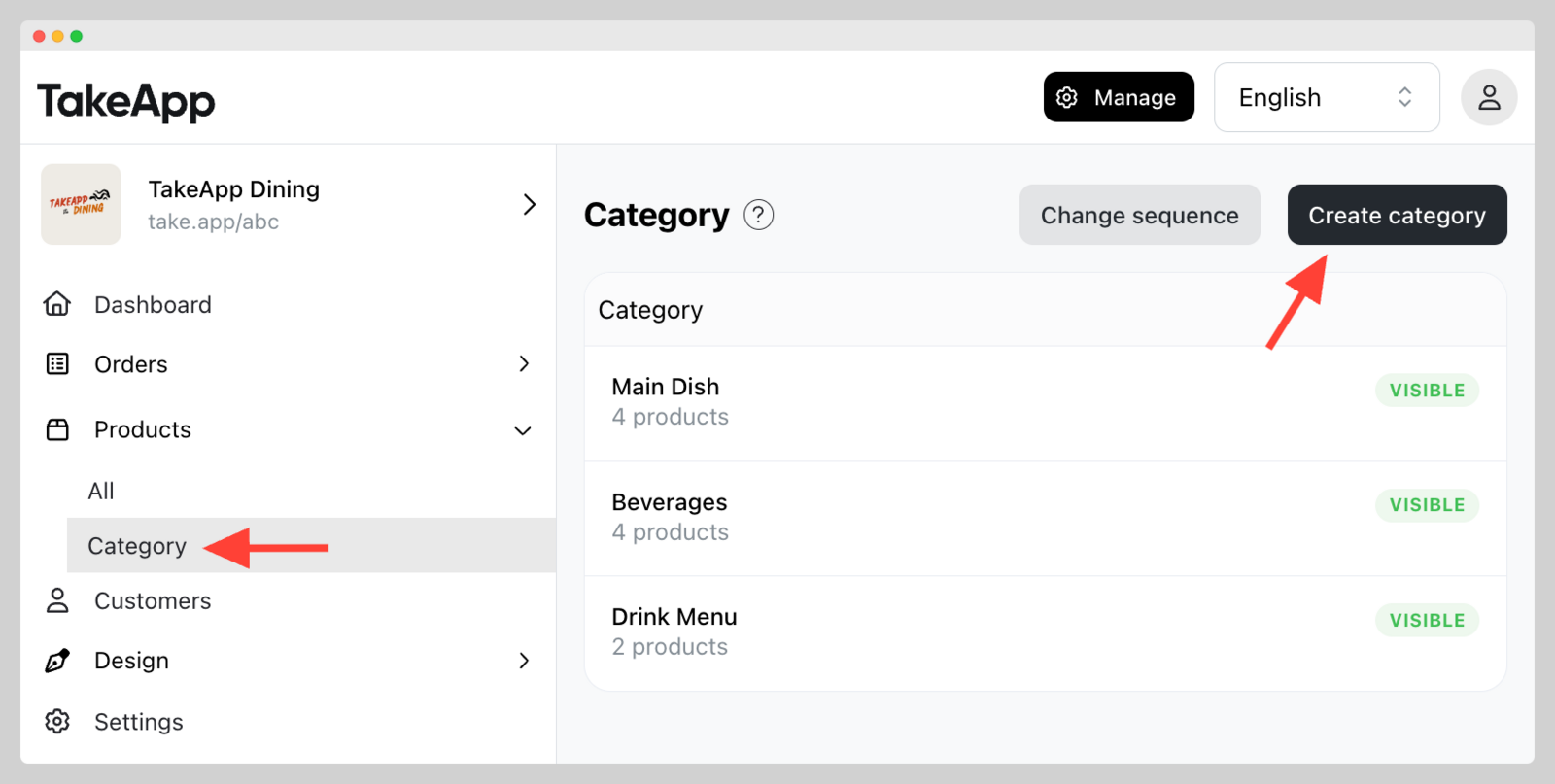
- Go to Admin > Products > Category and click
Create category
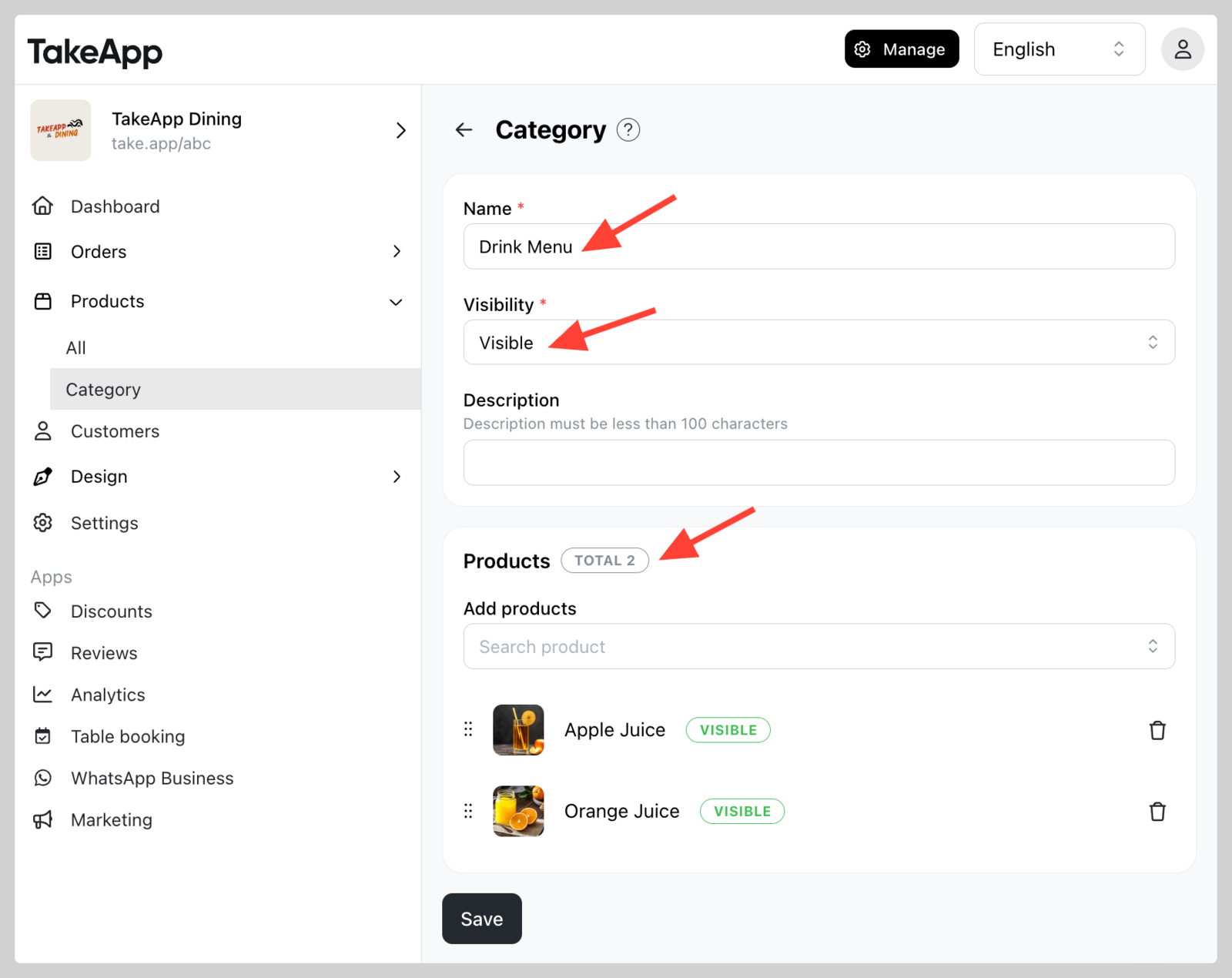
 2. Specify the category name, visibility, description (if applicable), and the products to be included in the category, click `Save`
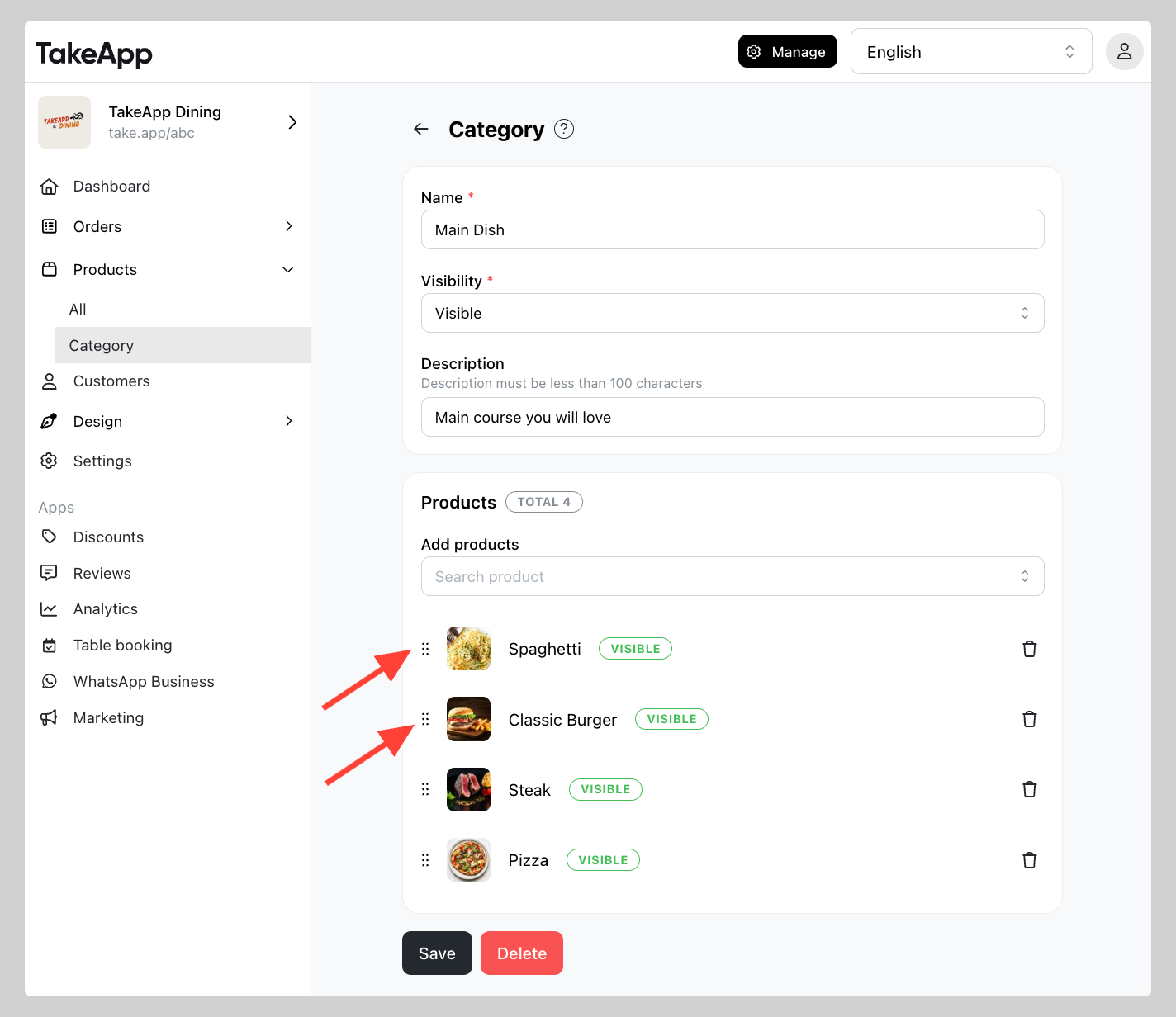
 3. To change the order of products in a category, click the dots next to the product image and drag the products into your preferred sequence.
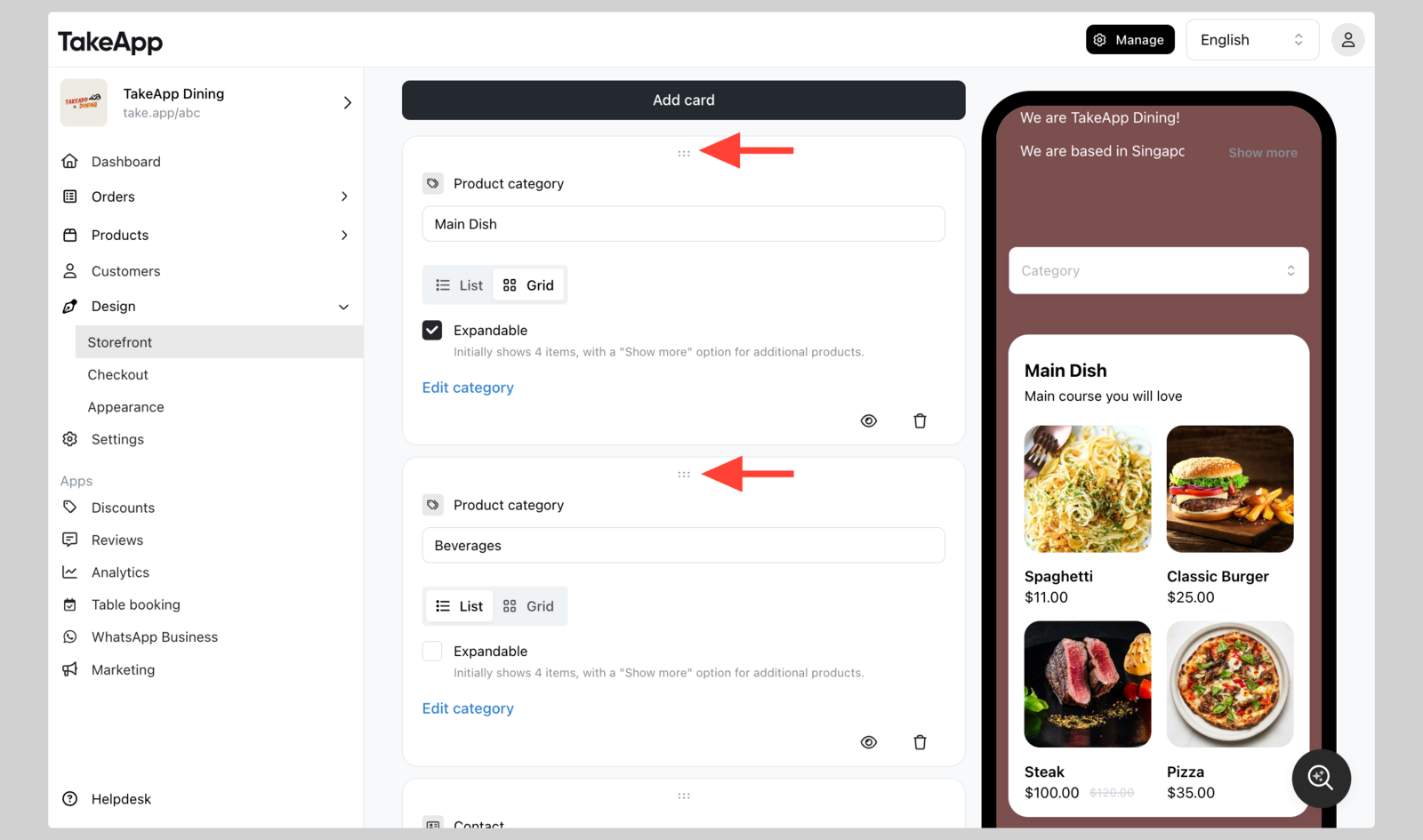
 4. Lastly, you can change the sequence of product category from Design > Storefront > Product category card (drag and drop to change the sequence)