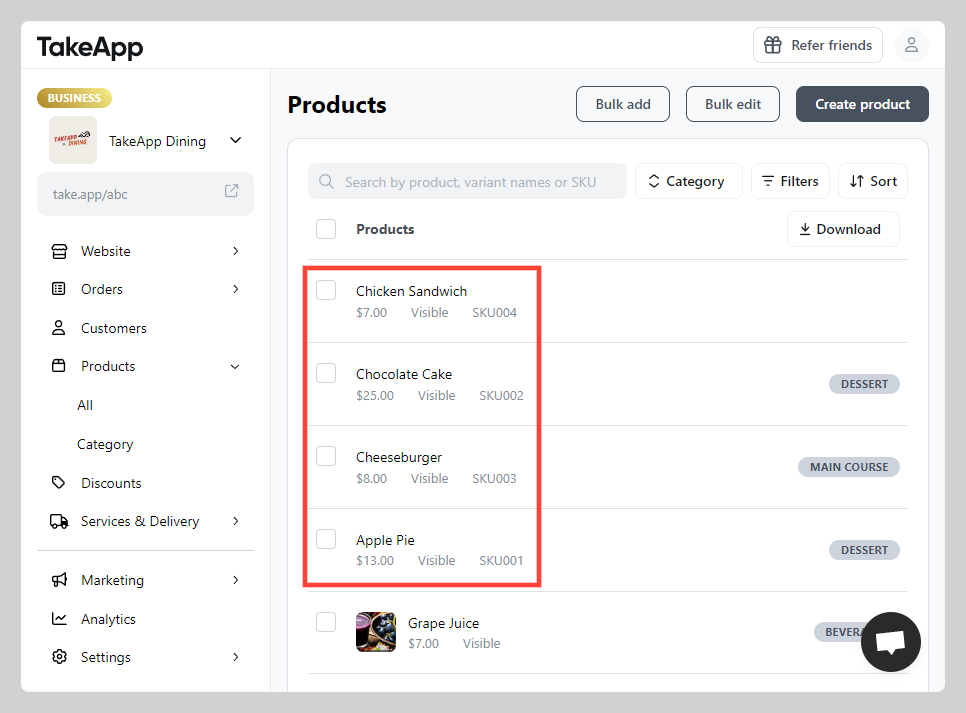
You can upload hundred or even thousand of product listings instantly by using a CSV (comma-separated values) file.
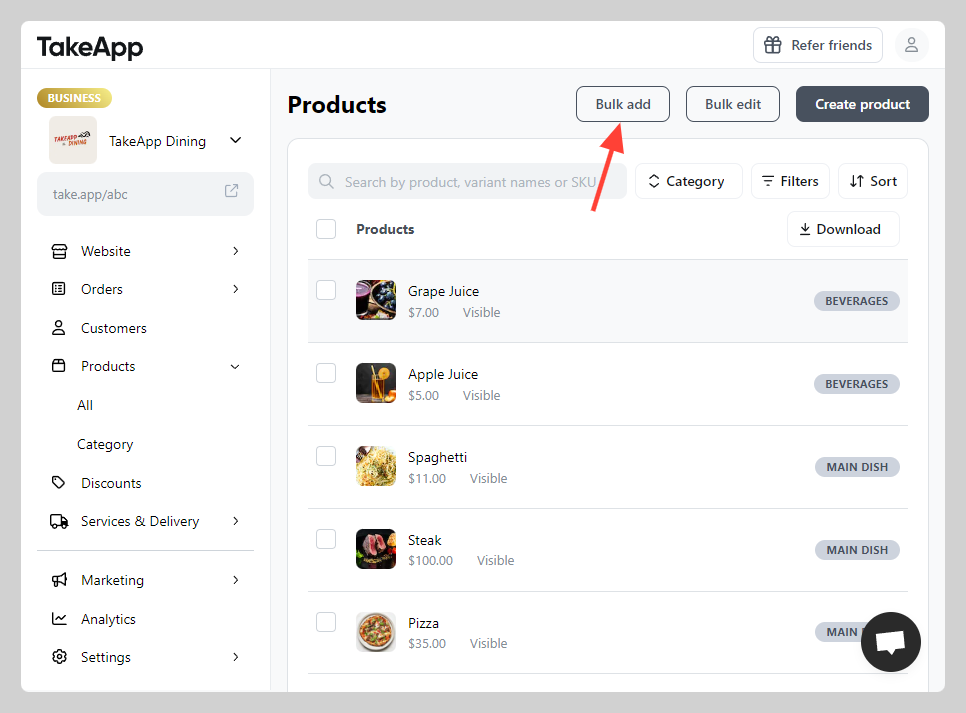
1. Go to Admin > Products and click Bulk add
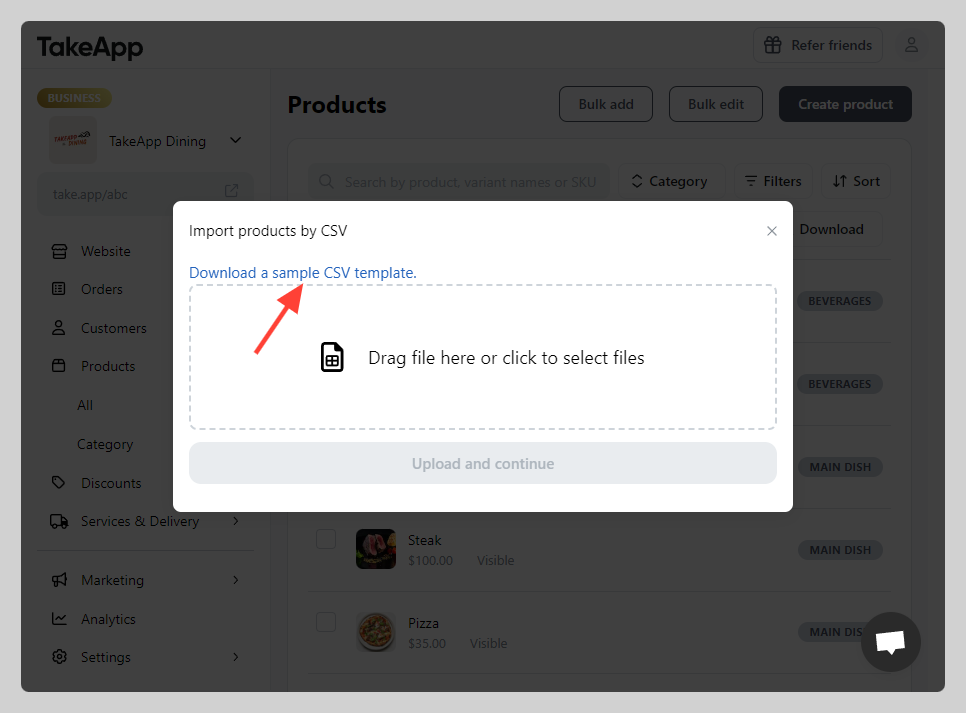
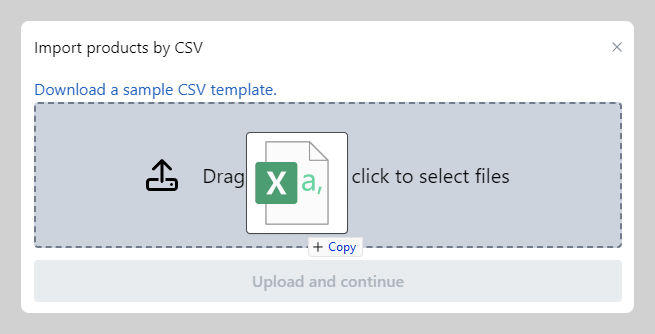
2. Click on "Download the sample CSV Template"
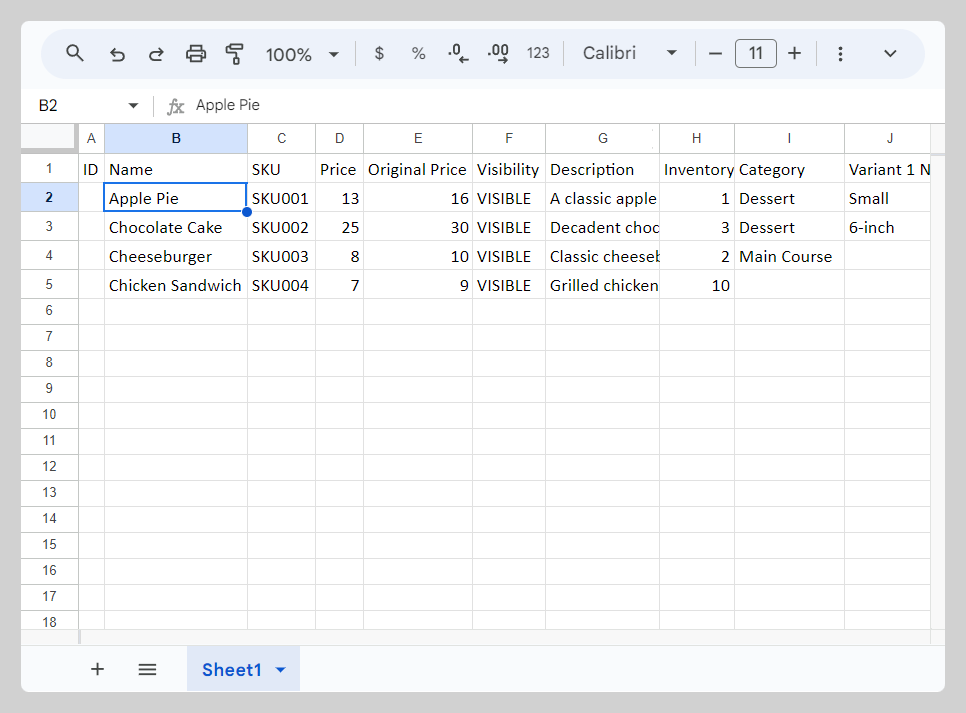
3. Input your products detail data to the CSV template you just downloaded
Please keep in mind that it's important not to modify the column header on the 1st row of TakeApp's CSV template to match your own file's header.
4. After making your modifications to the CSV file, save it, and then simply drag or select the file to the specified upload area.
5. Click Import. The upload time may vary depending on the amount of your product list.
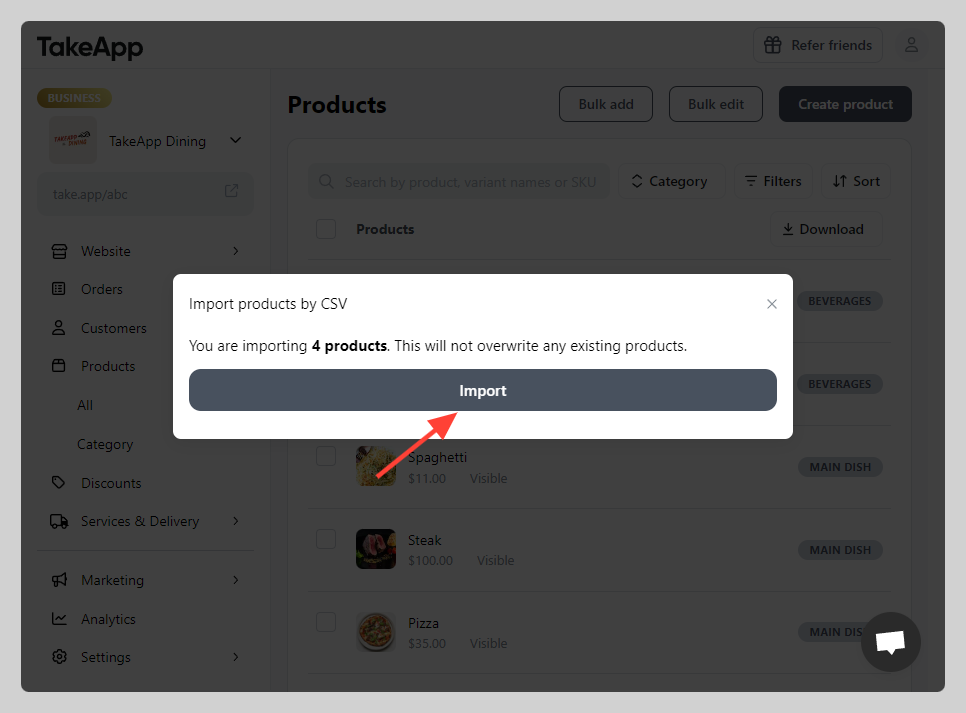
6. Check the new product generated after the products list from the CSV file is successfully imported