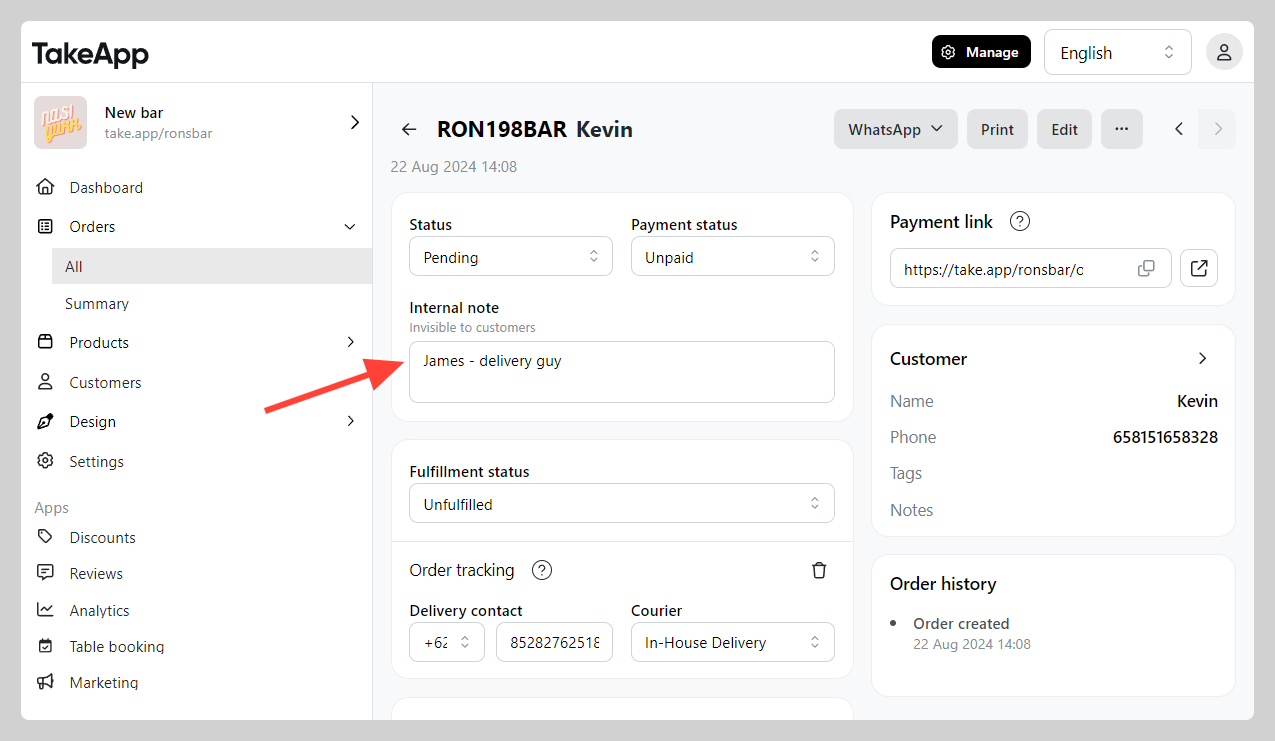
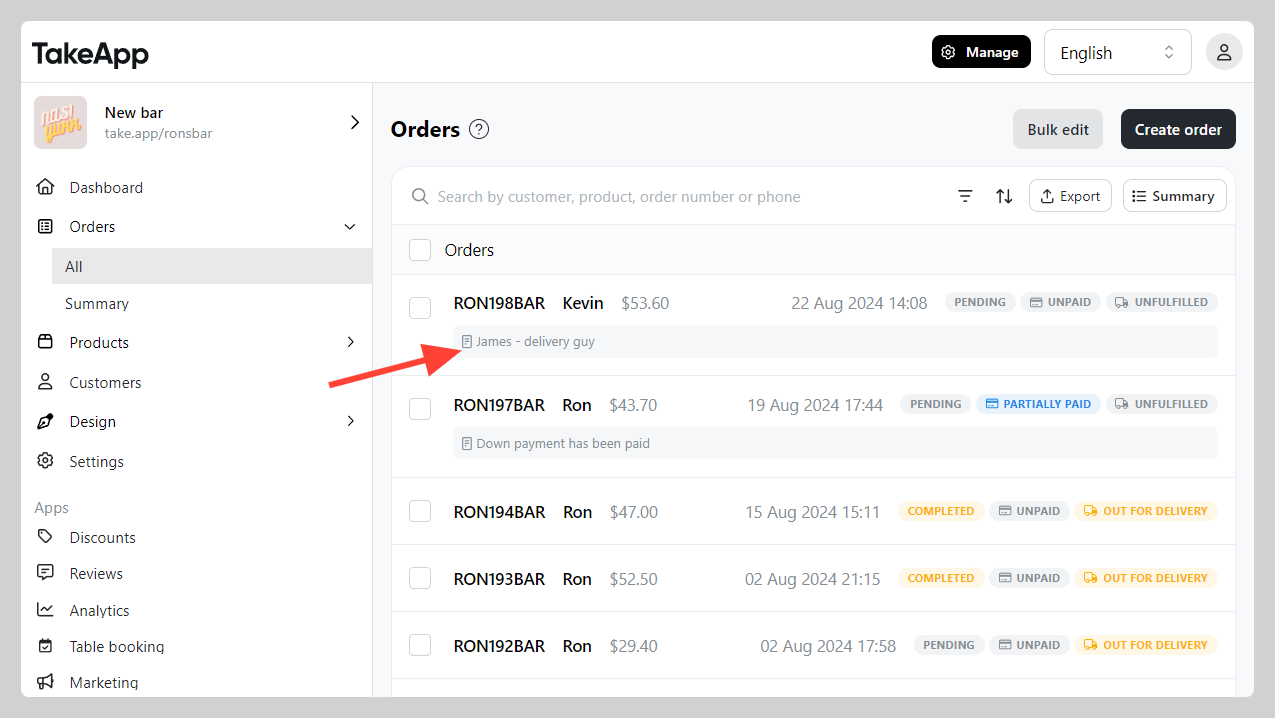
You can add internal notes on your order detail for your team or yourself to read. This notes will be invisible to customers.
Some use case of internal notes:
- Delivery driver name notes
- Down payment marker (with amount)
- Internal notes for other team member to read
How to add internal notes
-
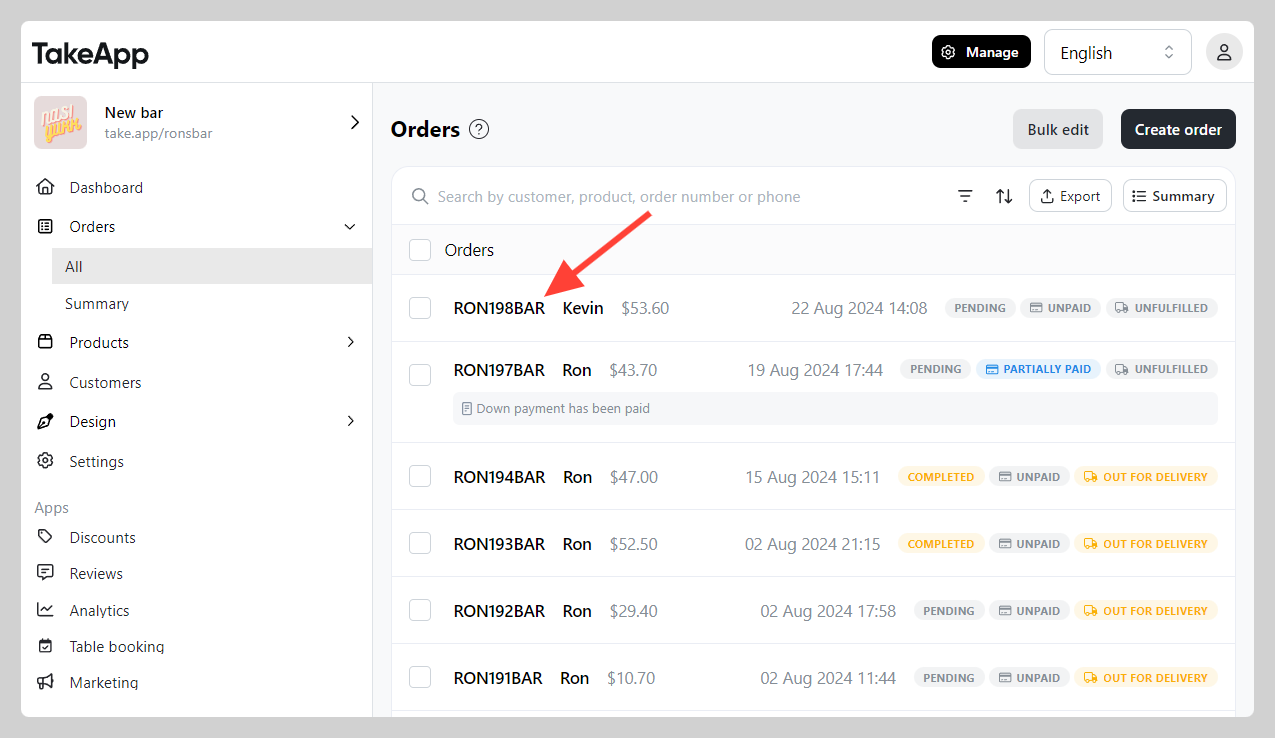
Go to Admin > Orders > All and click on the order that you wish to add "Internal notes"
-
Navigate to "Internal notes" section and write your notes