
A draft is an order Take App has recorded but has not activated yet. Drafts are held outside your normal order flow: they don't hold inventory, don't count towards your order quota, and don't send order notifications or run workflows. A draft's number starts with a D (D14) — it takes a real order number the moment it's activated.
A draft is not the same as an unpaid order. An unpaid order is a live order waiting for payment, and it sits in the list with all the others.
Find your draft orders
- Go to Admin > Orders > All.
- In the row of status tabs above the list —
All,Pending,Confirmed,Completed,Draft— clickDraft.
The list now shows your drafts, newest first. Click one to open it like any other order.
To combine drafts with another filter — a date range, a delivery method — open Filters, click Status, and tick Draft there instead of using the tab. See Order filter.
The Unpaid filter does not show drafts. Unpaid is a payment status, and drafts are held back from the list whichever payment status you filter by. The search box works the same way: searching for a draft by customer or order number finds nothing until the Draft filter is on. Exports skip drafts too, unless you export while the Draft filter is applied.
Where draft orders come from
- "Keep draft until paid" is on. Every order placed on your storefront stays a draft until payment comes in. See Keep orders hidden until paid below.
- A WhatsApp catalog cart. When a customer builds a cart from your WhatsApp catalog, Take App records it as a draft. It is replaced by a real order once the customer completes checkout on your store's form page. See WhatsApp Catalog.
Orders you create yourself — in the admin dashboard or in the POS app — are never drafts.
What happens when a draft is paid
As soon as the payment status becomes anything other than Unpaid — the customer pays, the customer clicks "I have paid" for a manual payment method, or you mark the order paid yourself — the draft is activated. It becomes Pending, takes the next order number, holds inventory, and triggers your usual notifications and workflows. From then on it behaves like every other order.
Turn a draft into an order yourself
Open the draft and change its order status to Pending, or straight to Confirmed. You can also do it from the list: hover over the Status cell of a draft row and pick the new status.
Draft is not one of the statuses you can choose, so an order can't be put back into draft once it has left.
Keep orders hidden until paid
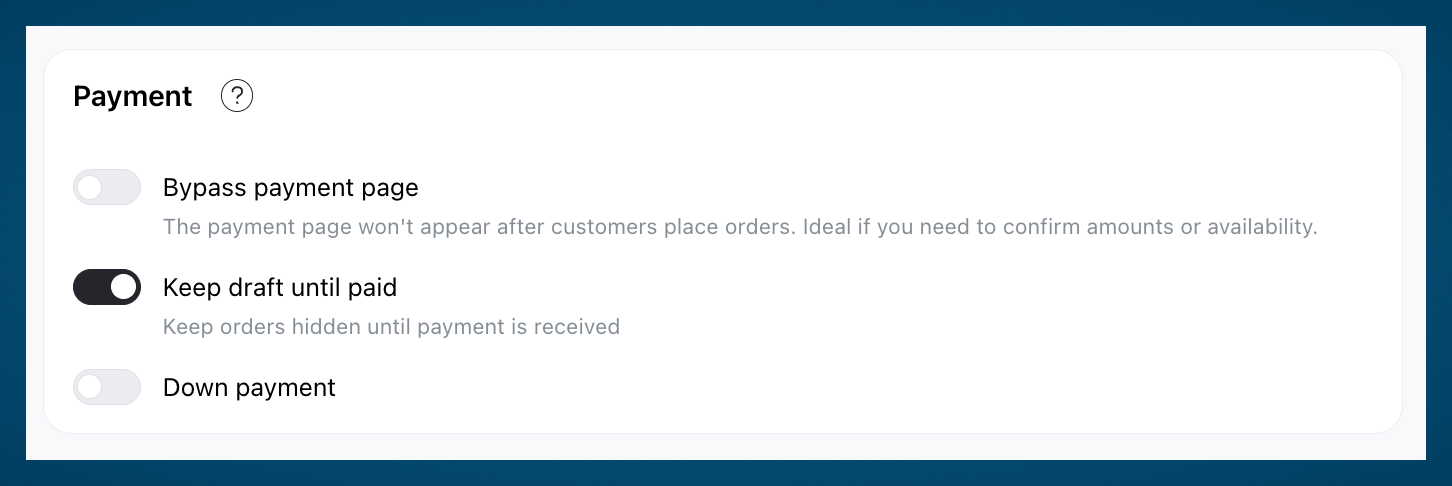
The Keep draft until paid setting holds every storefront order as a draft until payment is received, so only paid orders reach your order list. It is useful if you:
- Want to discourage non-serious buyers.
- Receive too many abandoned or fake orders.
- Prefer to work only on orders that are already paid.
- Go to Admin > Settings > Checkout and find the "Payment" section.
- Toggle on
Keep draft until paid. - Click
Save.
To switch it off, turn the same toggle off and save. Orders that are already drafts stay drafts — wait for payment, or activate them yourself.