Important: Proceed with caution! Deleted orders can not be retrieved.
Aside from editing the orders, you can also completely delete any orders.
How to delete orders
-
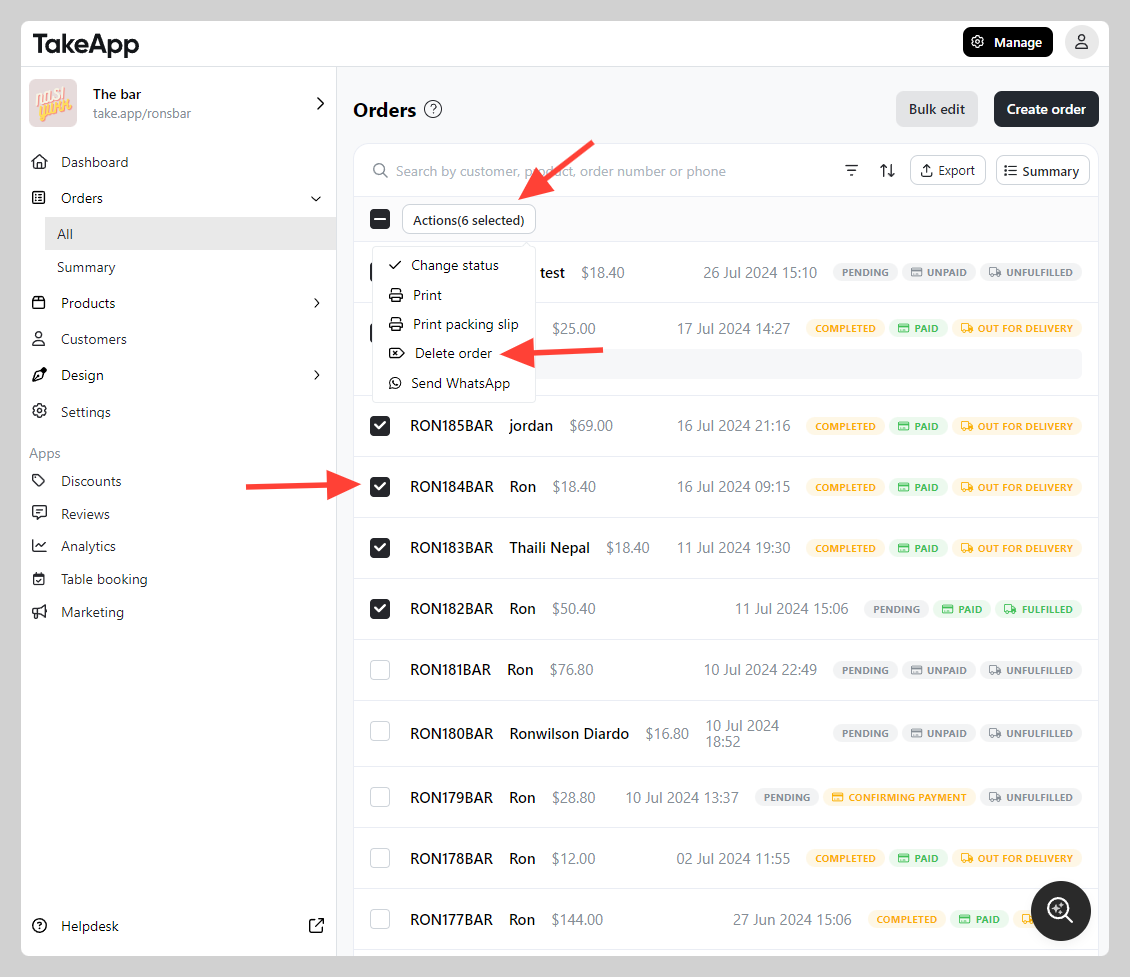
Go to Admin > Orders > All
-
Tick all the orders that you wish to delete > click
Actionand chooseDelete order