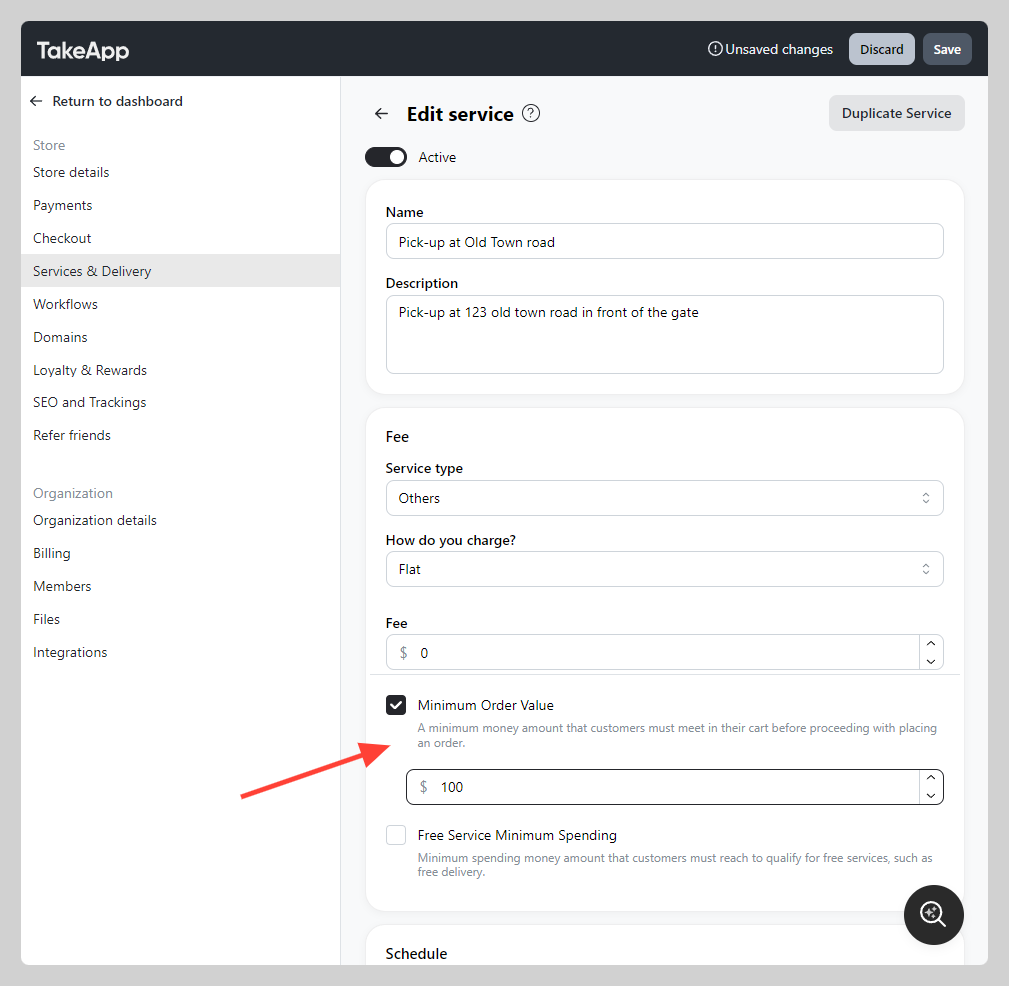
You can set your delivery or pick-up minimum order value. If customers haven't reach the minimum amount, they will not be able to proceed with placing the order.
How to set minimum order value
-
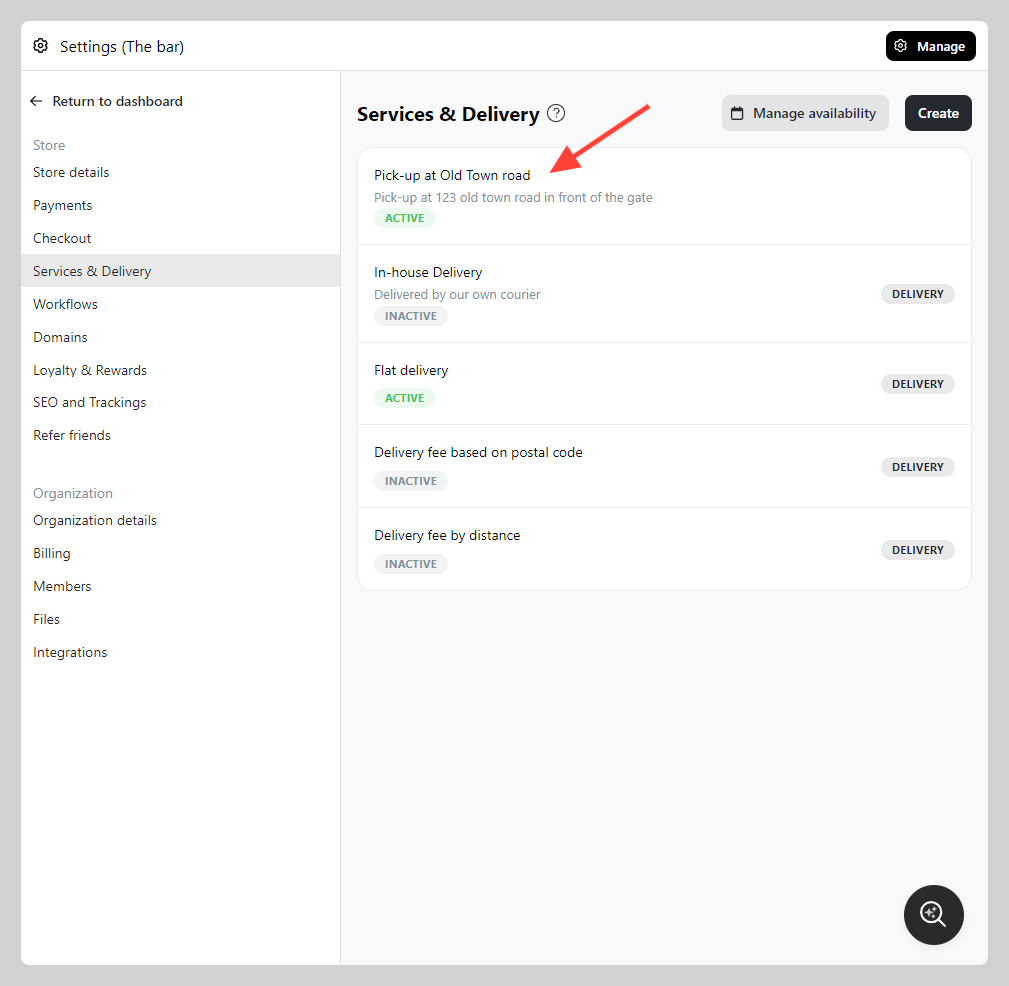
Go to Admin > Settings > Service & Delivery
-
Choose the delivery method that you wish to set the "Minimum order value"
-
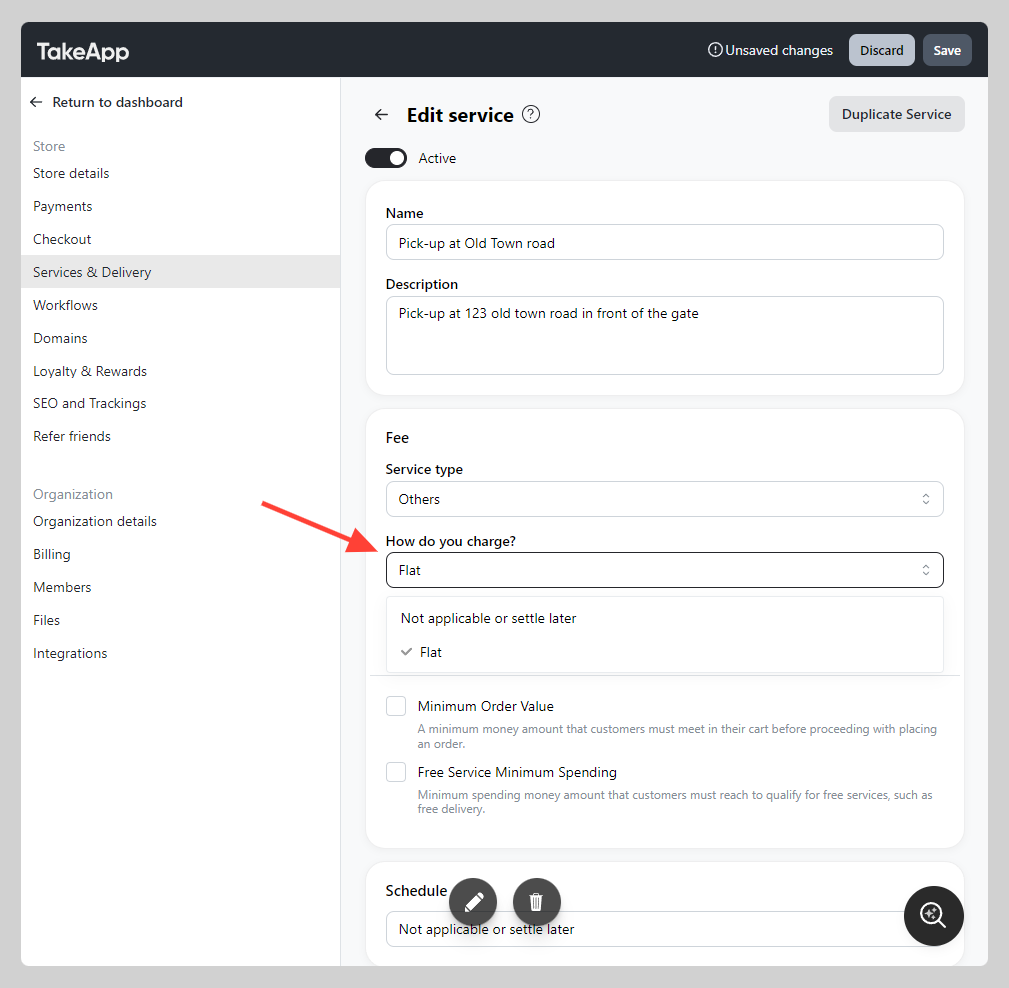
Navigate to "Fee" section and change "How do you charge?" to anything aside from "Not applicable or settle later"
-
Tick the "Minimum Order Value" settings and set its value (e.g. 100). Click
Save.