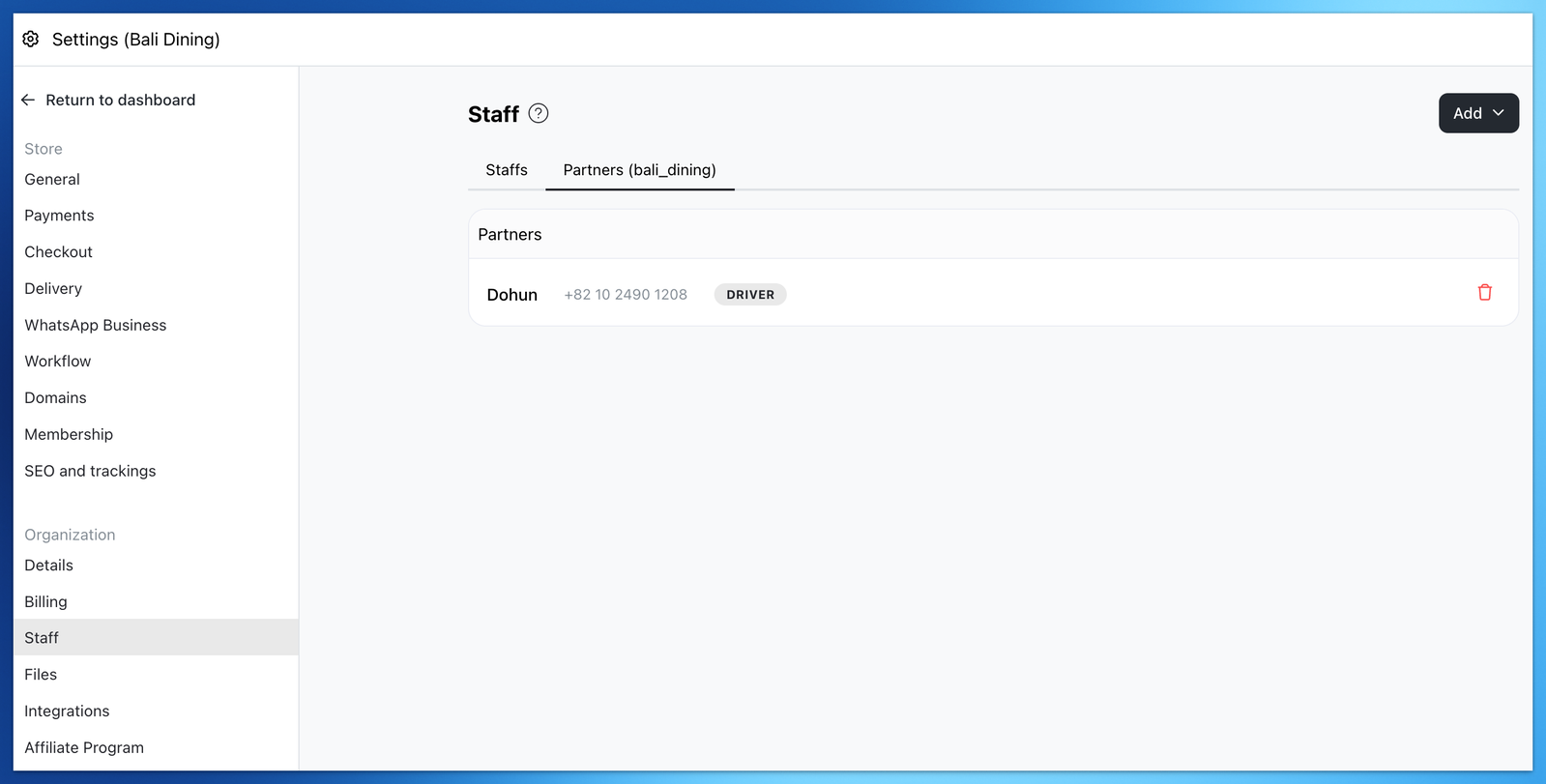
You can assign your own driver or partner driver to deliver your order to your customer.
How to assign an order to driver
-
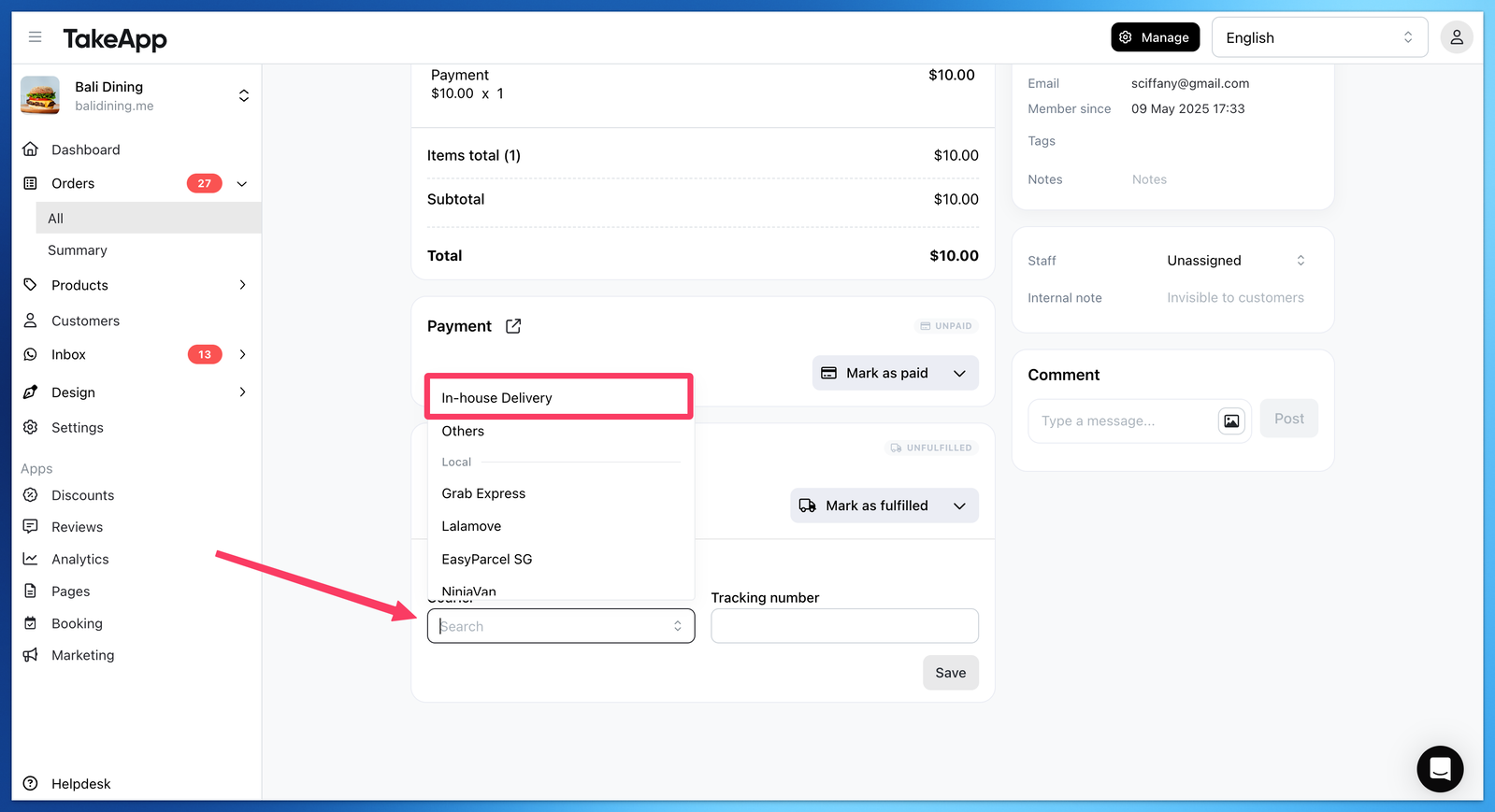
Go to Order > All > click on any order > then you can select "In-House Delivery" as Courier.
-
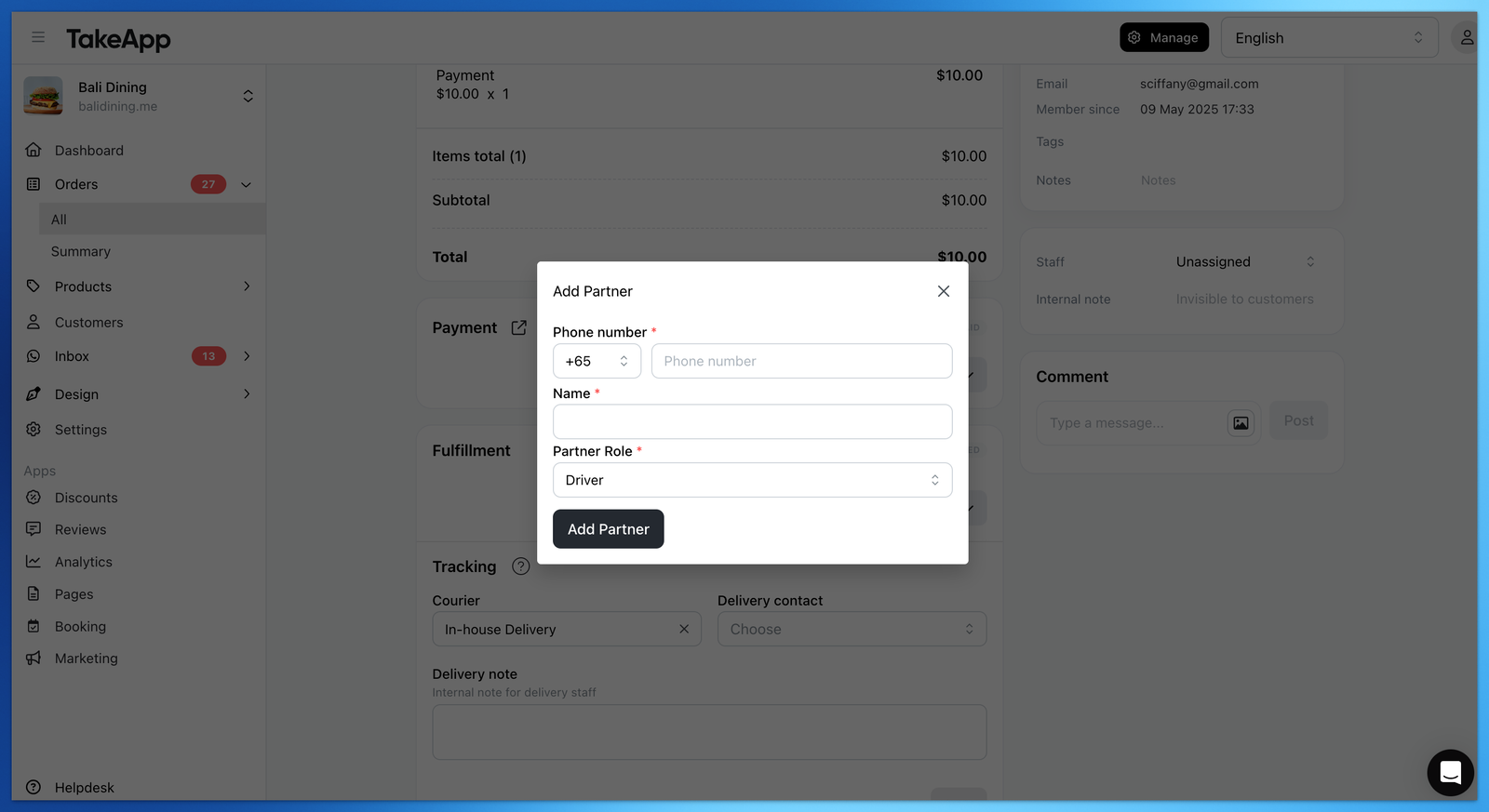
After selecting "In-House Delivery", choose "Add delivery contact" and add your driver's phone number and name
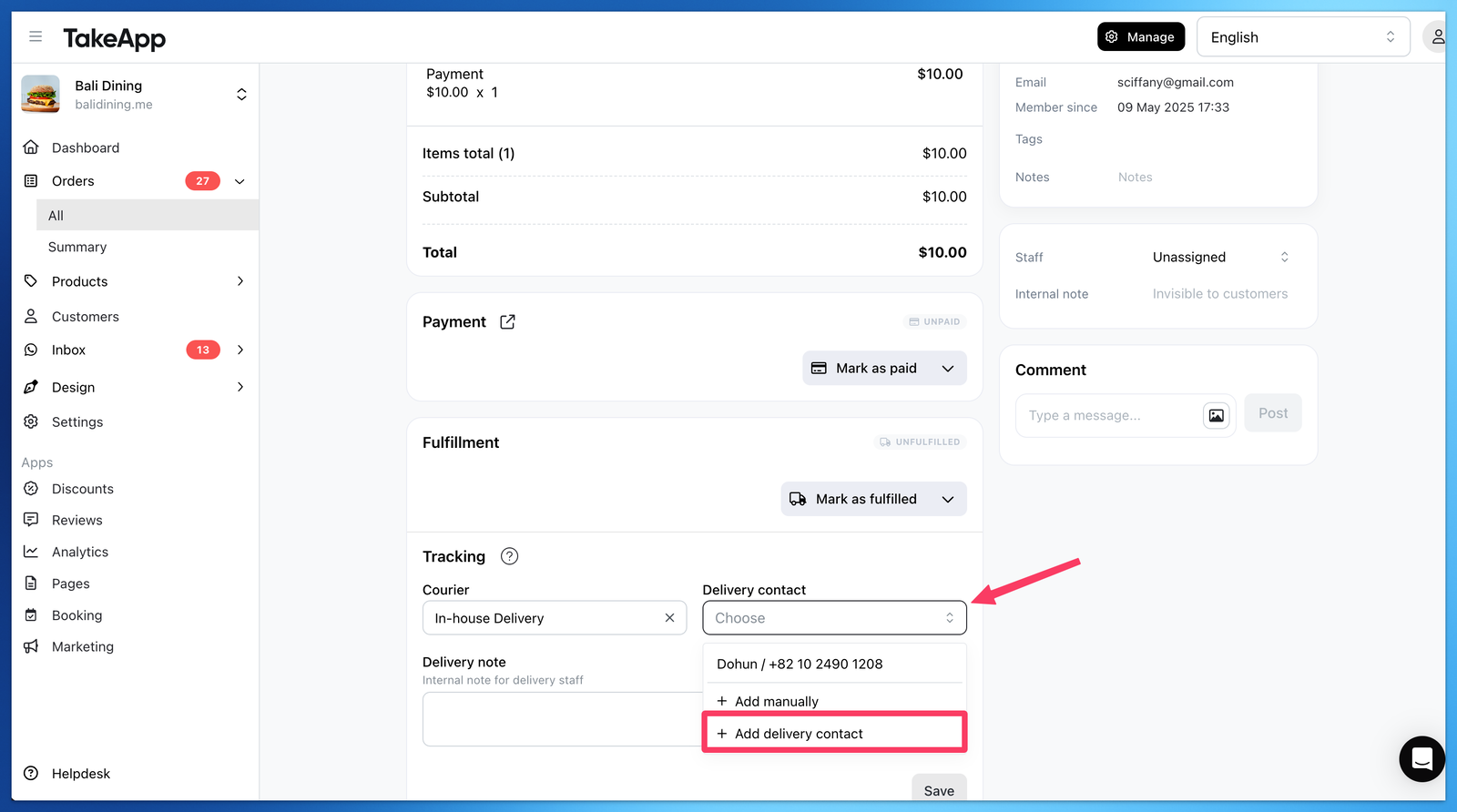
(If you simply want to add driver's phone number, choose "Add manually" )
-
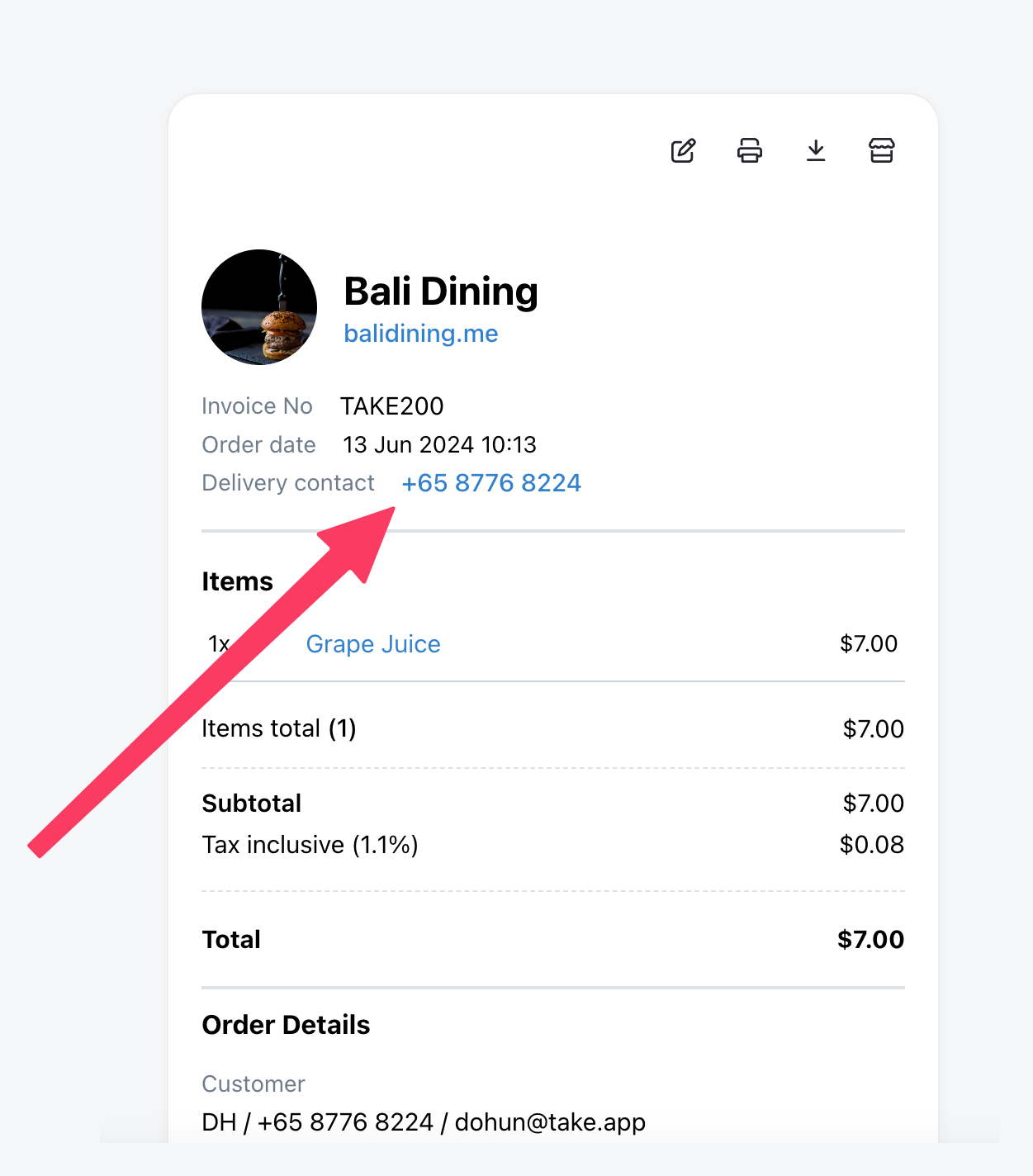
Once updated, Driver's phone number will be shown in the Receipt, and Customers can contact the Driver via WhatsApp to track their order
Note
- You can manage store's drivers data in Settings > Staff > Partners