
Merchants in Indonesia can show dynamic shipping rates at checkout, quoted live from a selected courier when the customer enters their address.
How to set it up
-
Go to Settings → Delivery and click Add delivery.
-
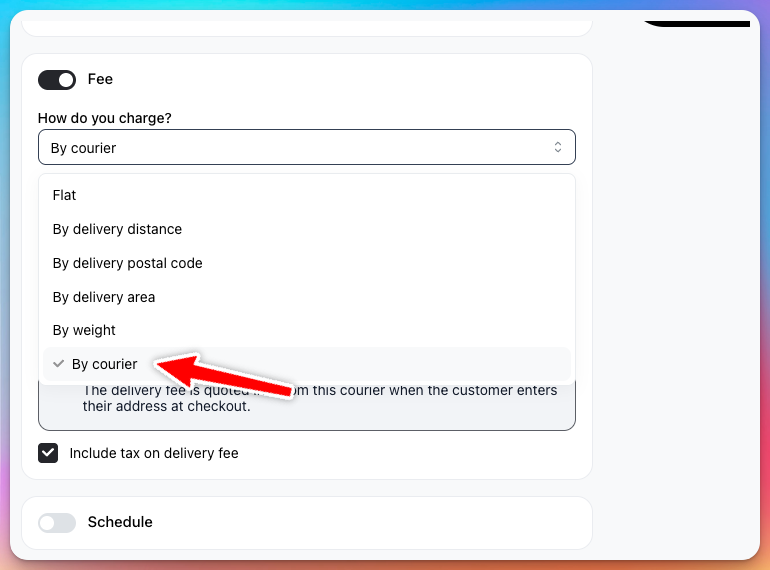
In the Fee section, set How do you charge? to By courier.
-
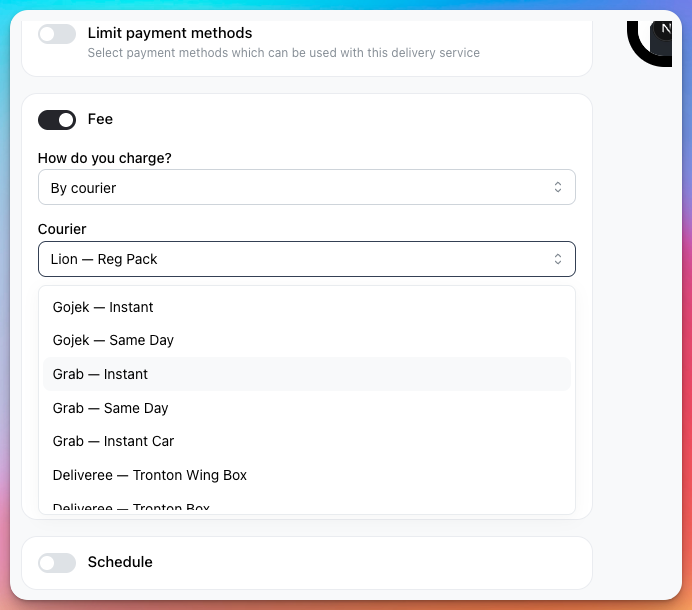
Choose the Courier and service (for example, Lion — Reg Pack, Grab — Instant, or Gojek — Same Day).
-
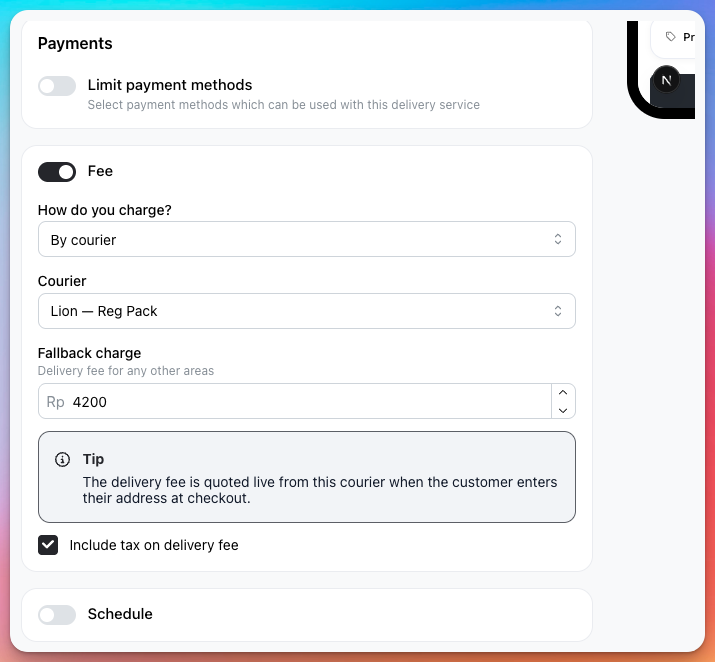
Set a Fallback charge — the delivery fee used for any areas the courier can't quote.
-
Optionally, tick Include tax on delivery fee.
-
Save the delivery service.
What customers see
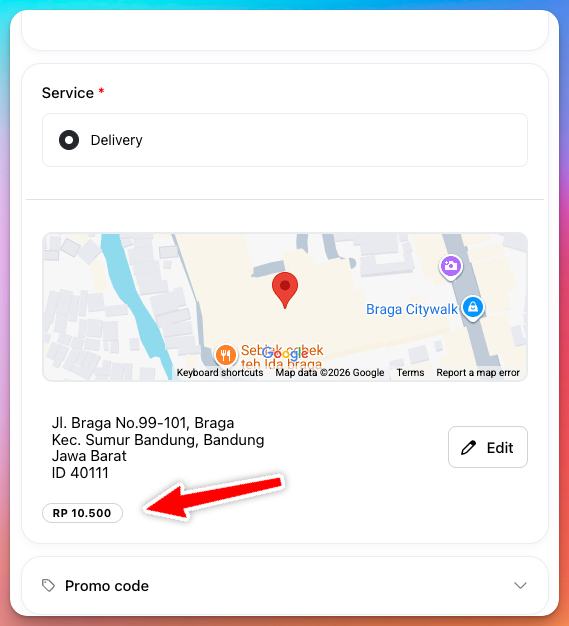
At checkout, when the customer enters their delivery address, the delivery fee is quoted live from the selected courier.
If you turn on courier-based dynamic shipping without a store location set, Take App will prompt you to set your store location, which is needed to calculate rates.