
Connect a supported courier to Take App to book shipments directly from the order detail page. Once a shipment is created, the fulfilment tracking number updates automatically.
Supported couriers
- The Courier Guy — South Africa
- Ninjavan — South East Asia
- J&T Express — Indonesia
- Delhivery — India
- JNE — Indonesia
Set up the integration
-
Get your API key from your courier's merchant or business dashboard.
-
In Take App, go to Admin → Settings → Integrations and select your courier.
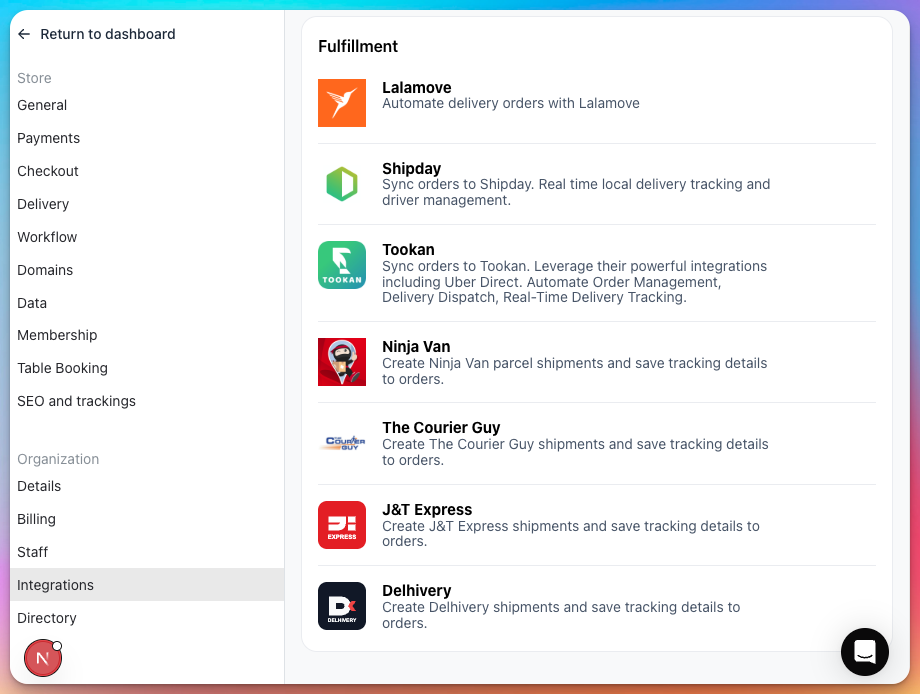
-
Enter your API key and save.
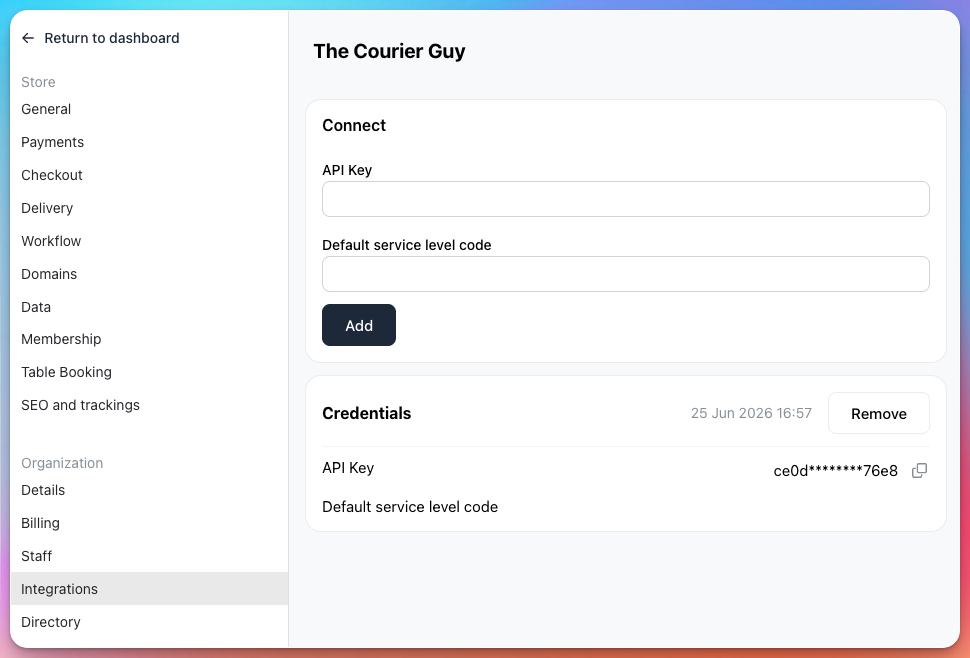
If the integration you need is not listed under Settings → Integrations, use Chat with us at the bottom of that page to request it.
Send a shipment
-
Open an order in Admin → Orders.
-
On the order detail page, click Send with [courier name] for an enabled integration.
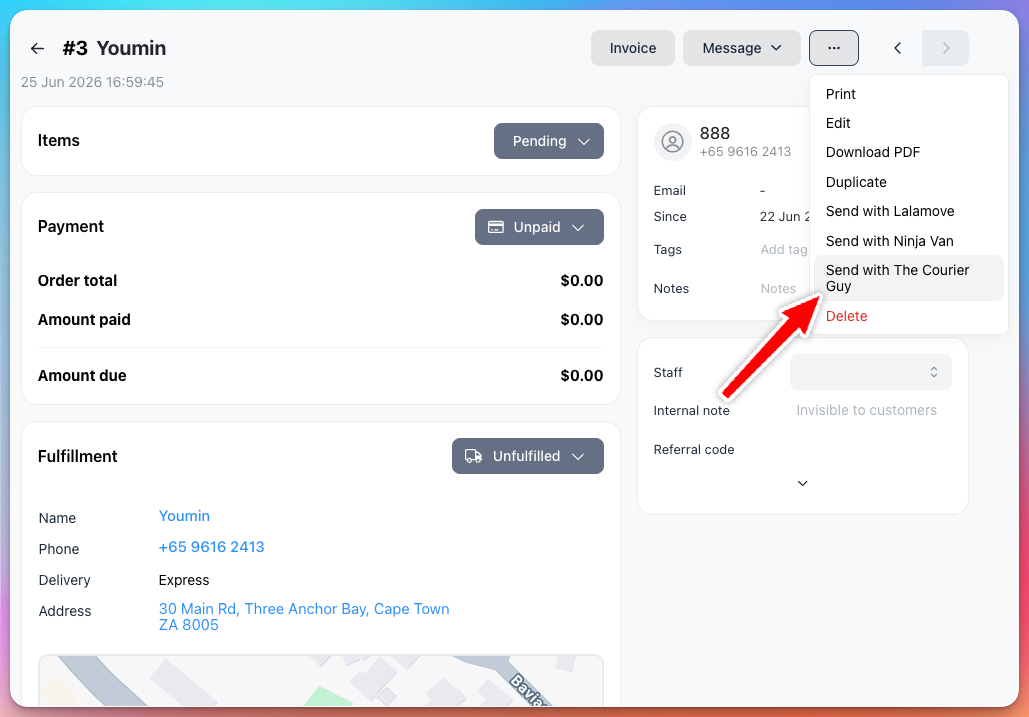
-
A modal opens to confirm shipment details. Review and click Send.
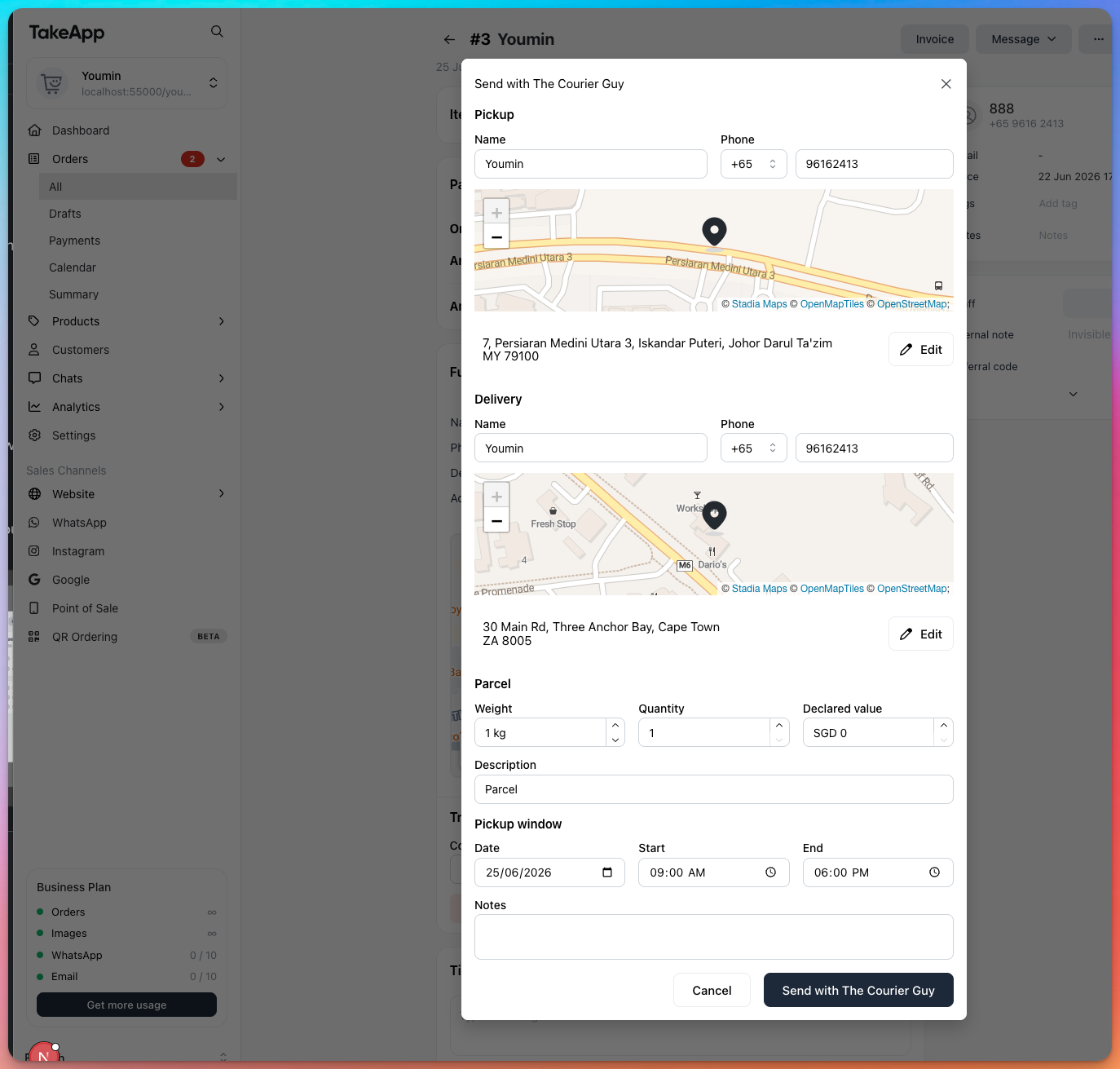
-
The shipment is created. Check shipment details from your courier's service dashboard.
Your fulfilment tracking number updates automatically once the shipment is confirmed.