
You can delete unused or inactive discounts. Your customer will not be able to use these discounts anymore.
-
Go to Products > Discounts
-
Tick the discount codes that you wish to delete > Click
Actionsand chooseDelete.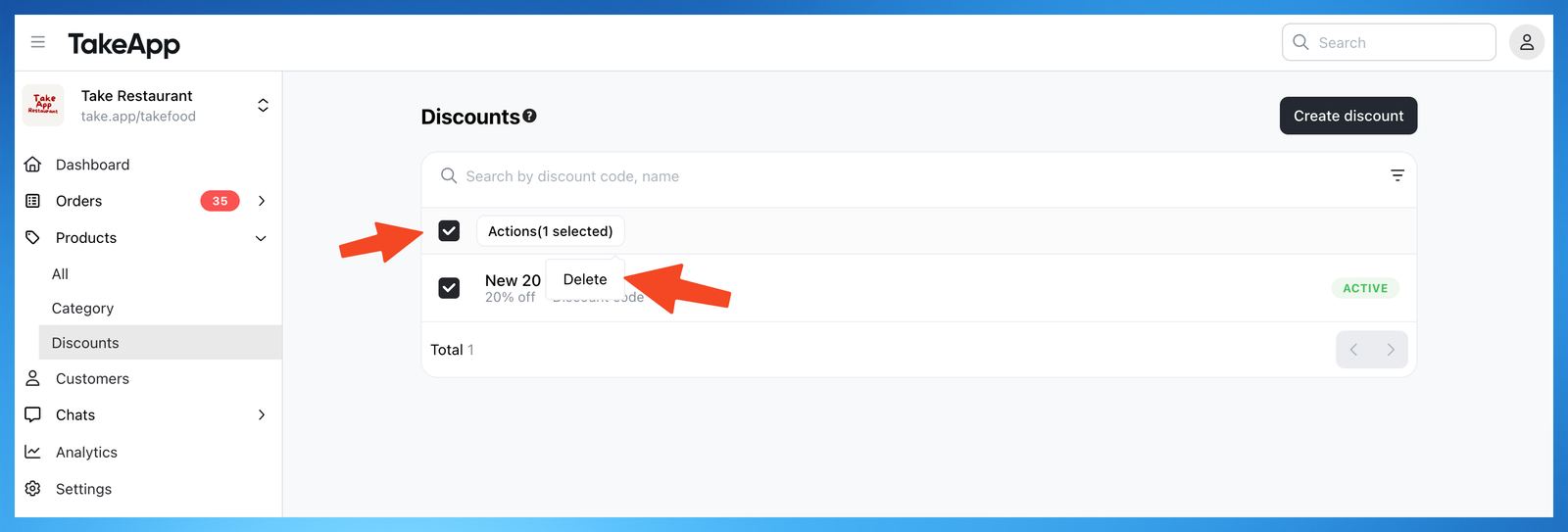
You can delete unused or inactive discounts. Your customer will not be able to use these discounts anymore.
Go to Products > Discounts
Tick the discount codes that you wish to delete > Click Actions and choose Delete.
Ask a question and get an answer right away, or chat with our team.