
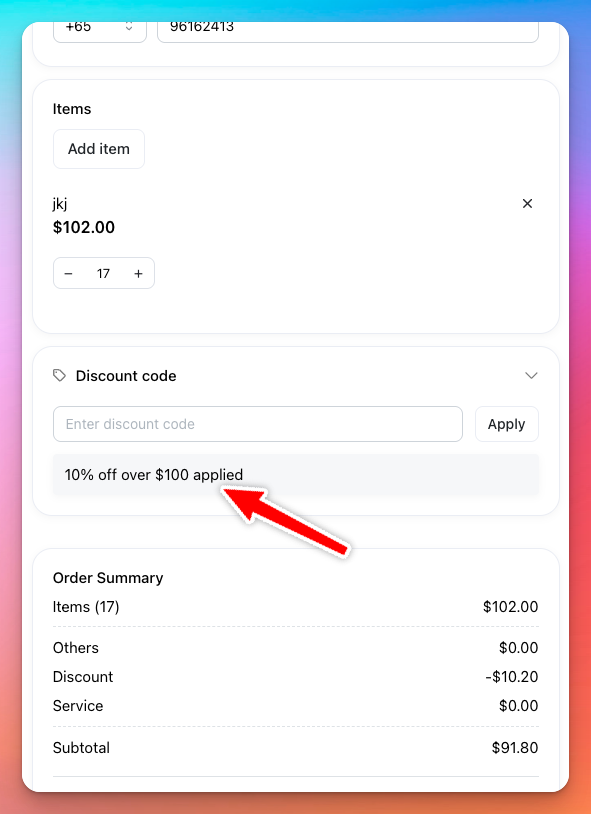
Order Value Discounts let you offer customers discounts when their total item purchase exceeds a certain amount. This encourages larger purchases and boosts sales.
How It Works
- Discounts are applied automatically based on the total value of items in checkout page.
- For example, you can offer a 20% discount for orders over $100.
- The total order value considered for the discount calculation includes only items, excluding taxes, shipping fees, or any other additional charges.
Setting Up Order Value Discounts
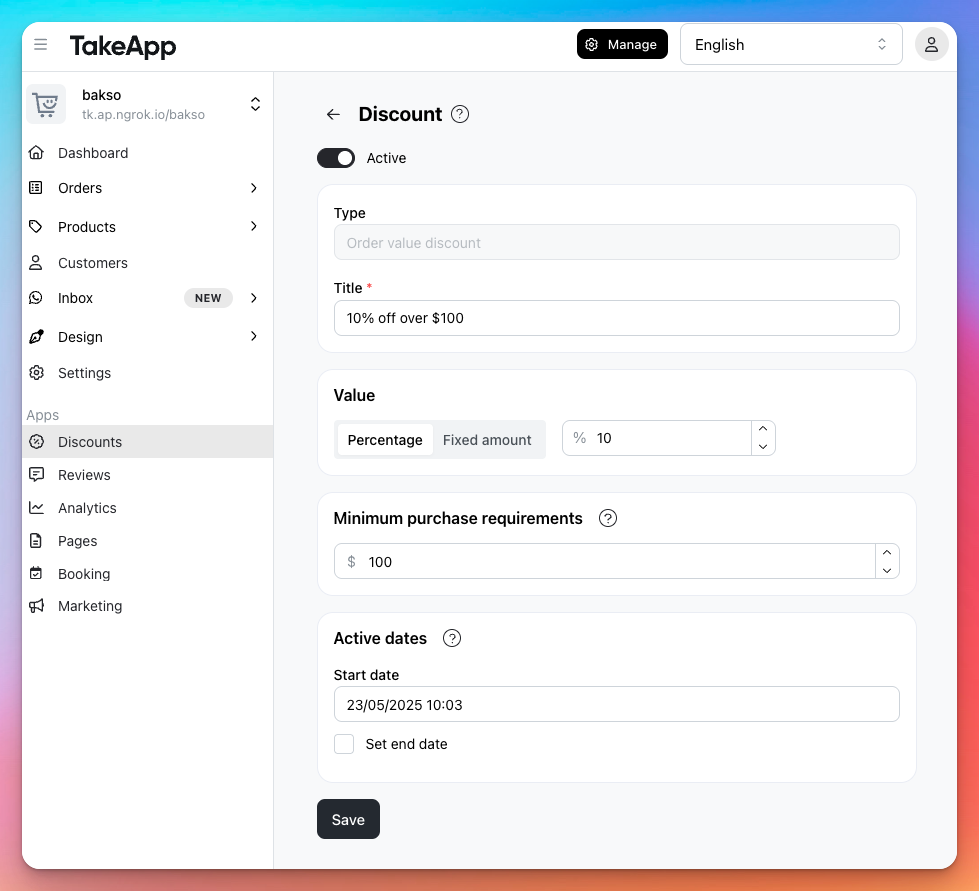
- In your admin dashboard, navigate to Products > Discounts
- Click "Create discount"
- Select Order Value Discount.
- Enter the minimum order value to trigger the discount (e.g., $100).
- Choose the discount percentage (e.g., 20%).
- Save
Which Discount Type Should You Use?
- Use Order Value Discounts if your goal is to encourage larger total purchases.
- Consider Item-specific Discounts if you want to boost sales of particular products.
- Use Promo Codes for targeted marketing campaigns.
Important Notes
- Customers will see the discount automatically applied during checkout
- Clearly communicate your discounts on your storefront to encourage higher-value purchases