
You can create a bundle discount to offer promotions that will automatically apply when a specific combination of products is added to the cart.
How to create bundle discount
-
Go to Products > Discounts and click
Create Discount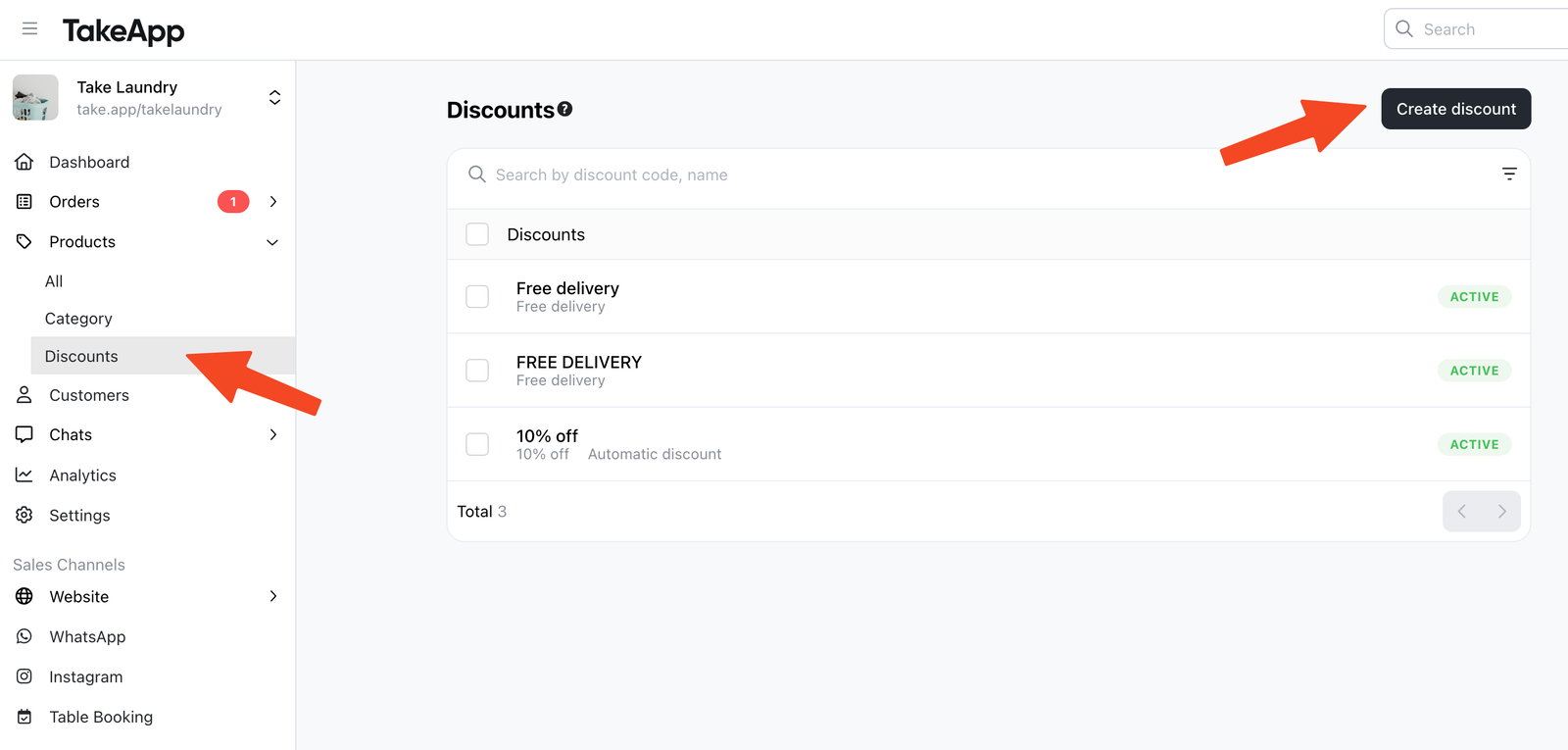
-
Choose
Bundle discount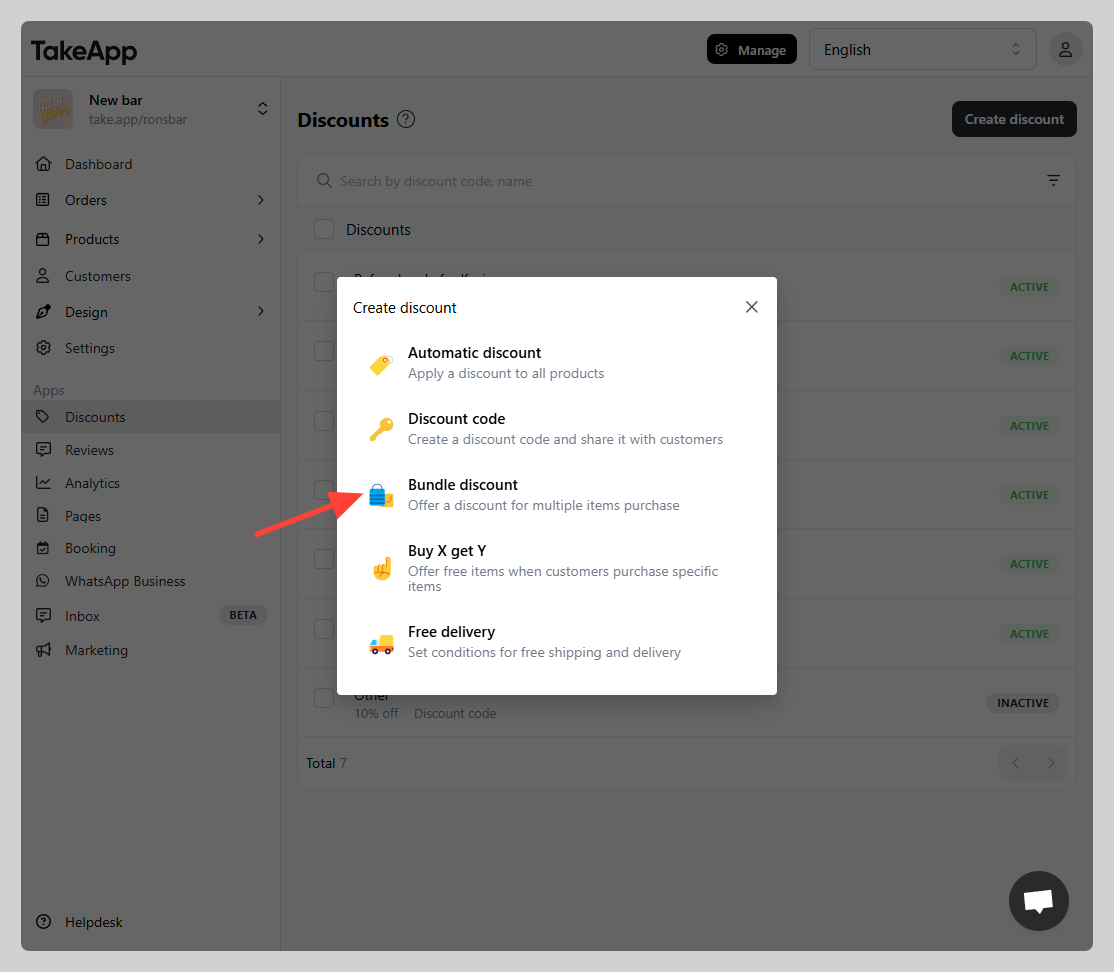
-
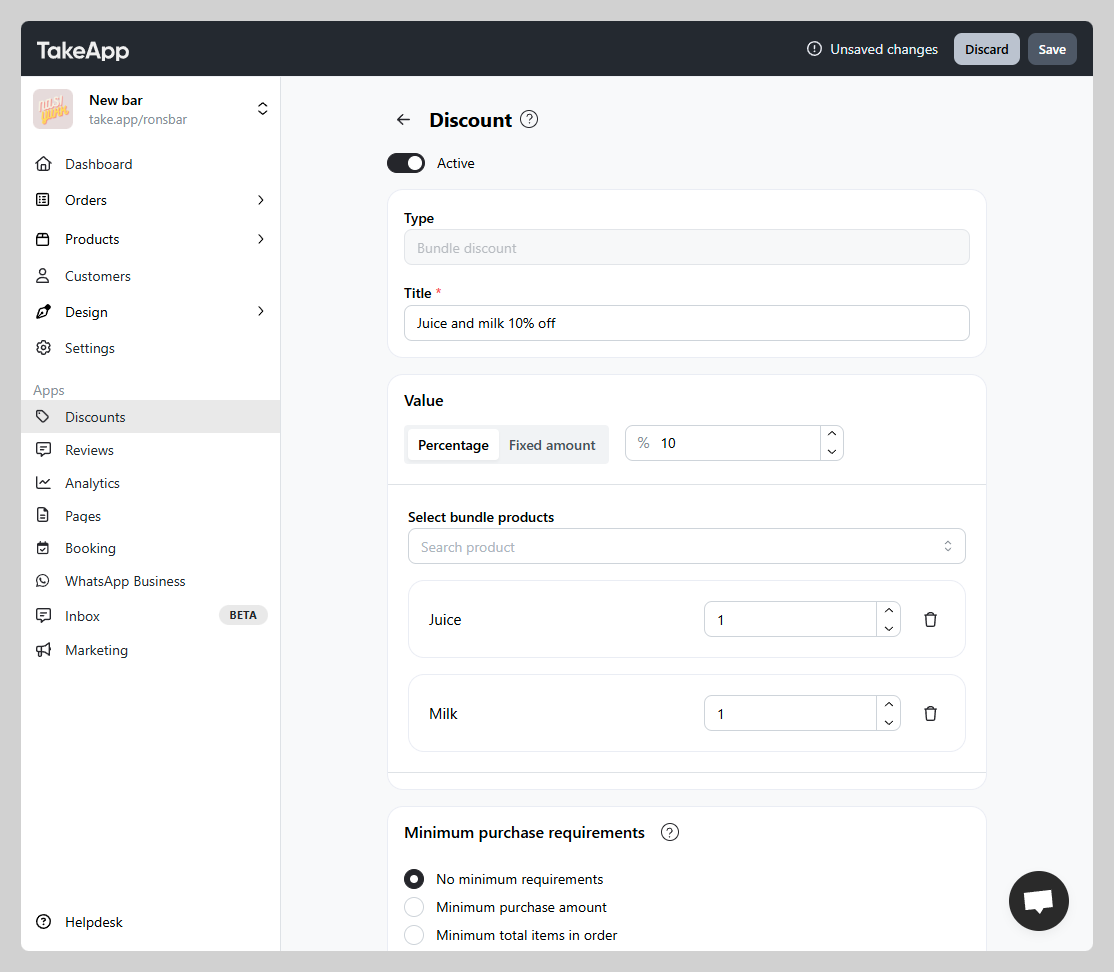
Set your discount code parameters:
-
Discount Value: Percentage or fixed amount discount rate
-
Select bundle products: Assign the product combination that will trigger the discount
-
Minimum purchase requirement: Not applicable / minimum purchase amount / minimum quantity of items
-
Maximum discount usage: Not applicable / total usage / usage per customer
-
Active dates: the starting and end date (if applicable)
-
-
You can test the bundle discount on your checkout page
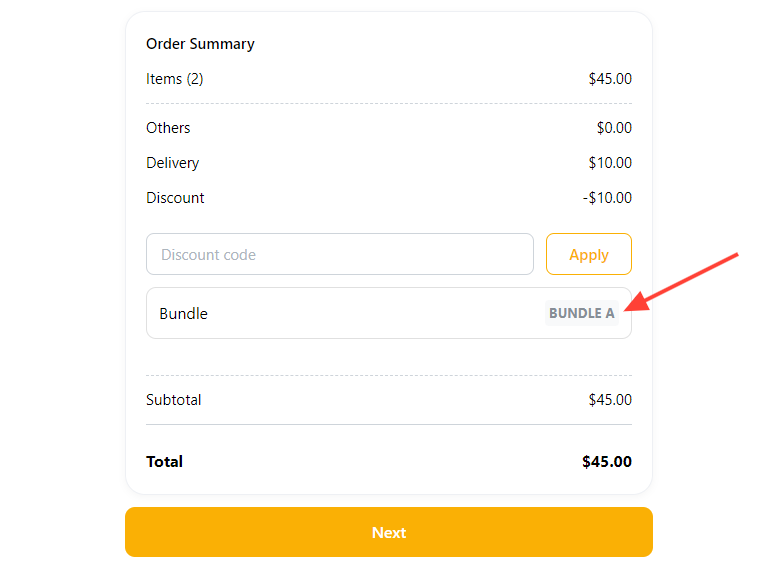
Important: For this discount to work, all the products in the discount must be present in the cart.