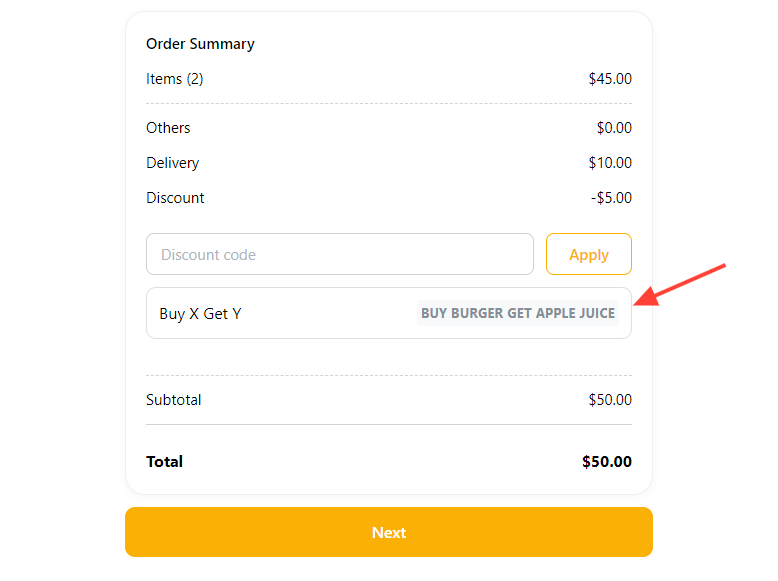
You can create a discount type to offer free Y products upon buying certain X products.
Note: for this type of discount to be applied, both product X and Y must be present in the shopping cart.
How to create Buy-X Get-Y discount
-
Go to Products > Discounts and click
Create Discount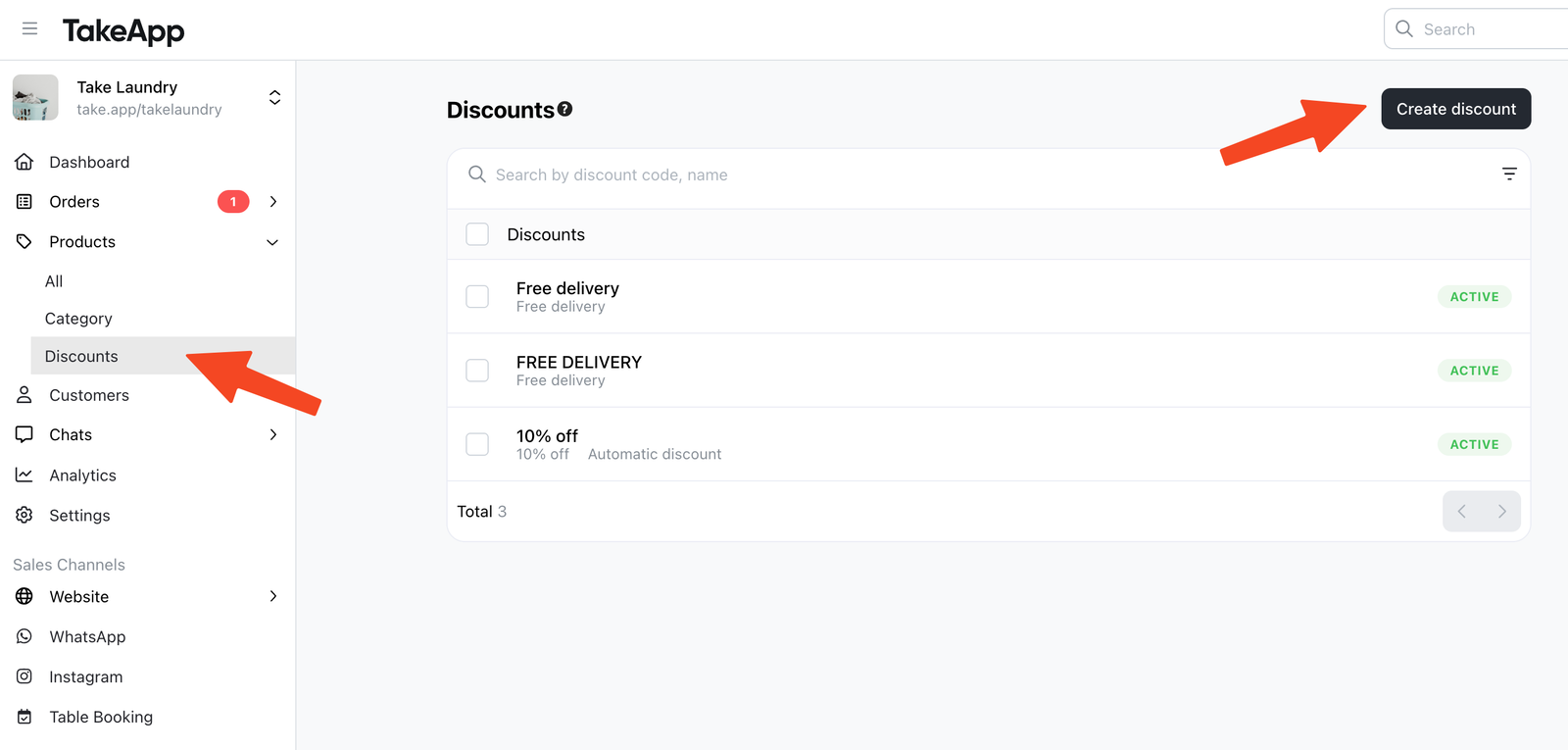
-
Choose
Buy X get Y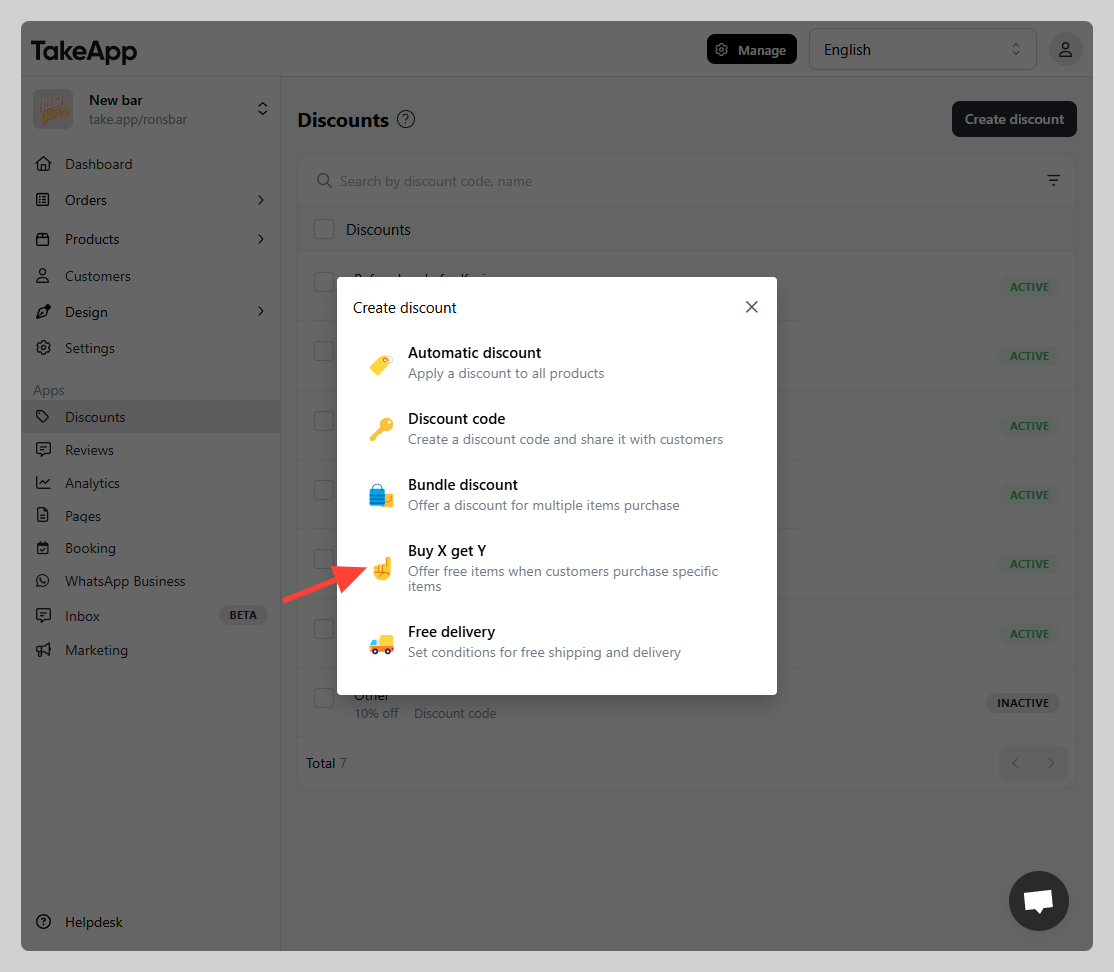
-
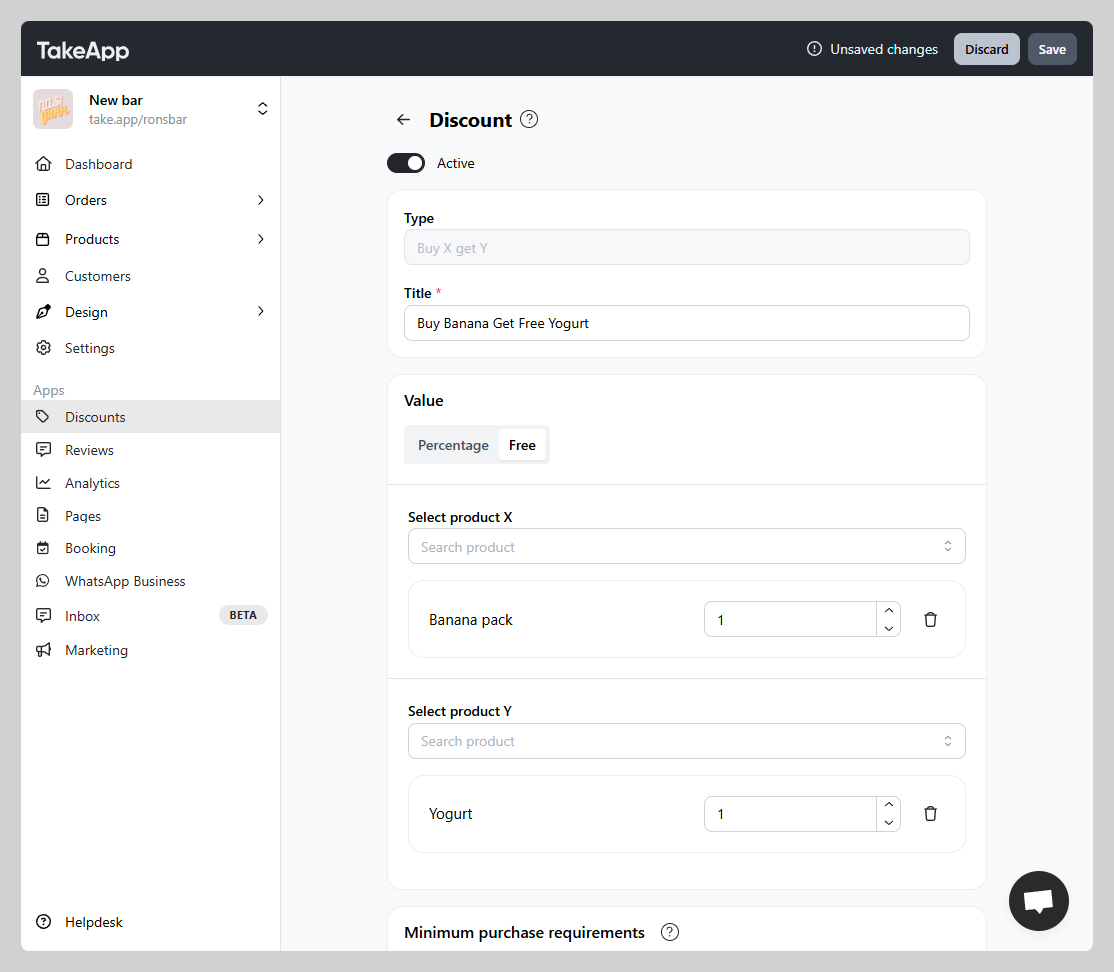
Set your discount code parameters:
-
Discount Value: Percentage or free (this means the Y amount will be free)
-
Select X and Y products: Assign the product combination that will trigger the discount
-
Minimum purchase requirement: Not applicable/minimum purchase amount / minimum quantity of items
-
Maximum discount usage: Not applicable/total usage / usage per customer
-
Active dates: the starting and end date (if applicable)
-
-
You can test the bundle discount on your checkout page