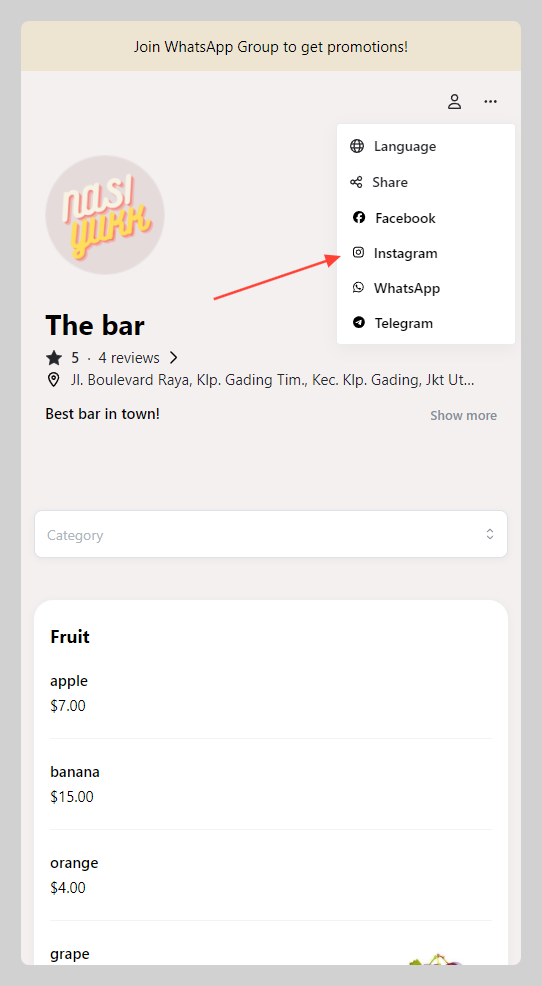
You can add your own community list and showcase it on your store
How to add community settings
-
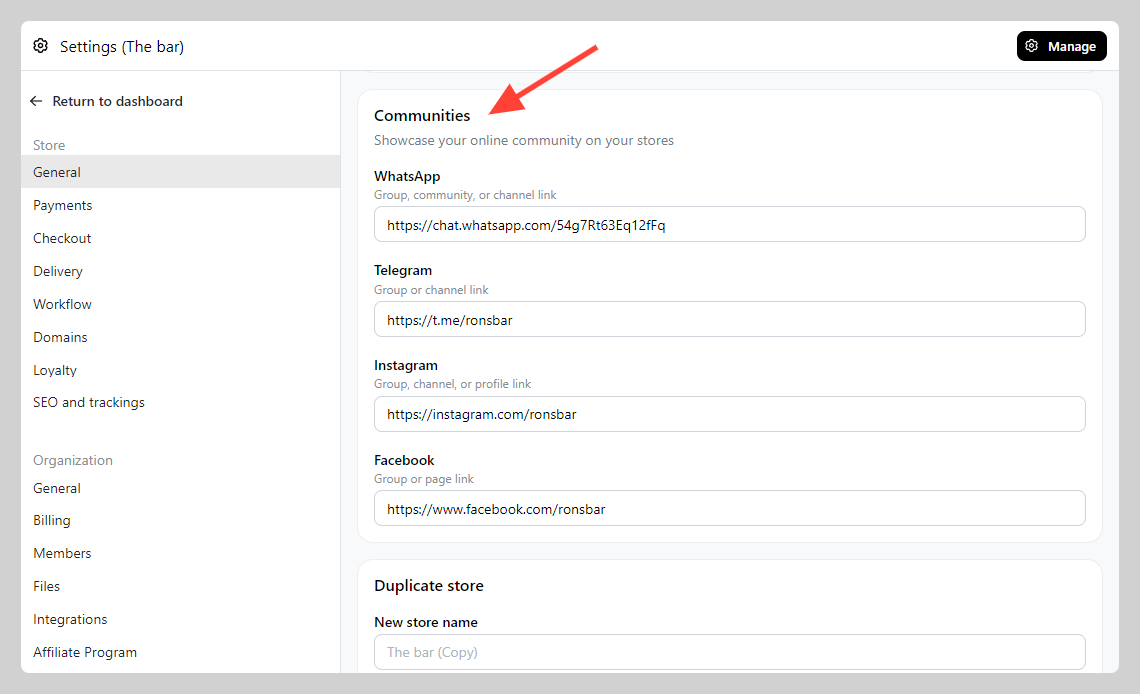
Go to Admin > Settings > Store, General
-
Navigate to the "Communities" section and fill in your social media link details (e.g. WhatsApp group link)
-
Check your communities button on the Storefront and Invoice