
Take App supports every currency in the world. Ugandan shillings, Colombian pesos, Kazakhstani tenge, euros — whatever your business bills in, you can set it as your store currency, and every product price, order, invoice, and receipt shows in it.
There is no approved list to check against. The Currency dropdown in your store settings holds all the world's currencies (ISO 4217 codes), and you can switch at any time.
How to change store currency
-
Go to Admin > Settings
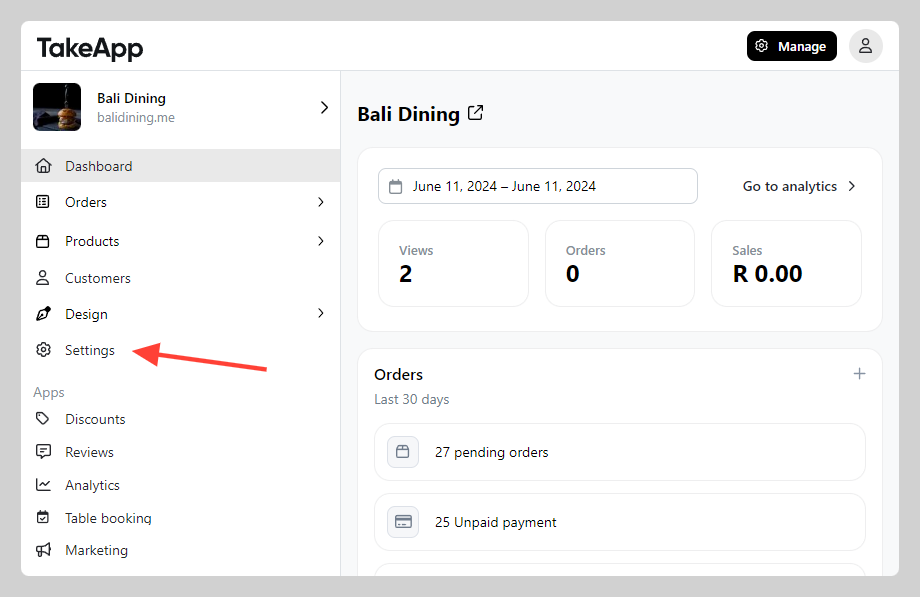
-
Open General, navigate to the "Regional settings" section, and set "Currency" to your own currency. Click
save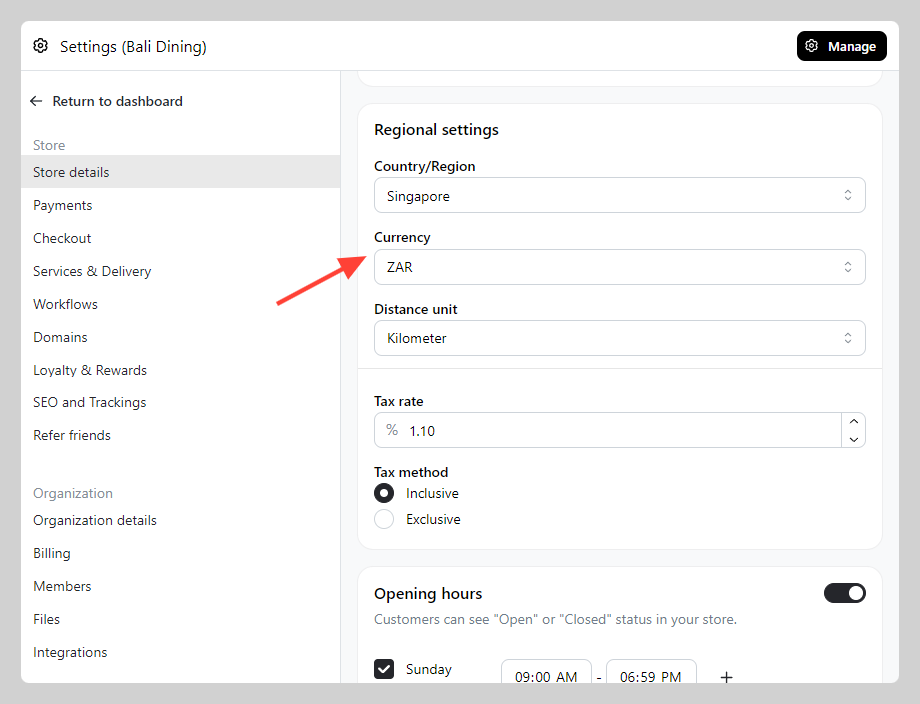
Store currency and payment methods are two different things
This is where most of the confusion comes from:
- Store currency — the currency your store prices in. Any world currency works, everywhere.
- Payment methods — how customers actually pay you. These vary by country, and each automated payment gateway settles only in the currencies its own provider supports.
So a currency you can't find on a particular gateway's list is still perfectly fine as your store currency. You price in it, and you collect payment with whatever suits your market — bank transfer with payment proof, mobile money, a local QR, cash on delivery, or a gateway that does cover your currency.
See Payment options by countries for what's available where, and Add payment methods to set one up.
Before you switch
Take App does not convert your prices — nothing is recalculated at an exchange rate. After switching, check your product prices, delivery fees, and discounts, and set them to the right amounts in the new currency.