
You can change the store's WhatsApp number based on your operation preferences. This number is used to receive the order details from customer's WhatsApp number.
The customer will send an order message to this Primary number and create a new chat conversation between their number and the store number.
How to change your store number
-
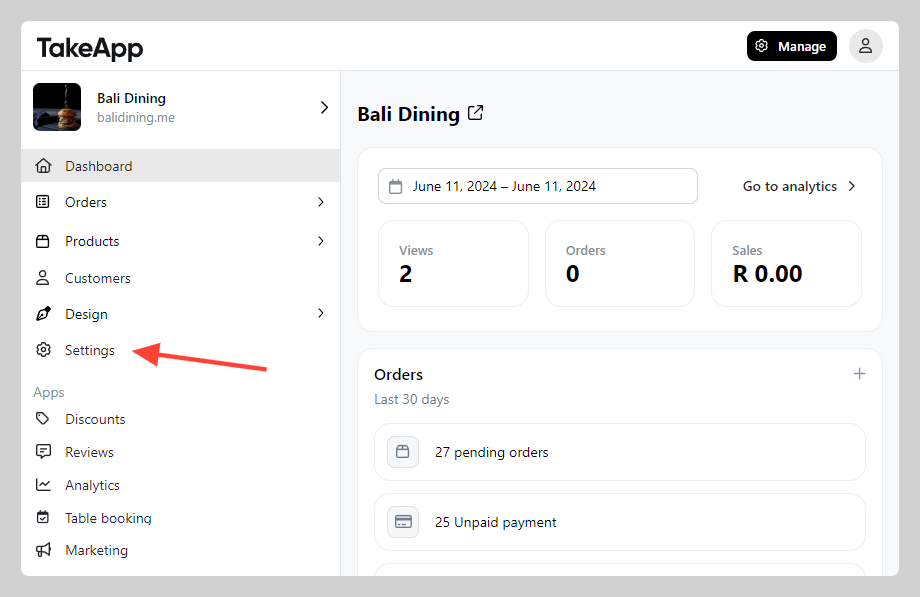
Go to Admin > Settings
-
In Store Detail, navigate to the "WhatsApp number" section. Change the Primary number to the new number and click
Save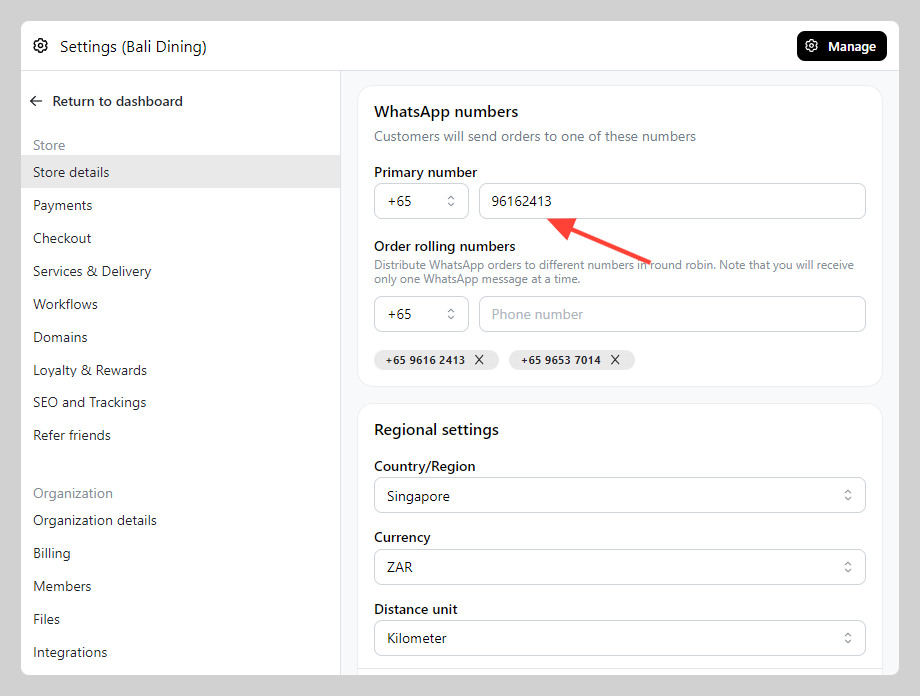
Note: The primary number is your store's WhatsApp number. It is different from the WhatsApp business integration API number.