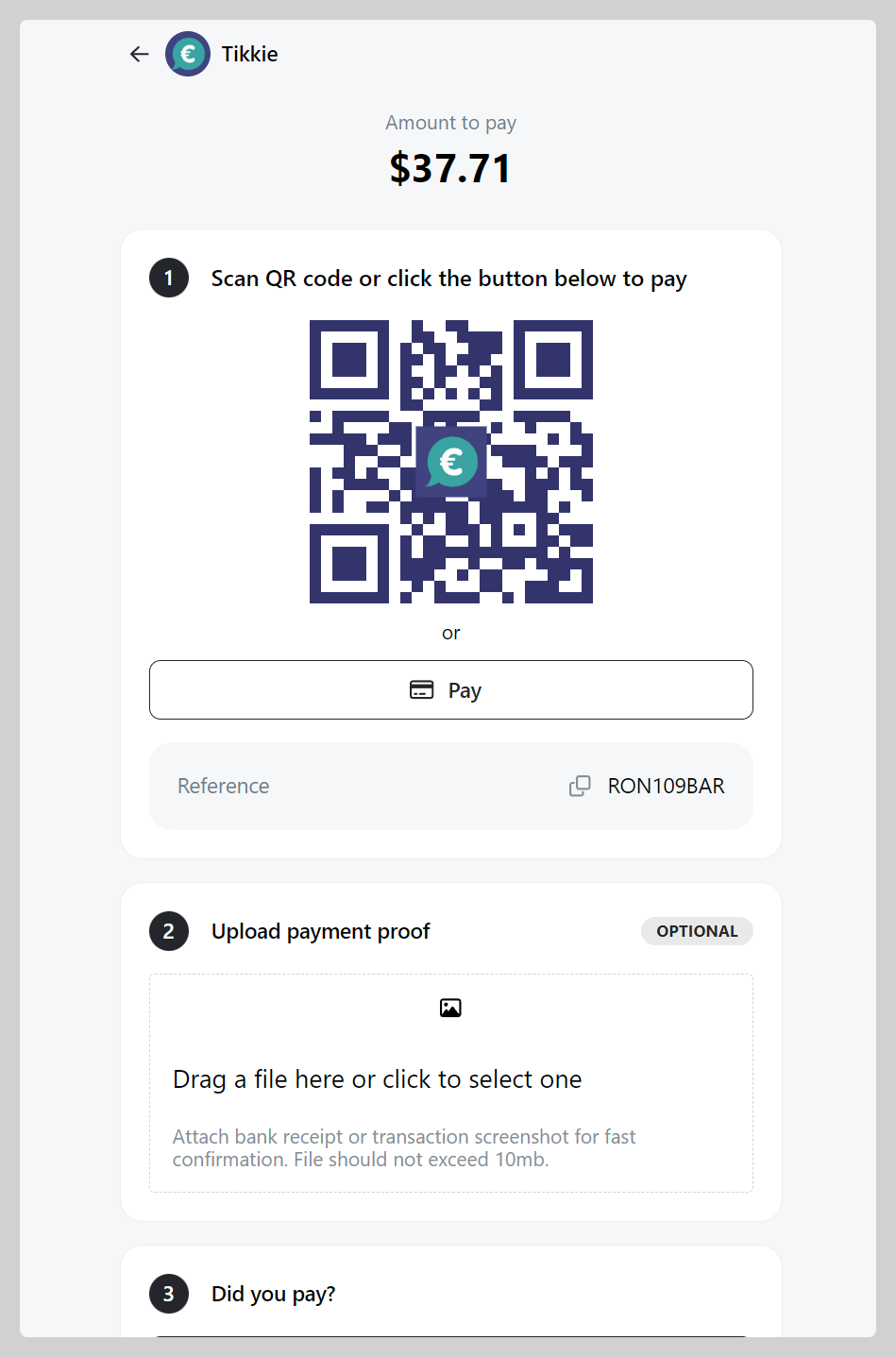
Tikkie is a popular online payment method in the Netherlands.
How to set up Tikkie as a payment method
-
Go to Admin > Settings > Payments and click
Add payment method -
Choose payment with "Tikkie", Register your Tikkie payment link (e.g. tikkie.me) then click
Save.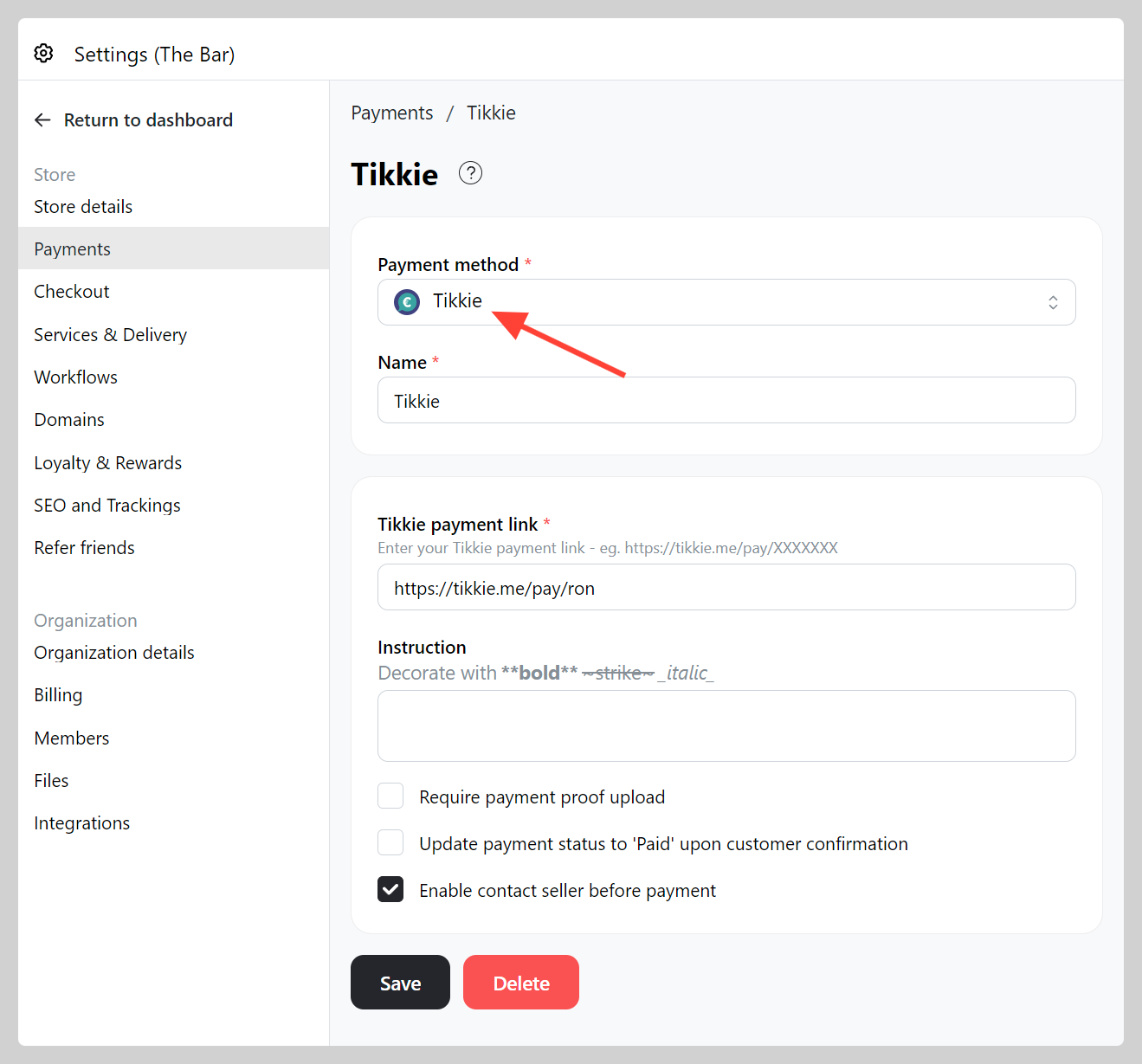
-
Make a test order and check if your Tikkie QR working well.