
-
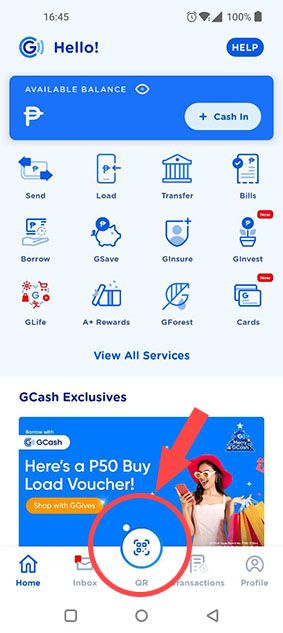
Click on the QR Code
-
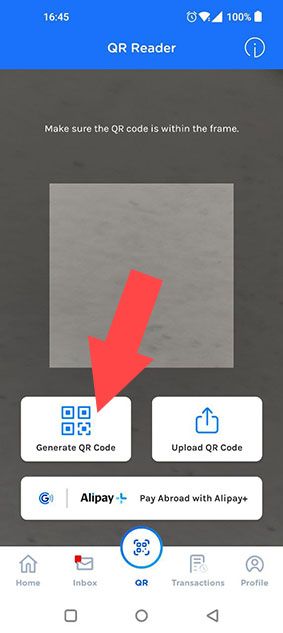
Click on "Generate QR"
-
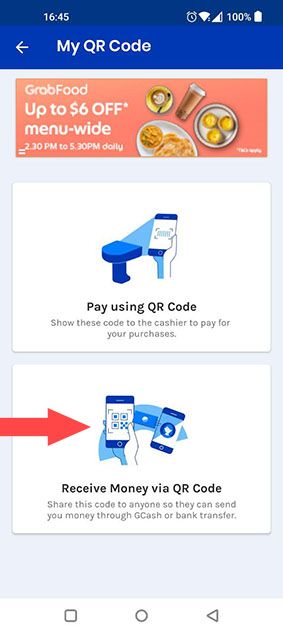
Click "Receive money via QR"
-
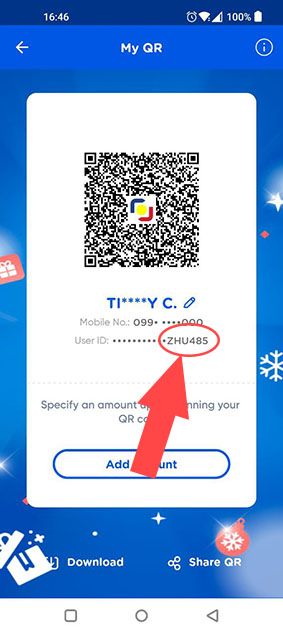
Check your User ID (Last 6 digits)
-
Type your User ID into the box.
Click on the QR Code
Click on "Generate QR"
Click "Receive money via QR"
Check your User ID (Last 6 digits)
Type your User ID into the box.
Ask a question and get an answer right away, or chat with our team.