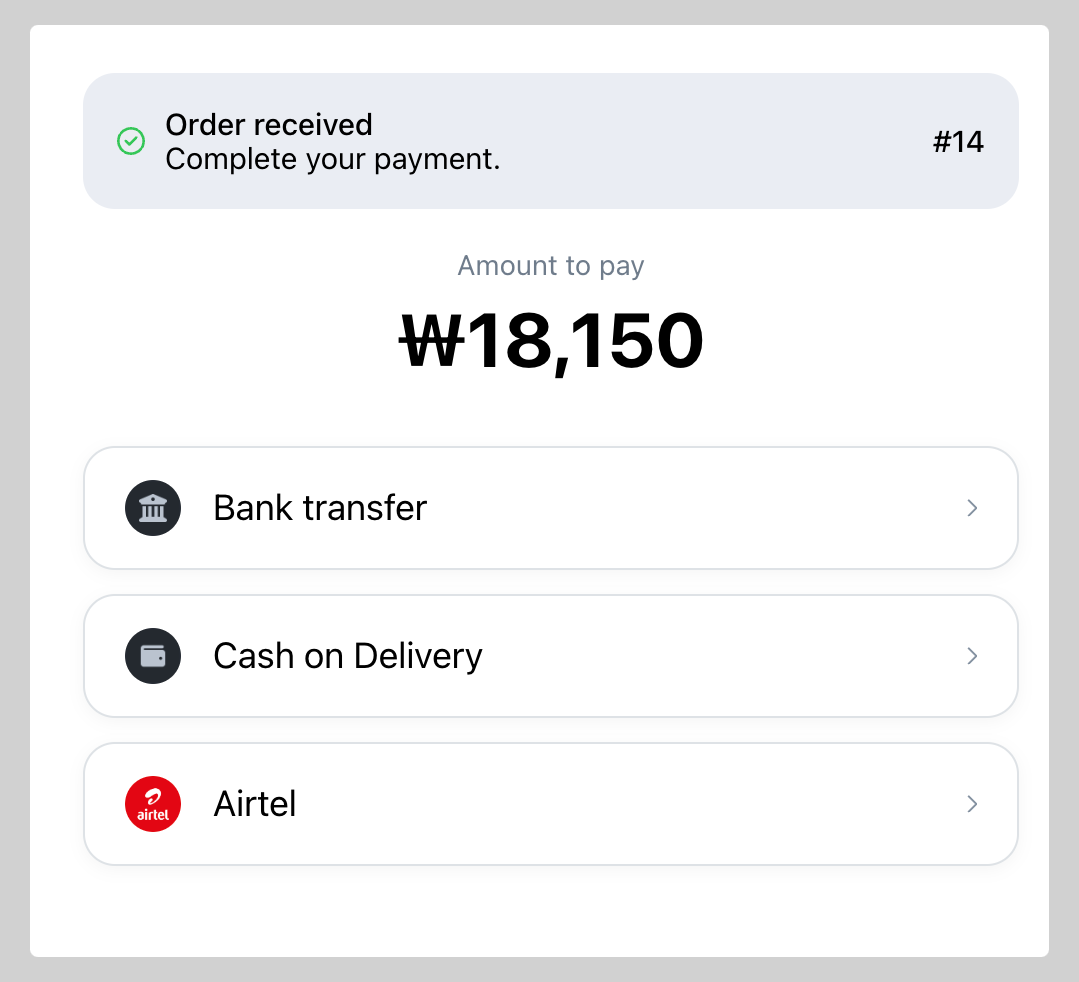
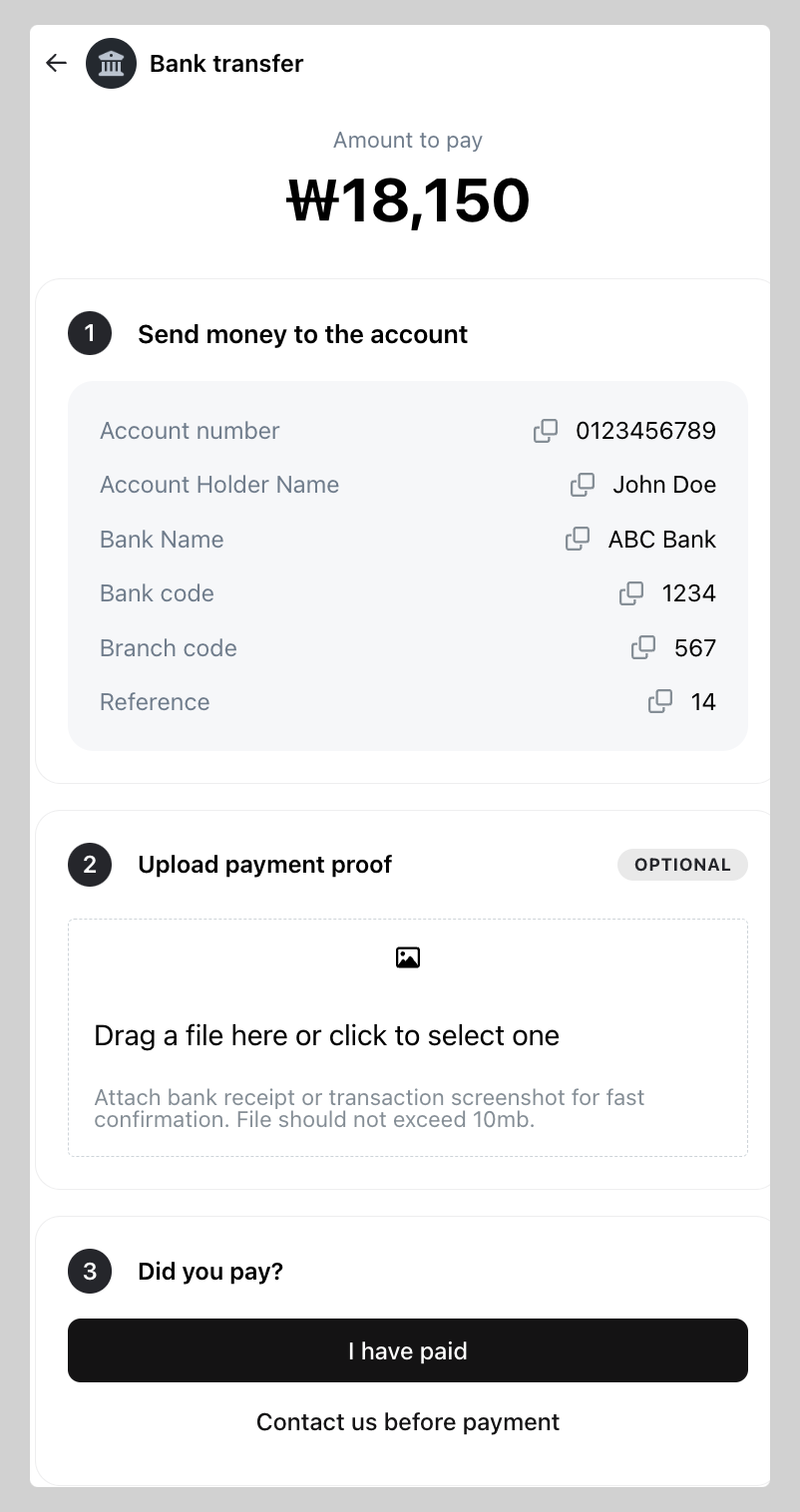
You can add your bank details for manual bank transfer payment. However, the payment verification or reconciliation still needs to be done manually from your end.
How to add bank transfer as payment method
-
Go to Admin > Settings > Payments, go to Manual payment methods click on
+ Add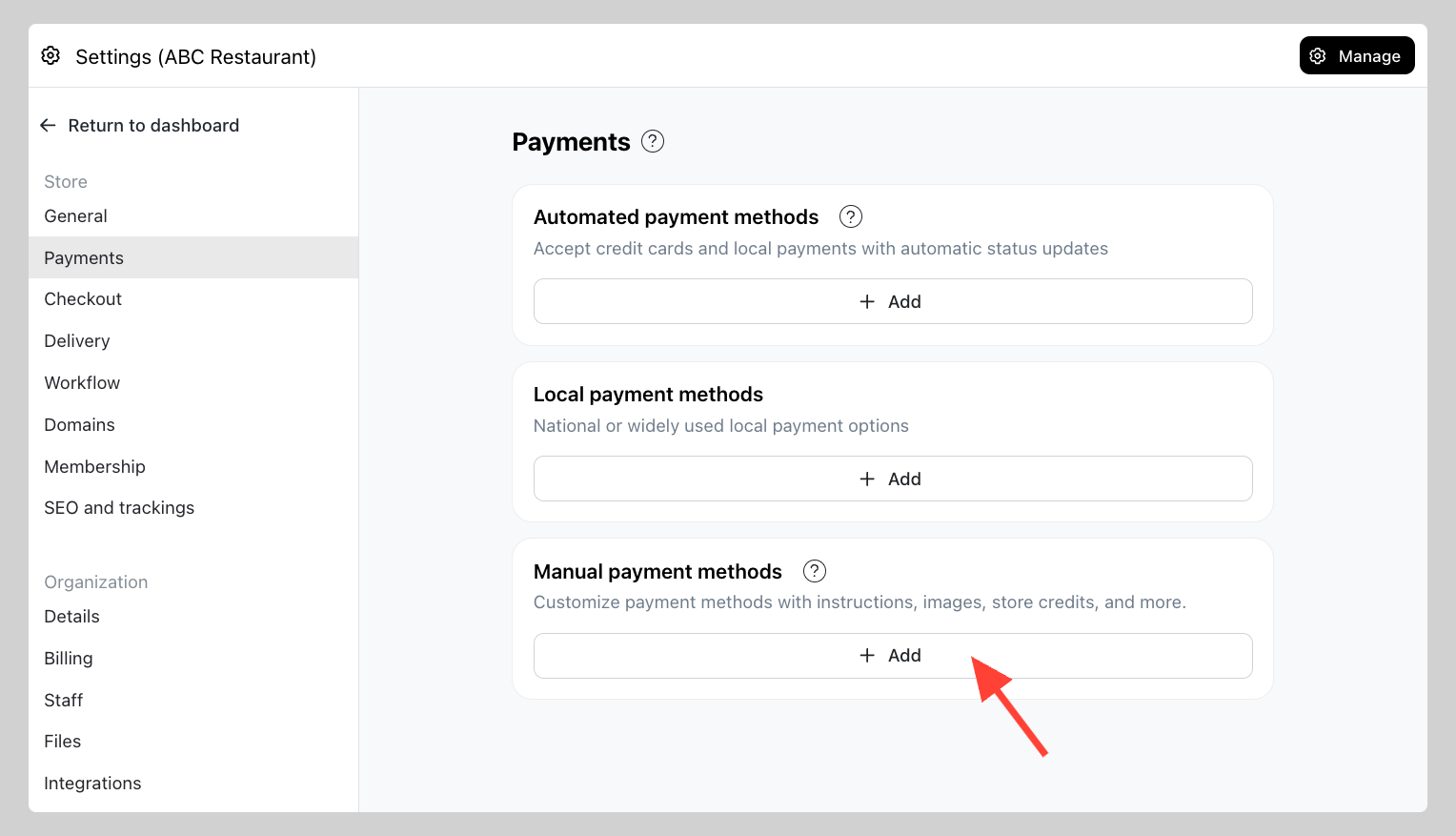
-
On "Select payment method" field choose Bank Transfer
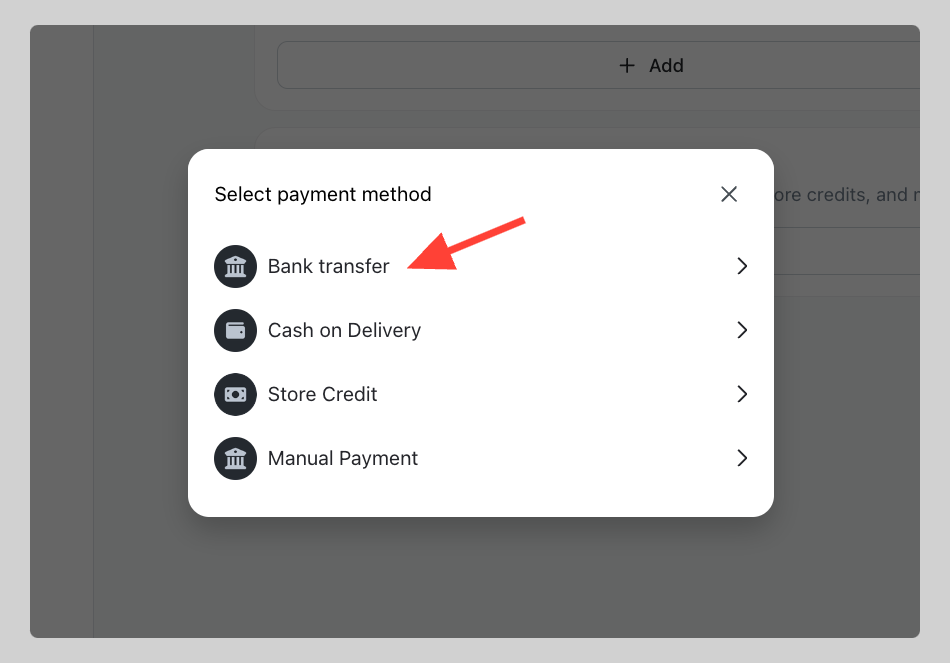
-
Input your "Payment method" name (e.g. Bank transfer) and type in the Bank name, Account number, and Account holder name. Click
save.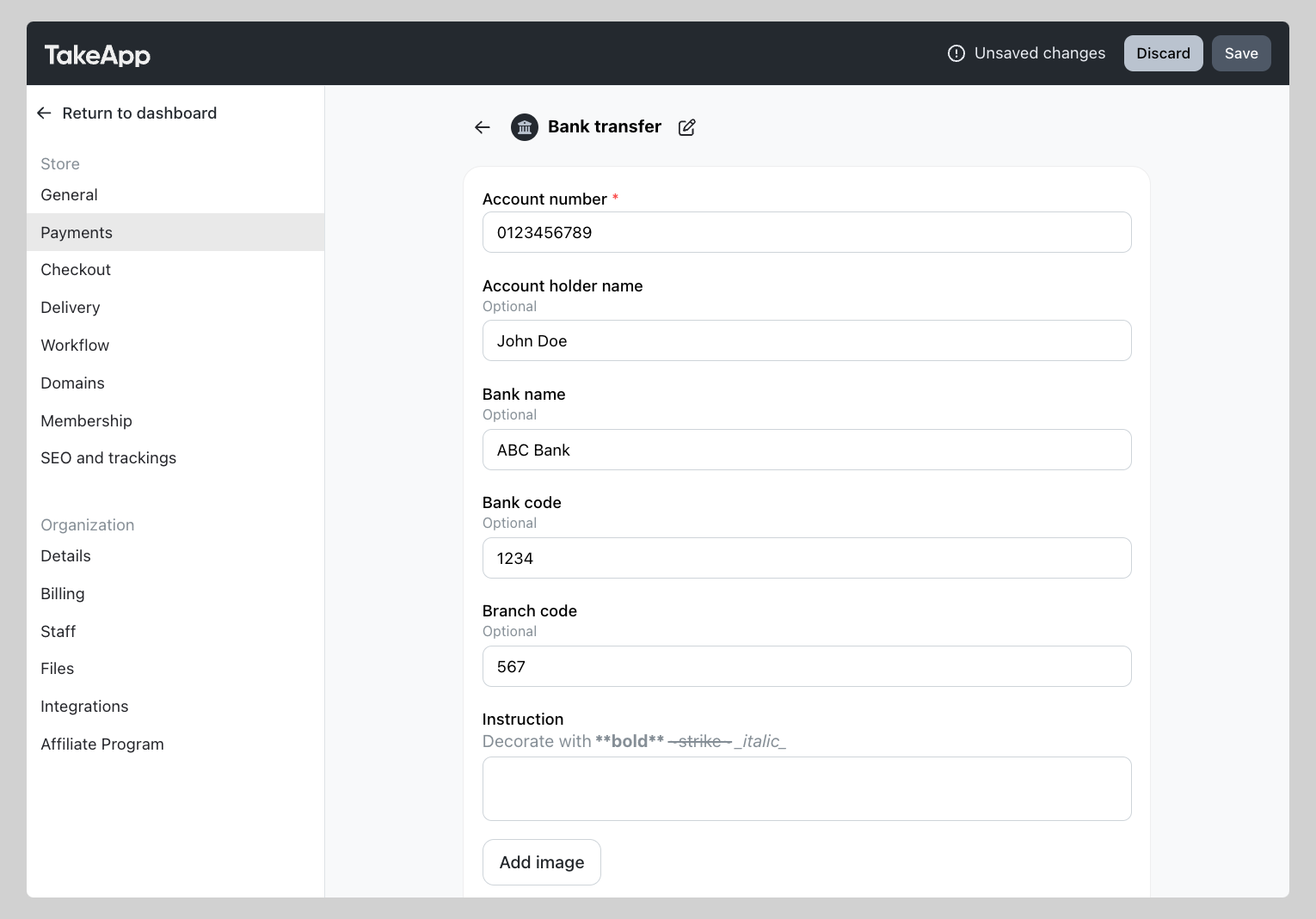
How bank transfers shown on the customer's payment page