
Table QR lets you create a separate QR code for each table, so orders come in tagged with the table they were placed from. It builds on Dine-in QR Ordering.
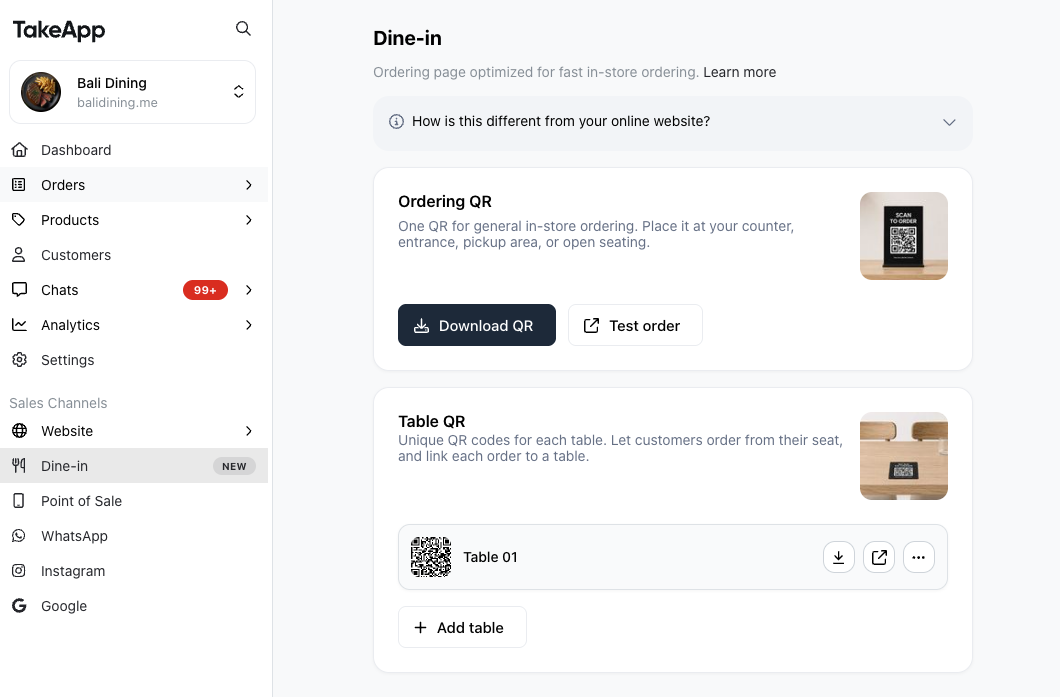
How it works
-
Create a QR code per table. Each table's QR opens your menu with that table attached (link format:
take.app/menu?tableId=xxxx).-
In Dine=In, click on
+Add table, and add as many tables as needed -
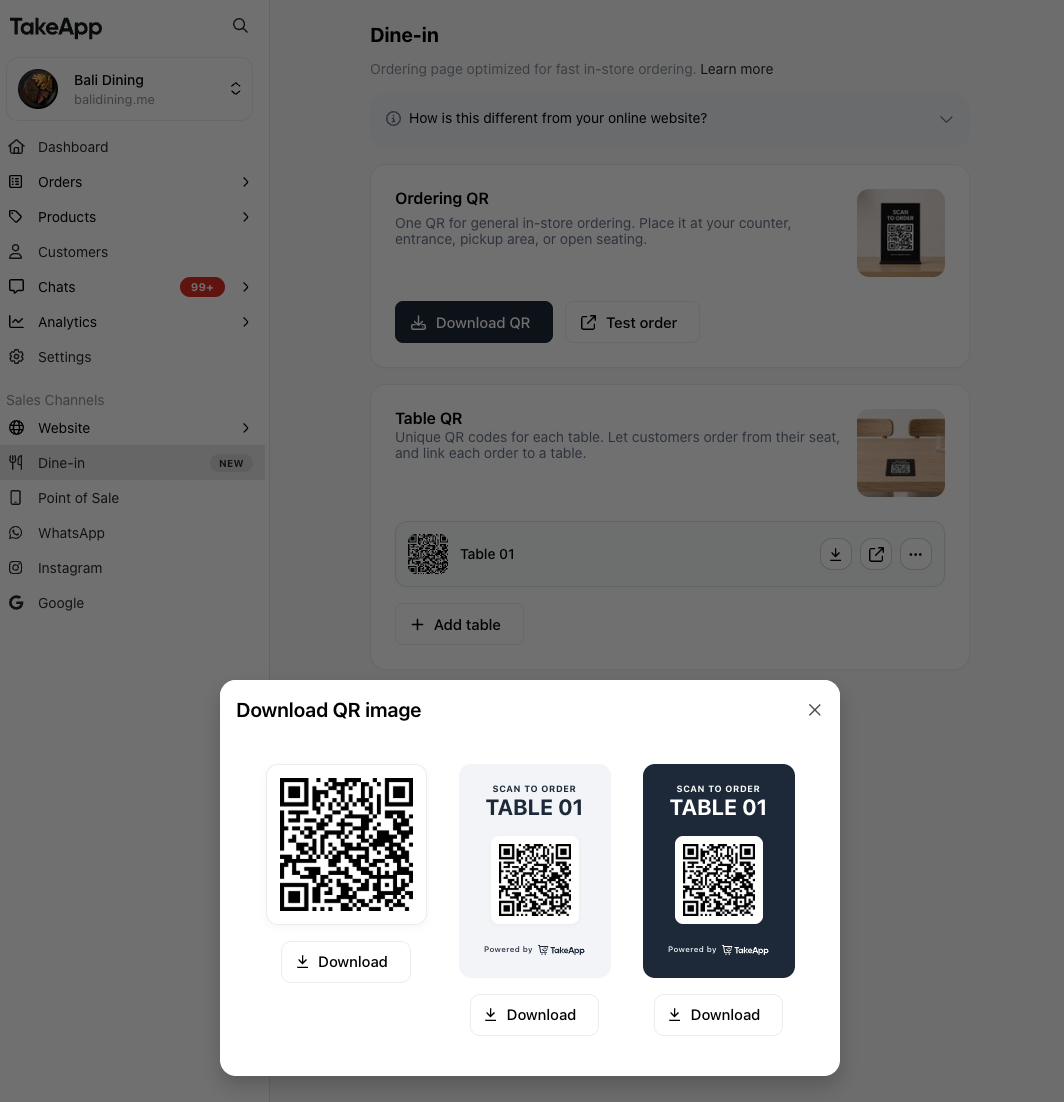
Download the QR code for each table
-
-
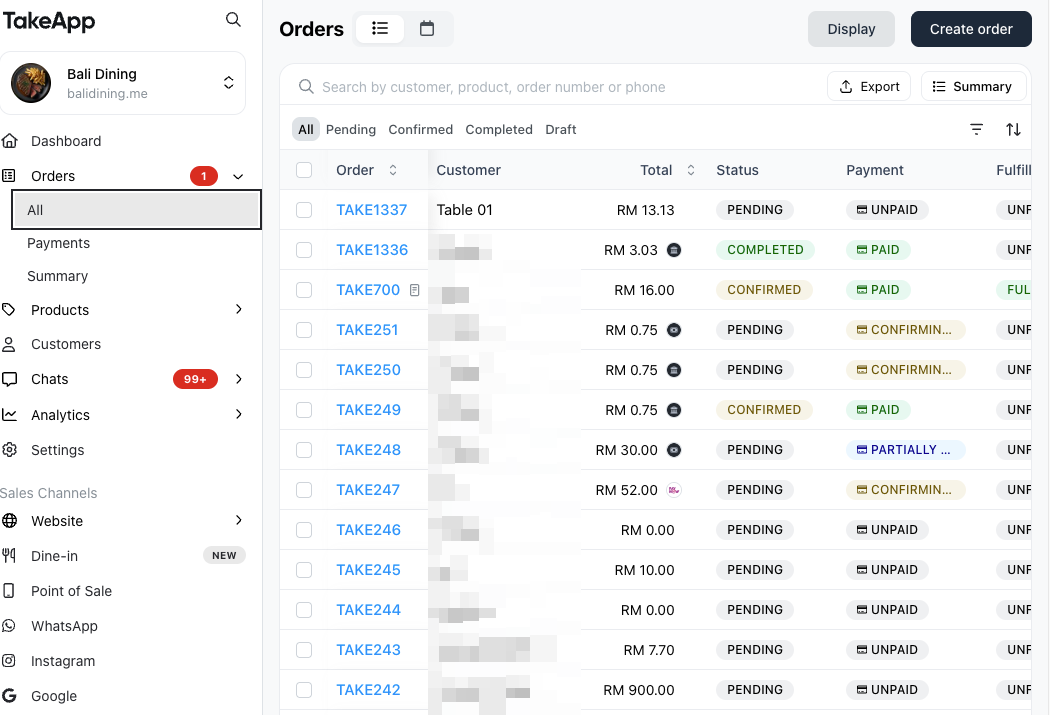
When a customer scans a table's QR and orders, the order is created with the customer name shown as the table (for example, "Table 01"). No customer account is created.
-
You can see which table placed each order, and when.
Ordering by multiple people at the same table through a single QR code is not fully supported yet.