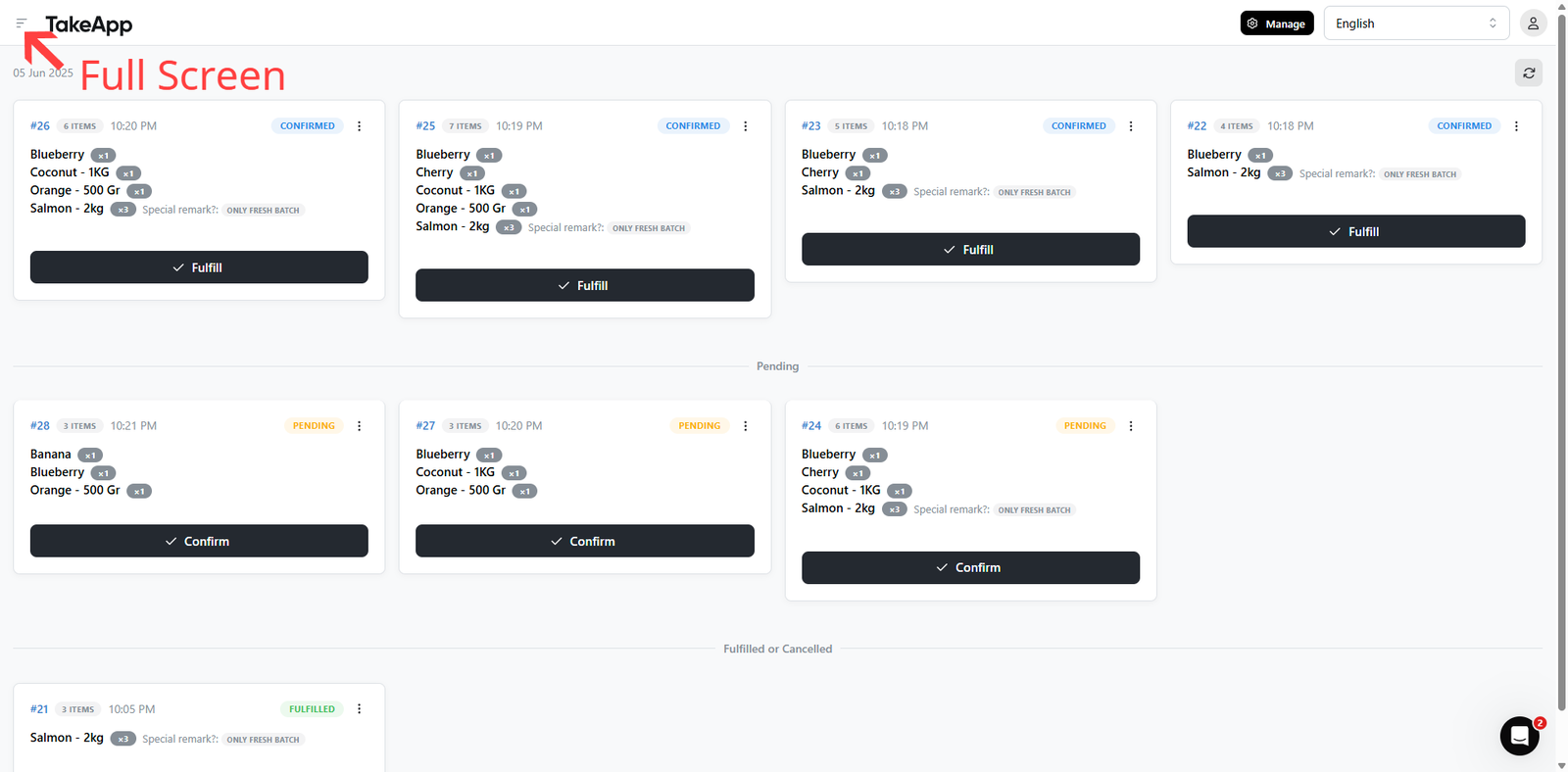
The Kitchen Display — a full-screen, grid-view system that lets you manage orders easily and efficiently. Stay organized, reduce errors, and keep your kitchen workflow smooth with real-time order updates on a single screen.
When an order is from a table session, the table name shows after the order status on each card. Long names wrap or truncate.
How to view order/kitchen display
-
Go to Admin > Orders > All and click
displayon top right corner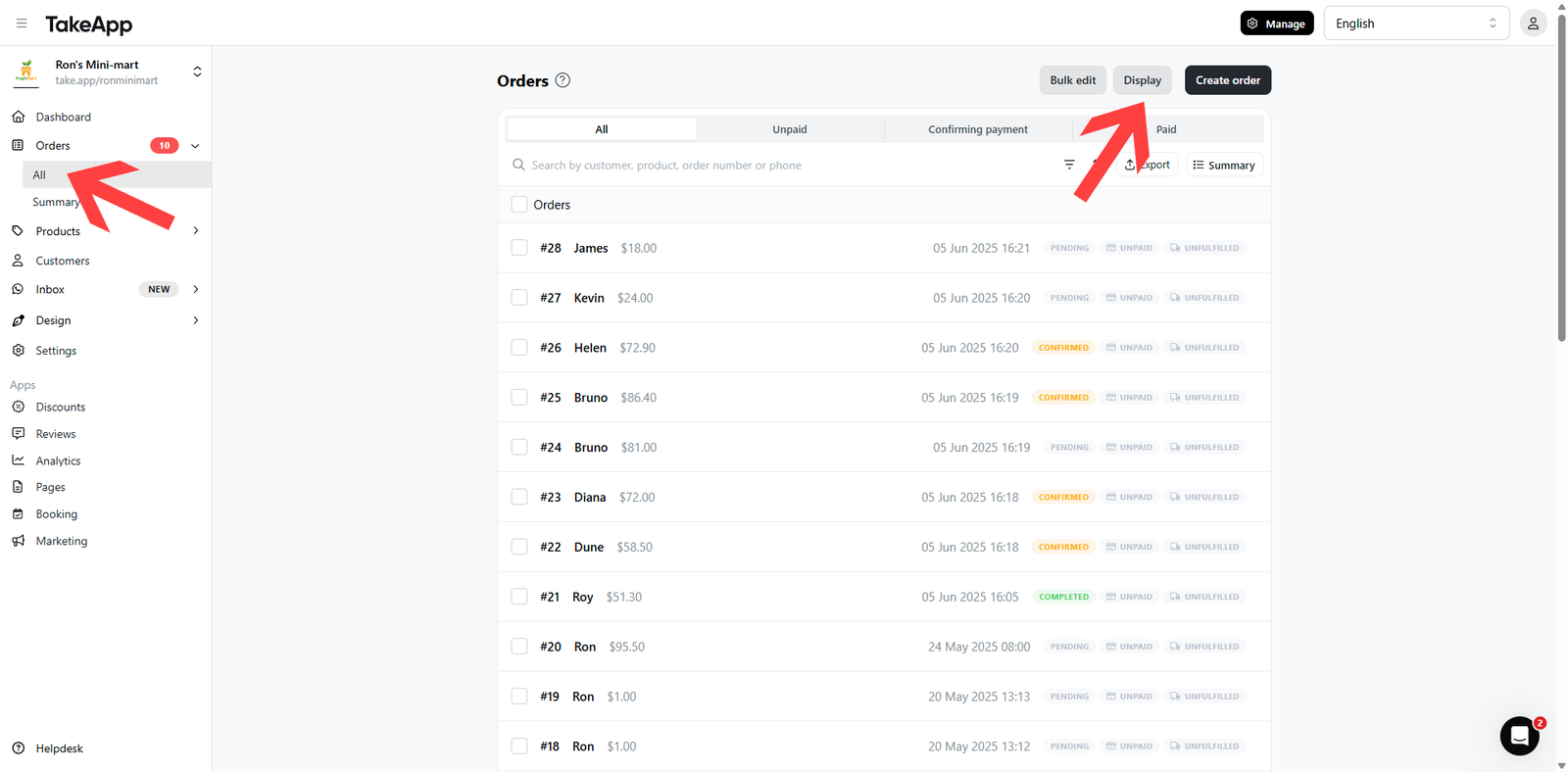
-
You can easily mark the order as
confirmedorfulfilled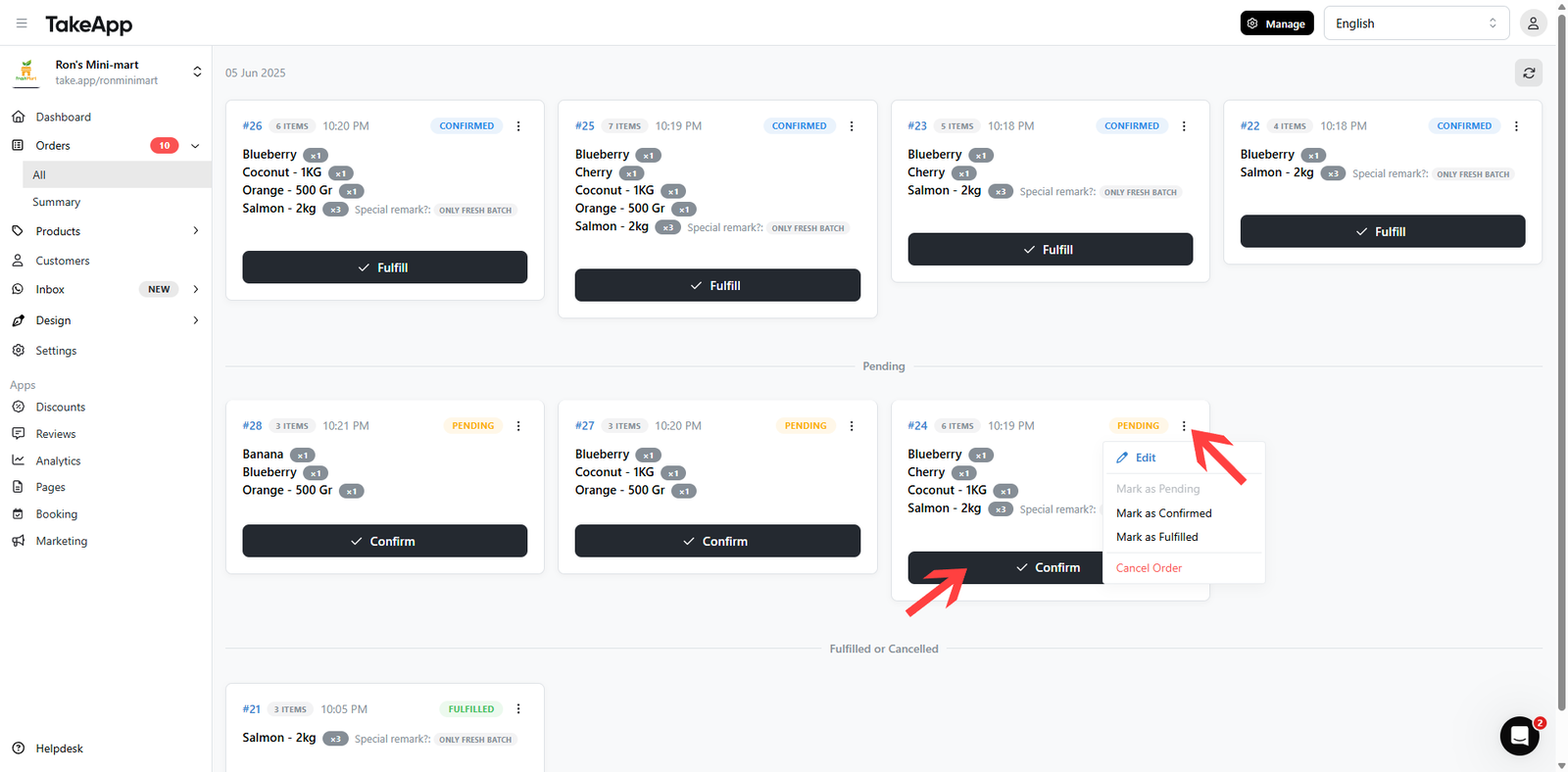
-
To print an order, click on the
...button of the order > Print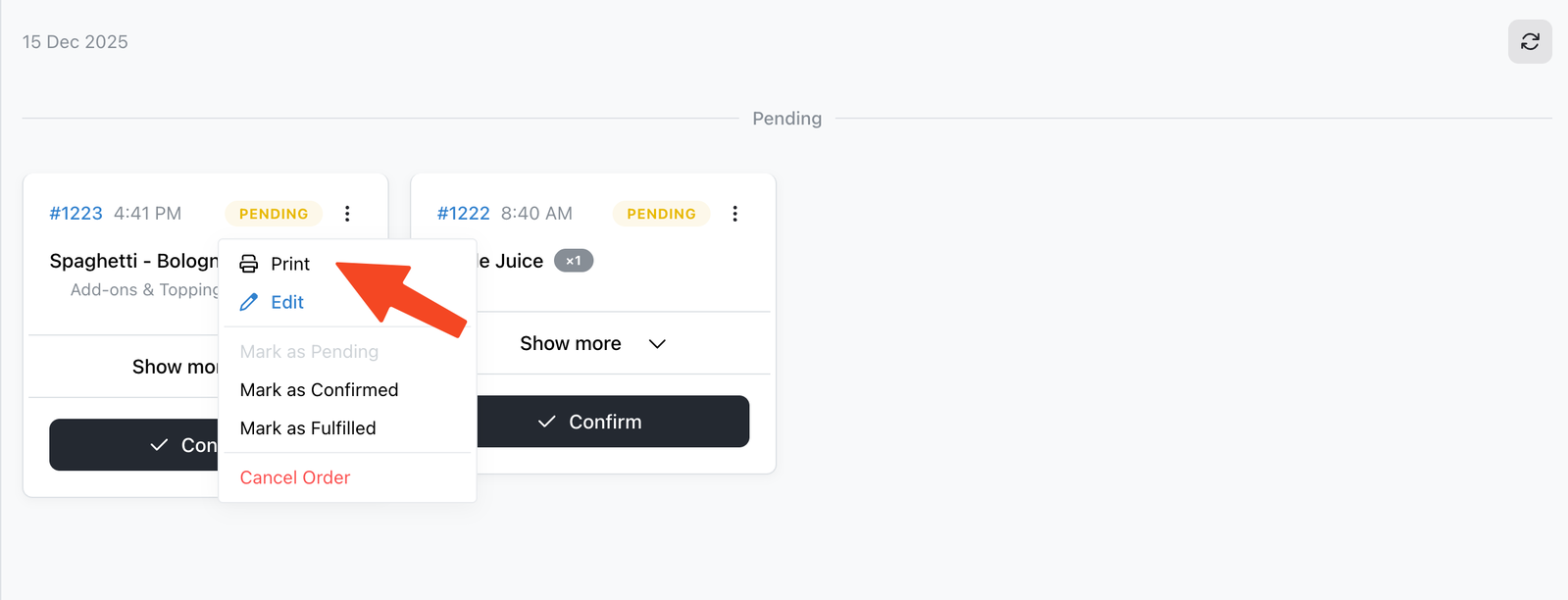
-
You can hide the admin sidebar to view the display in full-screen mode.