
Import products from Shopify store to your Take App store.
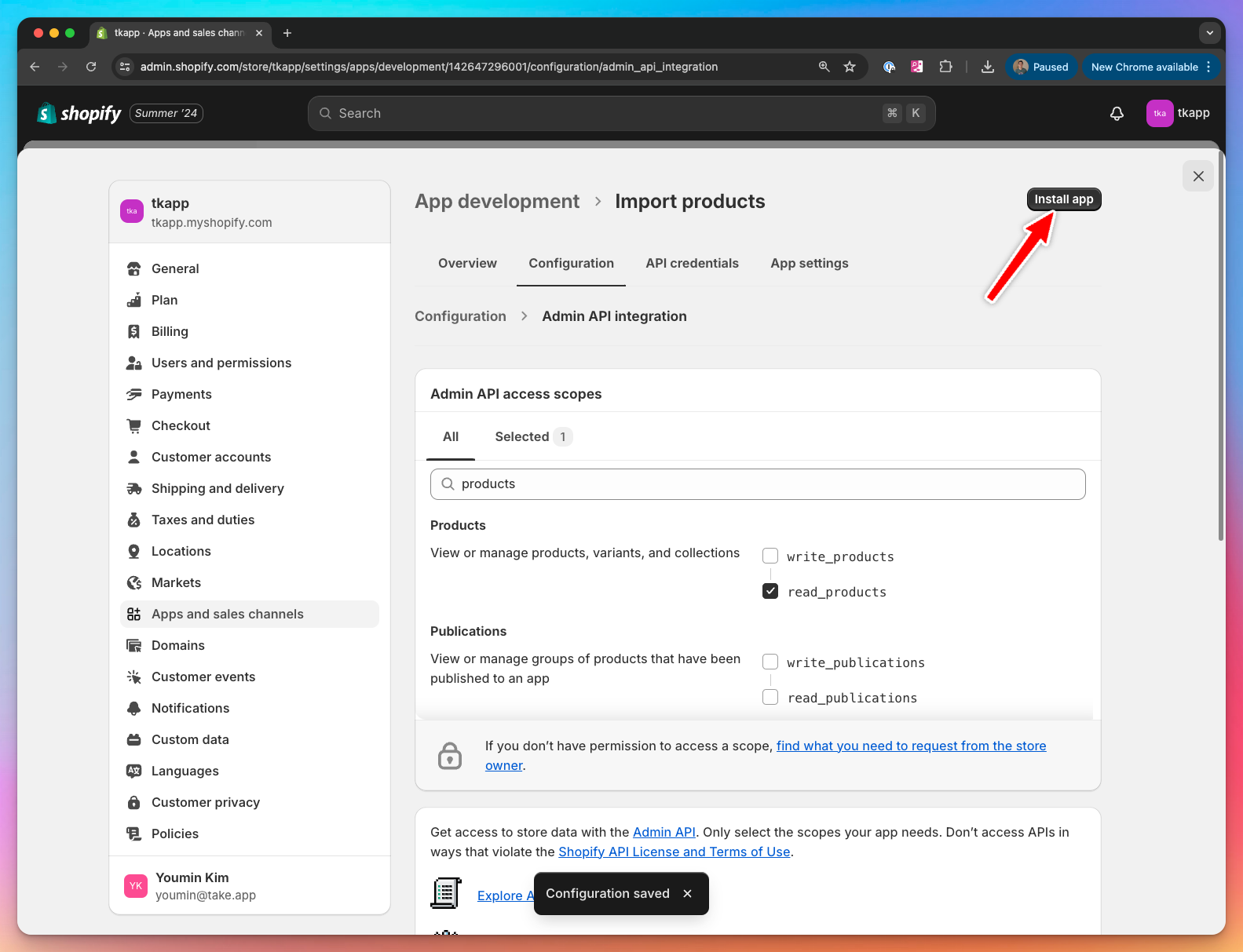
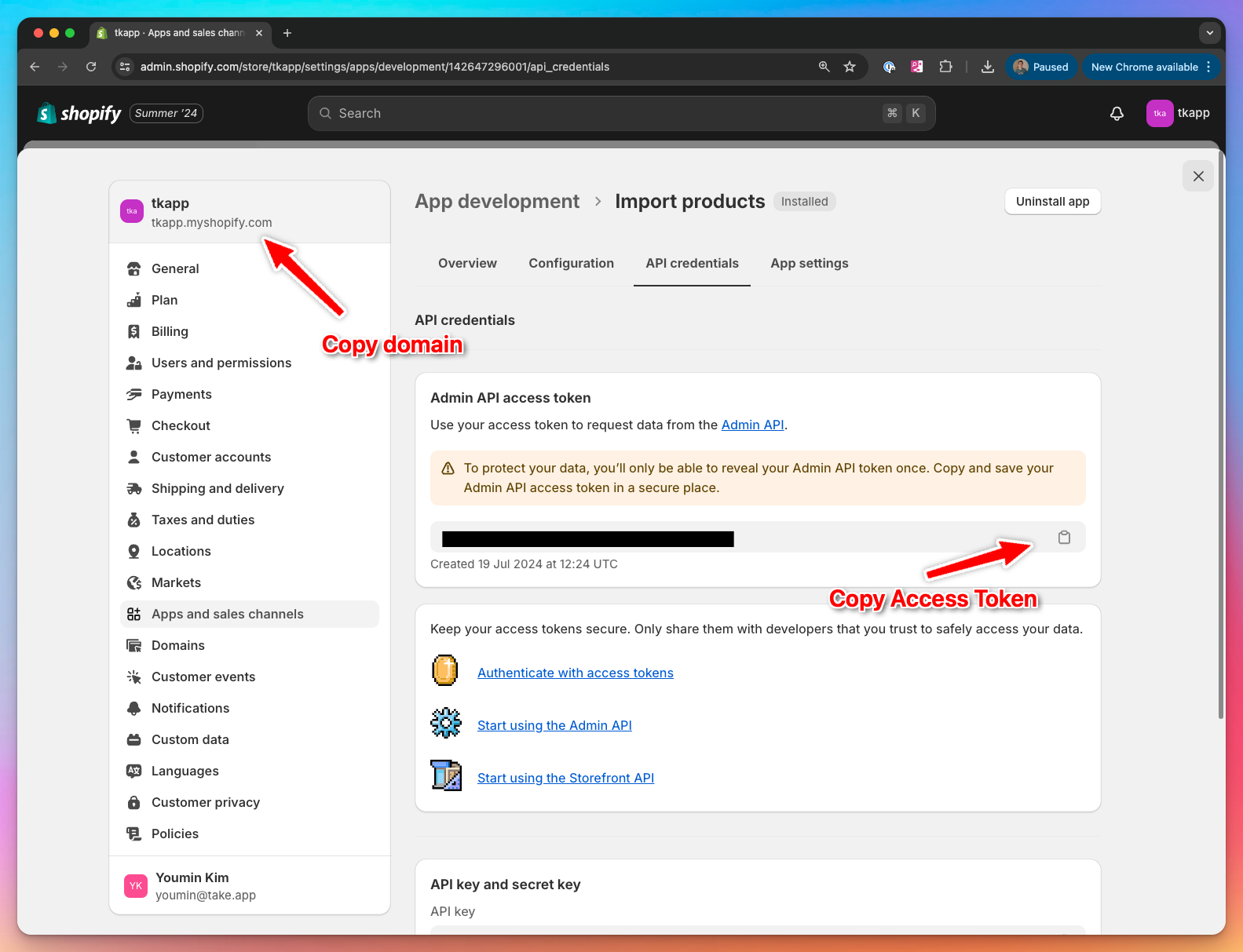
Get Shopify Access token and domain
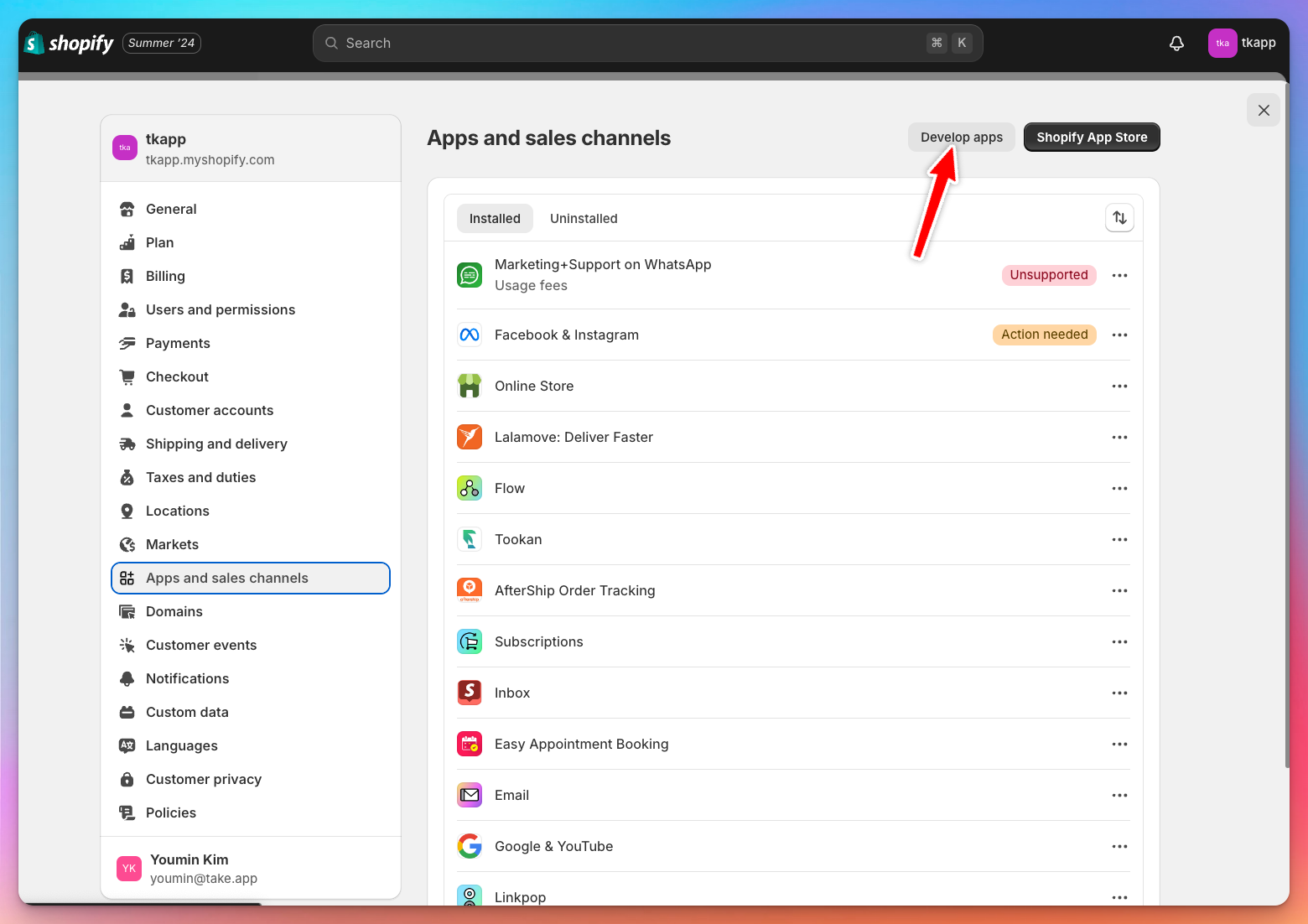
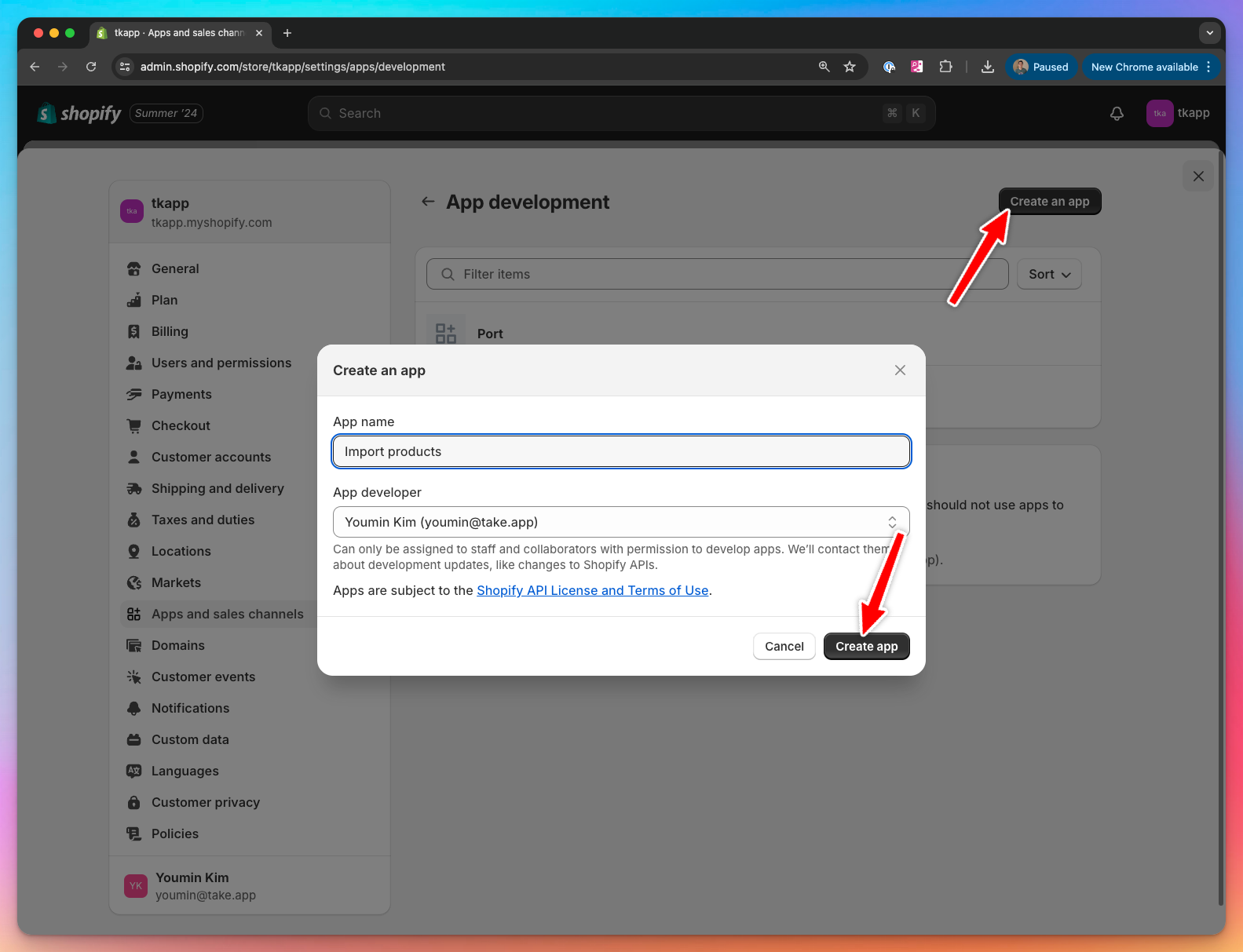
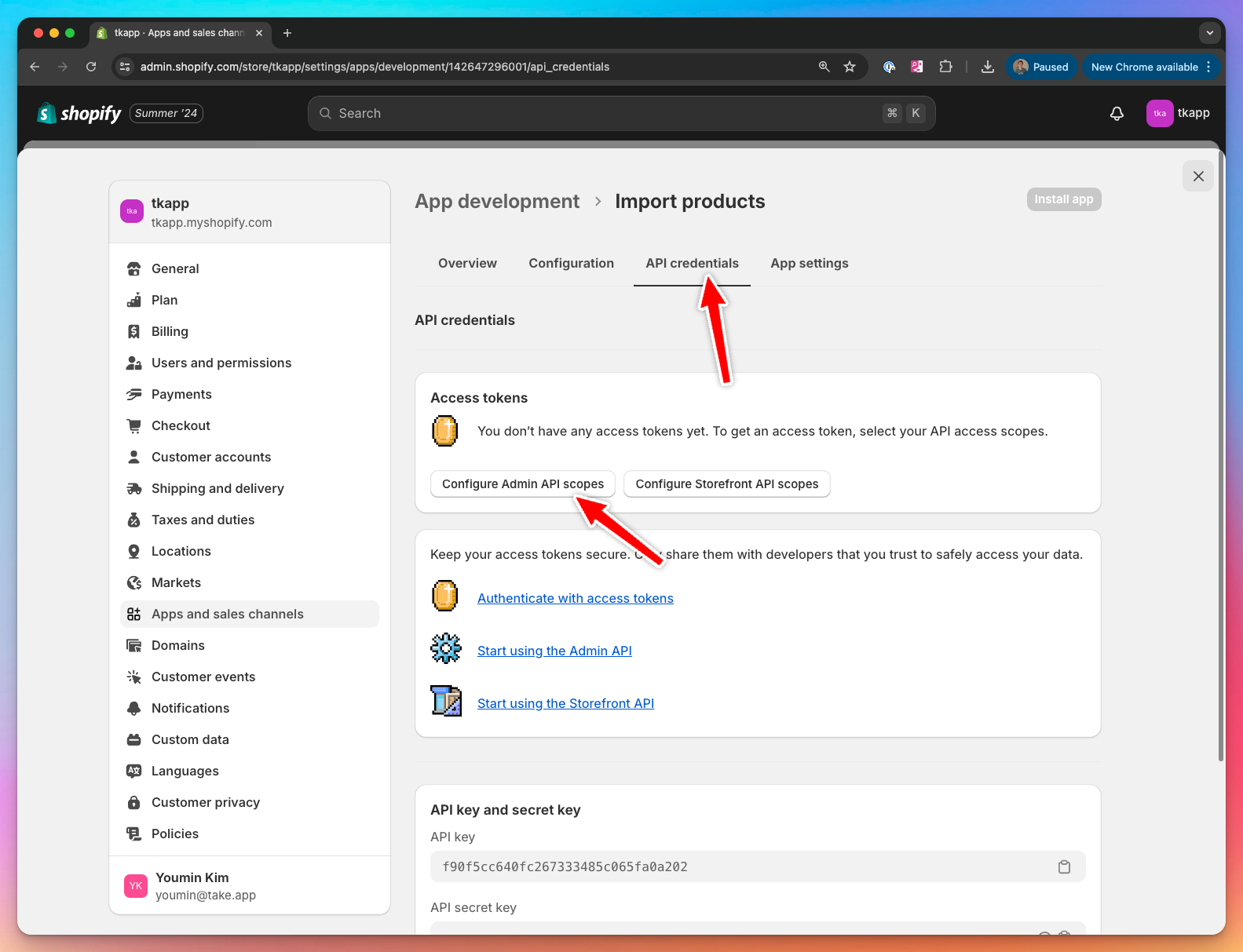
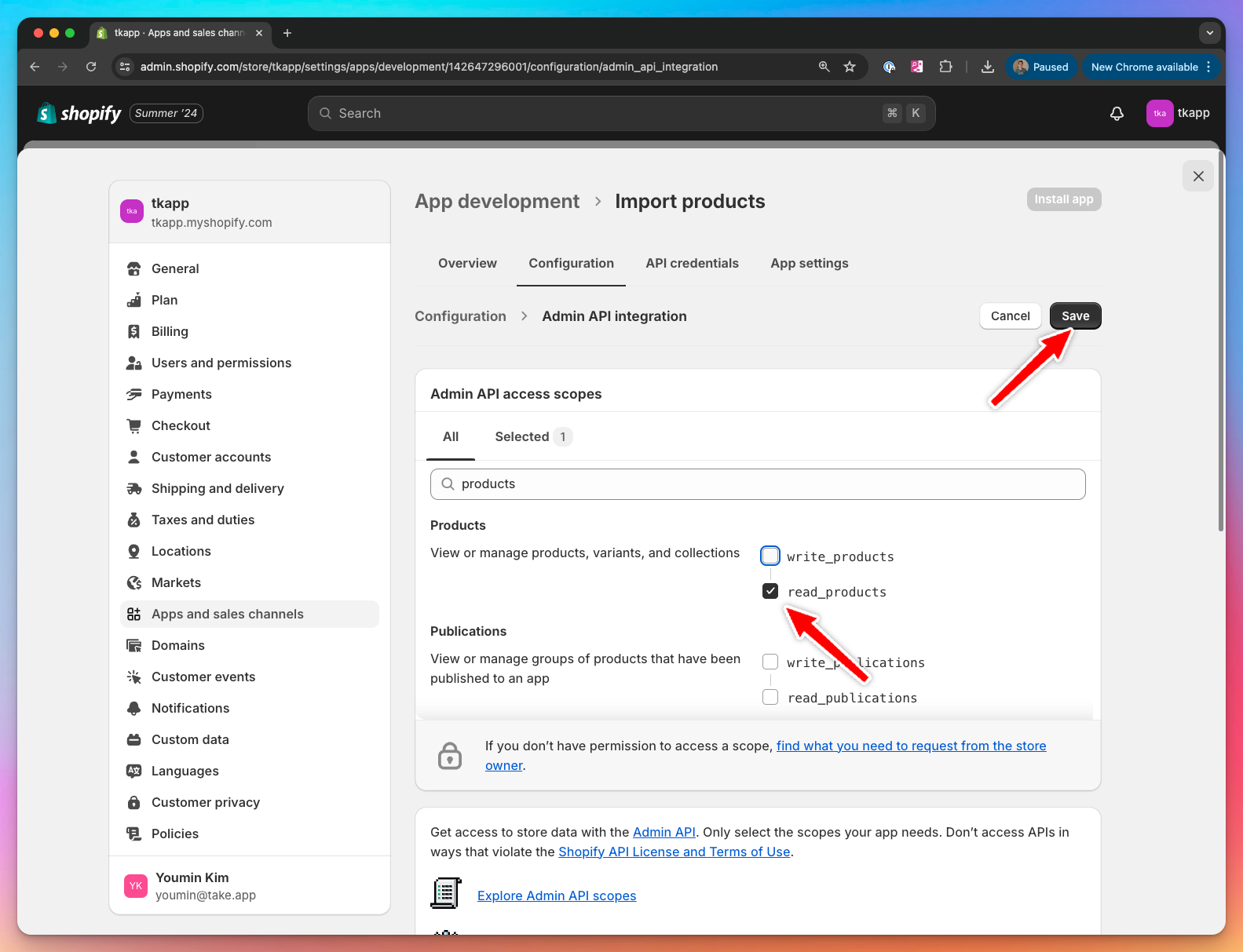
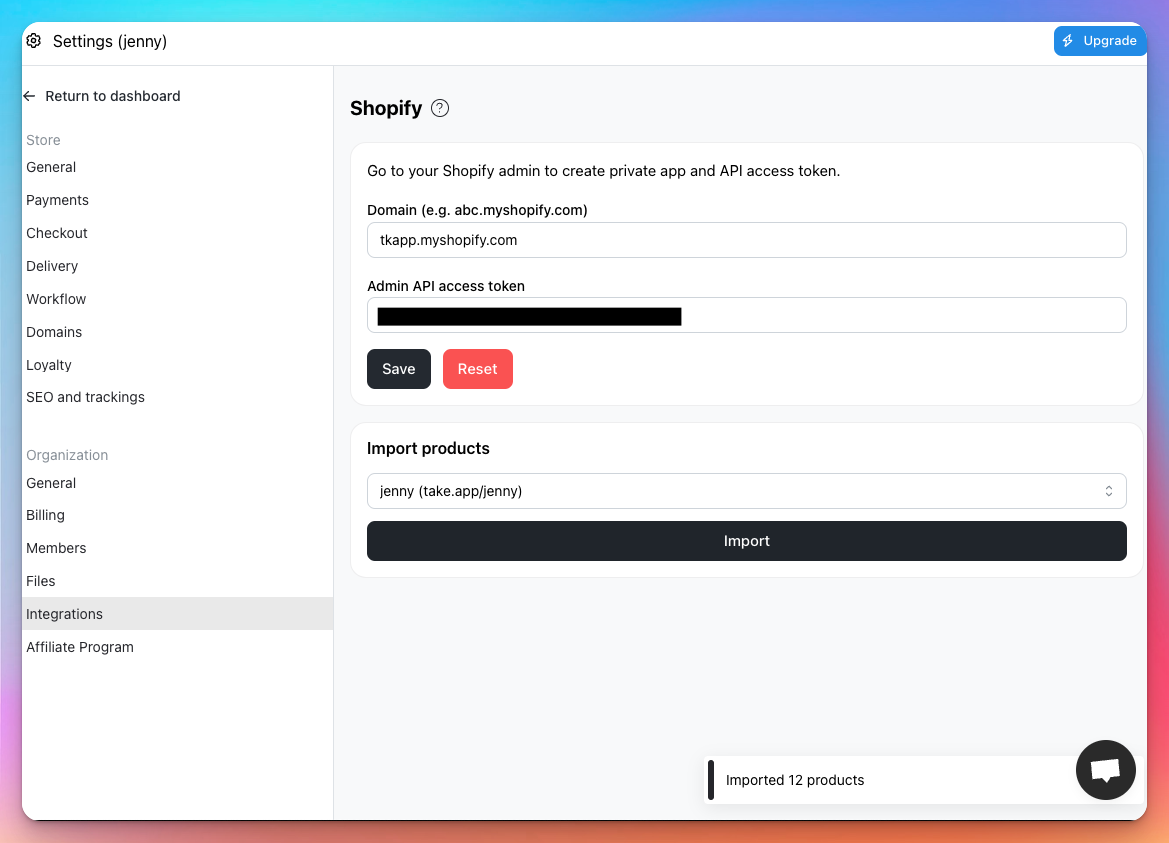
Shopify integration page
Go to Admin > Settings > Integrations > Shopify. Enter domain and access token. Then, select a store to import products and click Import button.
Important Notes
- One-time import only: The integration is not a live sync. Products are imported once, at the time you click "Import." Future updates on Shopify will not be reflected automatically in your Take App store.
- Images are not imported—you’ll need to upload product images manually after import.