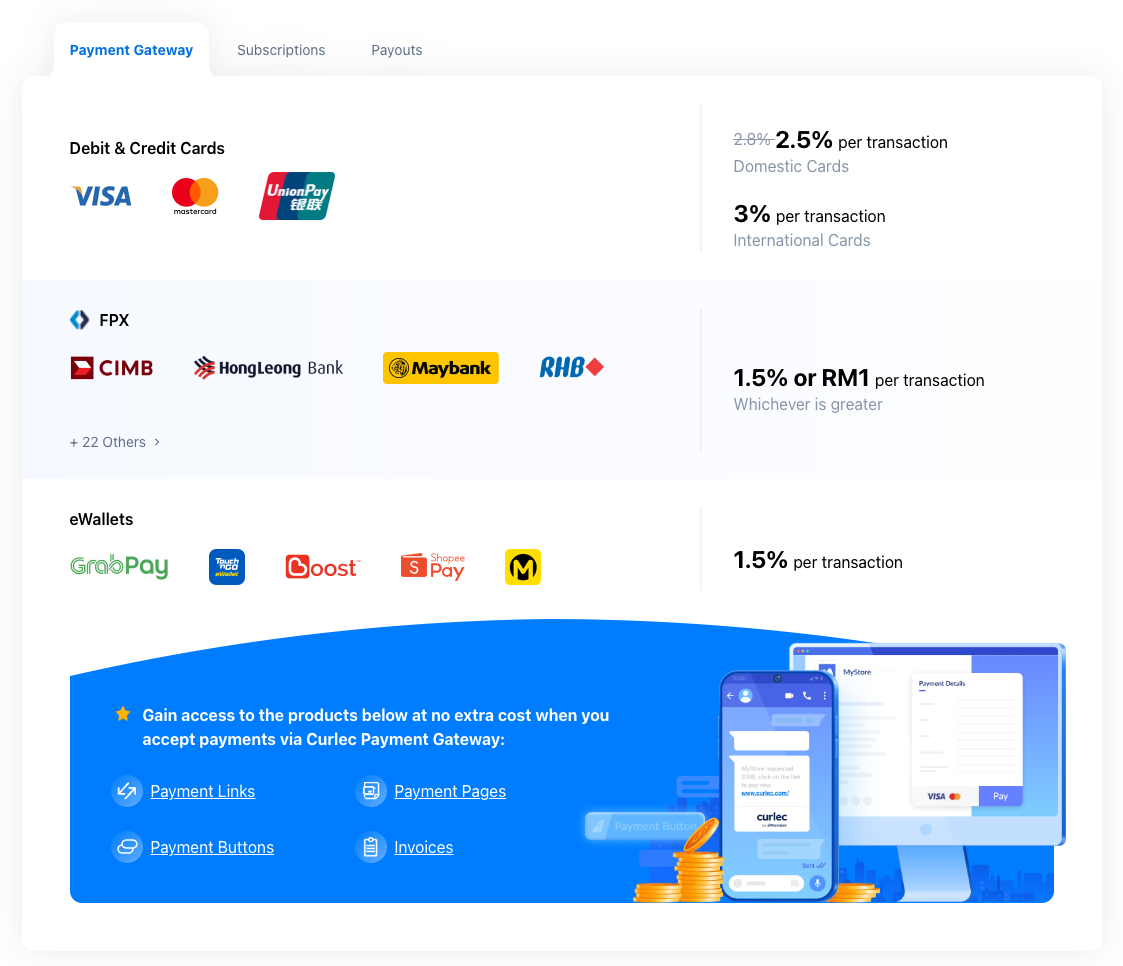
Razorpay Malaysia (Curlec) is the payment solution in Malaysia that allows businesses to accept, process and disburse payments with its product suite. With it, you can accept credit cards, FPX and mobile wallet payments from clients and automatically be notified when they have paid.
How to add Razorpay as payment method
- Ensure your store currency is
MYR. You can change store currency by visiting Store > Details. - Go to Admin > Settings > Payments and click
Add payment method. - Choose Razorpay Malaysia and make sure to hit
Save. - Click Razorpay Malaysia
Settingsto complete the setup by keying in your key ID and key secret.
How to find your Razorpay Malaysia Key ID and Key Secret?
- Log in to your Razorpay Malaysia account dashboard
- Sign up there and once signed up, you can submit all the documents there.
- Company Name
- New Business Registration
- No Business Address Account Registration
- Email Account Owner
- Name Business
- Contact Number (Mobile)
- Website URL
If you need any help, you can email sales@curlec.com
- Once approved, switch to Live mode
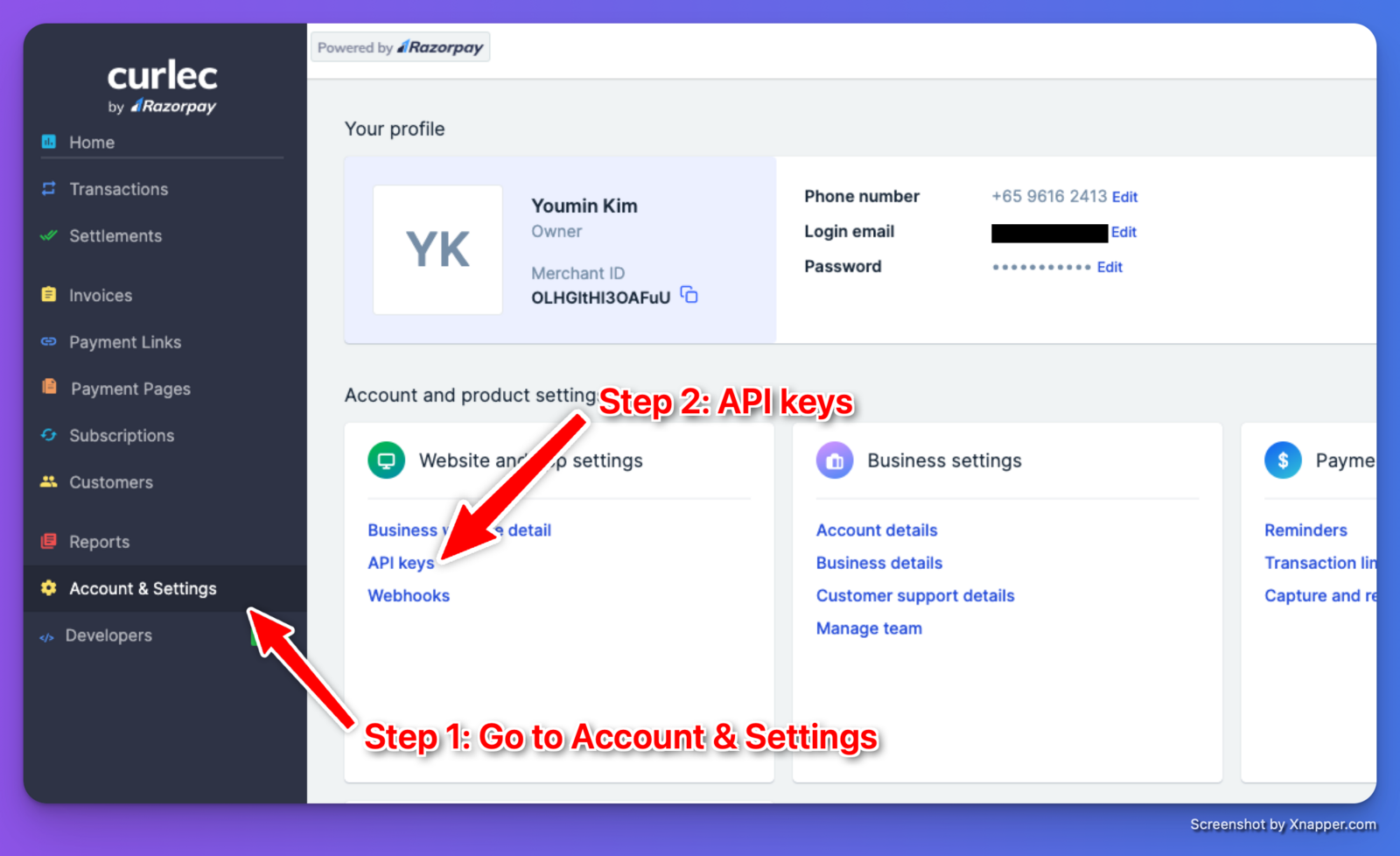
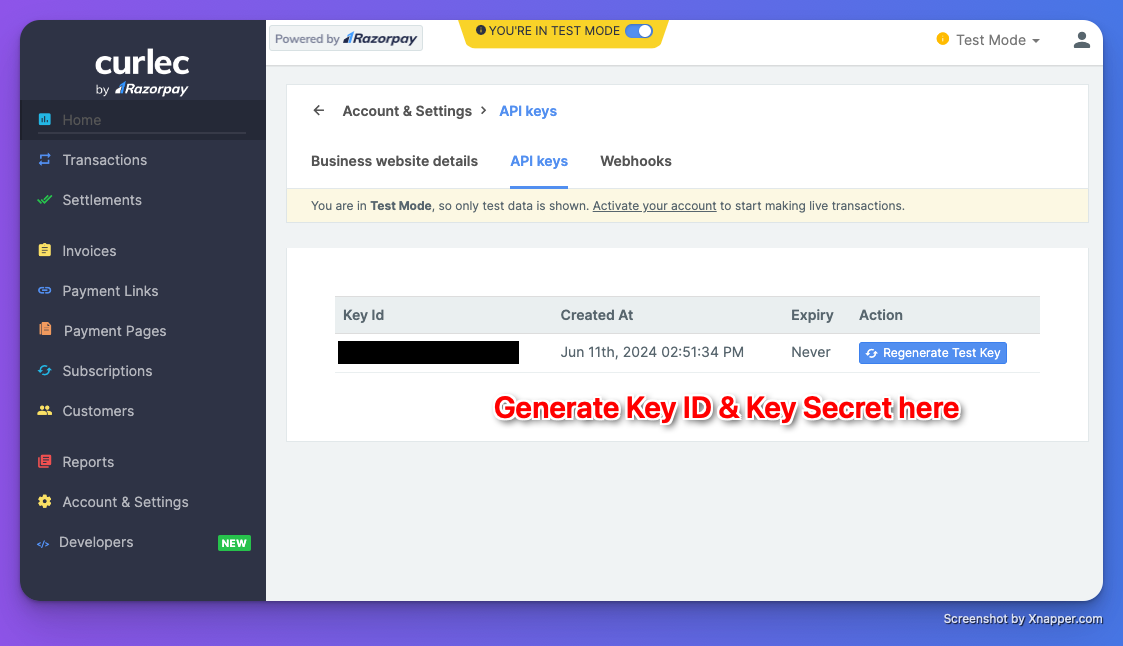
- In live mode, go to Accounts & Settings on the left-hand side menu. Click on the API Keys (See Image 1)
- Generate Key ID and Key Secret.
To know more about processing fee for Razorpay malaysia, refer to curlec.com