Pocket is a Brunei-based payment gateway which allows users the ease of making instant payment by simply scanning a QR code. With it, you can accept credit cards and mobile wallet payments from clients in Brunei and automatically be notified when they have paid.
How to add Pocket as payment method
-
Ensure your store currency is
BND. You can change store currency by visiting Store > Details. -
Go to Admin > Settings > Payments and click
Add payment method. -
Choose Pocket and make sure to hit
Save.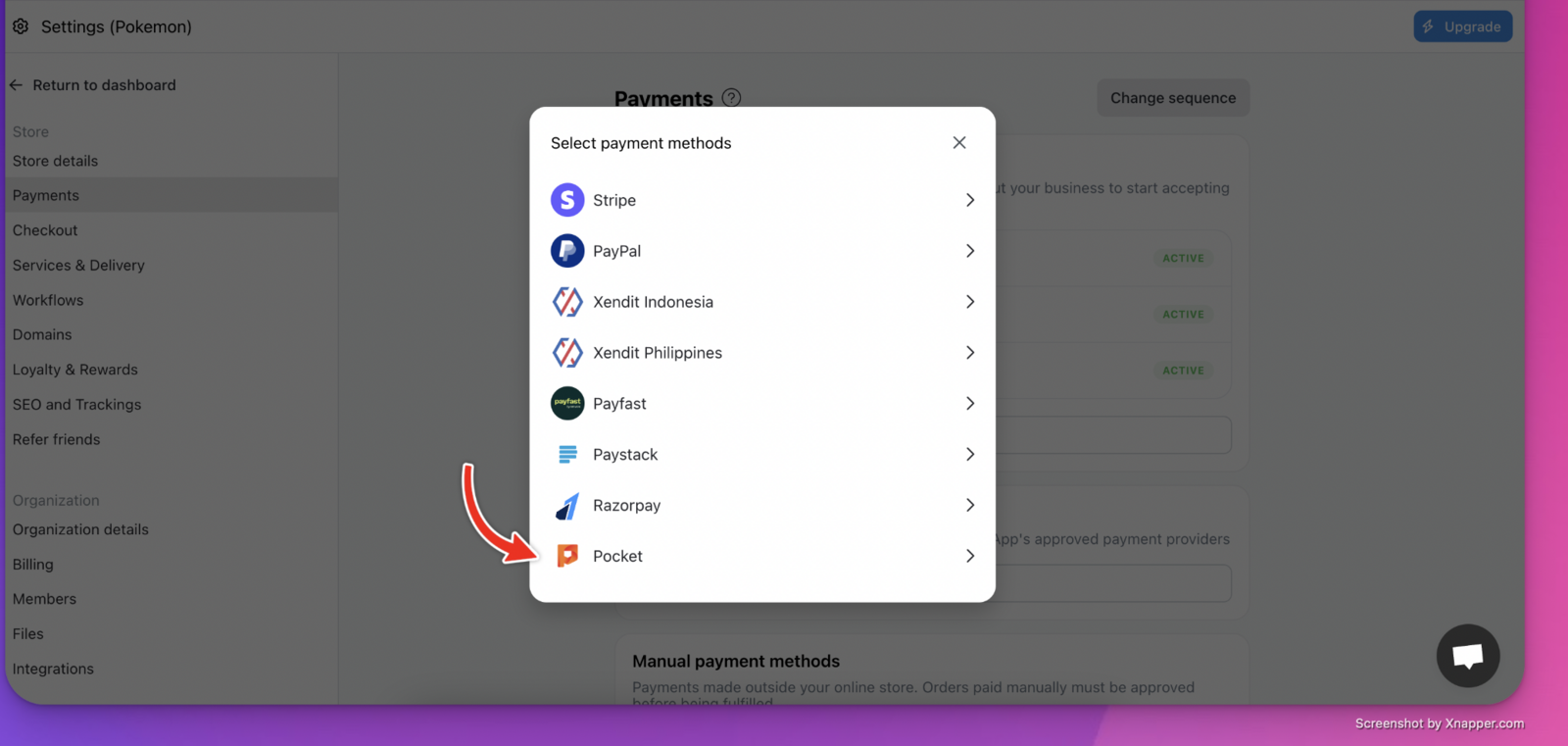
-
Click Pocket
Settingsto complete the setup by keying in your API Key and Salt.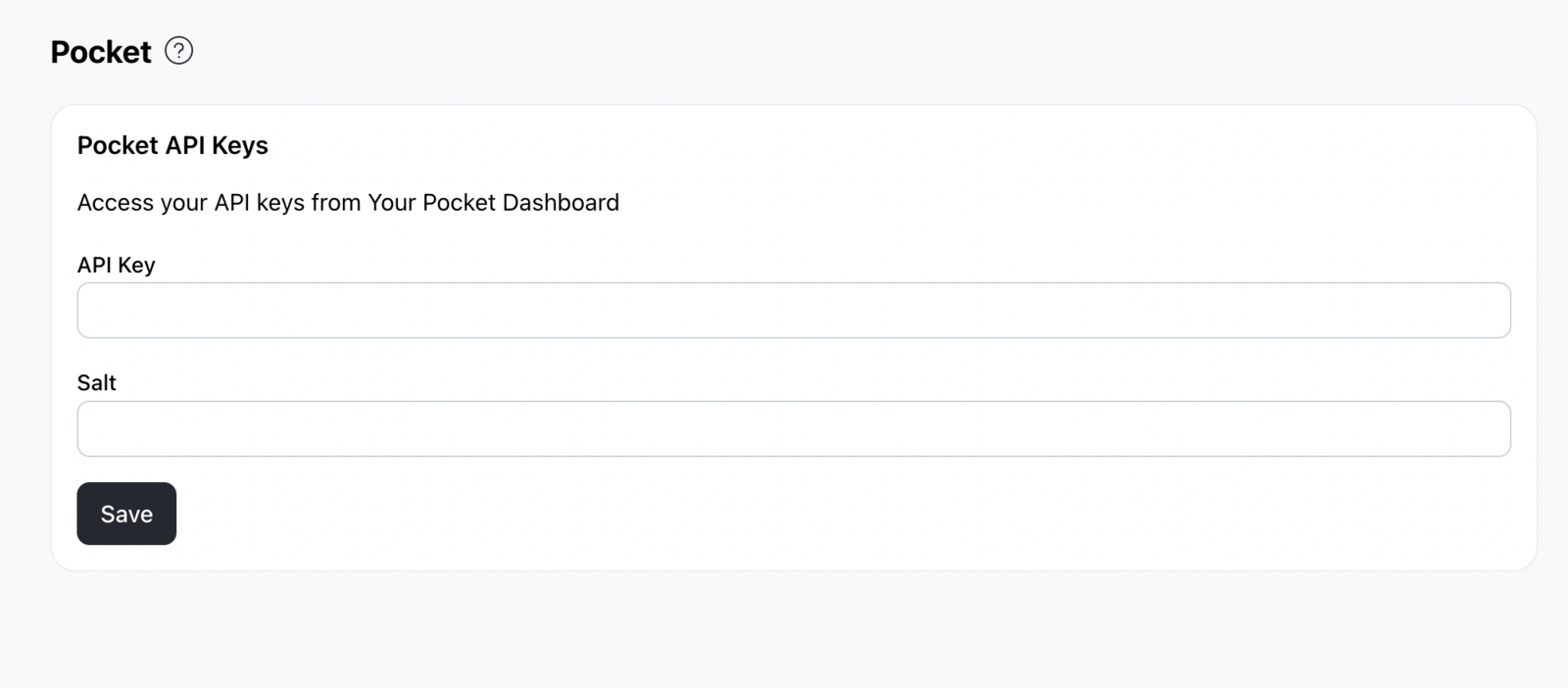
How to find your Pocket API Key and Salt?
-
Log in to your Pocket account dashboard
-
Sign up there and once signed up, you can submit all the documents required:
- Application Form & Merchant Service Agreement
- Business Registration License section 16 & 17
- Bank Account Statement
- Letterhead Identity Card with signature of Director
- 1 photo of Business Logo for directory purpose
- 1 photo of Product Banner for announcement purpose
-
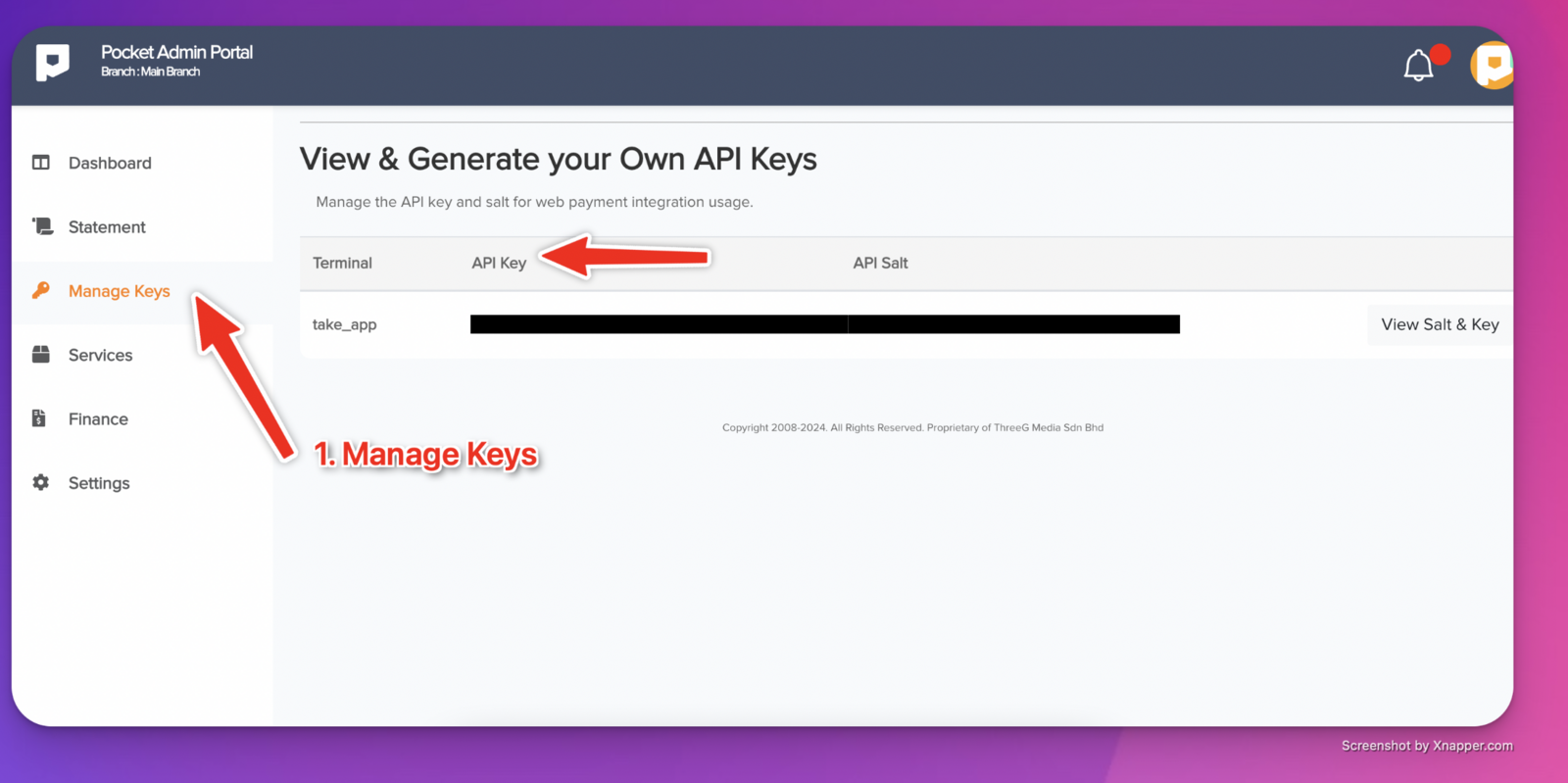
Once approved, go to Manage Keys to find your API Key and Salt.