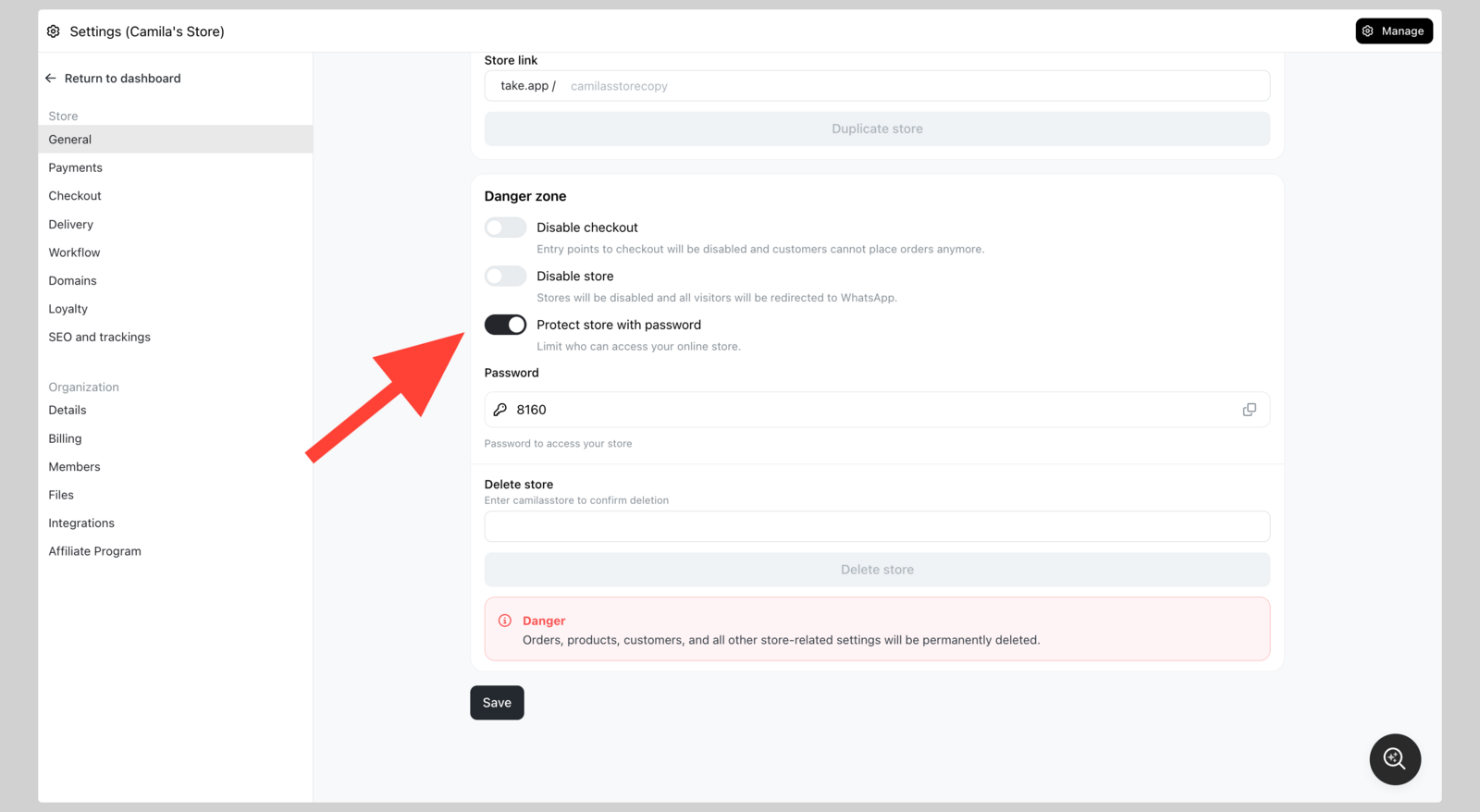
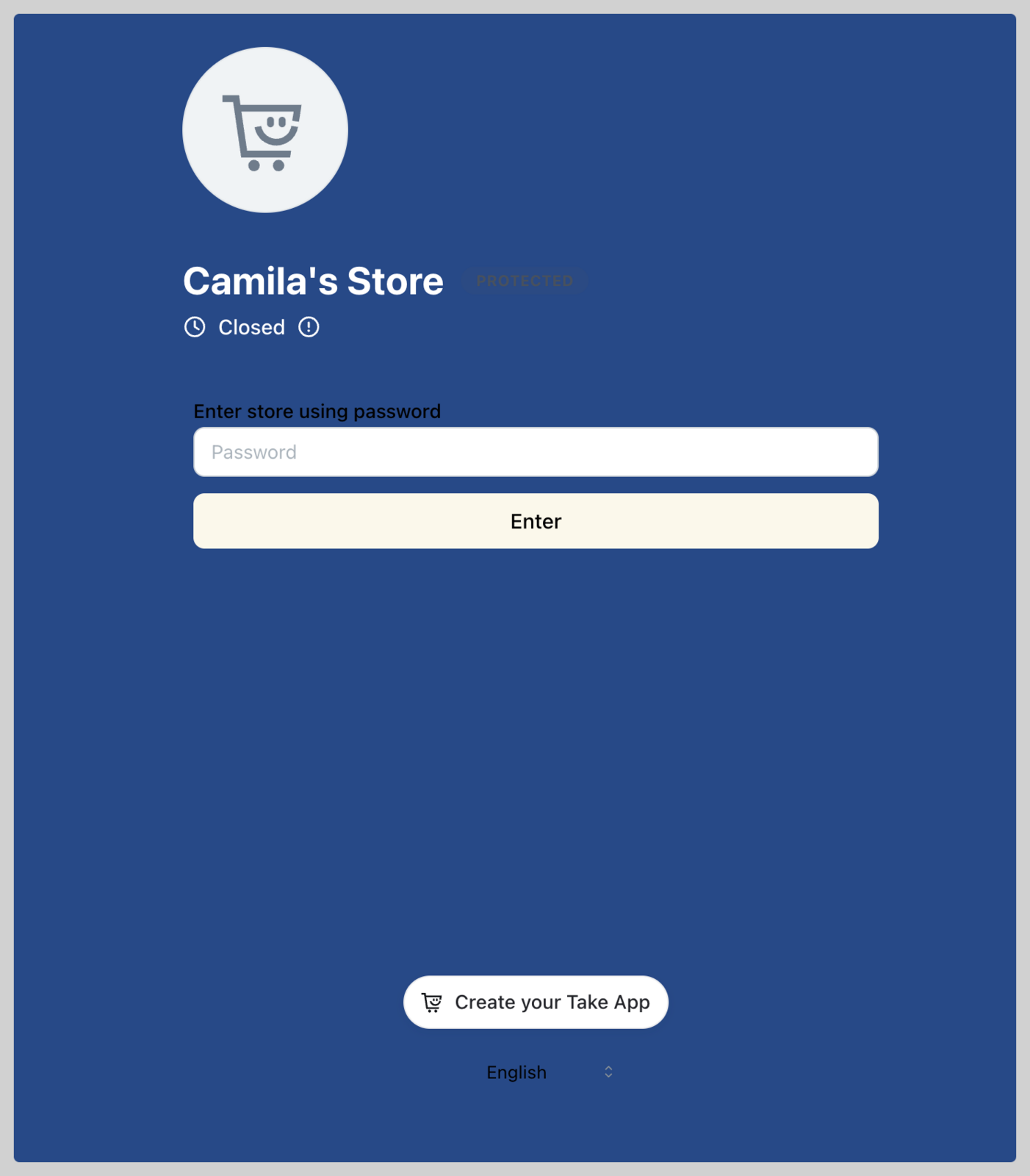
You can protect your storefront by setting a password. You can share the password with selected customers.
- Go to Admin > Settings > General and navigate to "Danger zone". Switch on
Protect store with password - Share the password with selected customers (e.g. reseller group)