
M-Pesa payment is popular mobile money payment in Africa. You can add its QR code payment.
How to add M-Pesa
-
Go to Admin > Settings > Payments and click
Add payment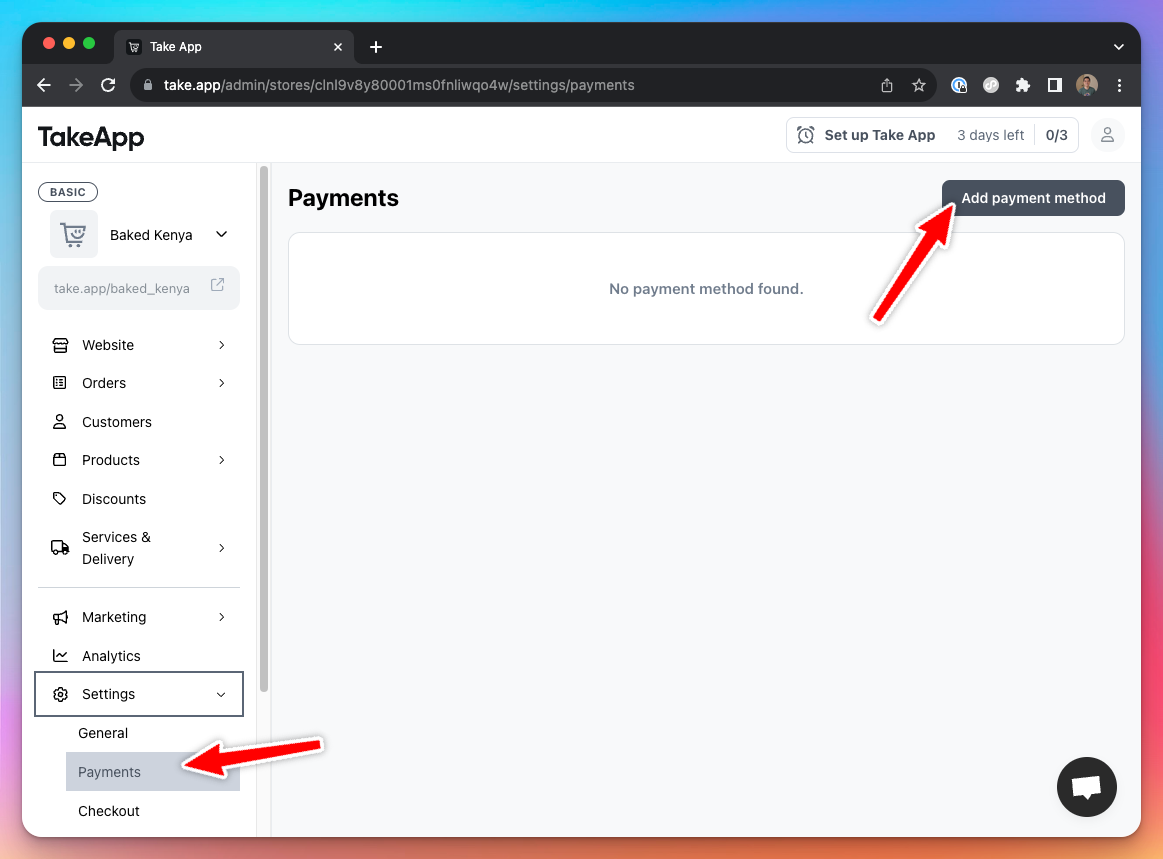
-
Choose
M-Pesapayment method and enter details below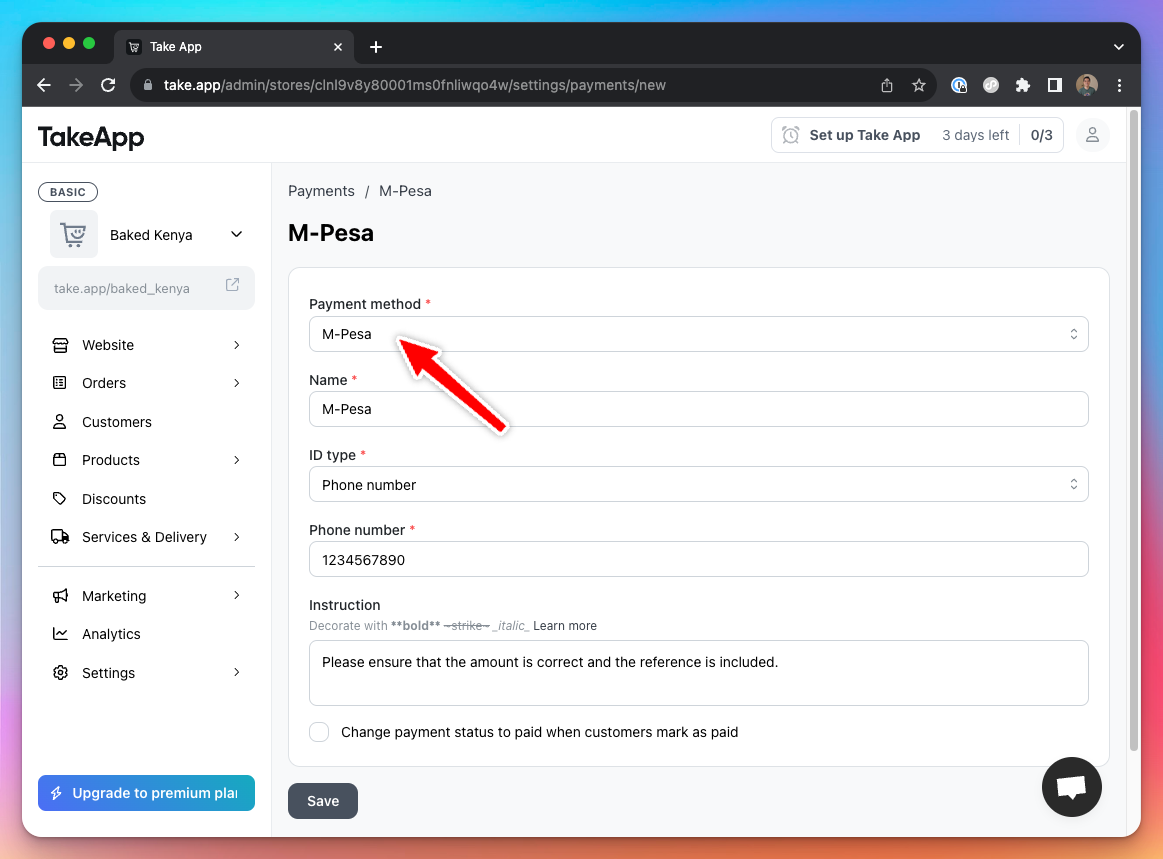
-
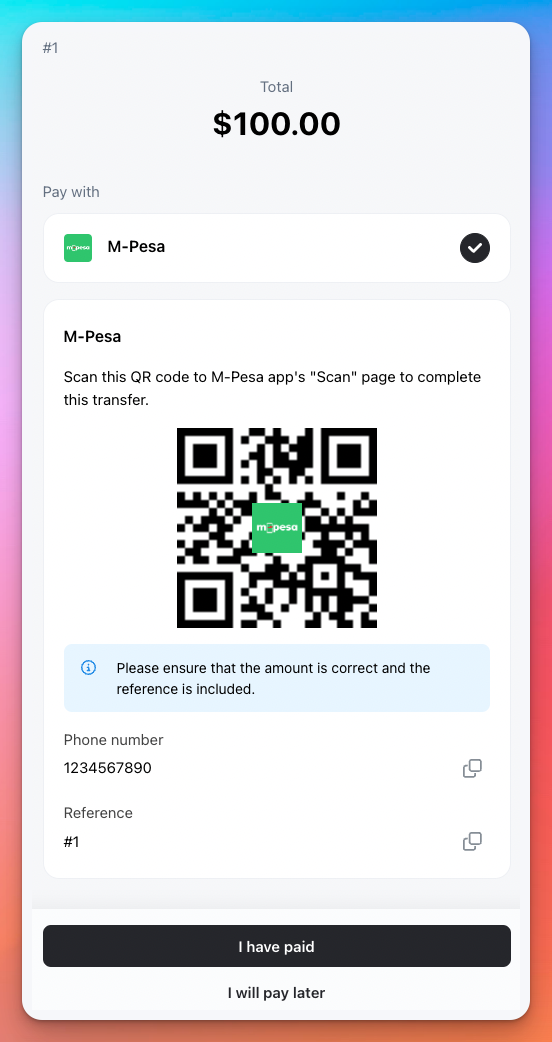
Customers will see M-Pesa payment option when they checkout
Which number to use
M-Pesa takes one of three, and the one you pick changes what the customer is asked to enter:
| Your setup | What you enter | What the customer does |
|---|---|---|
| Phone number | Your M-Pesa phone number | Send Money |
| Till Number | Your till number (6–8 digits) | Buy Goods and Services |
| Paybill number | Your paybill number (4–8 digits) and the account number the money is credited to | Pay Bill |
Paybill is for businesses collecting through a bank paybill. Both fields are required. The account number is the one your bank or paybill provider credits — up to 20 characters, letters and numbers with spaces or . # / -.
On the payment page, a Paybill order shows your paybill number and account number for the customer to type in, and the QR code carries both. Pay Bill has no third prompt, so the order number is not used as the reference for this method.