
The Share panel gives you everything you need to get your store in front of customers — from social sharing to Google listings and ad tracking — all in one place.
To open it, go to your Dashboard and click the Share button at the top of the page.
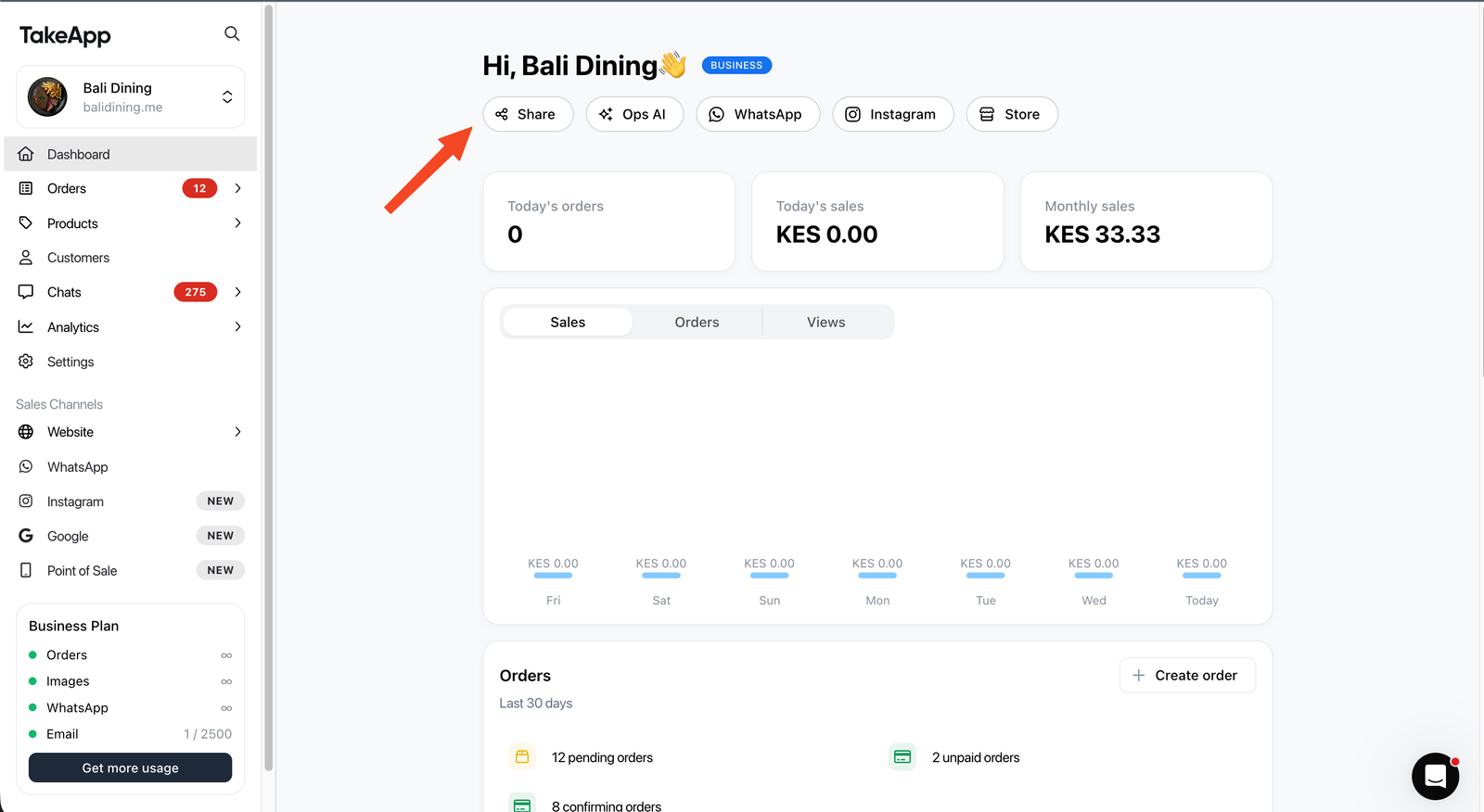
1 . Share your website link
Your store has a unique link that you can share anywhere. The Share panel gives you one-click shortcuts to send it across multiple platforms.
-
Copy your link using the copy icon next to the URL field
-
Send WhatsApp sends your store link directly to contacts via WhatsApp
-
Use the social icons to share your link on Instagram, Facebook, Telegram, YouTube, or TikTok
-
QR code generates a scannable code — great for menus, receipts, or printed materials
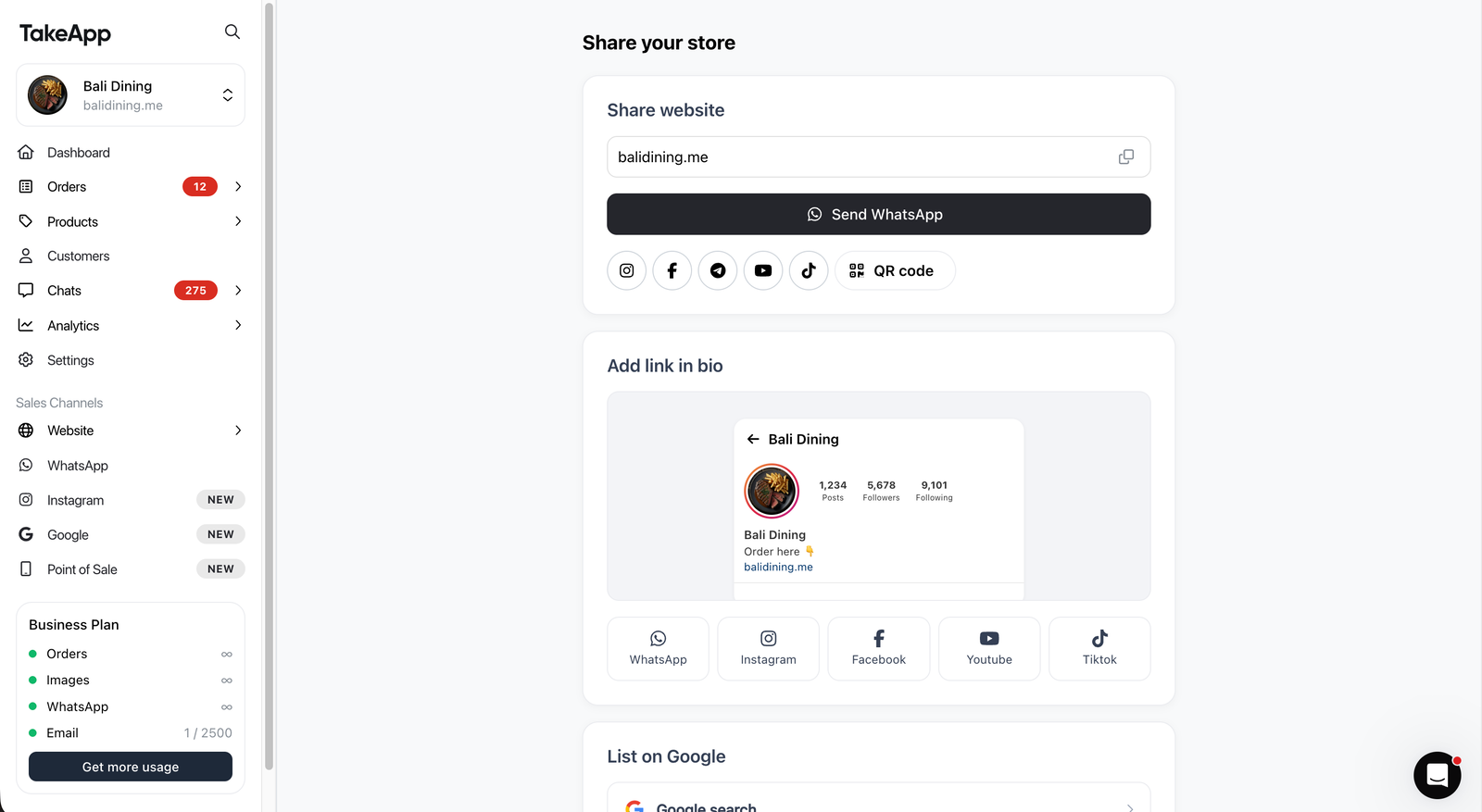
2 . Add link in bio
This section shows you exactly how to add your store link to your social profiles, so followers can order from you in one tap.
- Choose your platform: WhatsApp, Instagram, Facebook, YouTube, or TikTok
- Follow the on-screen instructions specific to that platform
- Copy your store link and paste it into your bio or profile
3 . List on Google
Get discovered by customers searching for you nearby. Each option redirects you to the right Google setup page in one click.
- Google Search — takes you to your SEO settings page to help your store appear in search results
- Google Shopping — takes you to the Google Merchant Center configuration page so you can connect your products so they show up in shopping results
- Google Maps — lets you add your location so customers can find and navigate to you
4 . Ads and analytics
Connect analytics tools and ad pixels to understand how customers find your store and to run retargeting campaigns. Each option is a one-click redirect to the relevant settings page.
- TakeApp analytics — built-in store performance data
- Google Analytics — traffic and conversion tracking
- Meta Pixel — Facebook and Instagram ad tracking
- TikTok Pixel — TikTok ad performance tracking
A good starting point is TakeApp analytics to understand your baseline traffic, then add a pixel for whichever platform you run paid ads on.