
Every product is either Visible or Hidden on the storefront. Hiding a product takes it off the storefront without deleting it.
Hide one product
-
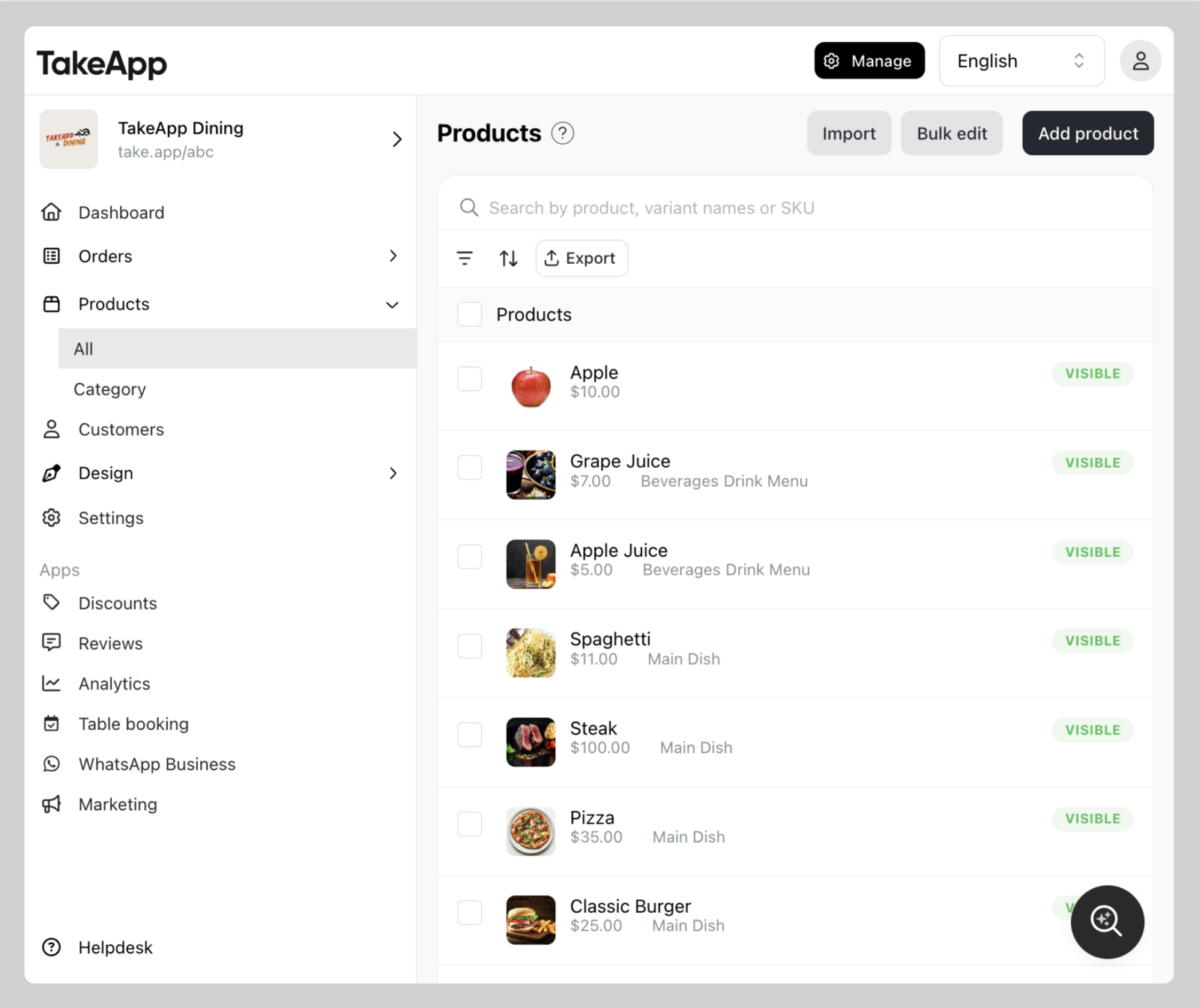
Go to Admin > Products and click the product you want to change.
-
Click Visibility and set it to
VisibleorHidden, then clickSave.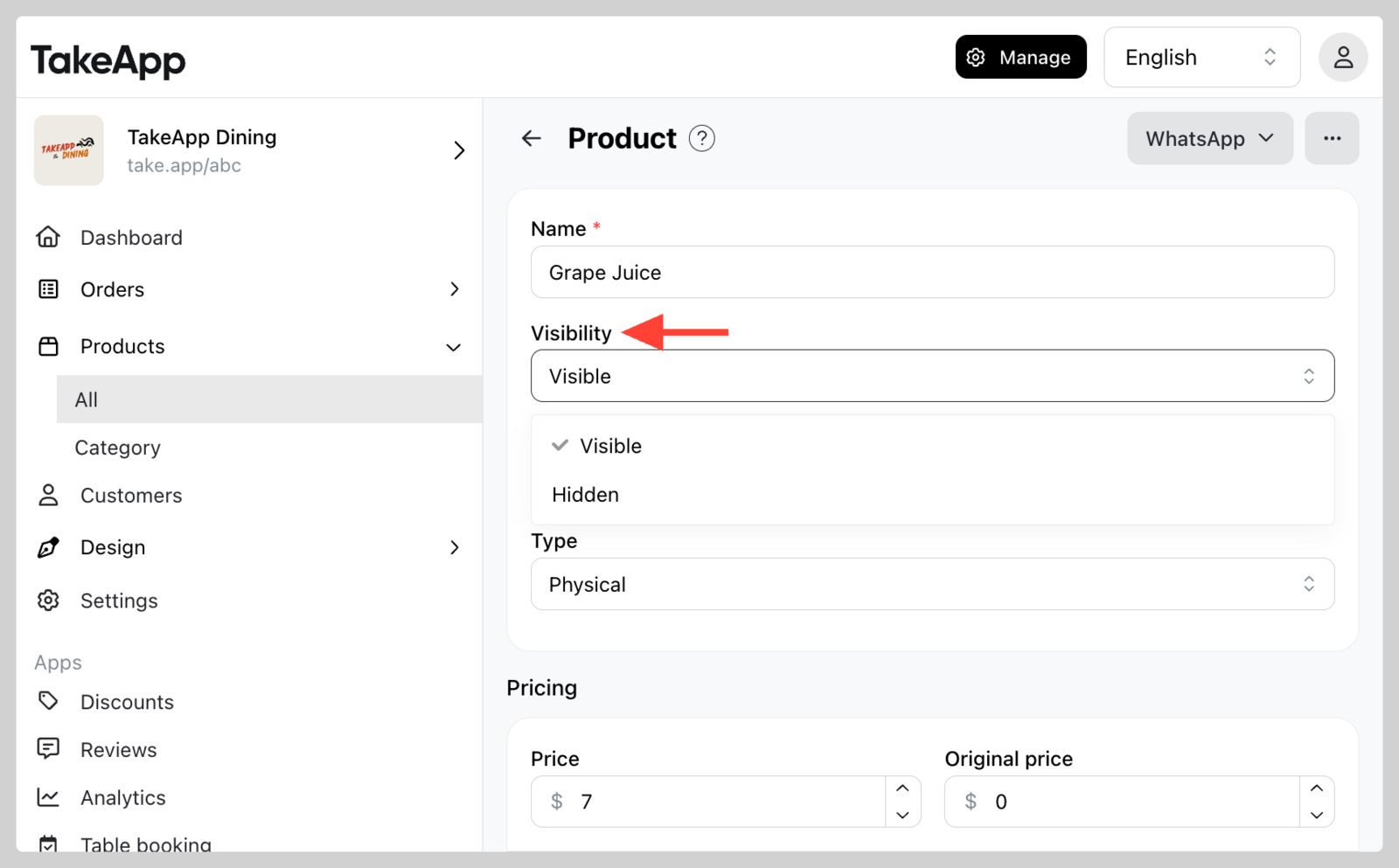
Hide products in bulk
-
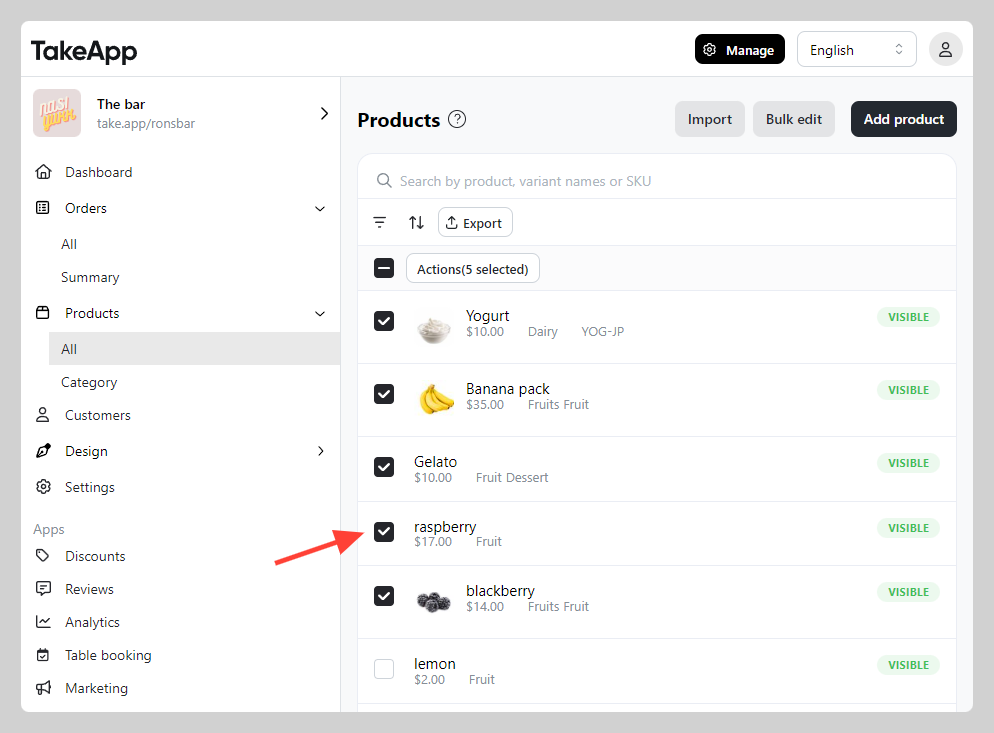
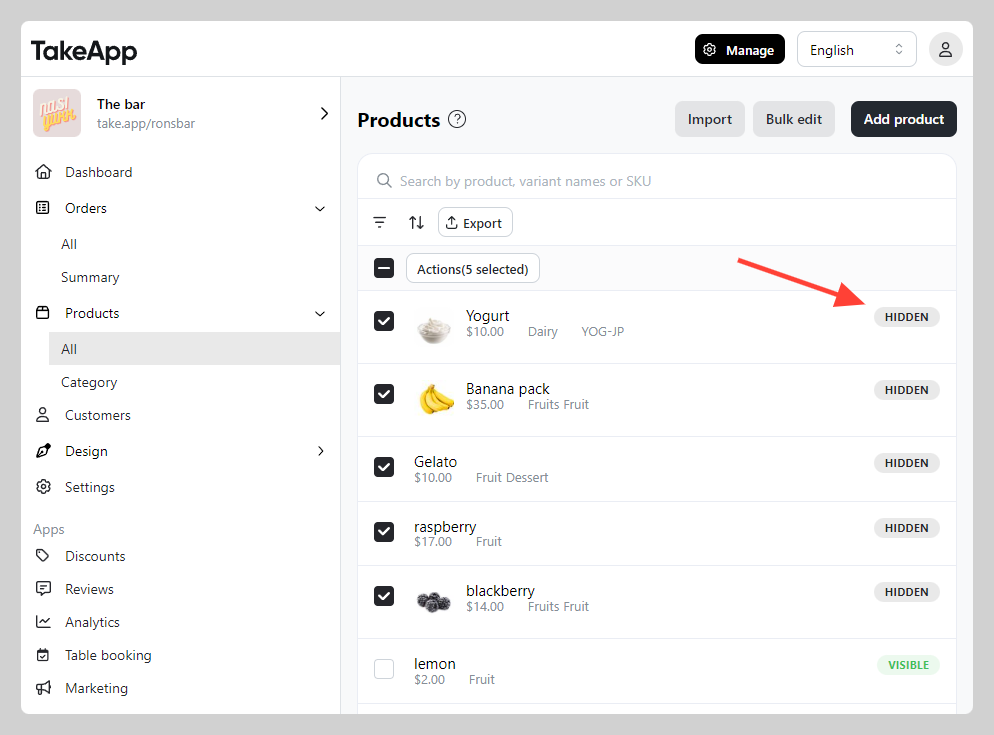
Go to Admin > Products > All and tick every product you want to hide or show.
-
Click
Actionsand chooseMake hiddenorMake visible.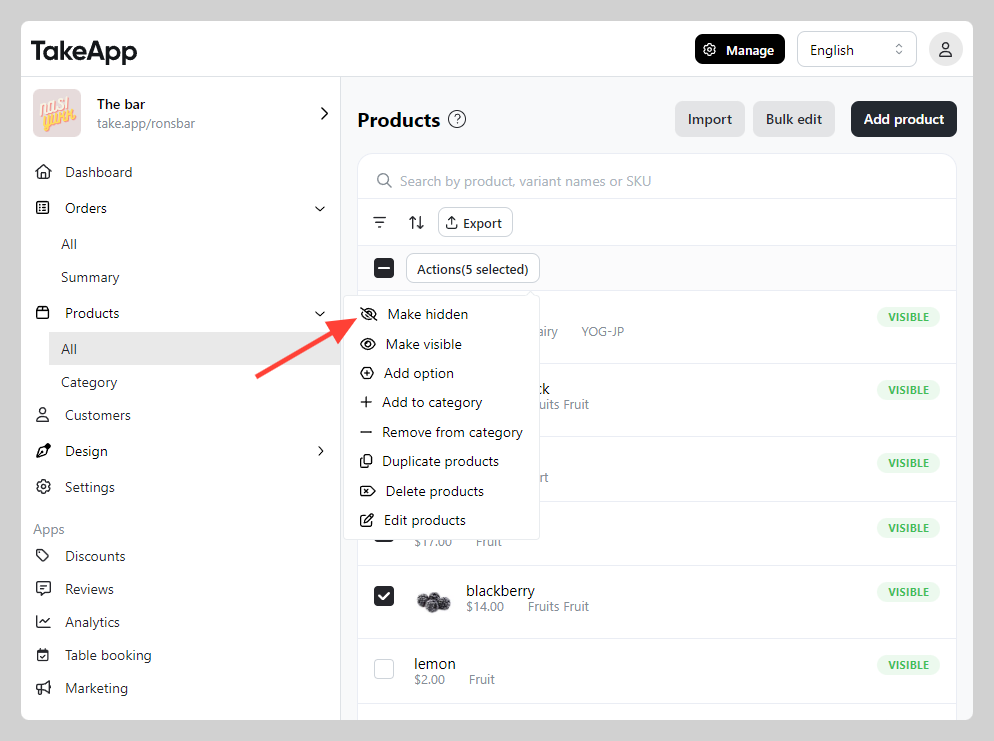
-
Check that the visibility column now reads "Hidden".
Removing a product from a Product category still leaves customers able to find it through the storefront's search bar. To take it off the storefront completely, set its status to Hidden.