
A custom domain lets you use your own web address for your online store — abc.com instead of take.app/abc — making your brand look more professional and memorable, and easier for customers to find.
If you don't own a domain yet, you can buy one in Take App and skip the DNS work entirely.
How to add a custom domain in Take App
-
Go to Admin menu > Settings > Domains
-
Click on the
Connect existing domain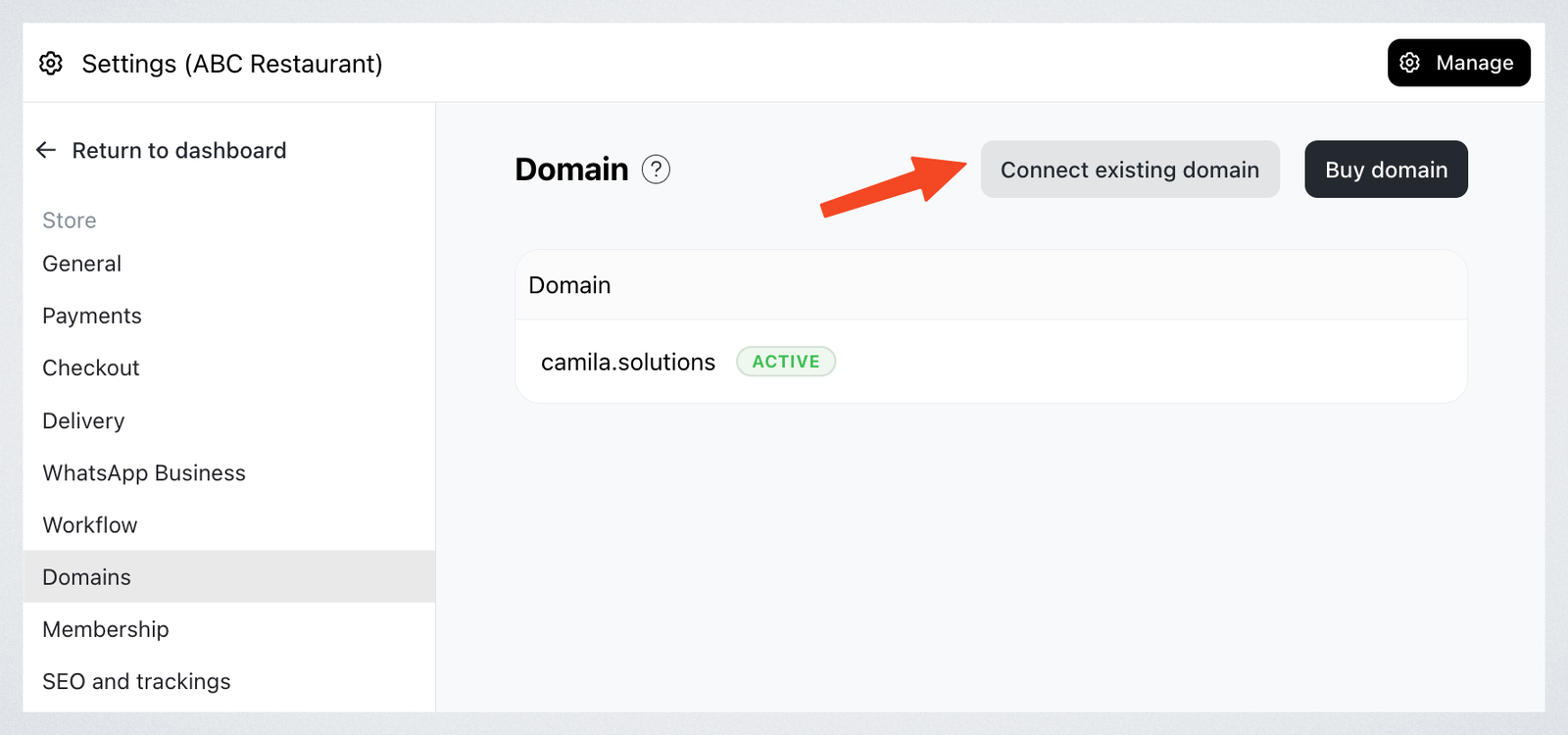
-
Type your custom domain address then press
Add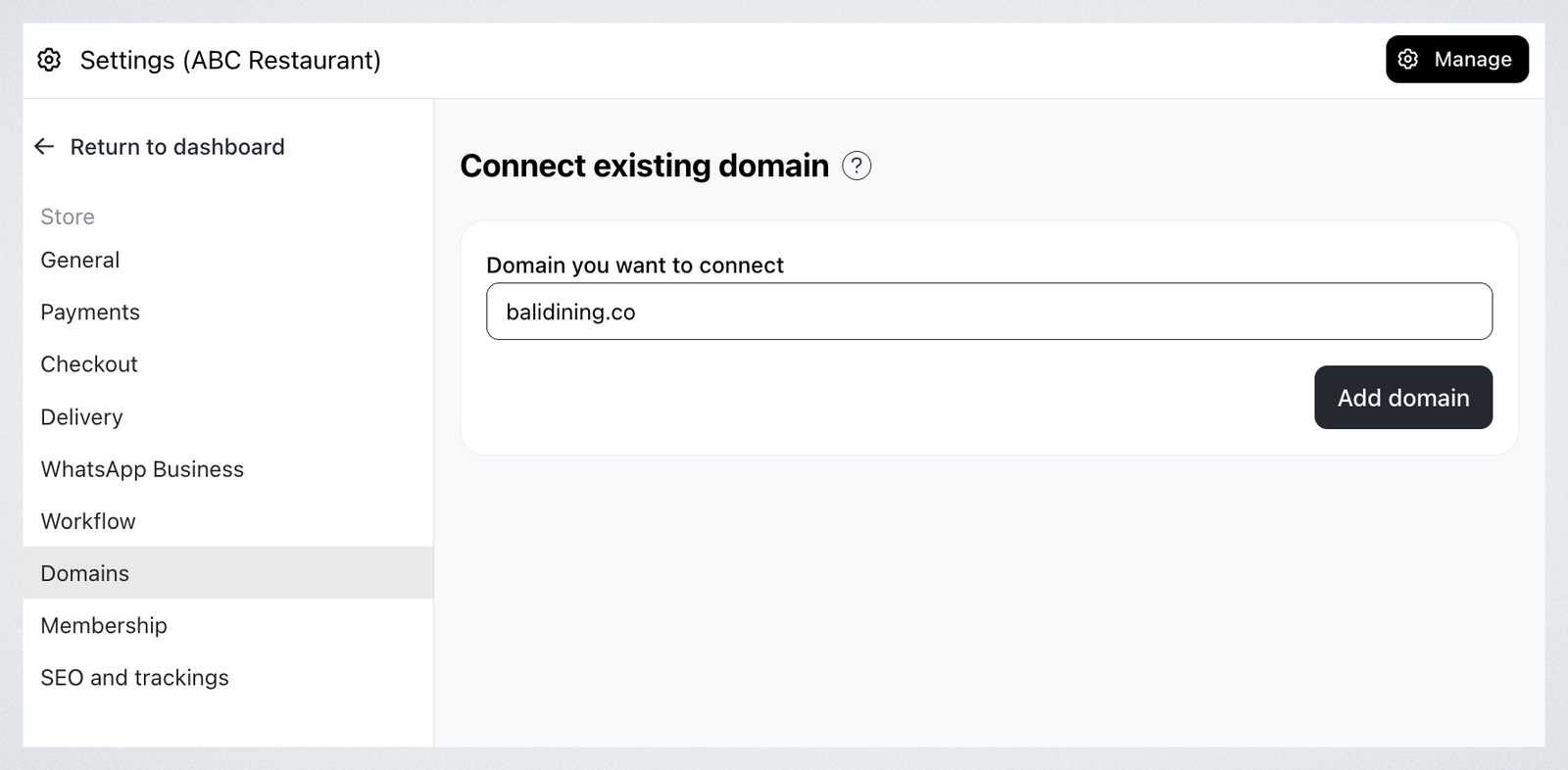
-
Your domain is registered in Take App. The next step is to update your domain provider's DNS settings with the details shown.
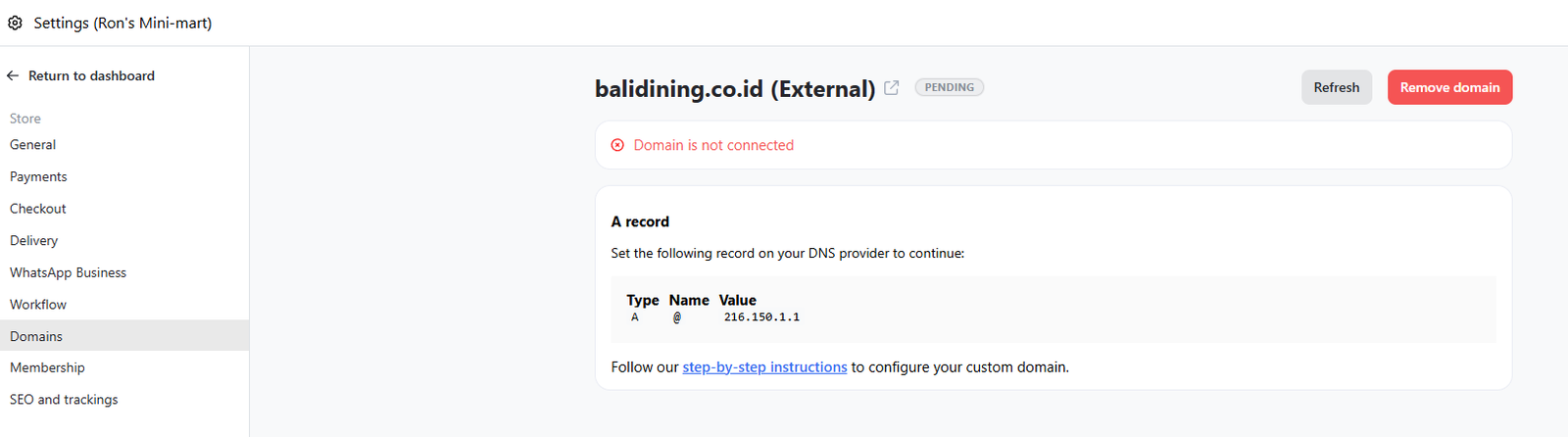
If Take App asks you to verify ownership first, the Domains page shows a TXT record instead of the records below. Add that TXT record at your provider, wait for it to propagate, then come back — the A or CNAME instructions appear once ownership is confirmed. Always copy the values from your own Domains page; they are issued per domain.
Important note: The SSL certificate is typically generated within 1 hour, but in some cases it may take up to 5 days.
Update your domain provider's DNS settings
-
Login to your domain provider service and go to DNS settings. Follow your domain provider's guides (e.g., Namecheap)
-
Add an A record:
Type: A
Host: @
Points to: 216.150.1.1
And don't forget to remove any other A records to avoid complications. -
Go back to Take App's domains settings and refresh. All settings are properly configured, and you will see the custom domain has connected successfully.
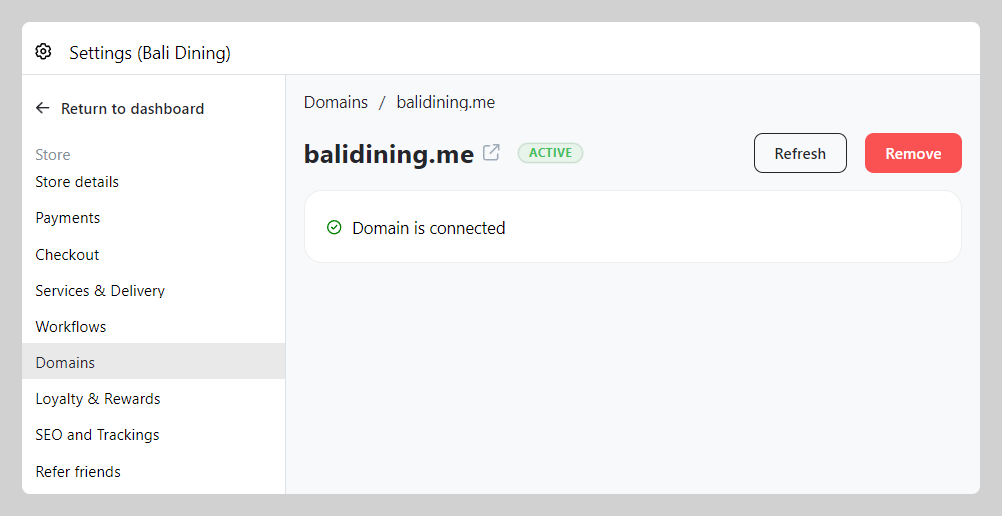
Domain settings propagation takes a maximum of 24 hours.
Connect the www version too (recommended)
Many customers type www. in front of your address. If you only connect yourstore.com, then www.yourstore.com won't open your store. Connect both, so customers reach your store whichever one they type.
The www version needs its own CNAME record, added alongside the A record above.
- On Take App's Domains page, click
Connect existing domainagain and add the www version of your domain, e.g.www.yourstore.com - At your domain provider, add a CNAME record:
Type: CNAME
Host: www
Points to: cname.vercel-dns.com - Keep the A record you added above. Your main domain needs the A record and your
wwwdomain needs the CNAME record, so you should now have both. - Go back to Take App's Domains page and refresh. Both
yourstore.comandwww.yourstore.comshould show as connected.
Don't use the A record for www. The A record (216.150.1.1) is only for your main domain. Your www domain needs the CNAME record (cname.vercel-dns.com).
Frequently Asked Questions
I want to add a subdomain such as order.balidining.me
Yes — connect a subdomain if you want to keep your main domain pointed at another website. For www, follow Connect the www version too above.
- Go to Domains settings and click
Connect existing domainbutton. - Add the domain, including your subdomain. e.g.
order.balidining.me - Go to your domain provider settings and add the following values
Type: CNAME
Name: your subdomain (e.g. order)
Value: cname.vercel-dns.com
4. Save and wait a maximum of 24 hours to propagate the changes.
How can I check if I've entered my DNS settings correctly?
You can double-check the DNS records provided by Take App and compare them with what you've entered with your domain registrar. To verify that your DNS changes have been applied correctly, you can use an online DNS lookup tool.
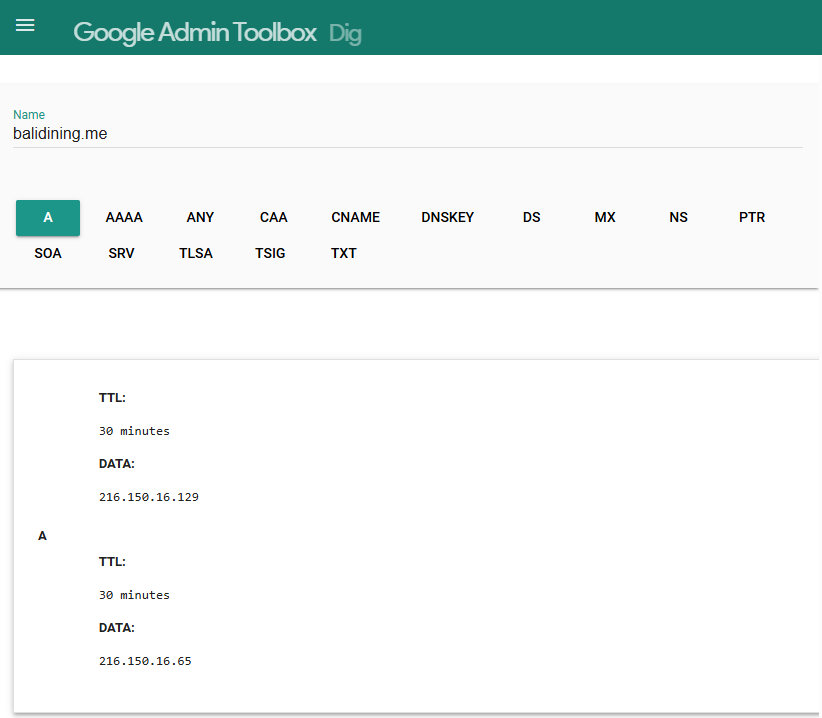
What should I do if my domain is already linked to another platform?
If your domain is currently linked to another website or store, you'll need to disconnect it from that platform before connecting it to your Take App store. Check the settings with your domain provider or web host to release the domain.
Why isn't my domain connecting immediately?
DNS changes can take time to propagate across the internet. It usually takes up to 24 hours for the changes to fully take effect. If your domain isn't connecting immediately, please allow some time and check back later.
What if I don't have a domain?
If you don't have an existing domain, you can easily buy one in Take App. Please follow this guide.