
You can utilise store credits for membership, pre-payment, or discounts.
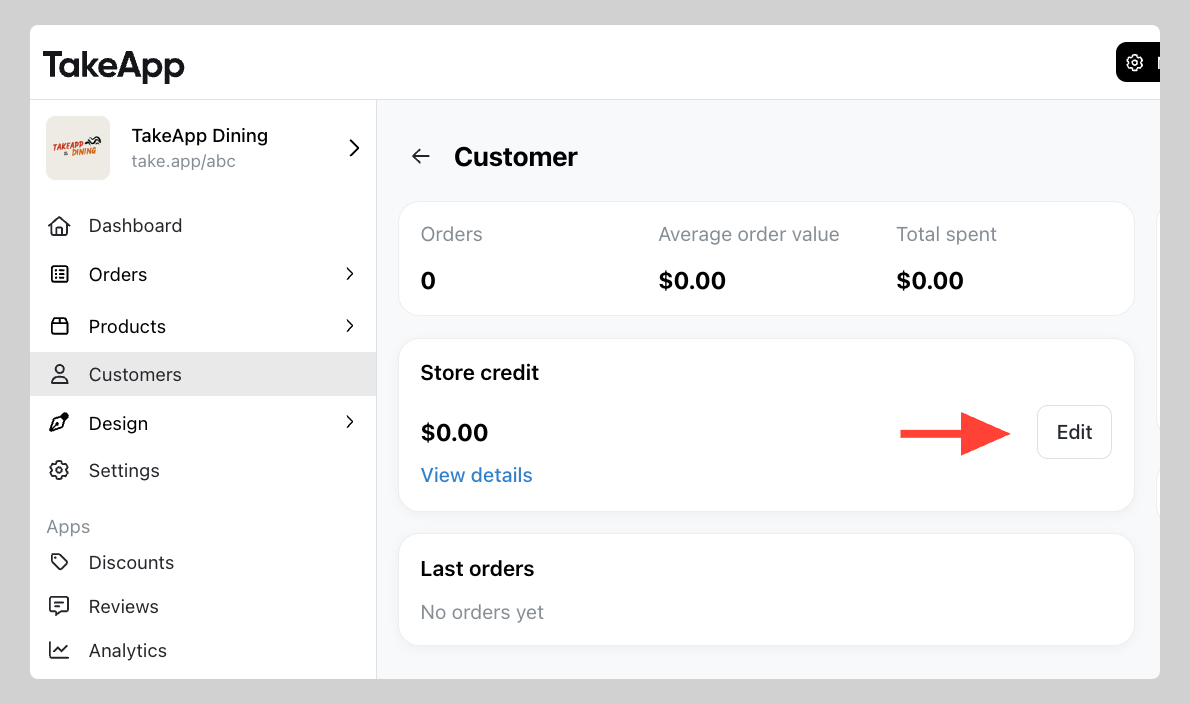
- Go to Admin > Customers and find the specified customer. Click on the customer name.
- Navigate to
Store creditsection and clickEdit
 3. Add or deduct store credits. Click \`Save\`
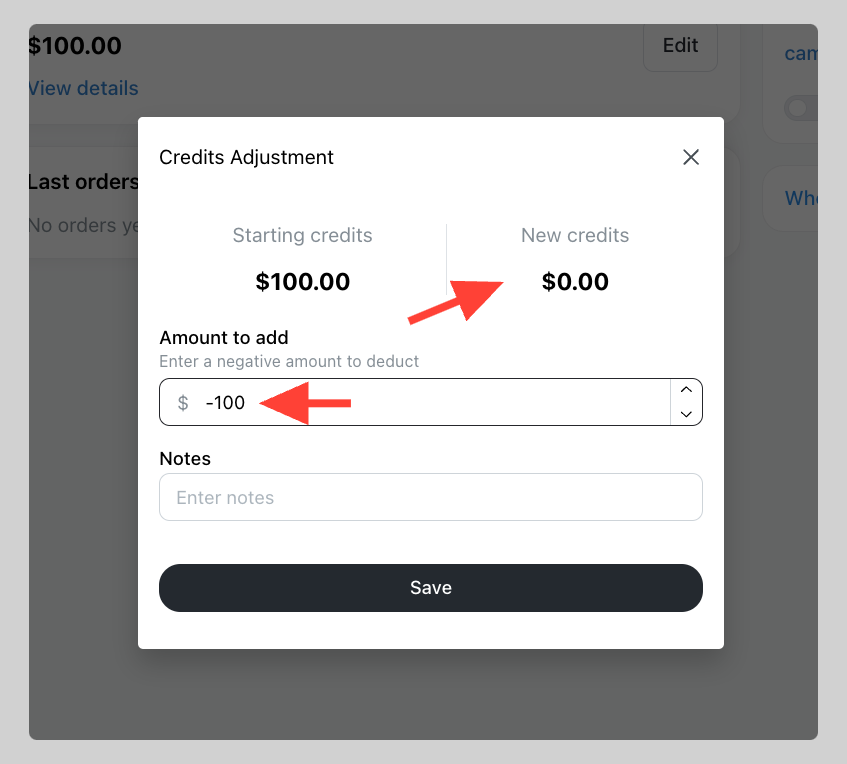
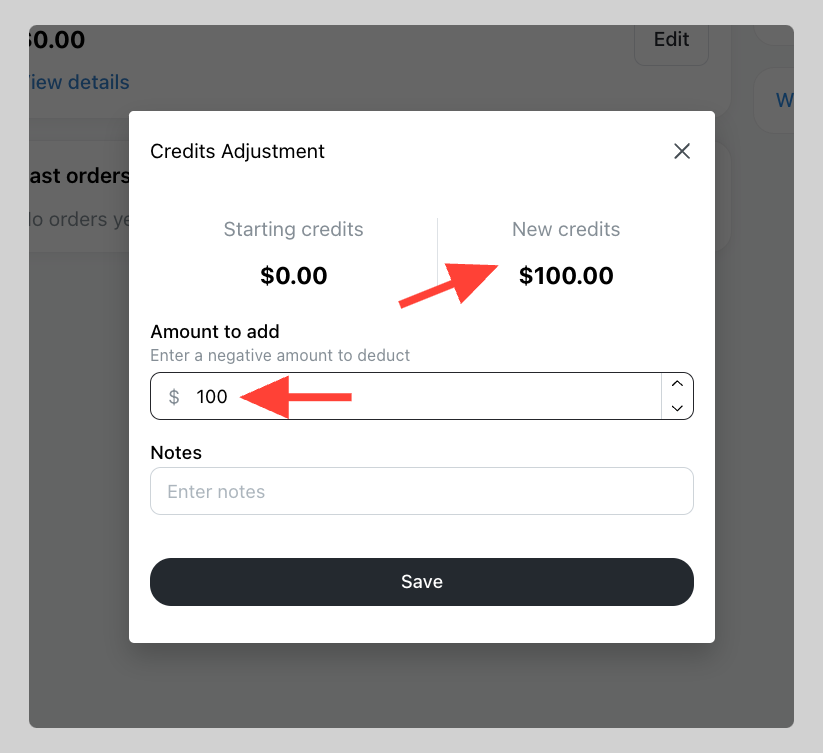
|
When a customer makes a purchase, their store credit will not be automatically deducted.