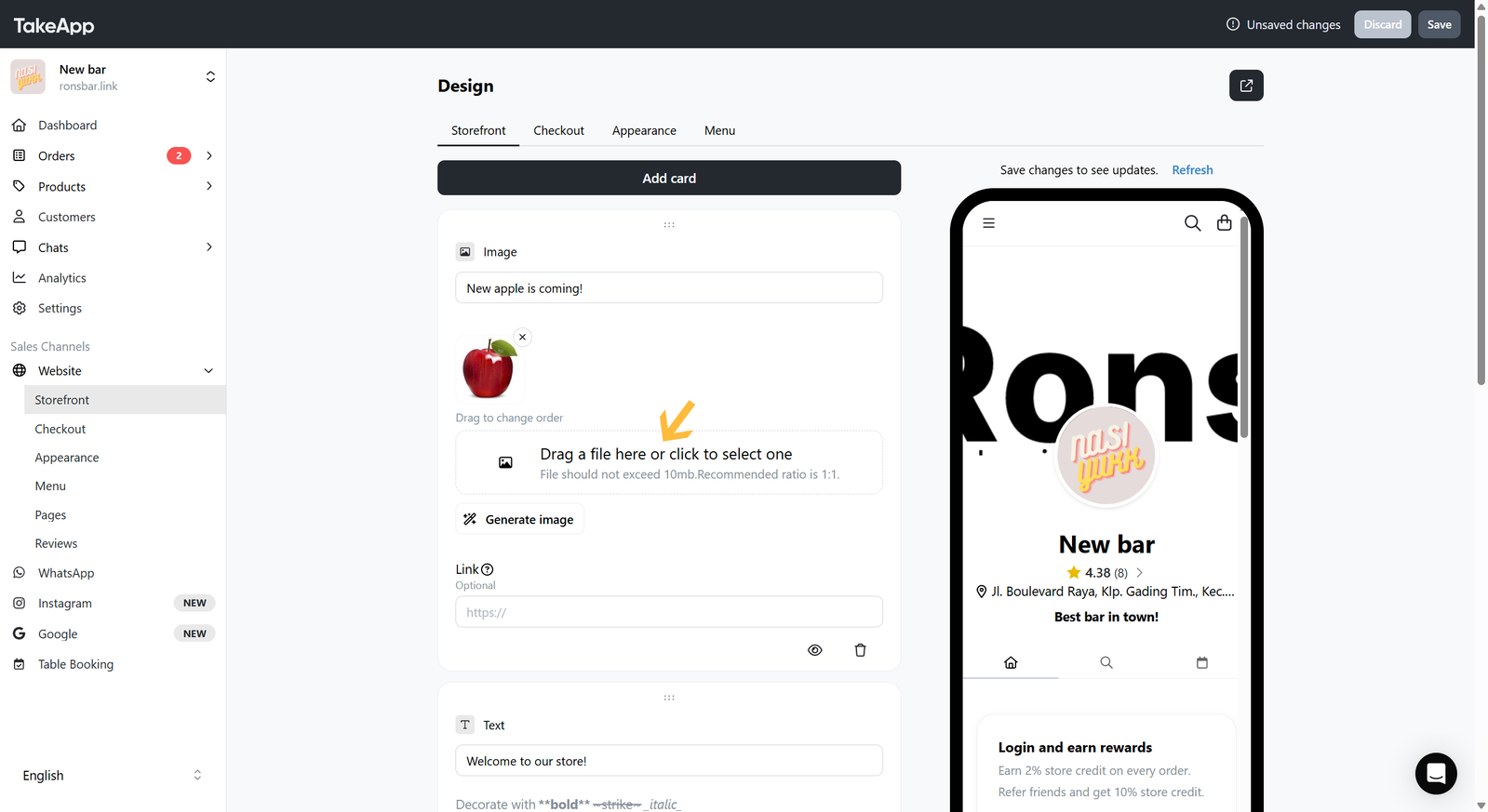
You can add a promotional or menu image file to your Storefront. We support JPEG, JPG, PNG, and GIF file formats.
How to add an image card to the storefront
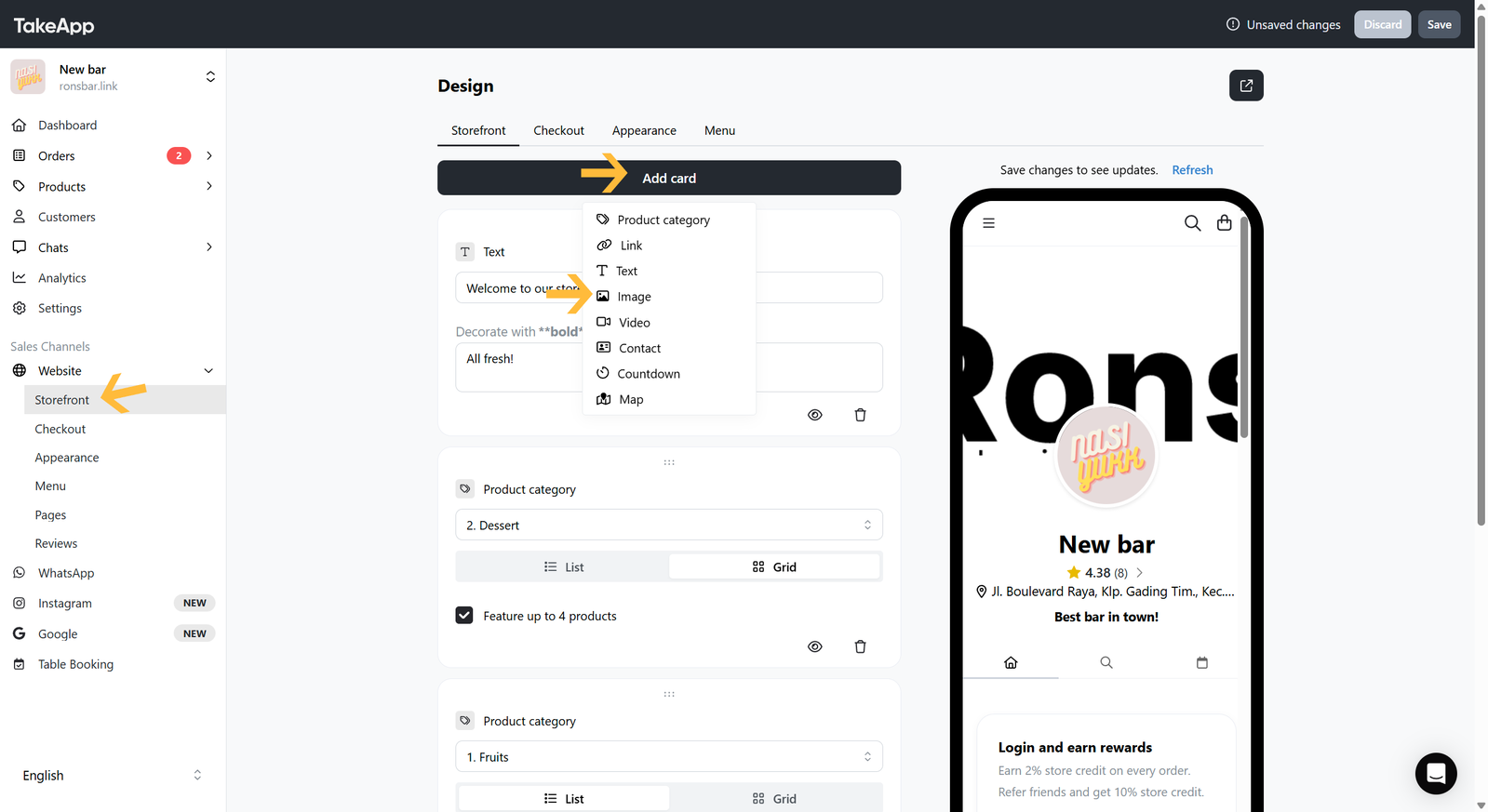
- Go to Admin > Website > Storefront and click
Add cardthen choose "Image"
- Put your image title and upload the image from your device. Lastly, do not forget to Save your changes.