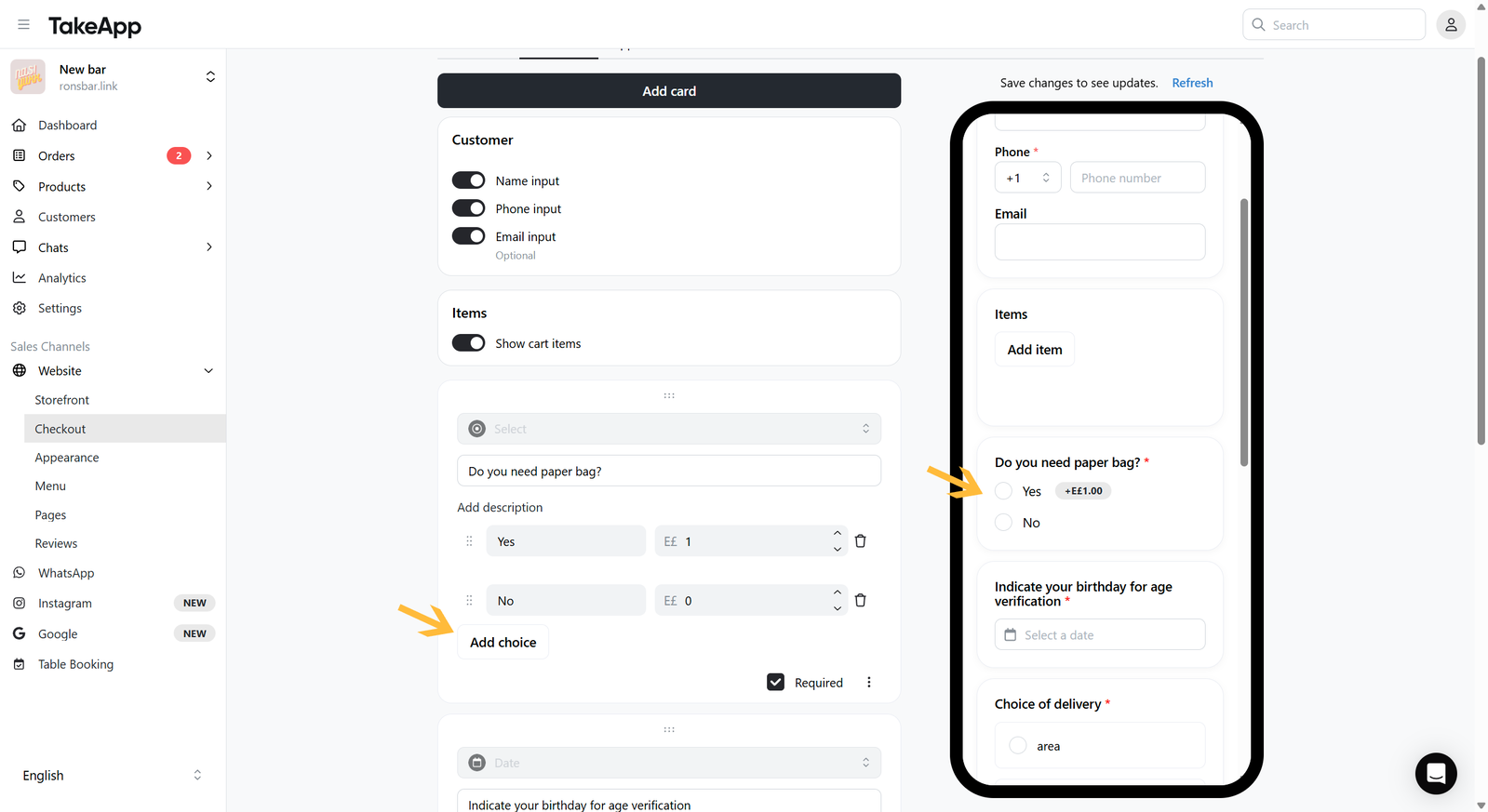
You can add a selection field to prompt your buyer with a multiple-choice question, offering a single response option.
How to add a selection question on the checkout page
- Go to Admin > Website > Checkout and click
Add cardthen choose "Select"
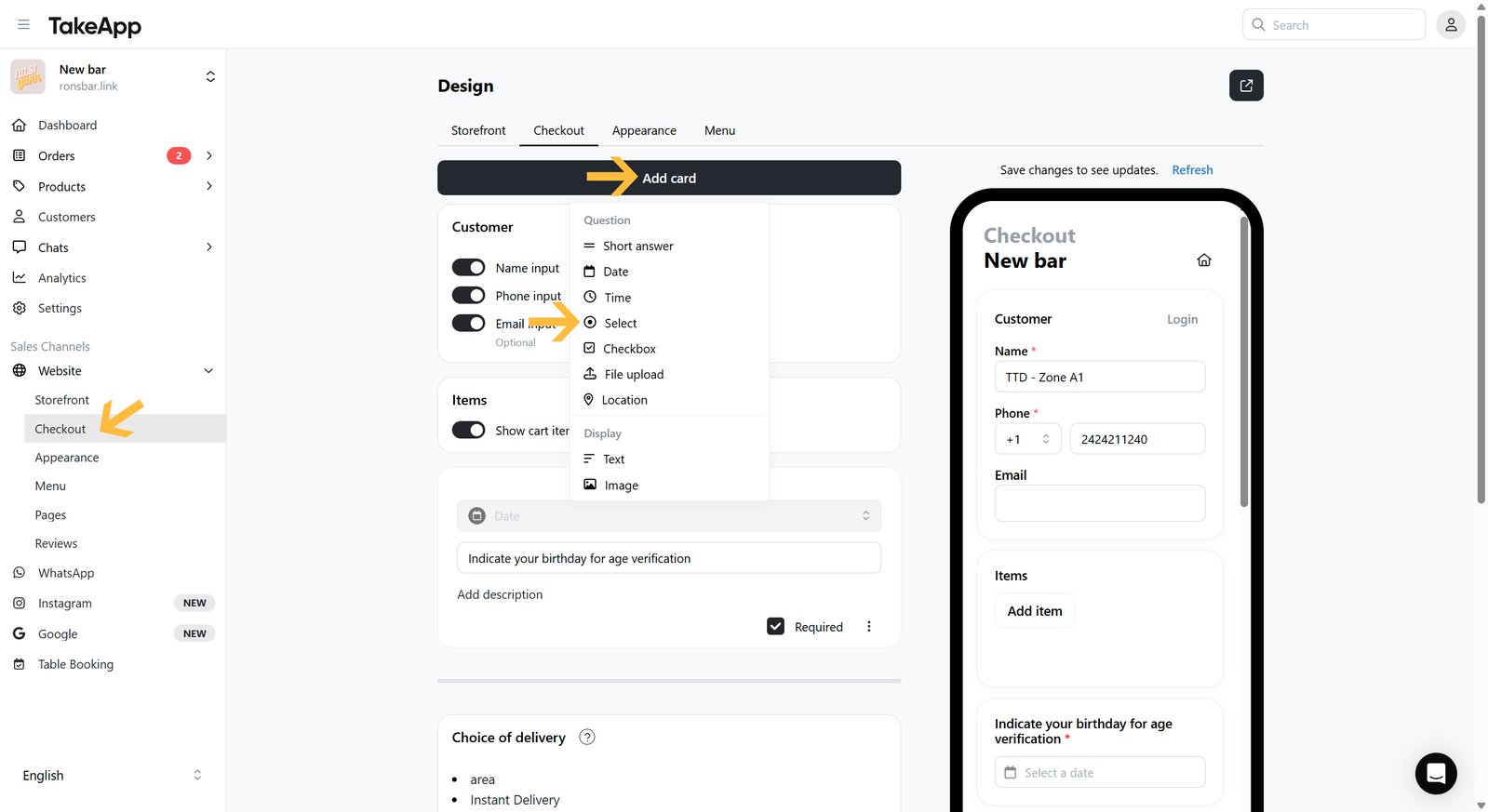
- Click
Add choicethen put your question title and description (if any). Add the choices (e.g. Choice 1 = Yes, Choice 2 = No), you can also incorporate price for the choices.. You can also set the question to be optional/required. The changes will be autosaved.