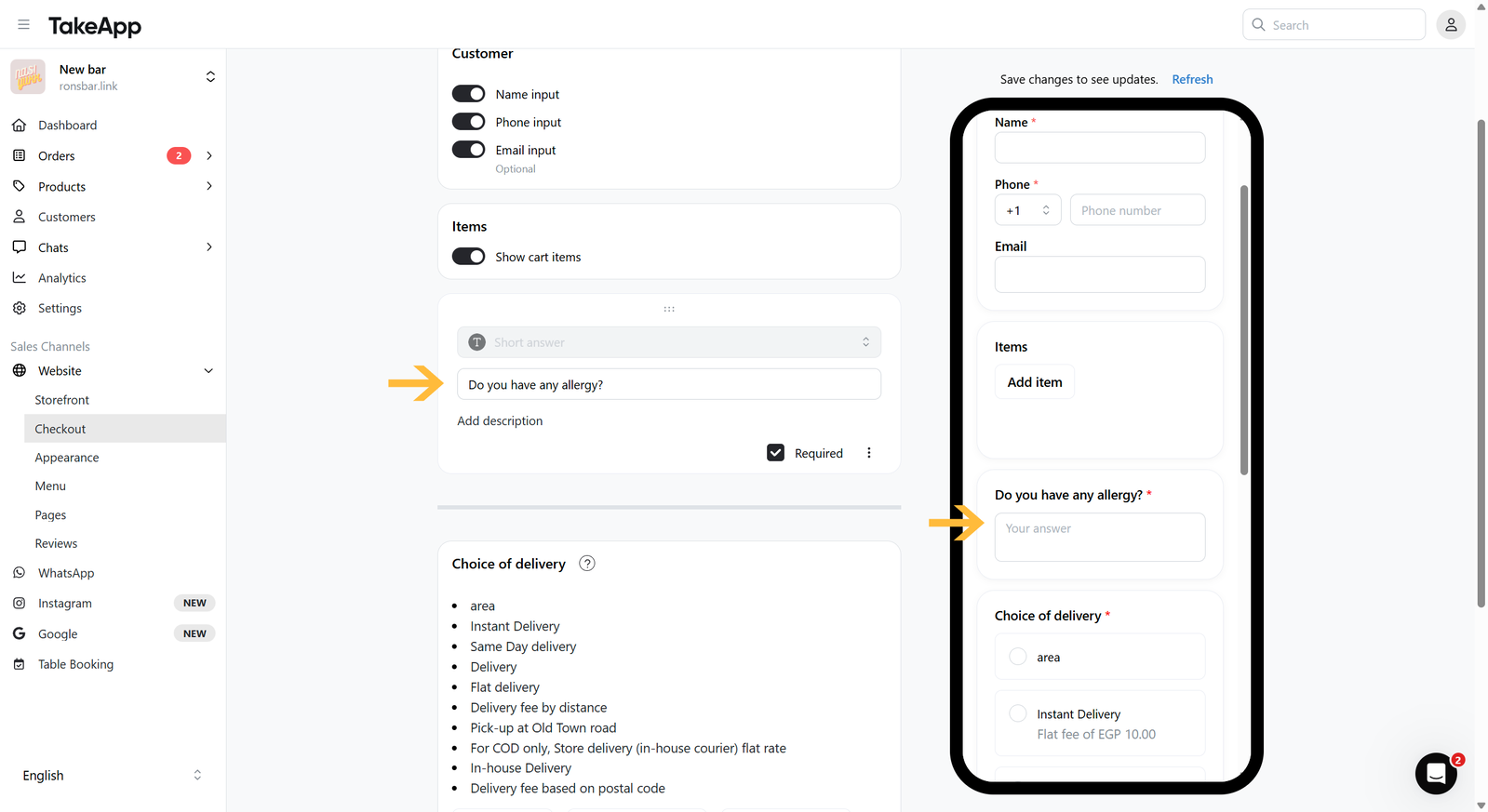
You can add a short question form to ask your buyer some remarks or notes.
How to add a short-form question on the checkout page
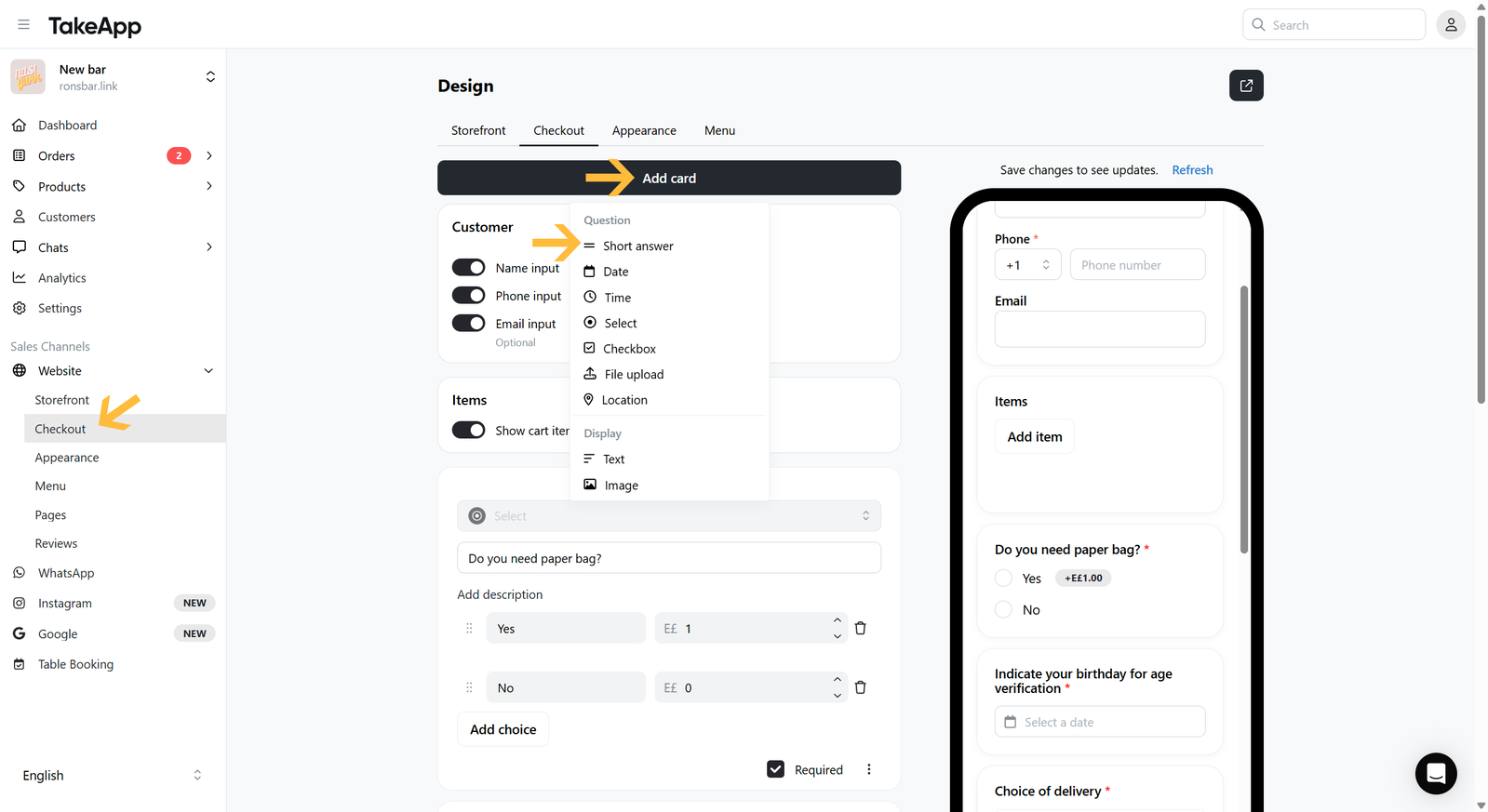
- Go to Admin > Website > Checkout and click
Add cardThen choose "Short answer"
 2. Put your question title and description (if any). You can also set the question to be optional/required. Lastly, do not forget to Save.