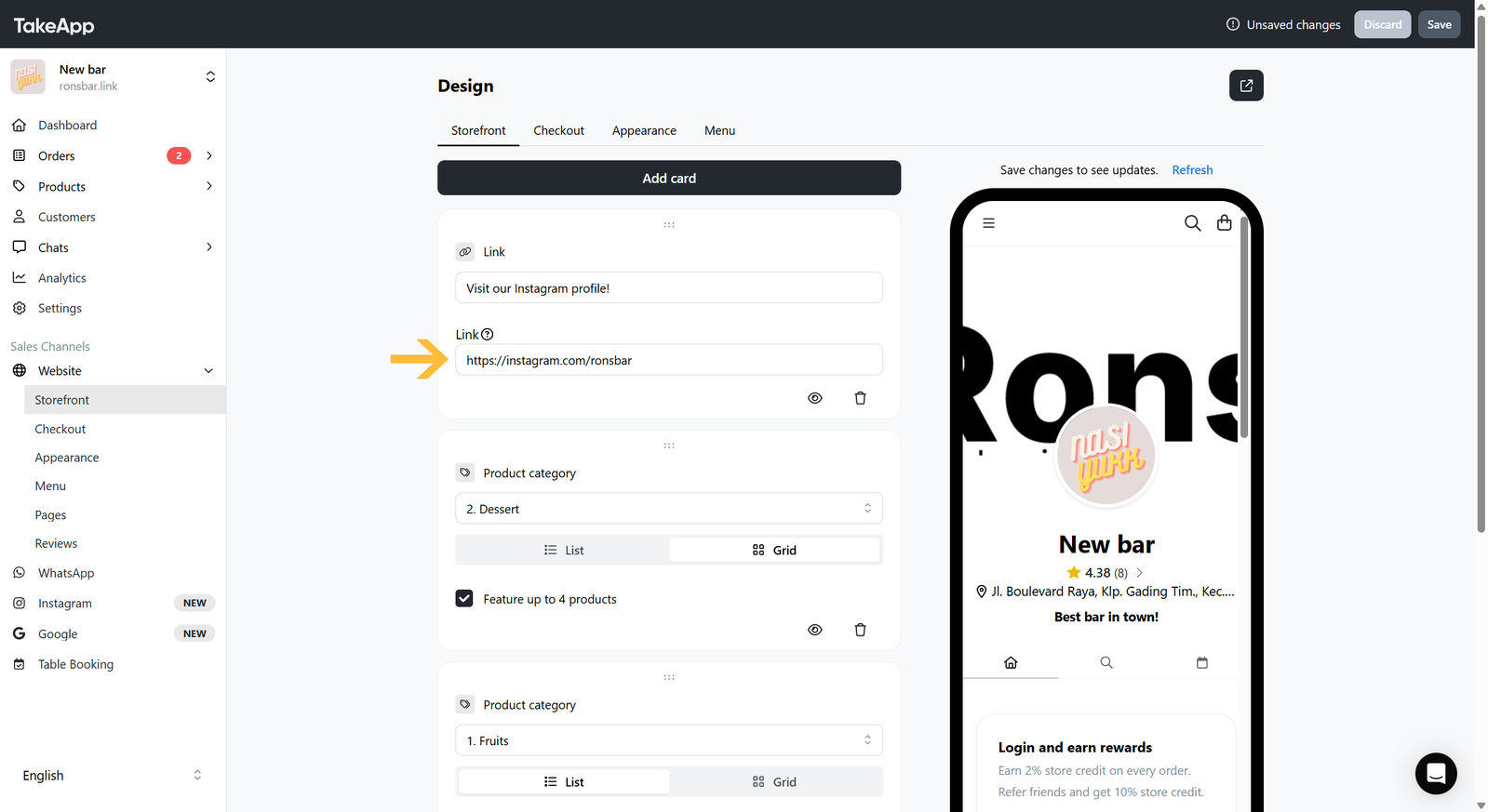
You can add a social media or an external website link to your Storefront.
How to add a link card on the storefront
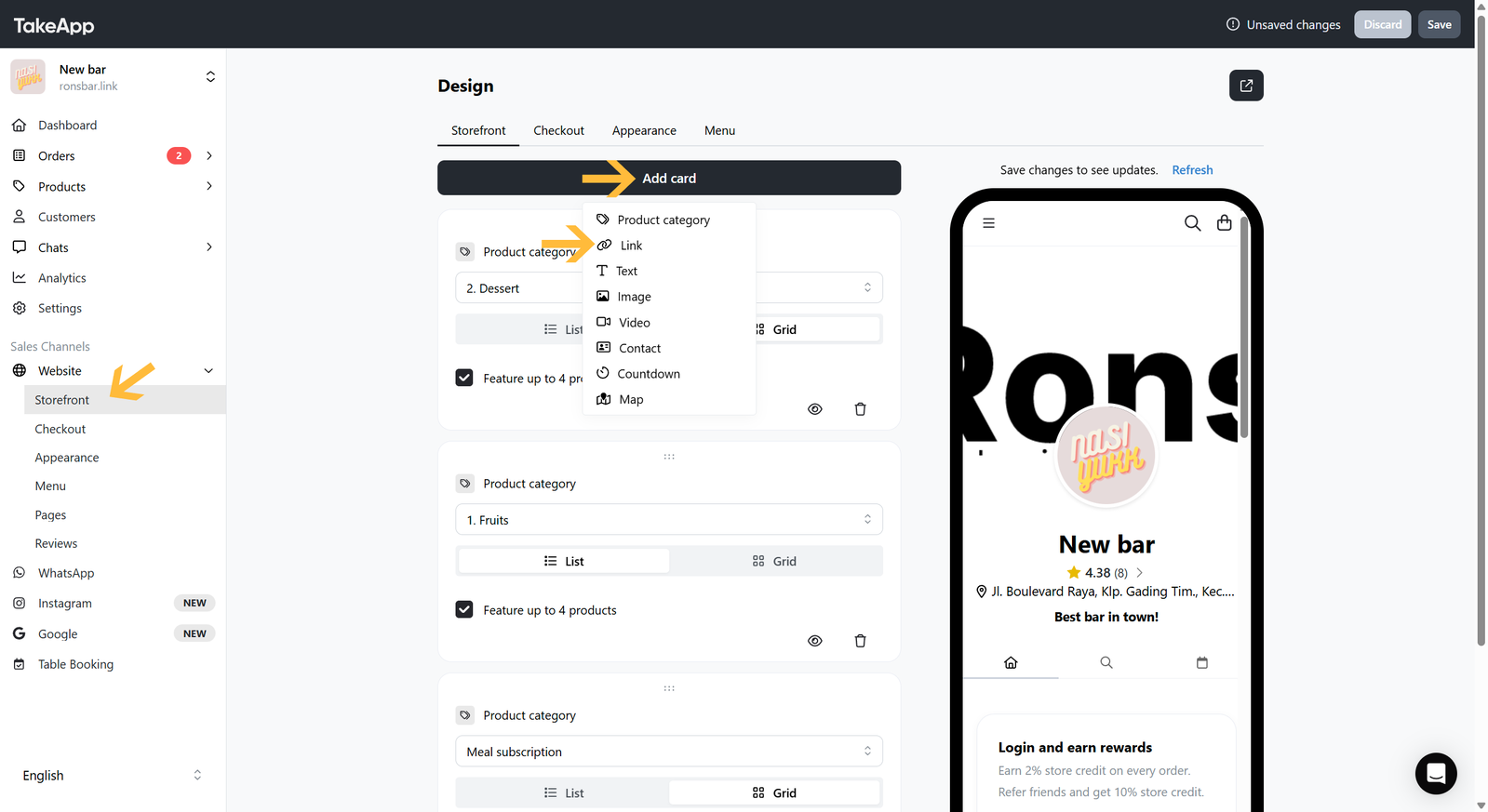
- Go to Admin > Website > Storefront and click
Add cardthen choose "Link"
 2. Put your Link title and add your external URL/link. Lastly, do not forget to Save your changes.