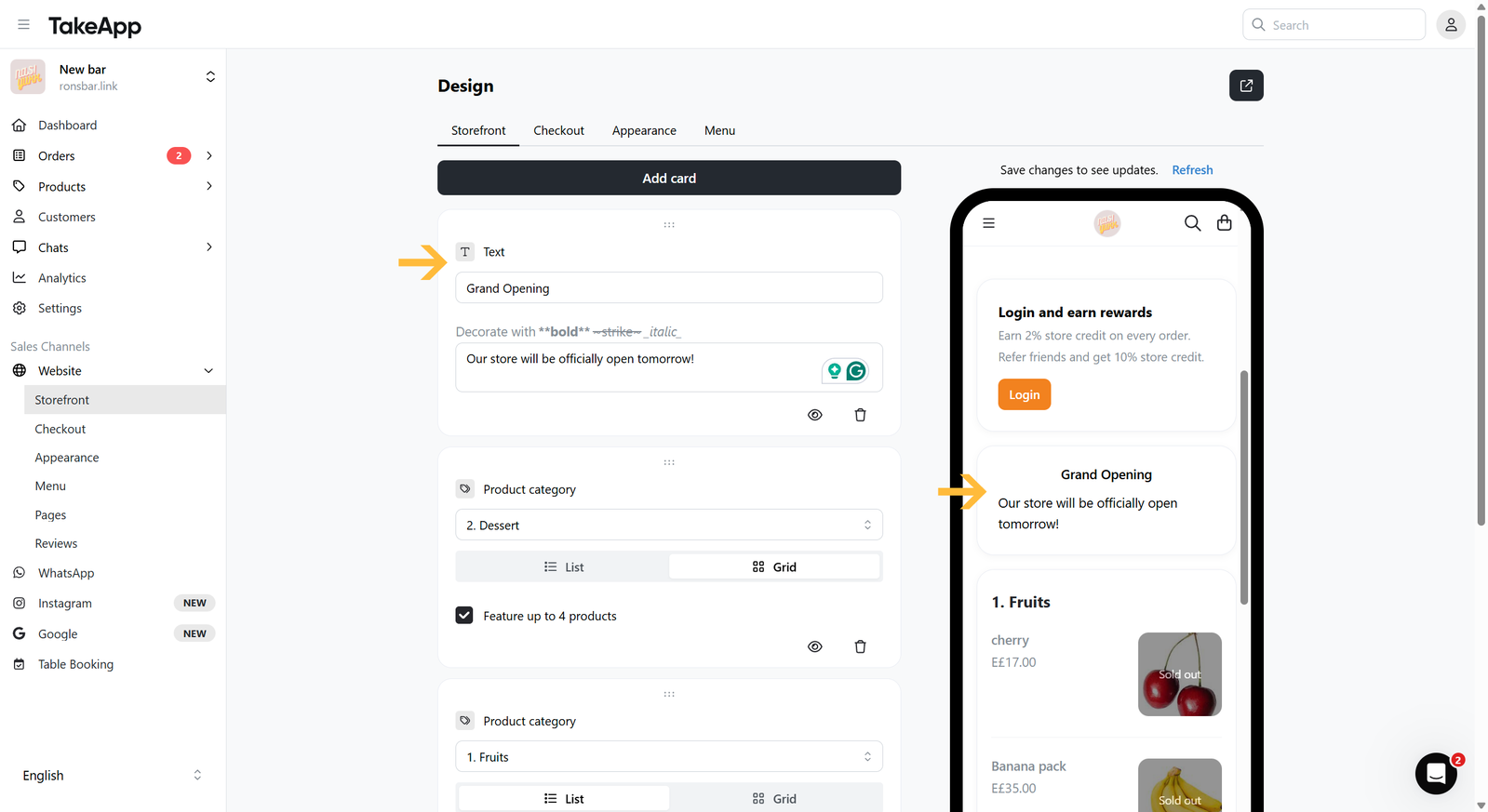
You have the option to include static text such as the store background, important notes, or even steps to order.
How to add a text card to the storefront
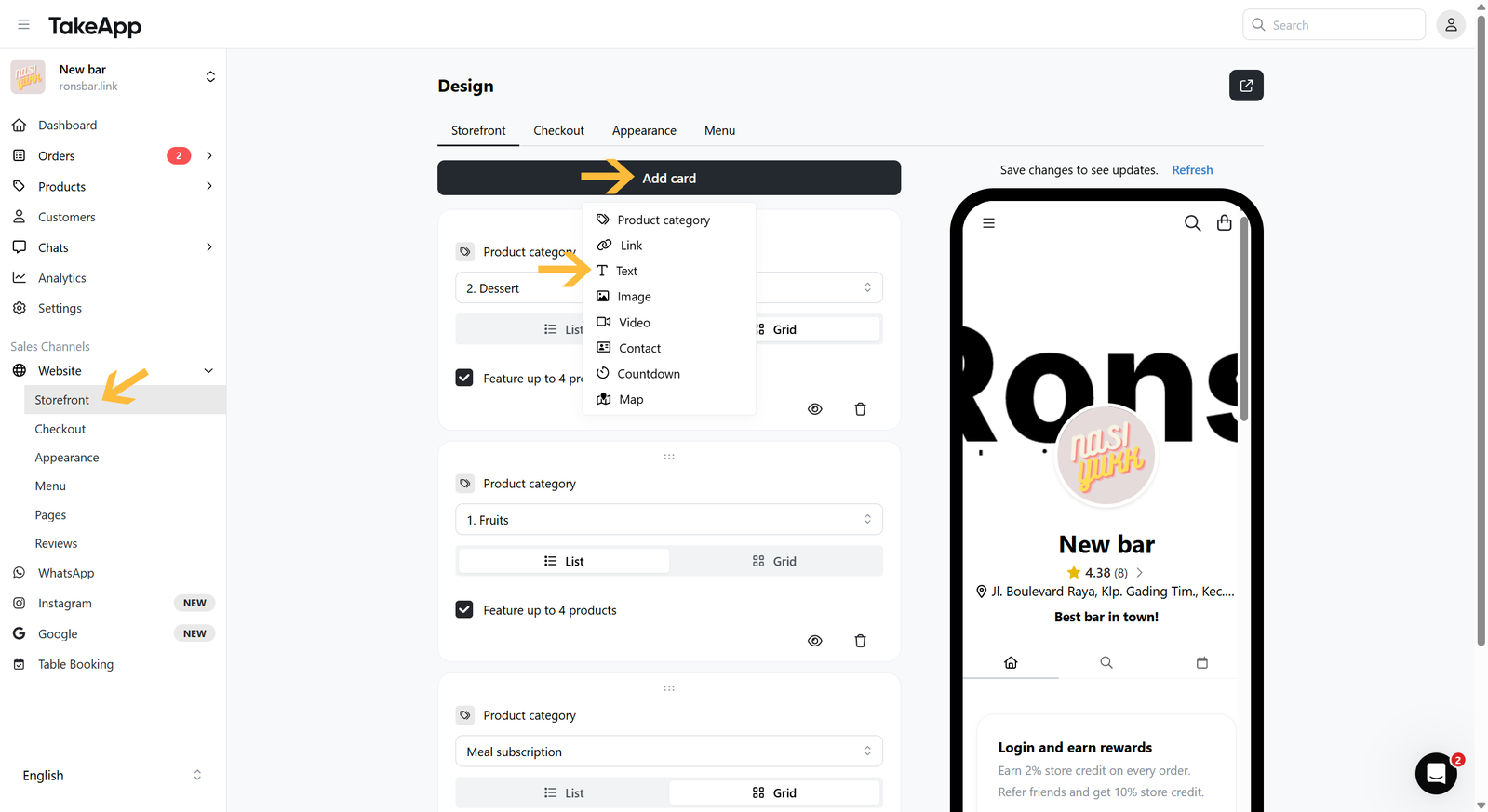
- Go to Admin > Website > Storefront and click
Add cardthen choose "Text"
 2. Put your text title and free text content. Lastly, do not forget to save your changes.