
Import products from your Loyverse store into your Take App store, so you don't have to type your catalog in again.
What the integration does
- It does: copy your Loyverse items (name, description, price, SKU, and image) into a Take App store when you click
Import. - It does not send orders to Loyverse. Take App orders are not pushed to Loyverse POS: not when the order is placed, not when you confirm it, and there is no manual "send to Loyverse" button. Orders don't show up as Loyverse receipts and don't print on your Loyverse receipt or kitchen printers.
- It does not keep things in sync. Price, stock, and item changes you make in Loyverse after the import don't update your Take App store.
To print Take App orders or show them in your kitchen, see Printing and handling Take App orders below.
Get your Access Token from Loyverse
-
Login to your Loyverse account
-
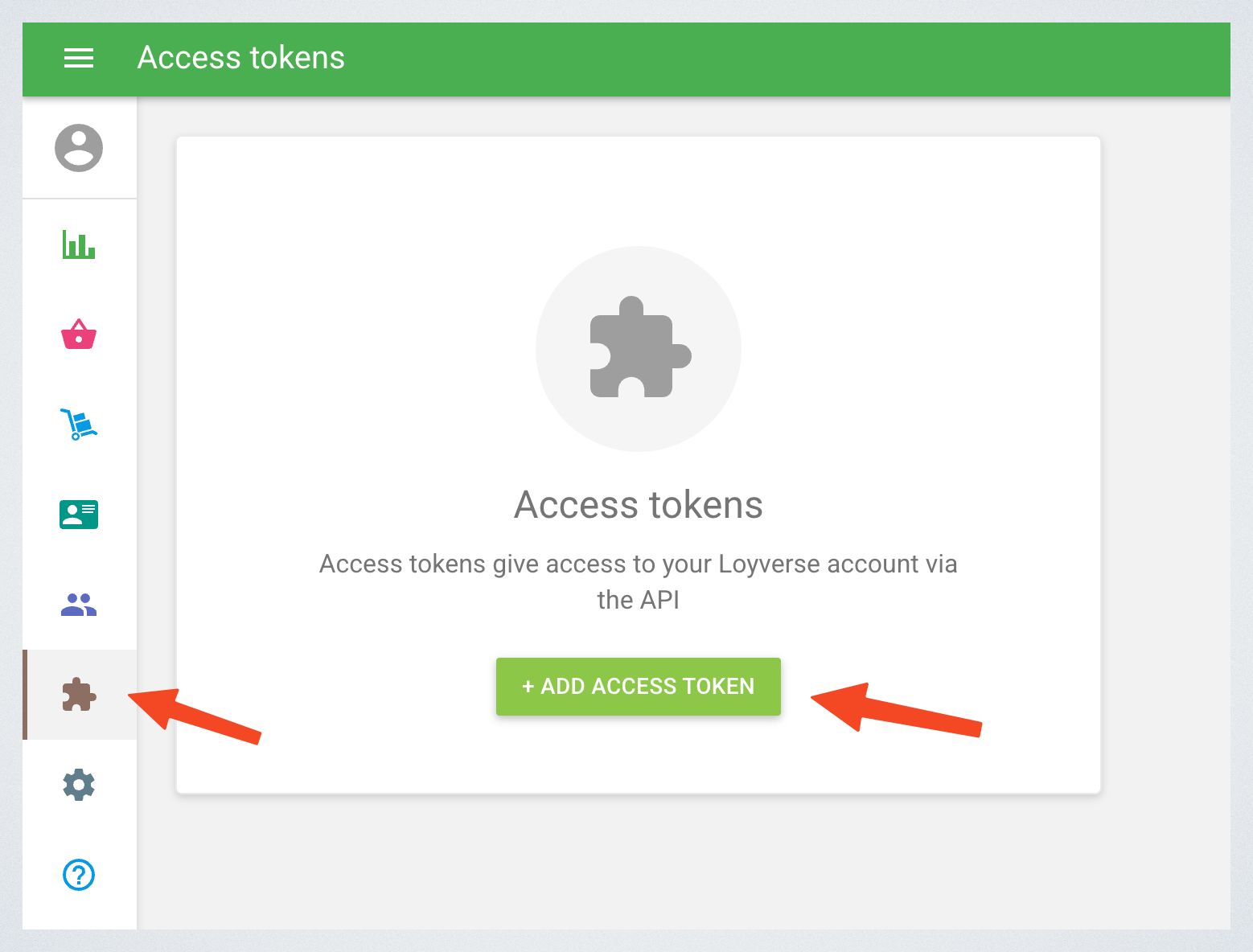
Go to Integrations > Access tokens. Click on "Add access token"
-
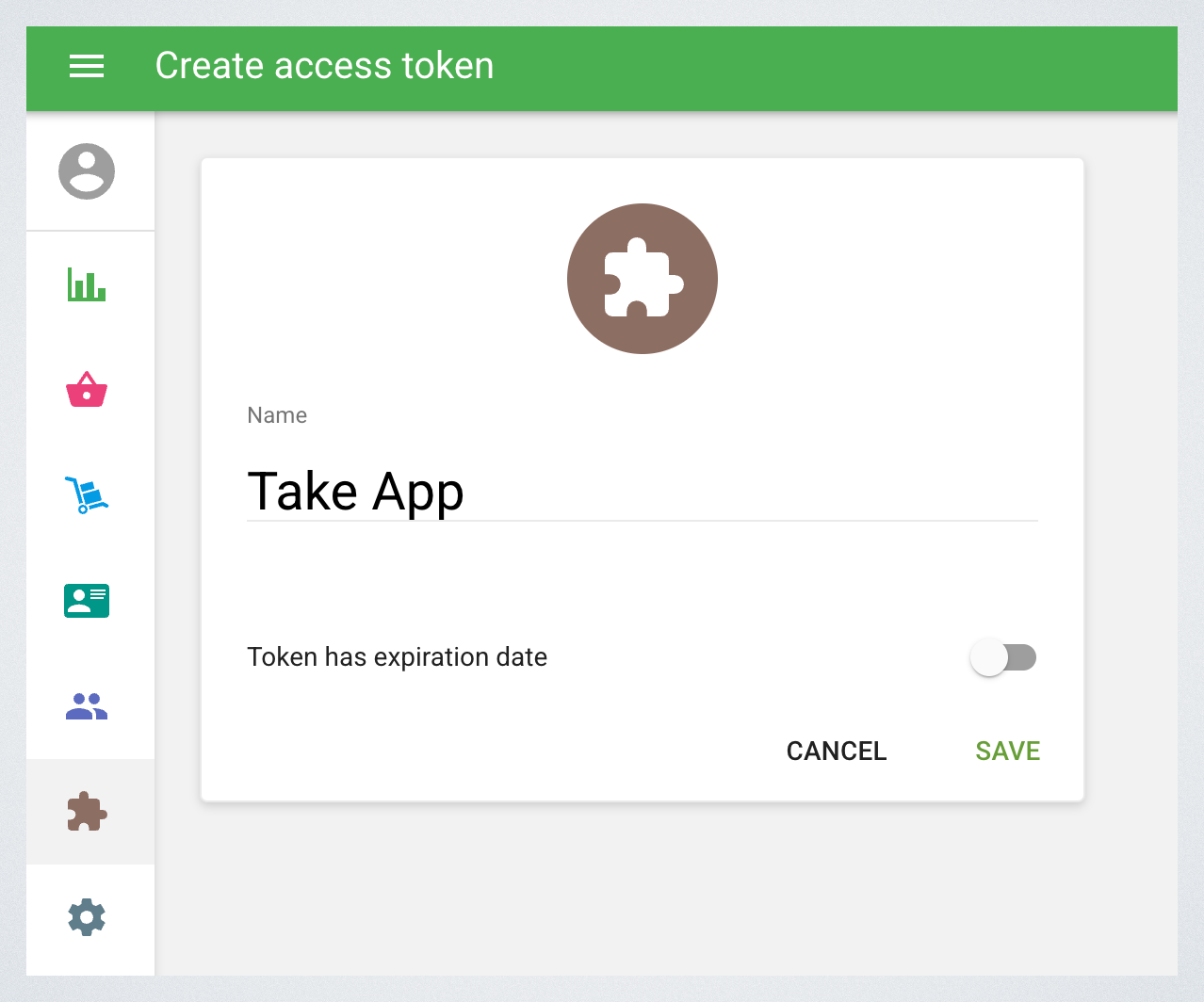
Enter token name and click "Save"
-
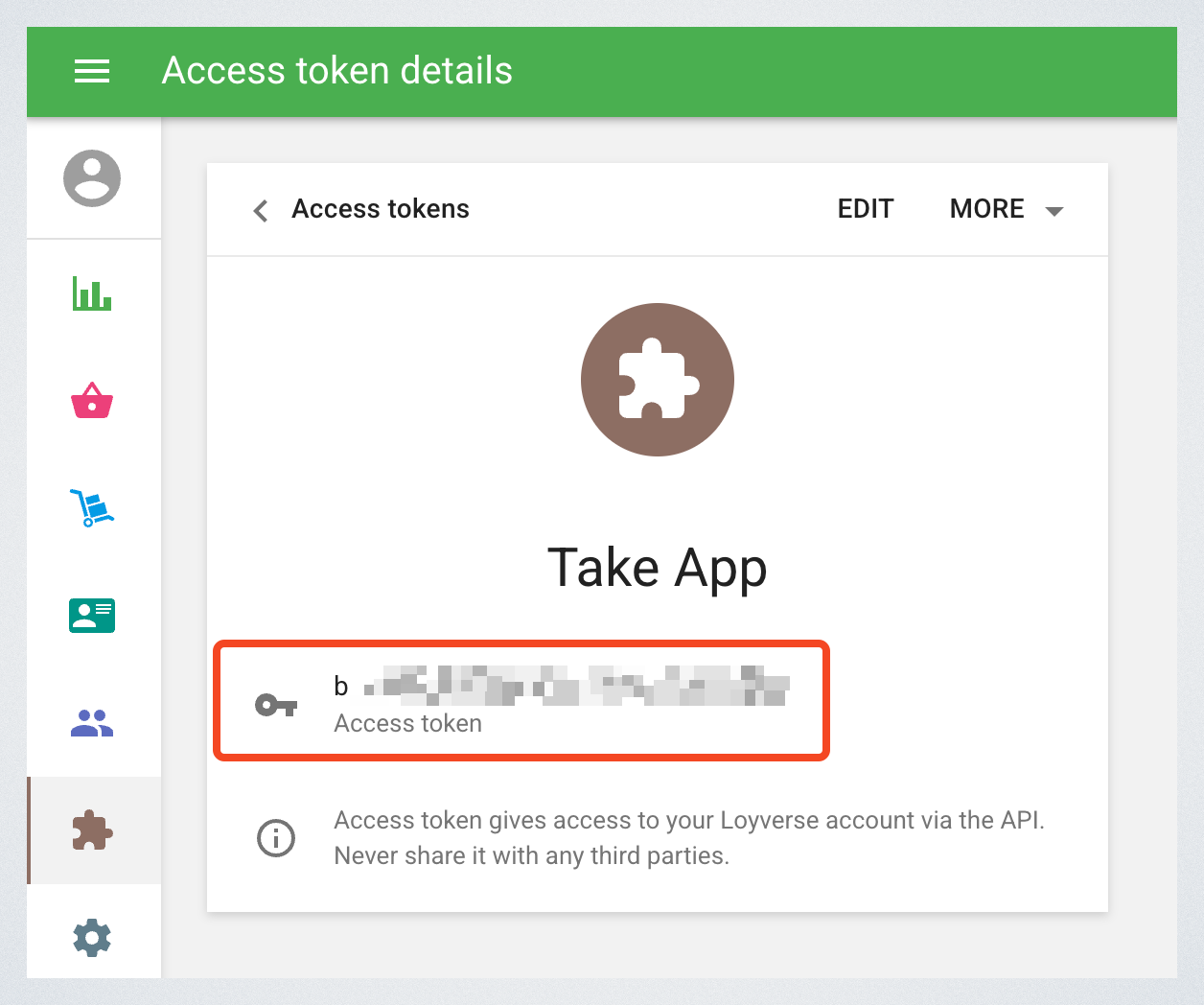
Copy the access token
Connect Loyverse to Take App
-
In your Take App admin dashboard, go to Admin > Settings > Integrations > Loyverse.
-
Enter your access token and click on "Add"
-
Select a store to import products
-
Click
Importbutton.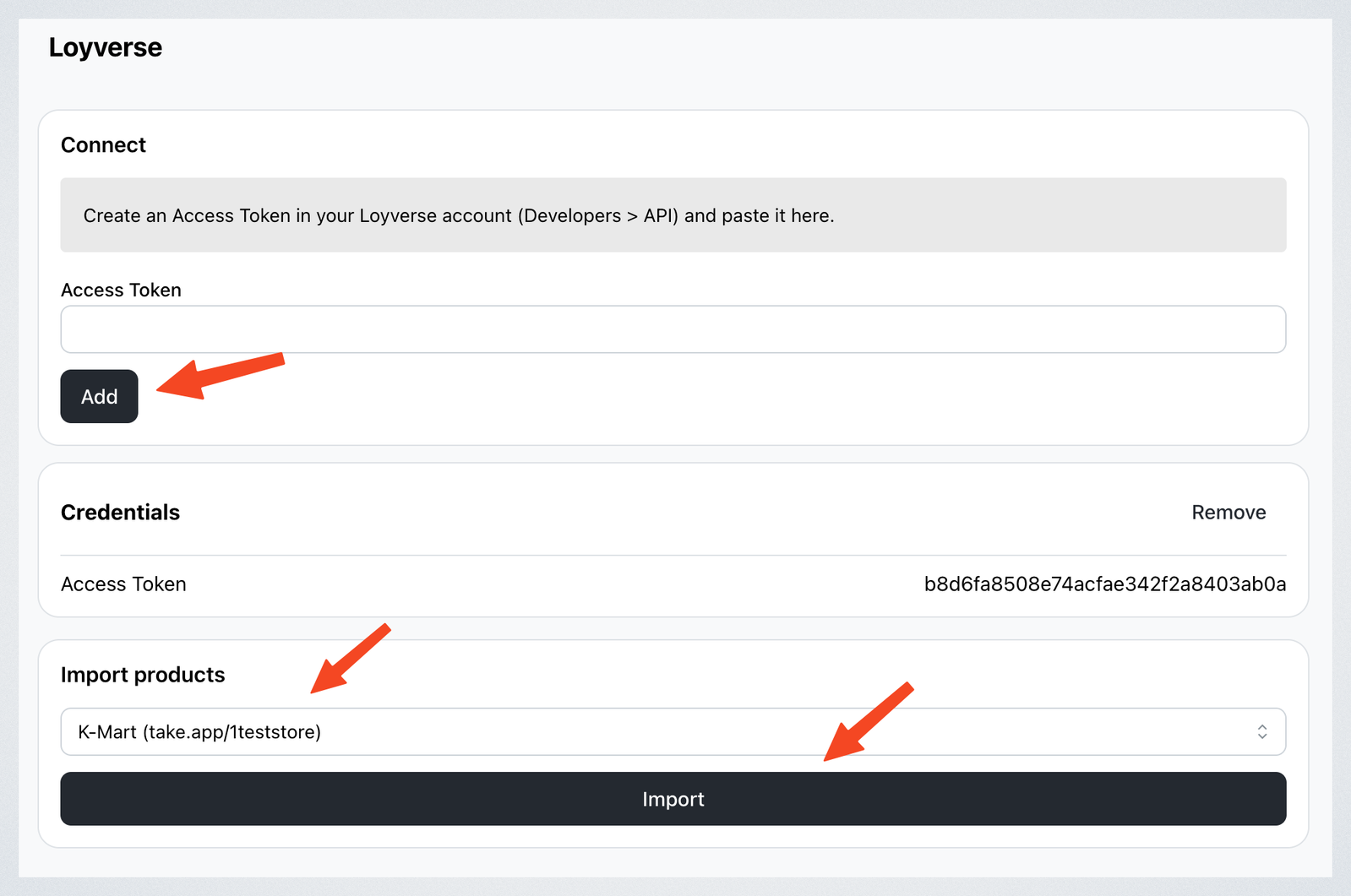
Important Notes
- One-time import only: products are imported when you click
Import. Changes you make in Loyverse afterwards are not reflected in Take App automatically. - Each item comes in with the price of its first variant. Other variants and modifiers are not imported — add them to the product in Take App.
- Up to about 2,000 items are imported, and up to 200 product images per import.
Printing and handling Take App orders
Since Take App orders don't reach Loyverse, print and prepare them from Take App instead:
- Printing orders — print receipts, invoices, and packing slips from Admin on a thermal printer.
- Bluetooth Printing from POS Mobile App — print order receipts from your phone with a Bluetooth printer.
- Order Display (Kitchen display) — show incoming orders on a screen in your kitchen.
If you have a developer, they can build their own link to Loyverse: Webhooks tell their server when an order is placed or changes, and they can create the matching receipt with the Loyverse API.