You can add a product and display it on the storefront for your customers to buy.
How to create a product
-
Go to Admin > Products > All > Click
Add product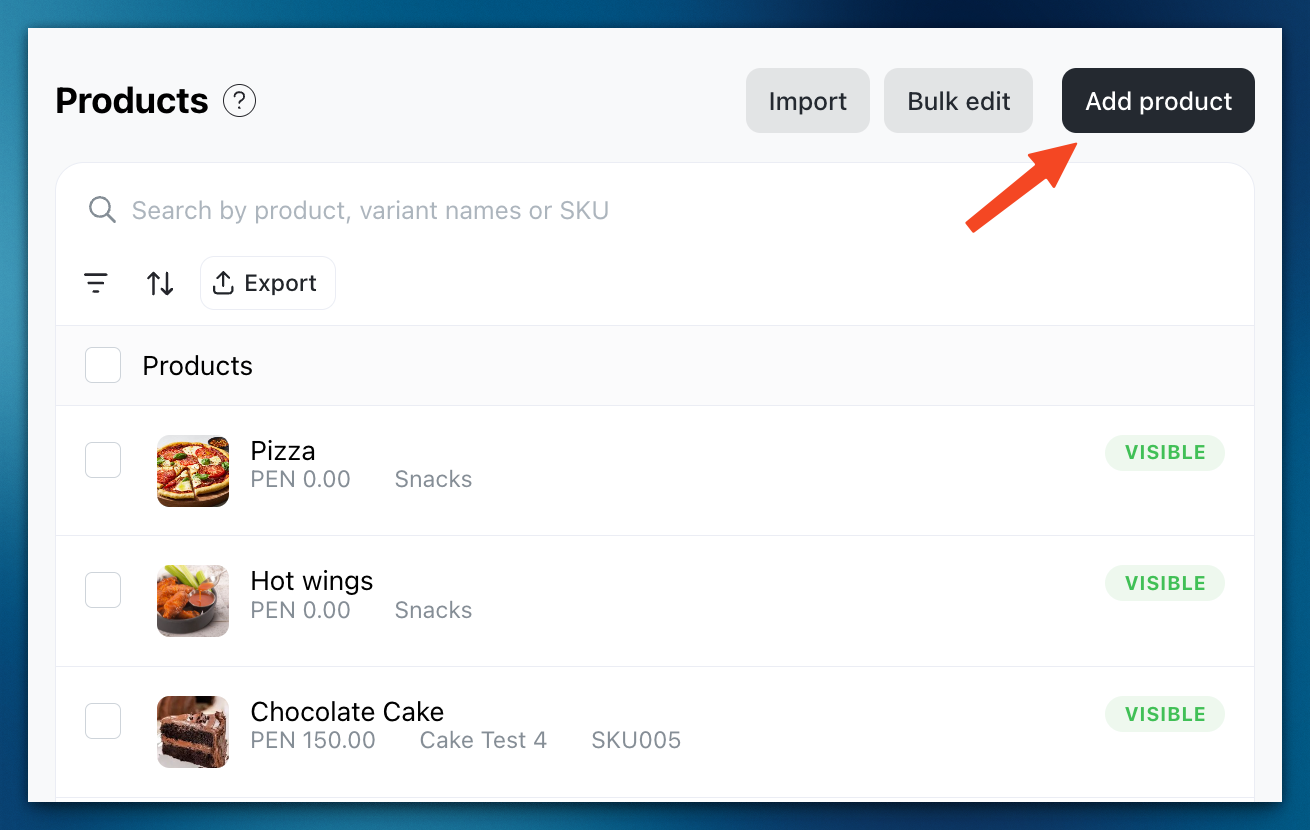
-
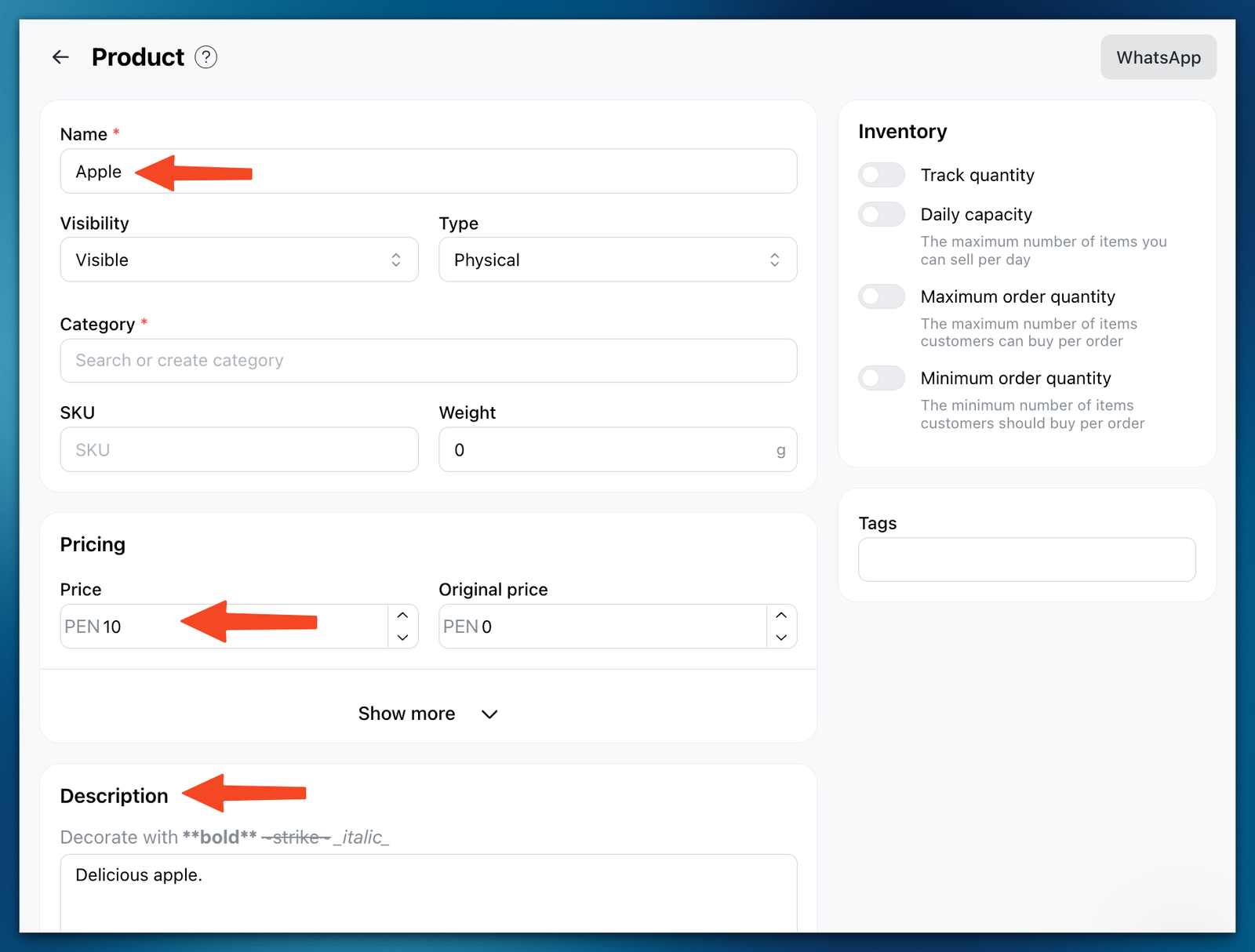
Type in the Product name, Price, and Description
-
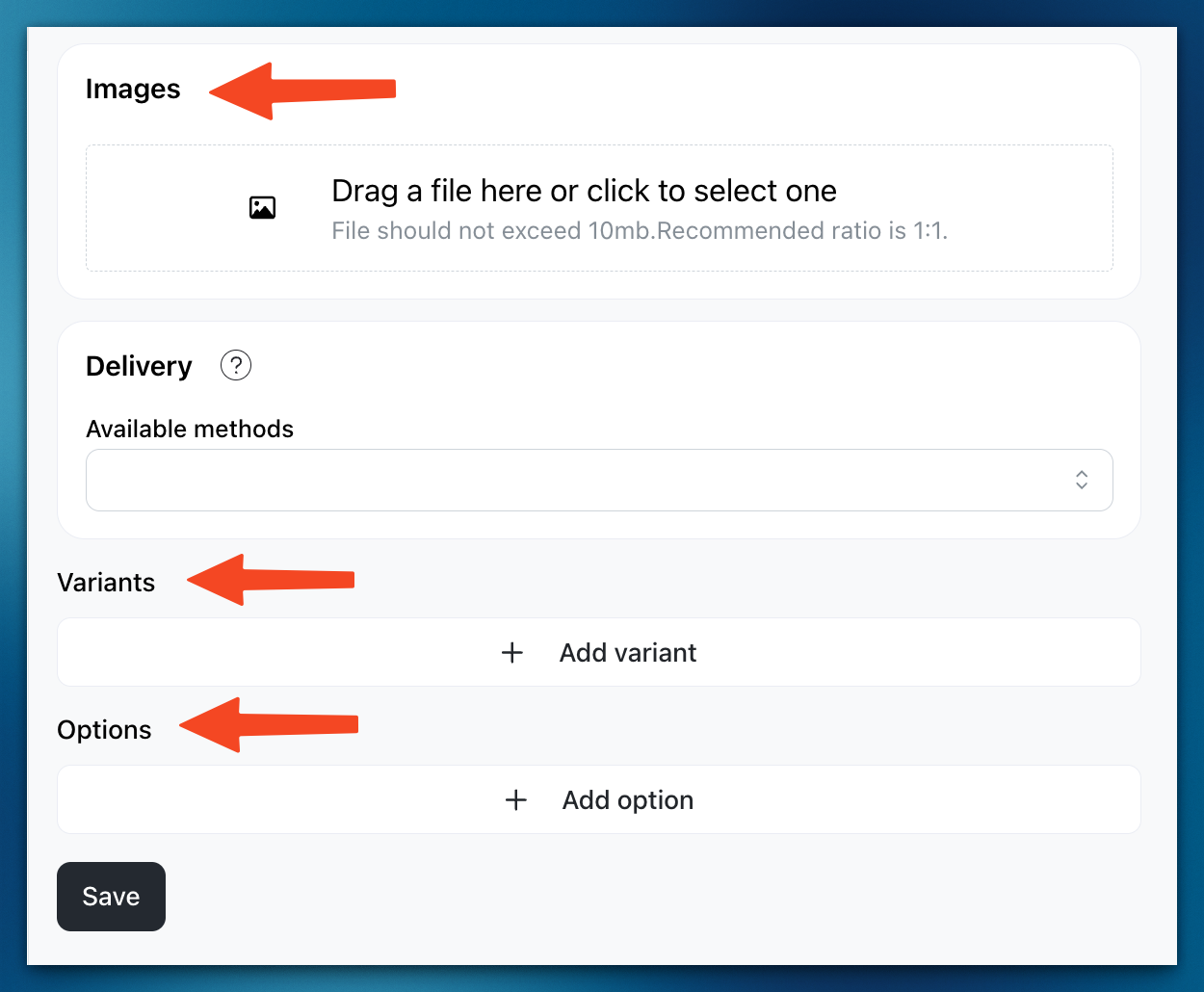
You can also include Images, Variants, and Options if applicable.
-
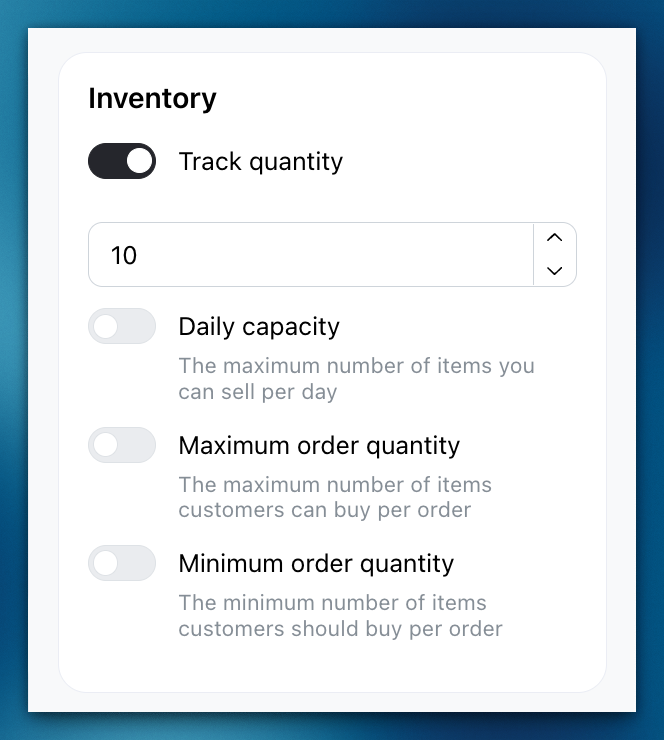
You can tick the
Track quantityoption if you have inventory for the product. Finally, clickSaveonce you've completed setting up the product details.