
Setting up auto-replies on WhatsApp helps you stay responsive, even when you're unavailable. With features like greeting messages or away messages, you can welcome customers, let them know you're away, and even include a link to your Take App store — so they can start browsing and shopping right away.
How to set up auto-replies
-
In your WhatsApp business App, go to Tools or Business tools (in settings) > Set auto reply on
Away messageorGreeting Message.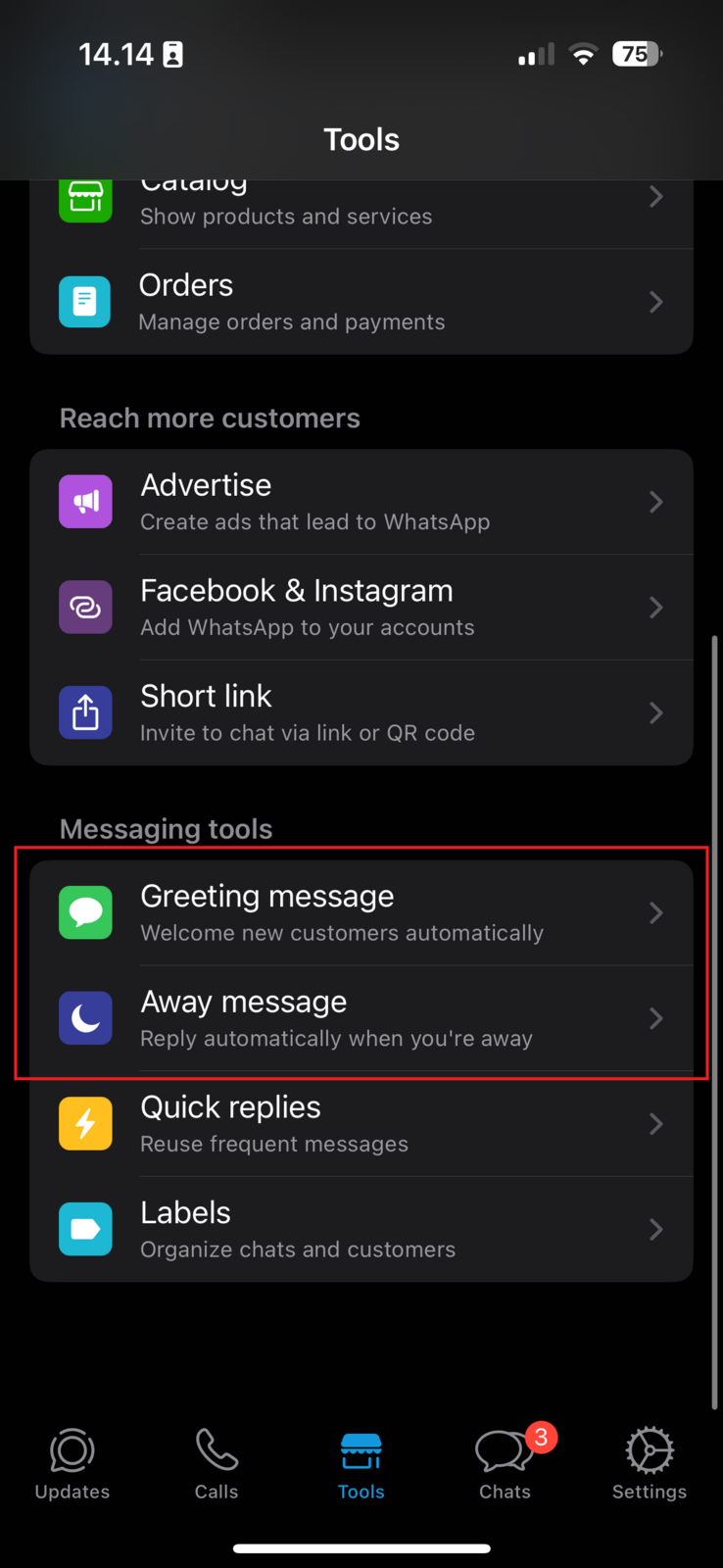
-
Include Take App link in your greeting message
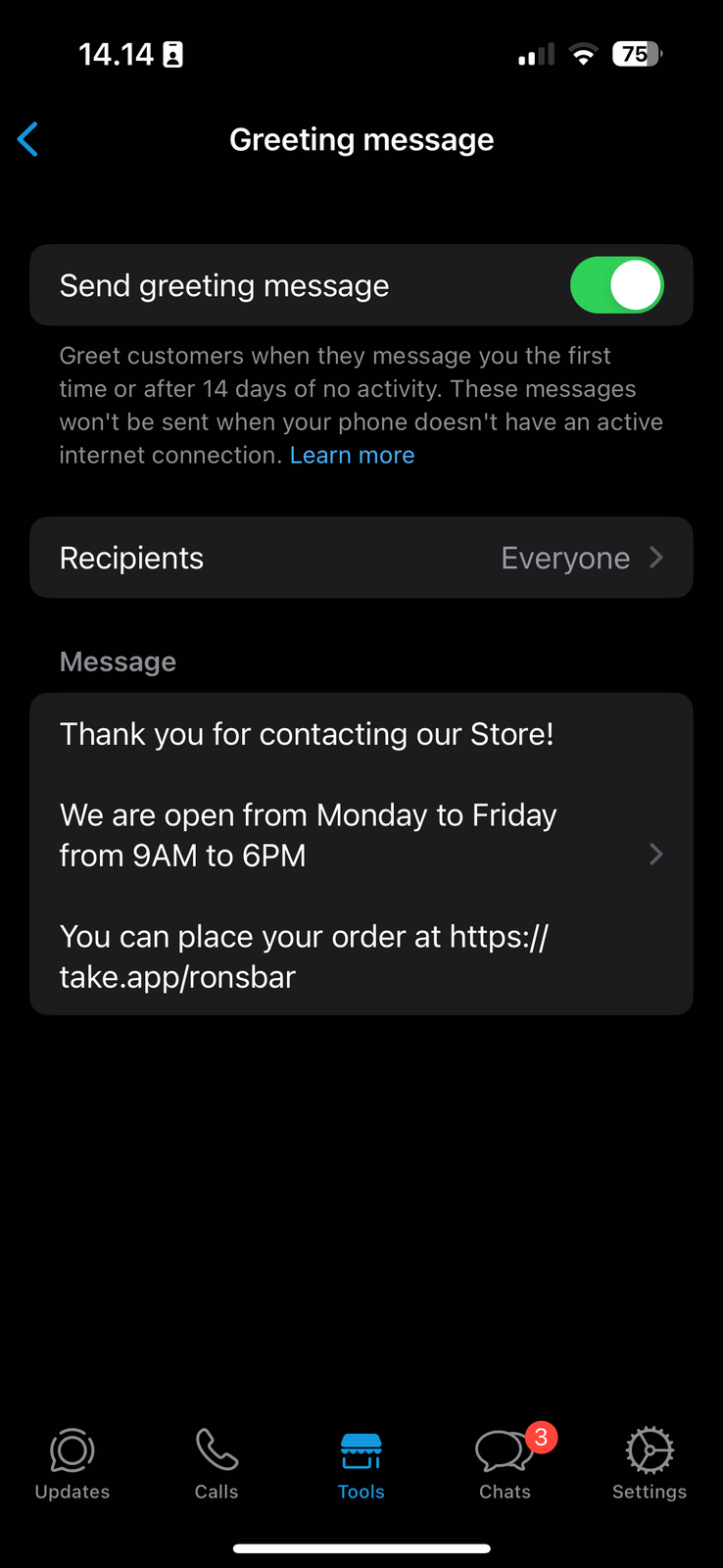
-
Try out the auto-reply function by sending a message to your WhatsApp business number
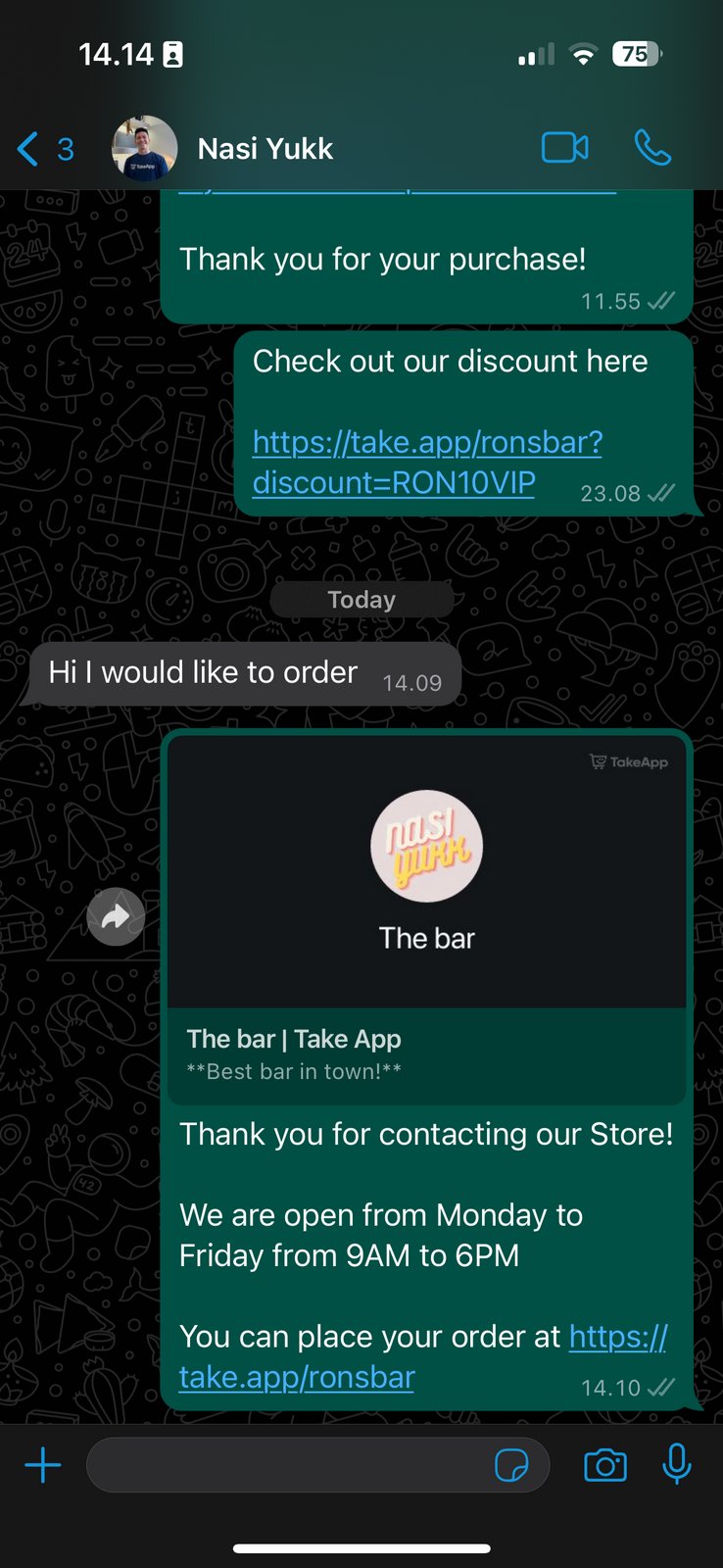
Follow this video to enable WhatsApp auto reply.