
-
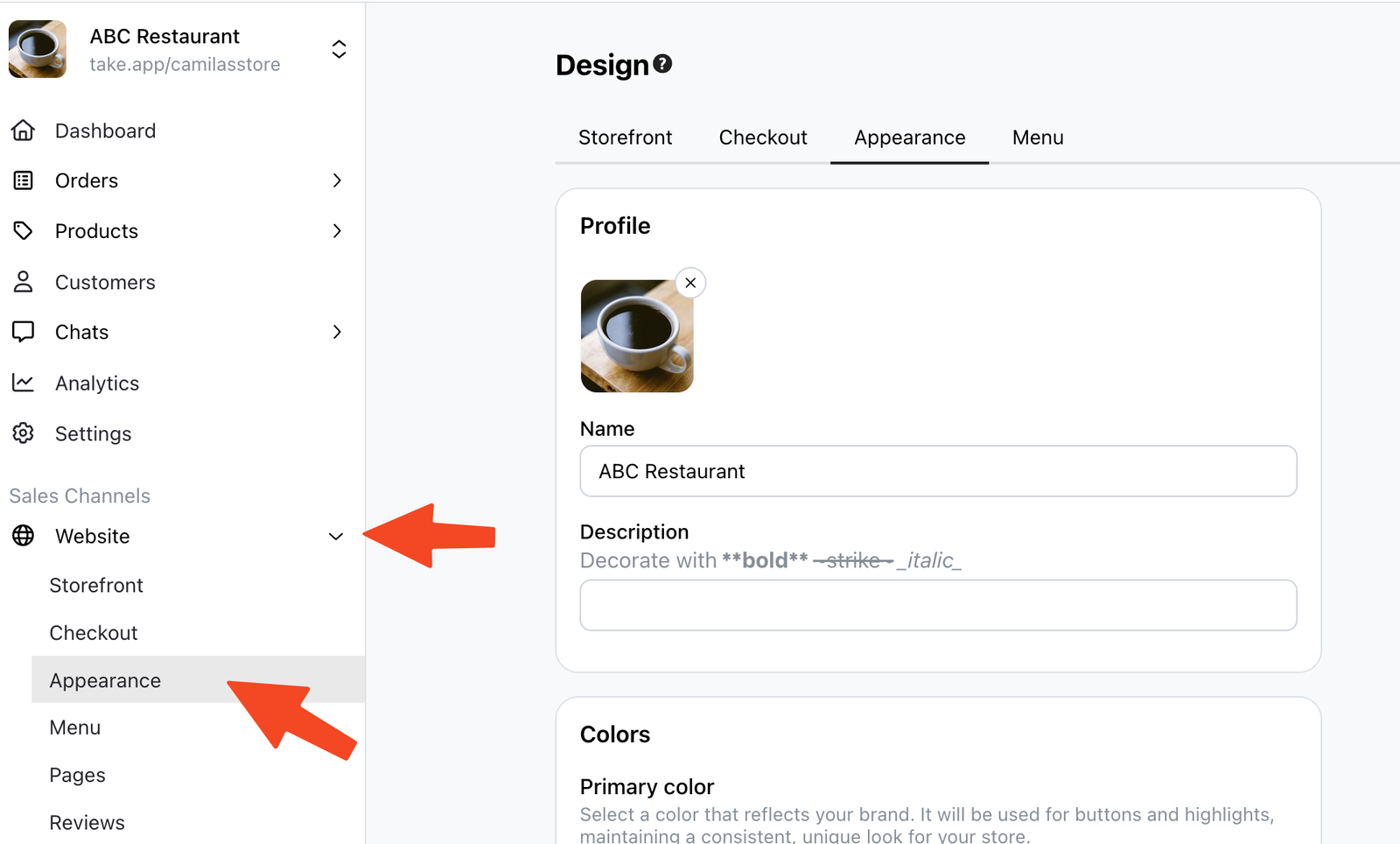
Click on Website, and then click on "Appearance".
-
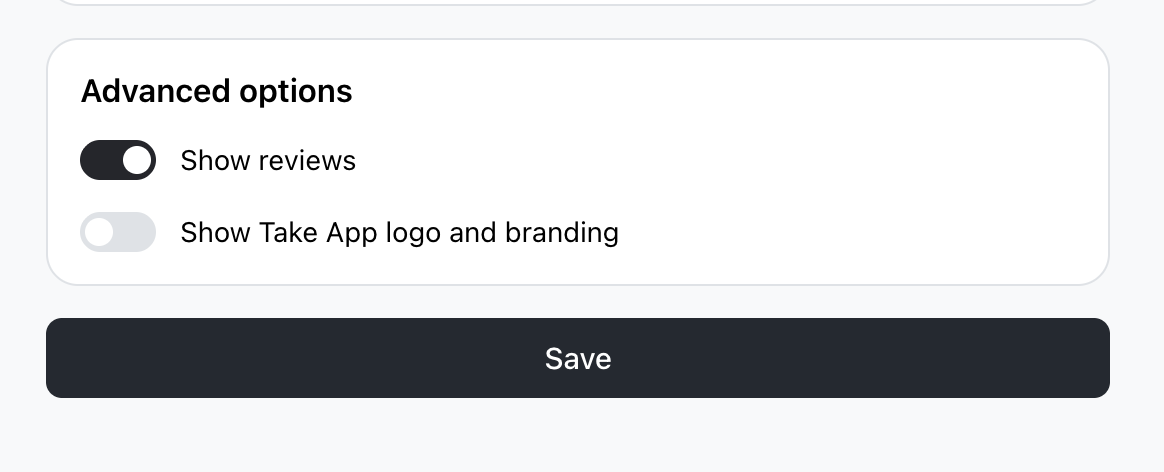
Locate the option that says "Show TakeApp logo and branding". Untick this option to disable it.
-
Finally, click
Saveto apply the changes.
Removing Take App logo
Business plan required Compare plans