
Meta Pixel (aka Facebook Pixel) is essential to track performance of your Meta ads. You can easily integrate Meta Pixel in Take App.
Find your Meta Pixel ID
-
In Meta Business manager go to Business Settings > Data Source > Datasets and click
Add.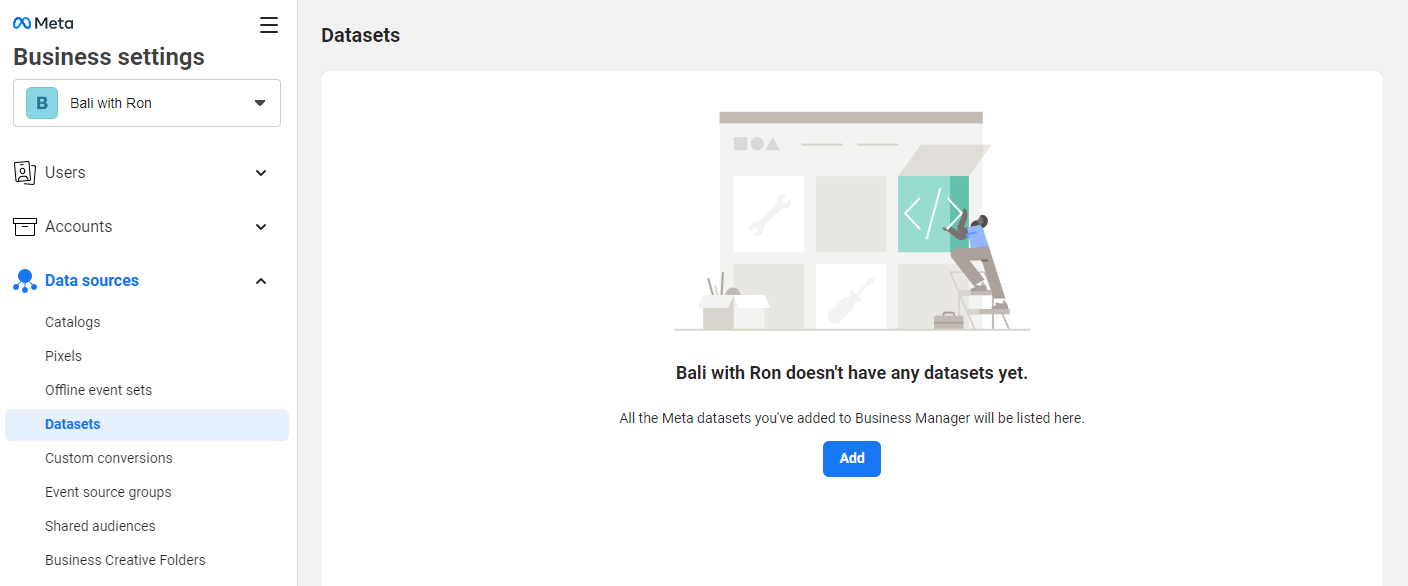
-
Add a new data set and name it accordingly (e.g. Ron's Bar Pixel) > Click
Create.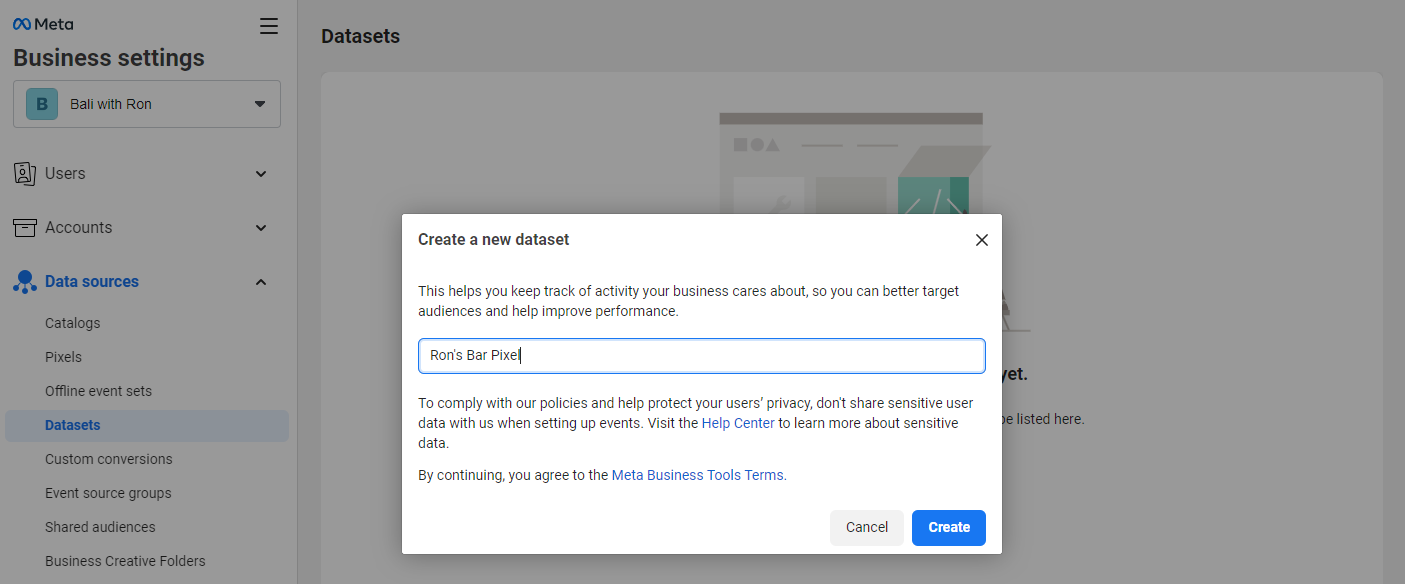
-
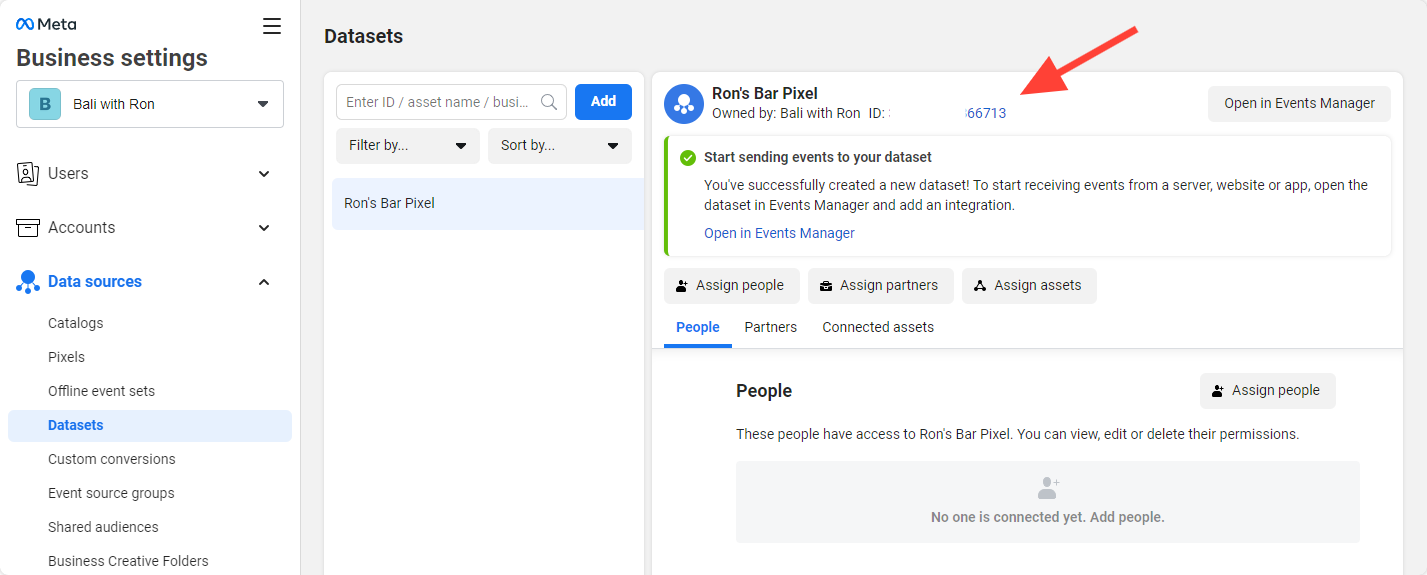
Copy the Meta Pixel ID and Paste it into Take App settings
Setup your Meta Pixel in Take App settings
-
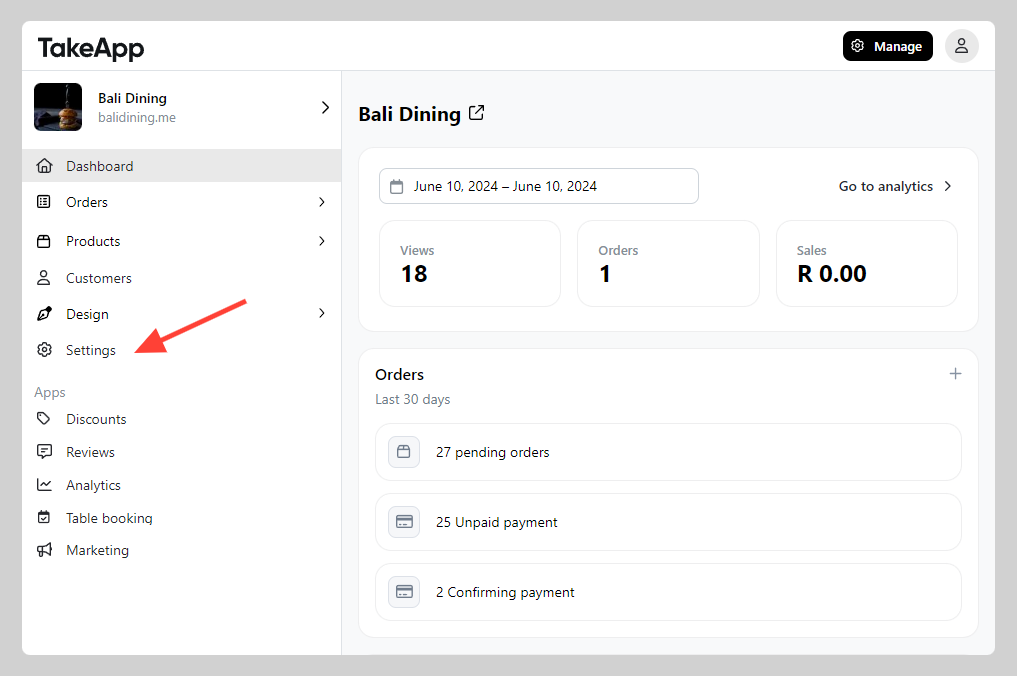
Go to Admin > Settings
-
SEO and Trackings > Enter your Meta Pixel ID and click
Save.
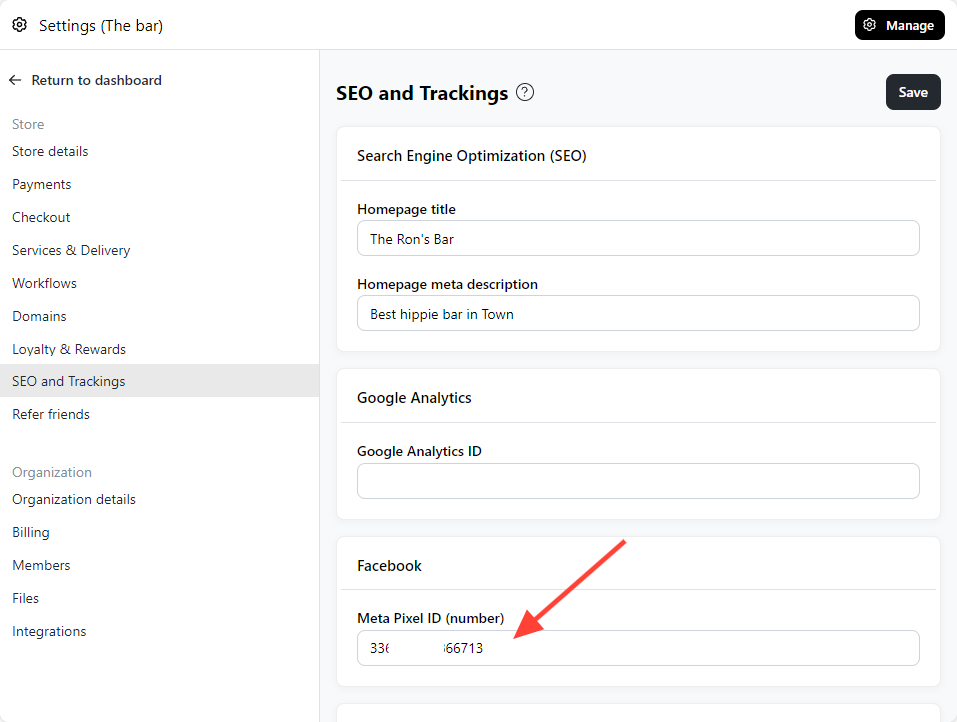
In countries that require cookie consent (EEA, UK, Switzerland, South Africa), Meta Pixel loads only after the visitor accepts marketing cookies. See Cookie consent.
Events we send to your Meta Pixel
Once your Pixel ID is saved, your storefront sends these Meta Pixel standard events on its own — there is nothing else to set up.
| Event | Sent when |
|---|---|
ViewContent | A customer opens a product, or browses a category listing |
Search | A customer searches your store |
AddToCart | A product is added to the cart |
InitiateCheckout | A customer starts checkout |
Purchase | An order is placed |
CompleteRegistration | A customer creates an account |
Purchase fires when the order is placed, whether or not it was paid online — an order over WhatsApp or cash on delivery counts the same as a card payment. Orders you create or edit yourself in Admin are not reported.
PaymentStatus
Because an order can be placed long before it is paid, your storefront also sends a custom event called PaymentStatus when the customer reaches a payment outcome. It carries a status property:
completed— the payment went throughpending— a transfer is still being confirmed
A failed payment sends nothing, since the customer can still retry. Both outcomes share one event name, so segment on the status property rather than looking for two events. PaymentStatus is in addition to Purchase, not instead of it — use Purchase for orders taken and PaymentStatus for money received.
Because it is a custom event, it will not appear in Meta's standard-event reports until you build an audience or a custom conversion on it.
Matching your catalog
Product IDs sent with these events are your catalog IDs — the variant ID when a product has variants, otherwise the product ID. That is what lets Meta resolve the whole funnel to one product, so make sure the IDs in your catalog feed match.
Check Meta Pixel ID using Chrome Extension
- Download Meta Pixel helper Chrome extension
- Verify if the Meta Pixel ID showing correctly
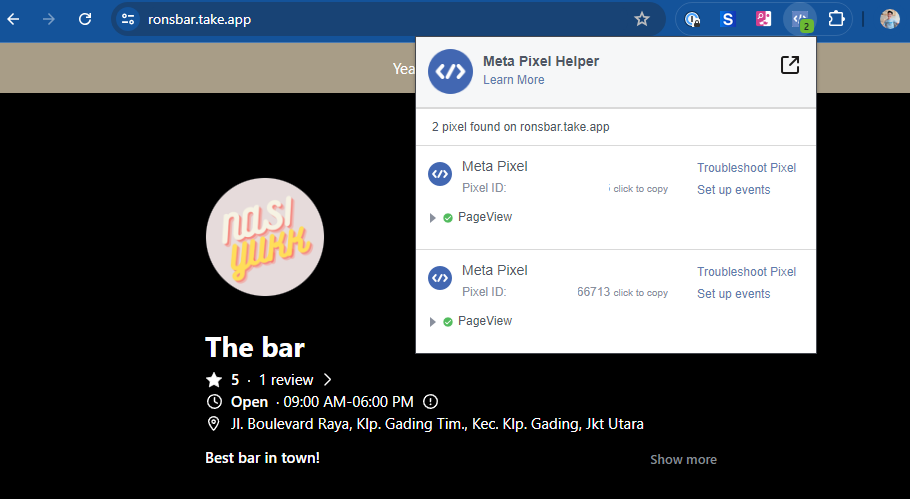
Turn-off your Ads-blocker to be able to check Pixel ID and events