
Override specific dates on top of your regular weekly service schedule. You can mark dates as unavailable for delivery or pick-up, or add a Delivery fee adjustment (for example a holiday surcharge or a short-term discount).
How to manage availability
-
Go to Admin > Settings
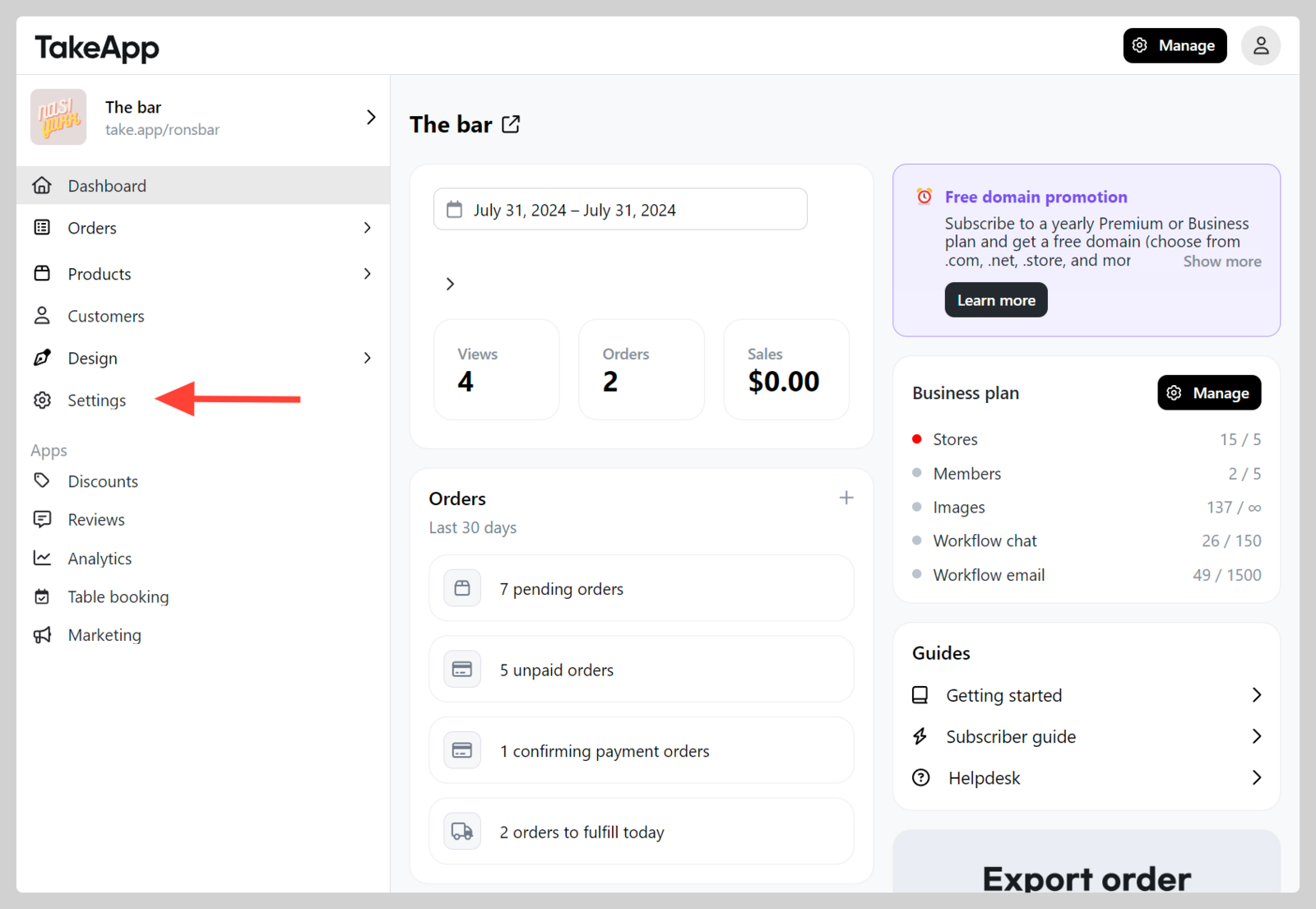
-
Navigate to Delivery > Click
Manage availability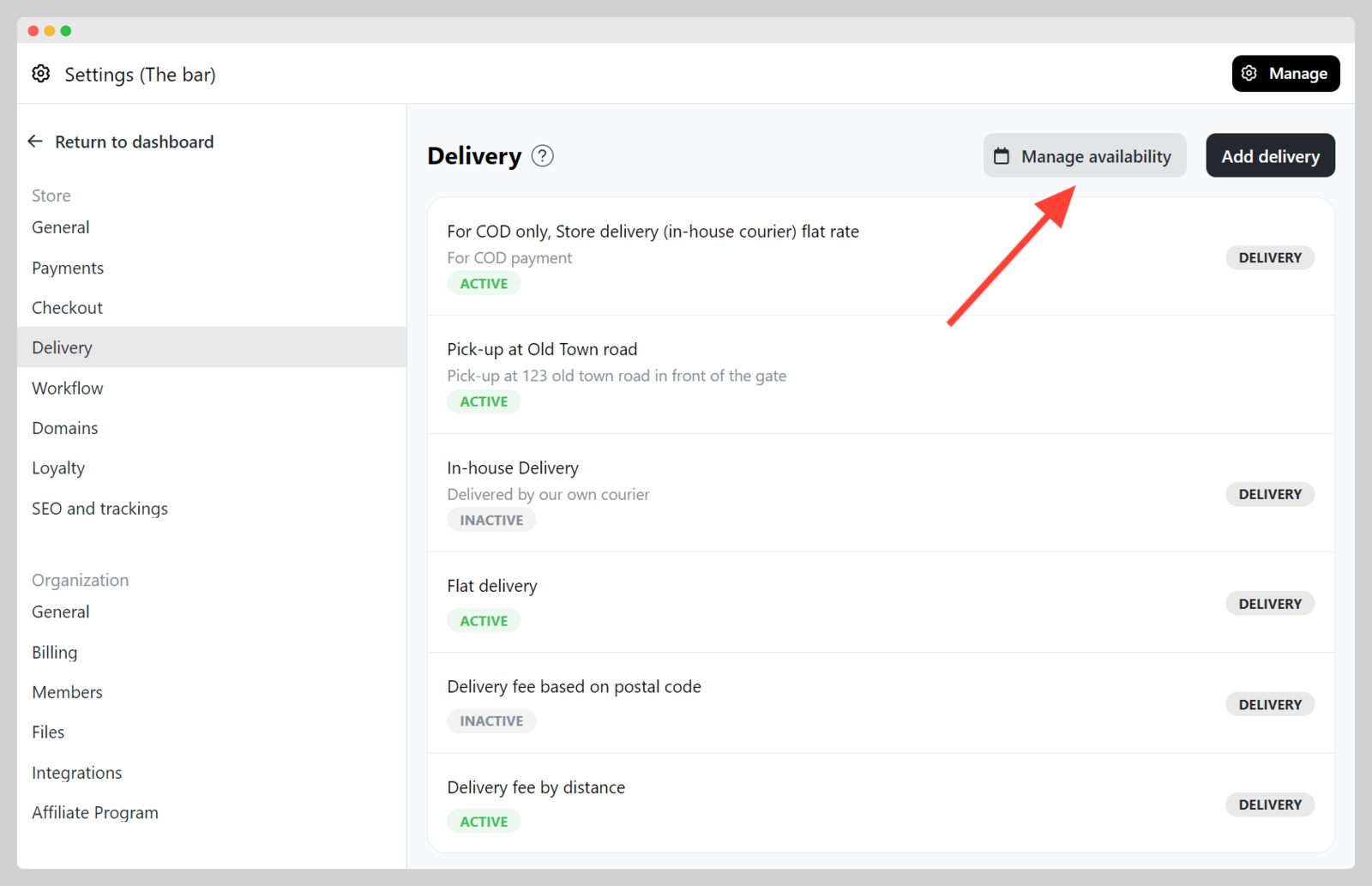
-
Click
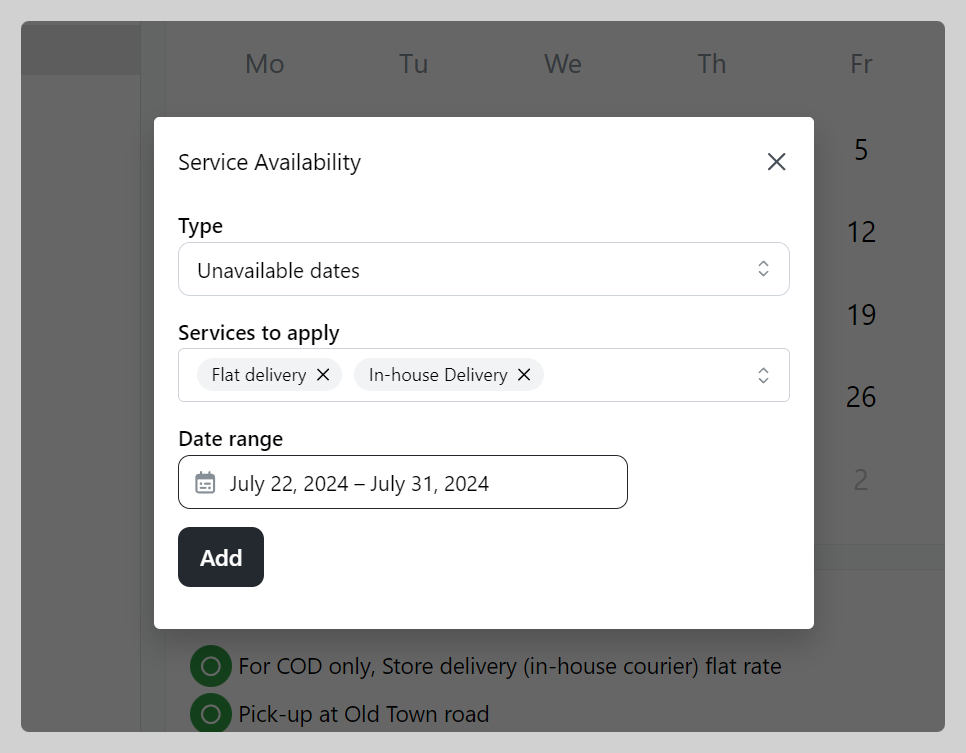
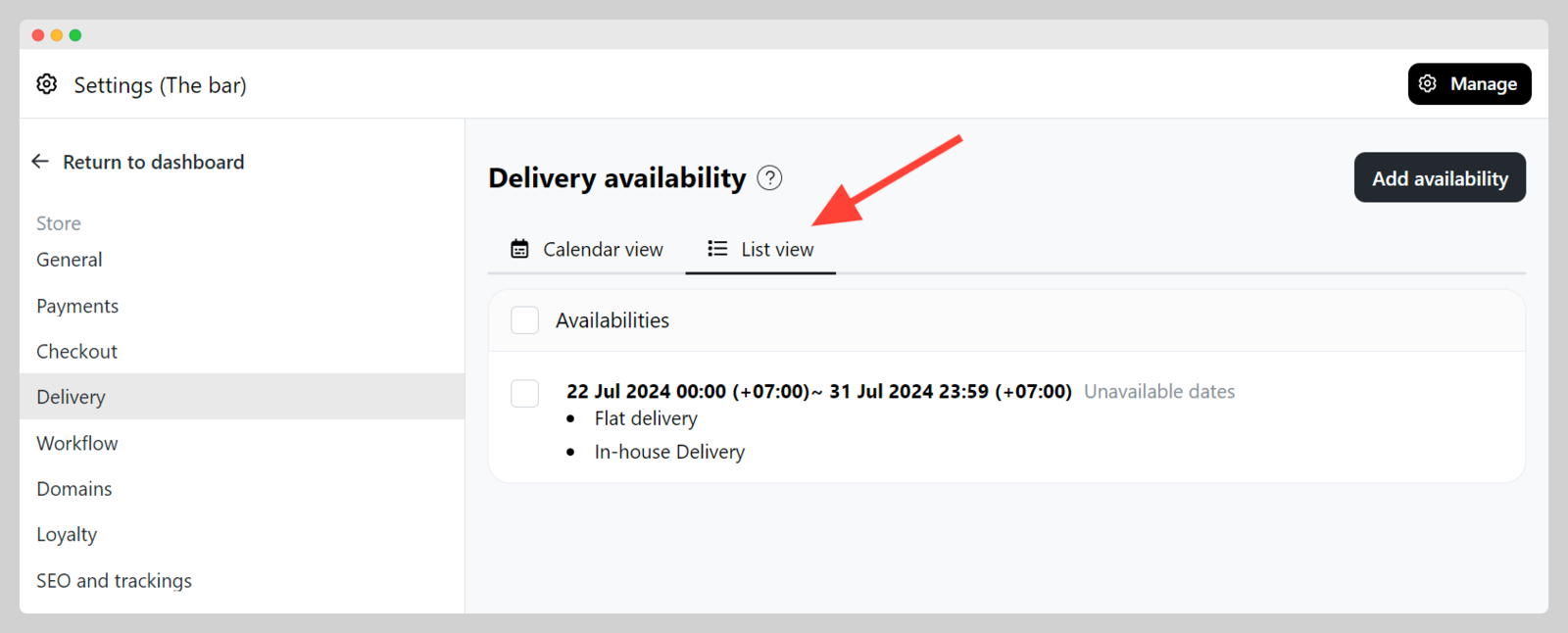
Add availability. Choose the type:- Unavailable dates — block delivery or pick-up for the selected services and date range.
- Delivery fee adjustment — pick Surcharge or Discount, enter the amount, then choose the services and date range.
Click
Addwhen you are done. The delivery fee never goes below zero. Free delivery still applies when the free-delivery threshold is met.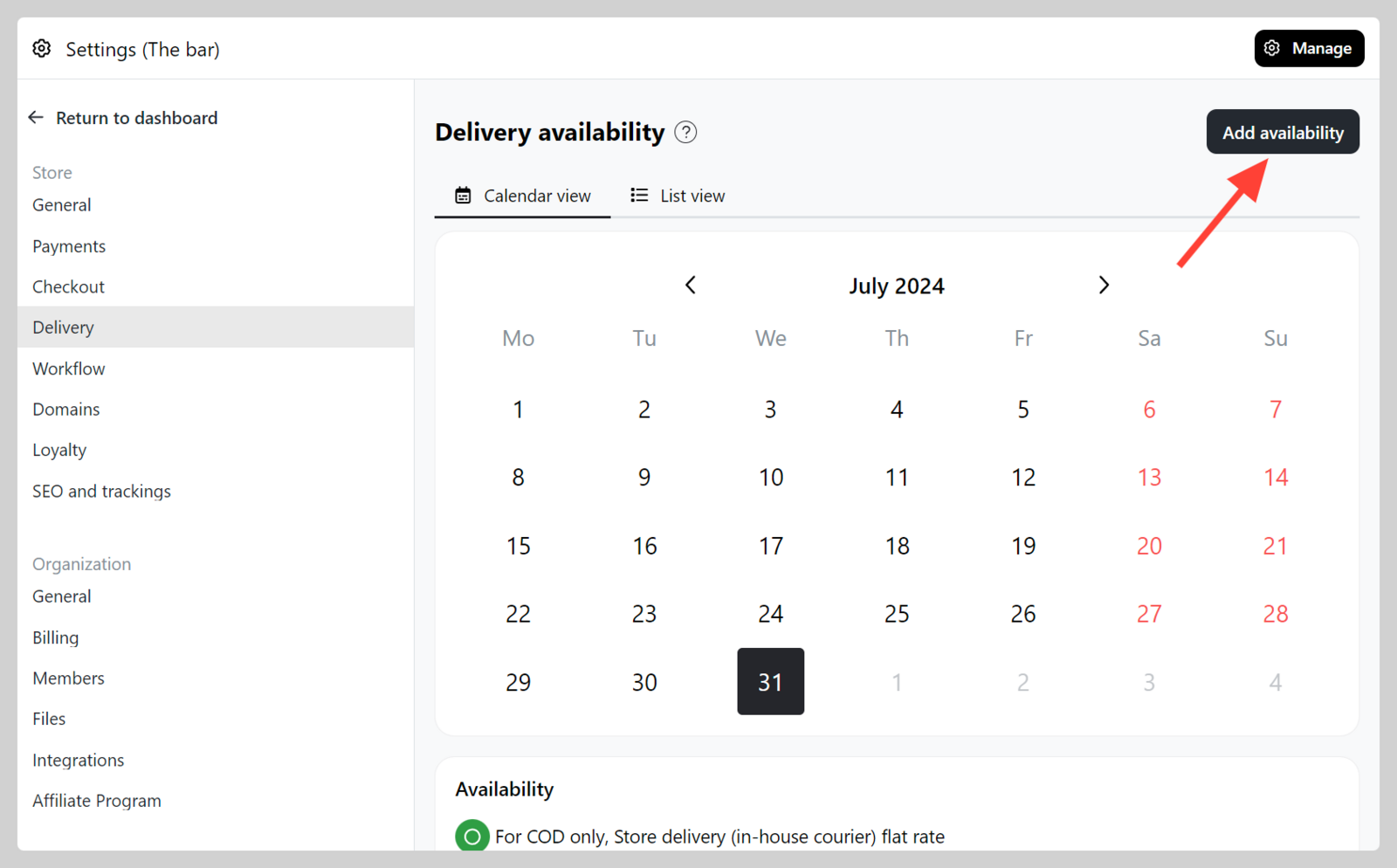
-
In the availability list and calendar, fee adjustments show with a + or − amount next to Delivery fee adjustment. Overlapping adjustments on the same date are added together.
-
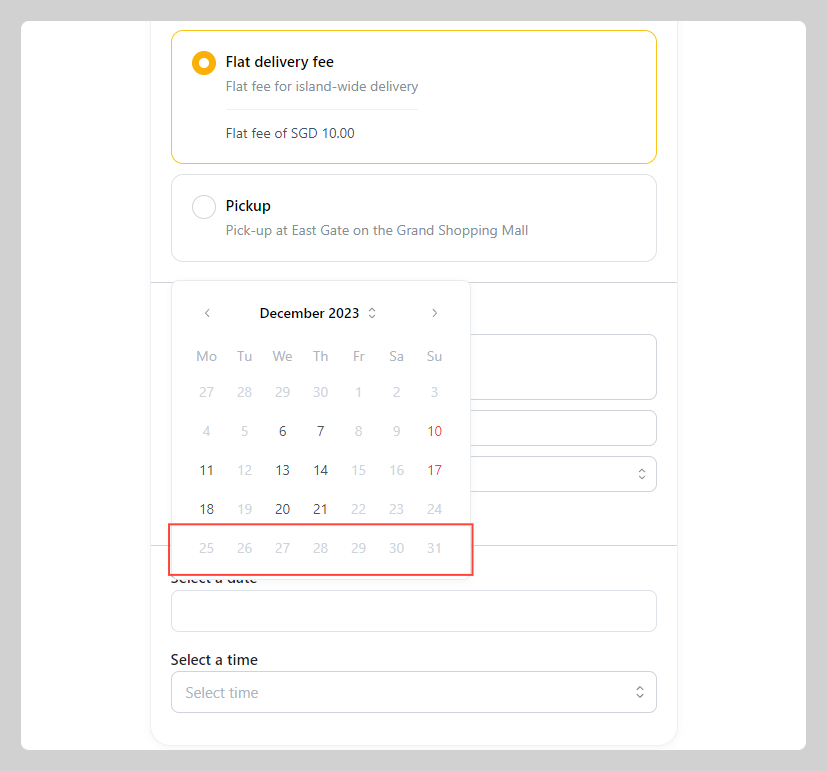
On checkout, unavailable dates cannot be selected. For adjustment dates, customers see Surcharge or Discount under the selected delivery date, and the delivery fee updates.
Raise or lower the delivery fee on specific dates
The same screen lets you add a surcharge or a discount to your delivery fee for a range of dates — a public holiday surcharge, for example.
- Go to Admin > Settings > Delivery and click
Manage availability - Click
Add availabilityand set the type toDelivery fee adjustment - Choose
SurchargeorDiscountand enter the amount - Pick the services it applies to and the date range, then click
Add
At checkout, customers see the surcharge or discount under the date they pick, and it is included in the delivery fee. If two adjustments cover the same date, both apply.